CM602all_EJM8AESM_Service Manual.pdf - 第1087页
EJ M8A-E- 090101-A01- 00 Page 9- 1- 1-12 Sof twar e Sof twar e Inst allation 3.9 C heck the syst em v ersio n di sp layed on the C M602- L touc h panel. (F ig . 3.1 1) Selec t [M achine par am et er], [ Mac hine m ai nte…
EJM8A-E-090101-A01-00
Page 9-1-1-11
Software Software Installation
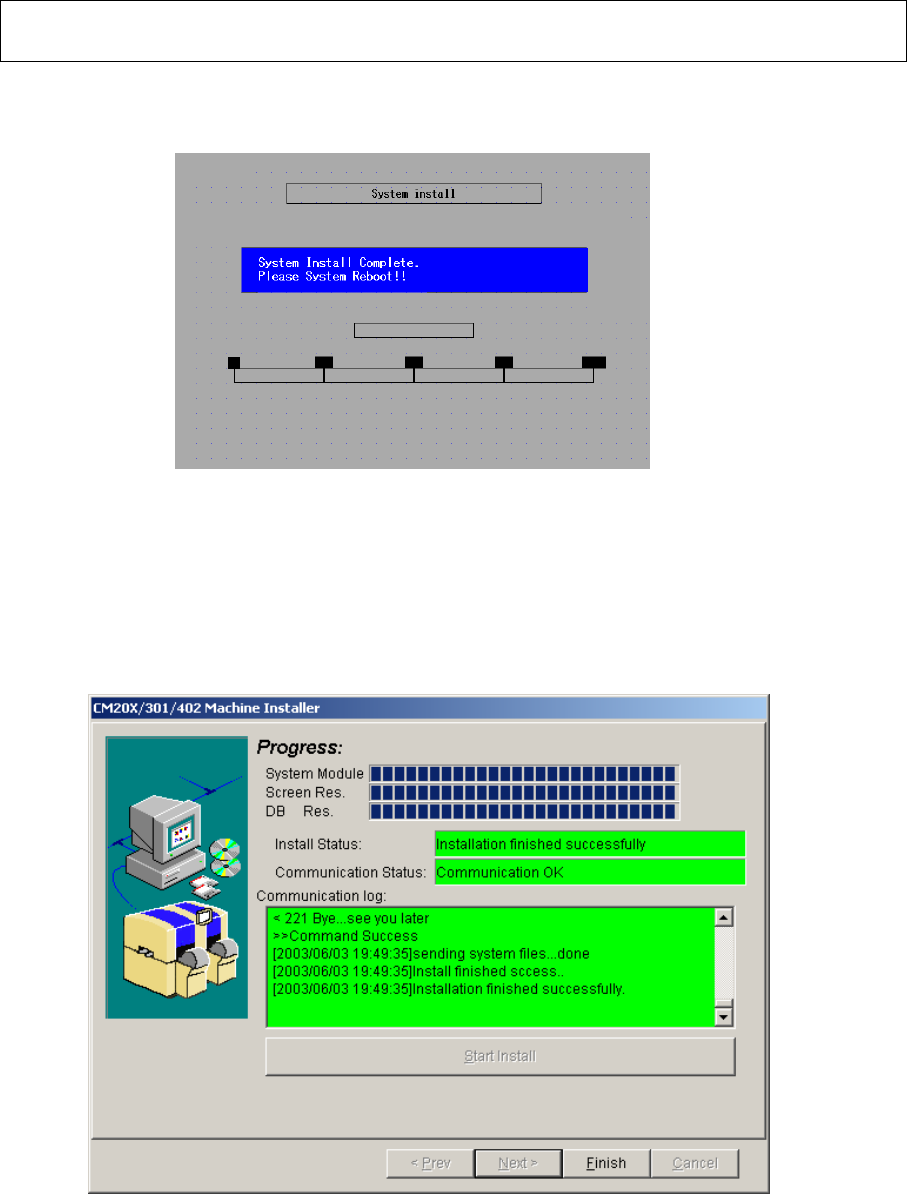
Once the system has been installed, the message on the “System install” window is
changed (Fig. 3.9)
Fig. 3.9 System install screen CM602-L
3.8 Once all items has been installed, the “Finish” button becomes active. Press that
button. After the PT200 “CM20X/301/402 installer” isinished, remove the “Install” floppy
disk from the CM602-L floppy disk drive. Power down and up the CM602-L.
Fig.3.10 PT200
EJM8A-E-090101-A01-00
Page 9-1-1-12
Software Software Installation
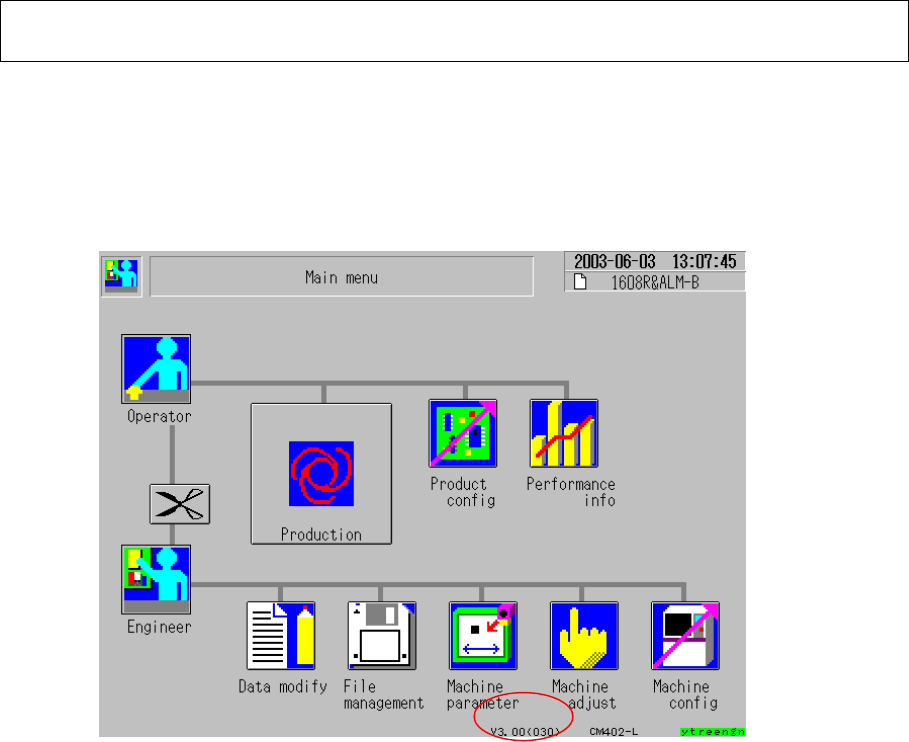
3.9 Check the system version displayed on the CM602-L touch panel. (Fig. 3.11)
Select [Machine parameter], [Machine maintenance] and [Machine information].
(Fig. 2.1) When the kernel version is V2.02.00GJ, the kernel and the machine system
have been updated successfully.
Fig. 3.11 Main menu CM602-L
EJM8A-E-090101-A01-00
Page 9-1-1-13
Software Software Installation
4. CM602-L Engineer Mode Password and Network Setup,
and Machine Parameter Restoration
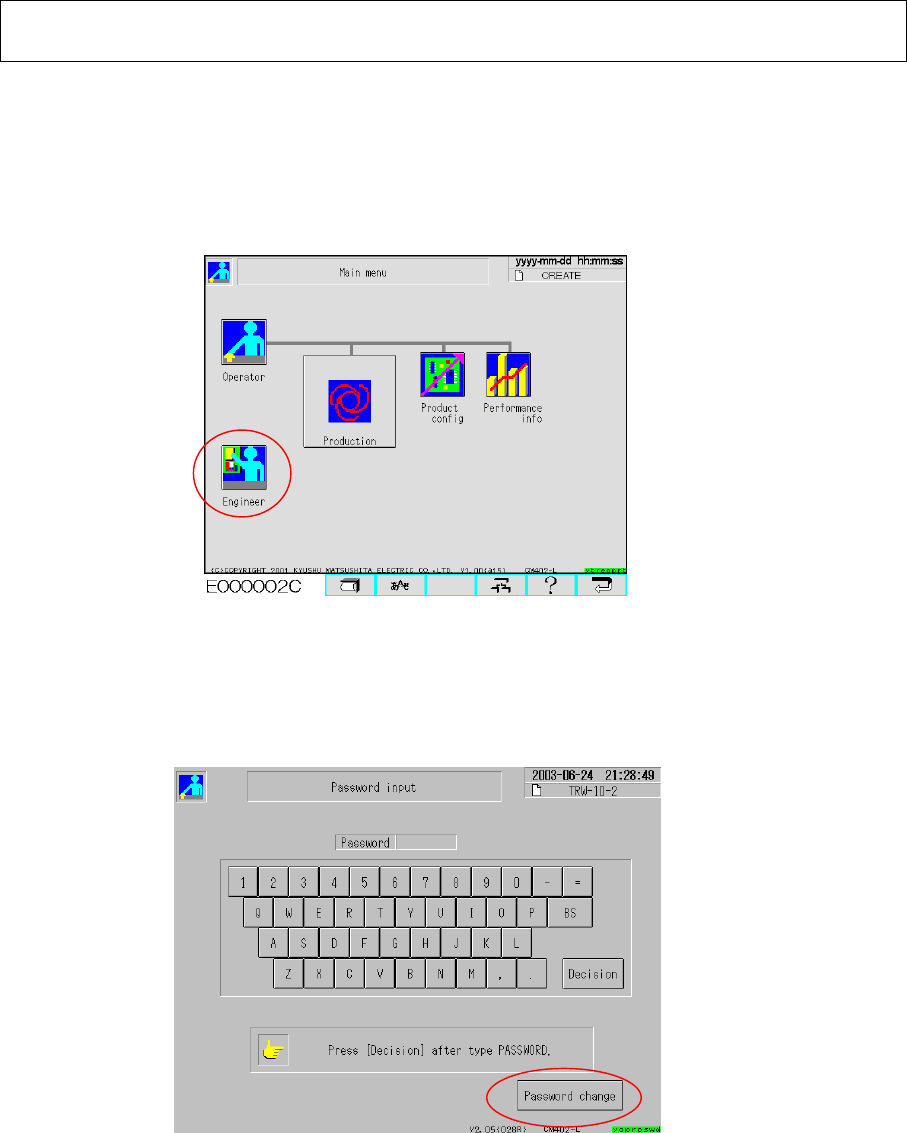
4.1 With the CM602-L operated, insert the password change key floppy disk into the
CM602-L floppy disk drive. Select the “Engineer” icon from the Operator Main Menu
screen (Fig. 4.1) so that the “Password input” screen is displayed.
Fig. 4.1 Main menu (Operator)
Press [Password change] on the “Password input” screen. Type the desired password.
Press [Decision].(Fig. 4.2)
* The password should consist of one to ten letters.
Fig. 4.2 Password input
Type the same password again. Press “Decision.”
* When the currently typed password is the same as that typed before, the password
is changed and the operator main menu is returned.
Select the “Engineer” icon from the main menu. (Fig. 4.1) Check that the engineer mode can
be selected with the currently set password.
If necessary, press [Password change] and set a password again.