CM602all_EJM8AESM_Service Manual.pdf - 第565页
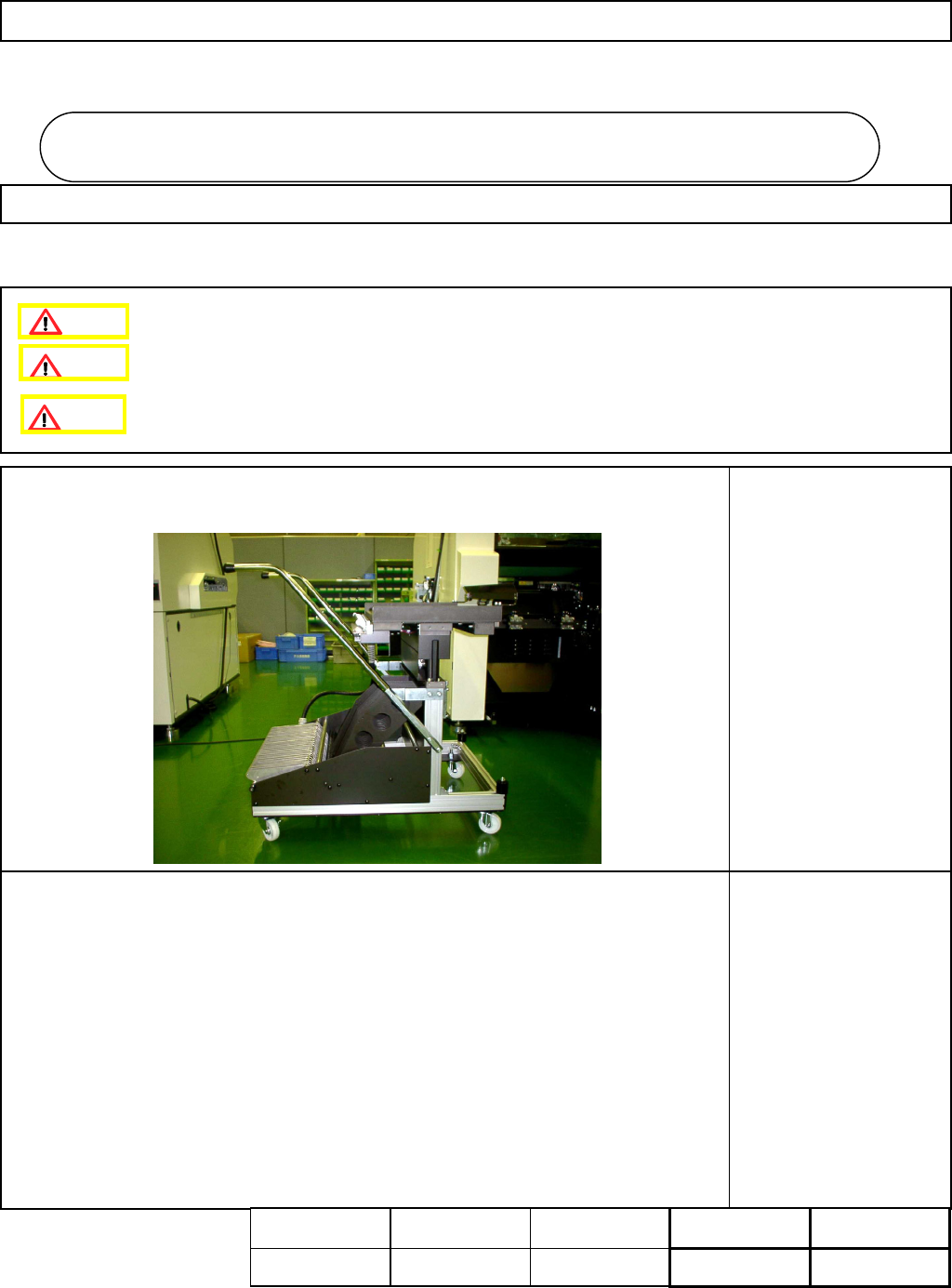
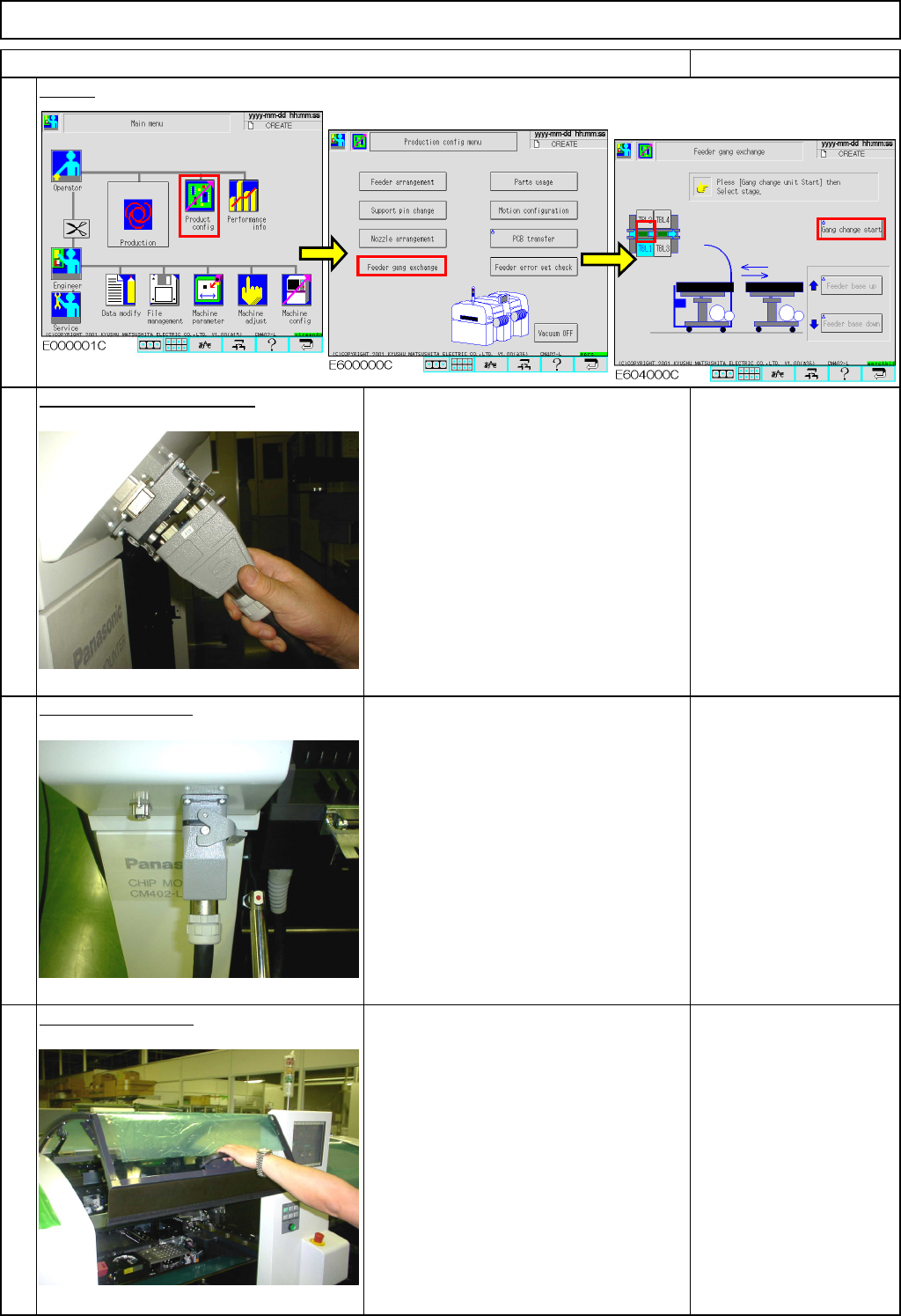
Machinery Part Replacement Remarks Screen Connect the cart connector. Lock the connector. Open the top cover. 4 Feeder Gang Exchange Cart Holding Section 3 Don't forget to lock the connector! Abnormal operation may …
Machinery Part Replacement
• Tools
None
• Jigs
Feeder Cart Installing Section
5-8-1 Feeder Cart Installation and Removal
3分
k
Feeder Cart Installing Section
5-8
Assembly
Adjustment
2min.
Teaching
min.
Total Time Weight of
Part
Removal
Disassembly
1min.
min.
kgs
Caution
Dange
r
Warning
EJM8A-E-SMA050801-A01-00
Page5-8-1-1
Machinery Part Replacement
Remarks
Screen
Connect the cart connector.
Lock the connector.
Open the top cover.
4
Feeder Gang Exchange Cart Holding Section
3
Don't forget to lock the connector!
Abnormal operation may occur.
1
Item
2
Don't insert the connector forcefully!
It may be damaged.
EJM8A-E-SMA050801-A01-00
Page5-8-1-2
Machinery Part Replacement
Remarks
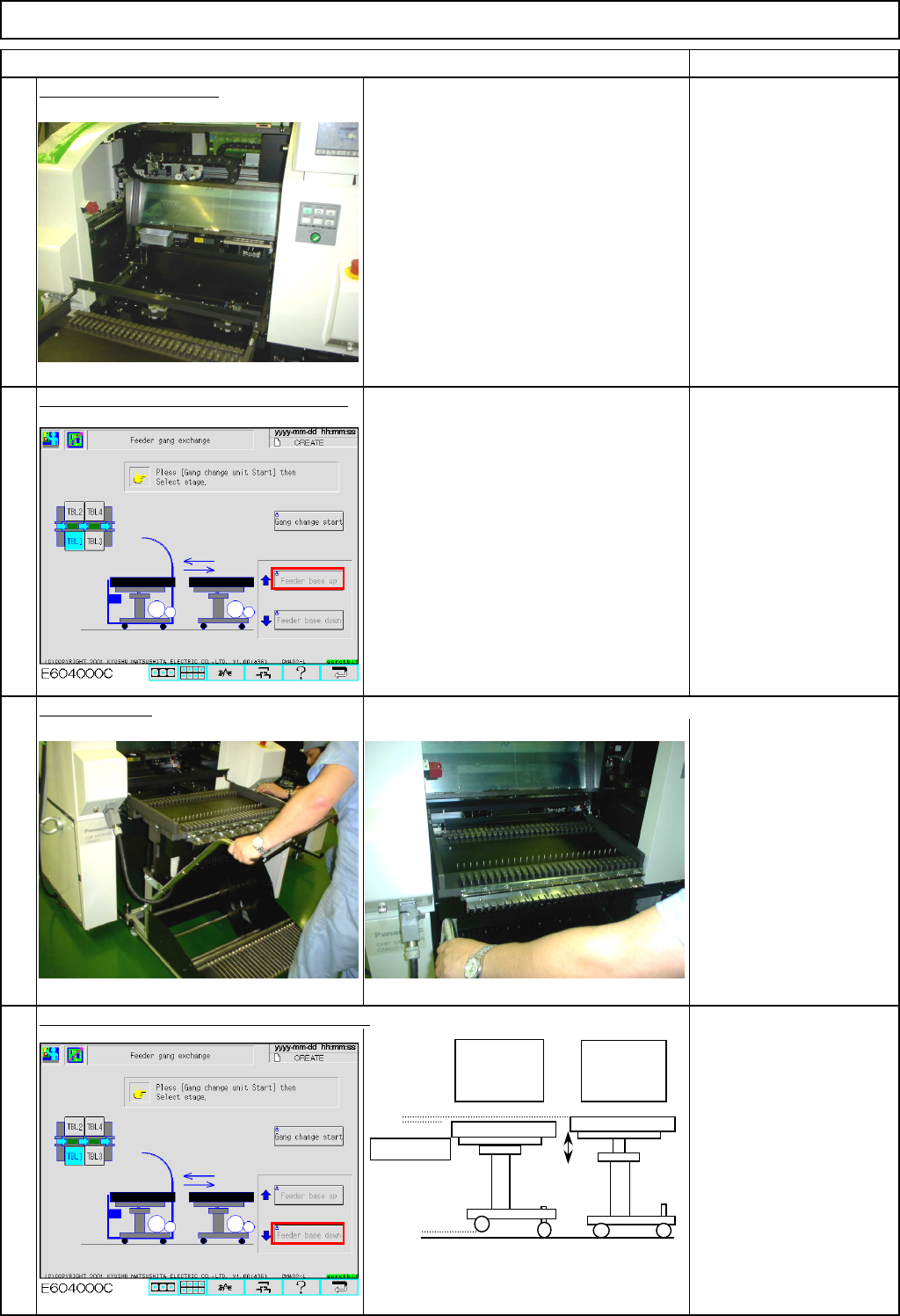
Feeder Gang Exchange Cart Holding Section
Item
Open the feeder cover.
The machine judges whether the feeder
cover is open or closed as follows:
The tape float sensor is blocked;
the cover is open.
The sensor is NOT blocked;
the cover is closed.
Press [UNLOCK] and [Feeder base up].
Insert the cart. Check that the cart is inserted completely.
Press [UNLOCK] and [Feeder base down].
5
6
7
8
When the
table is
lowered:
When the
table is
raised:
Unit table
EJM8A-E-SMA050801-A01-00
Page5-8-1-3