CM602all_EJM8AESM_Service Manual.pdf - 第282页
Press the "Return" key. Press [Yes]. keys 15 14 ITEM Maintenance Adjustment Light Transfer-Head Assembly(3 nozzles) 16 Pickup and recognition are suspended and test run starts. Warm up the machine for approxima…
For details, see Section 4-3-4. "Chip
Recognition Camera Theta Axis Origin Offset"
10
11
12
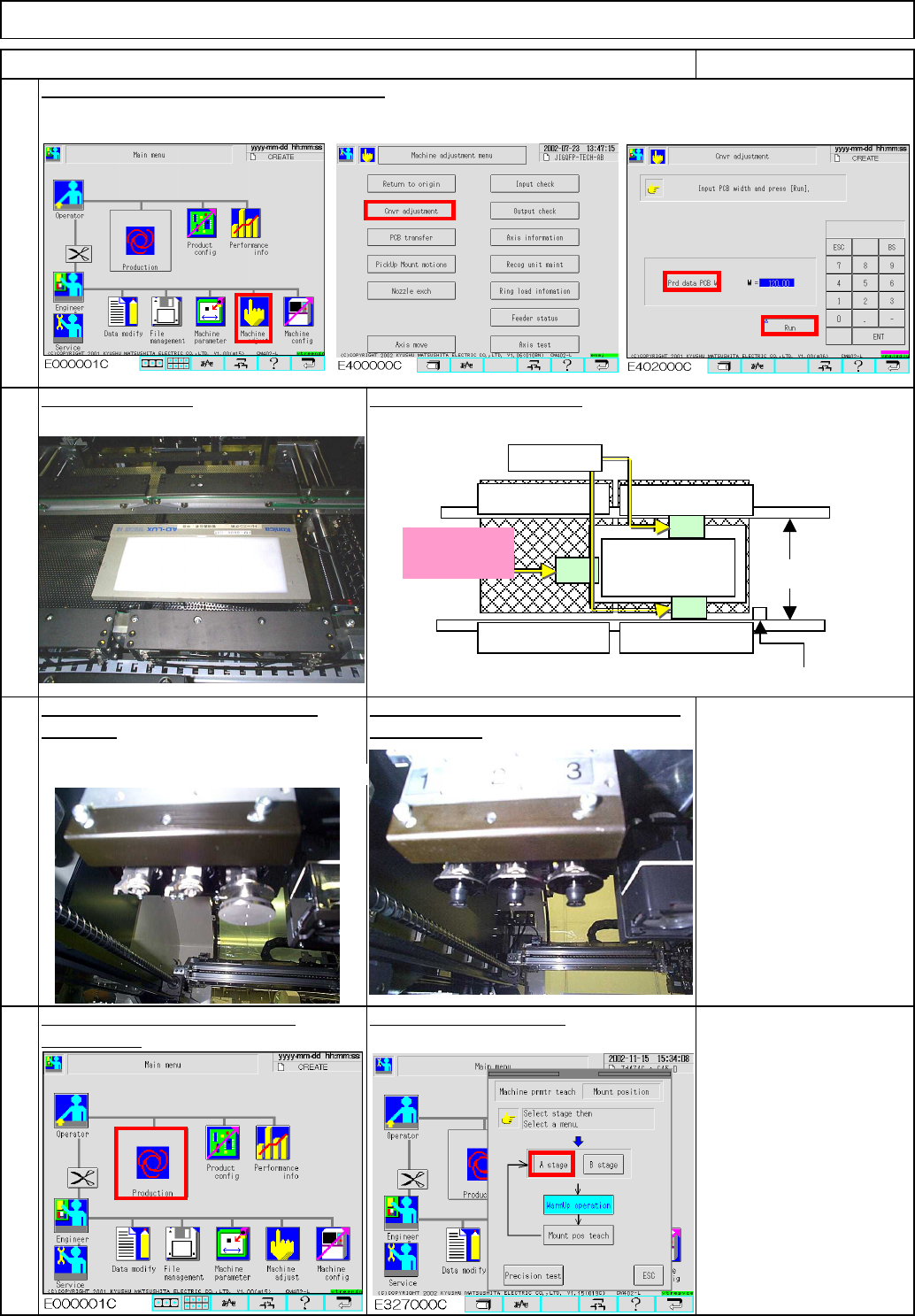
To warm up the machine, press
Fit three 1005 nozzles onto each stage:
Nozzle 1005 6 pcs.
9
Select the desired stage.
[Production].
Re-teach rotation center position to
all heads. front and rear.
Adjust the width of the conveyors manually.
Maintenance Adjustment Light Transfer-Head Assembly(3 nozzles)
ITEM REMARKS
Place the light box.
Be careful of tape position.
①
②
③
Stopper
Light Box
Middle position
Do not place
tape here!
Fixed tape
Position the light box close to the stopper.
EJM8A-E-SMA040307-A01-00
Page 4-3-7-5
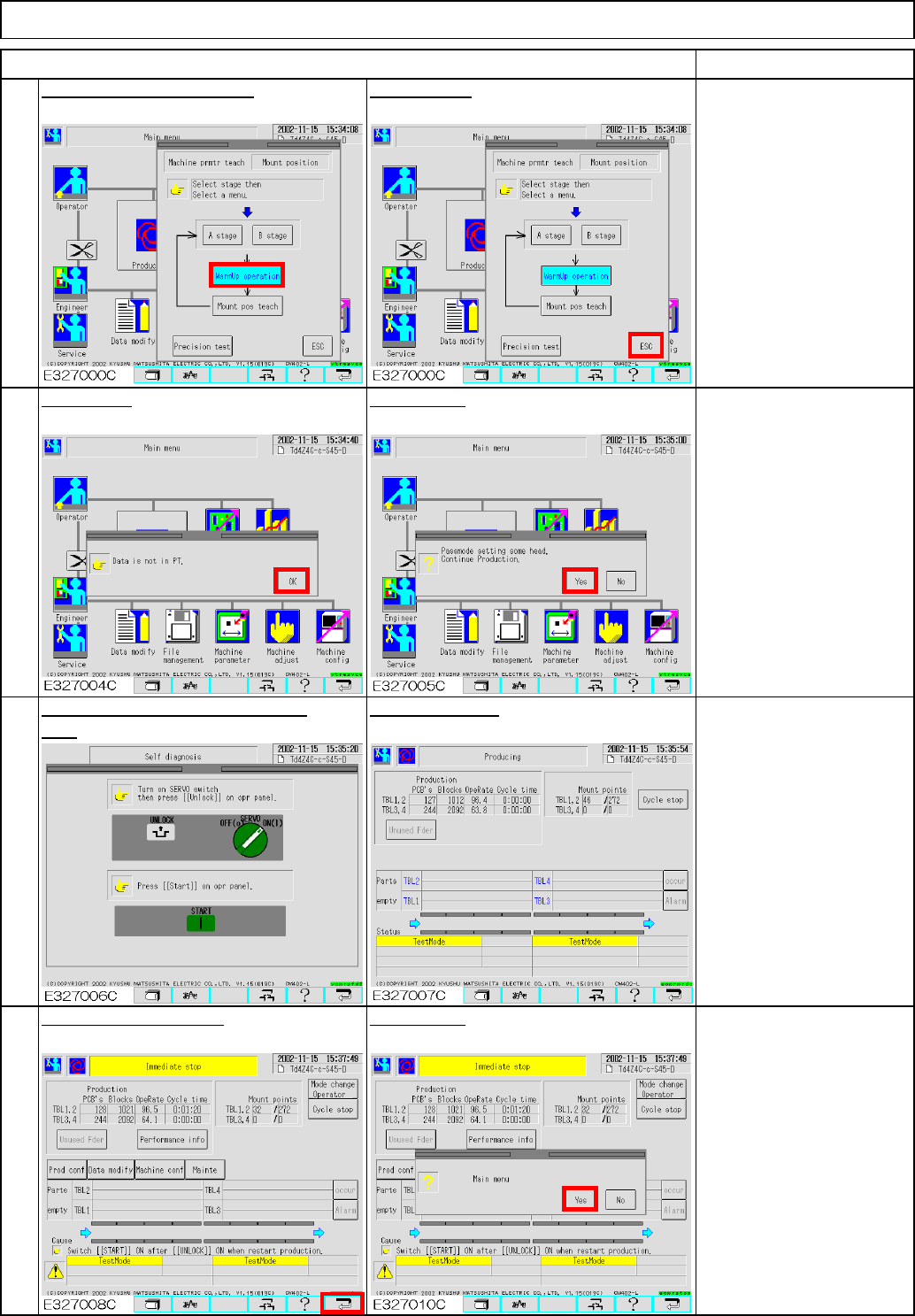
Press the "Return" key. Press [Yes].
keys
15
14
ITEM
Maintenance Adjustment Light Transfer-Head Assembly(3 nozzles)
16
Pickup and recognition are
suspended and test run
starts.
Warm up the machine for
approximately 10 minutes
and press [Cycle stop] to
stop the machine.
Press [OK].
Press [Yes].
Press the "Unlock" and the "Start" Test Run screen
REMARKS
13
Press [Warmup operation].
Press [ESC].
EJM8A-E-SMA040307-A01-00
Page 4-3-7-6
治具基板挿入?
PTデータ無し
ヘッドパス
Maintenance Adjustment
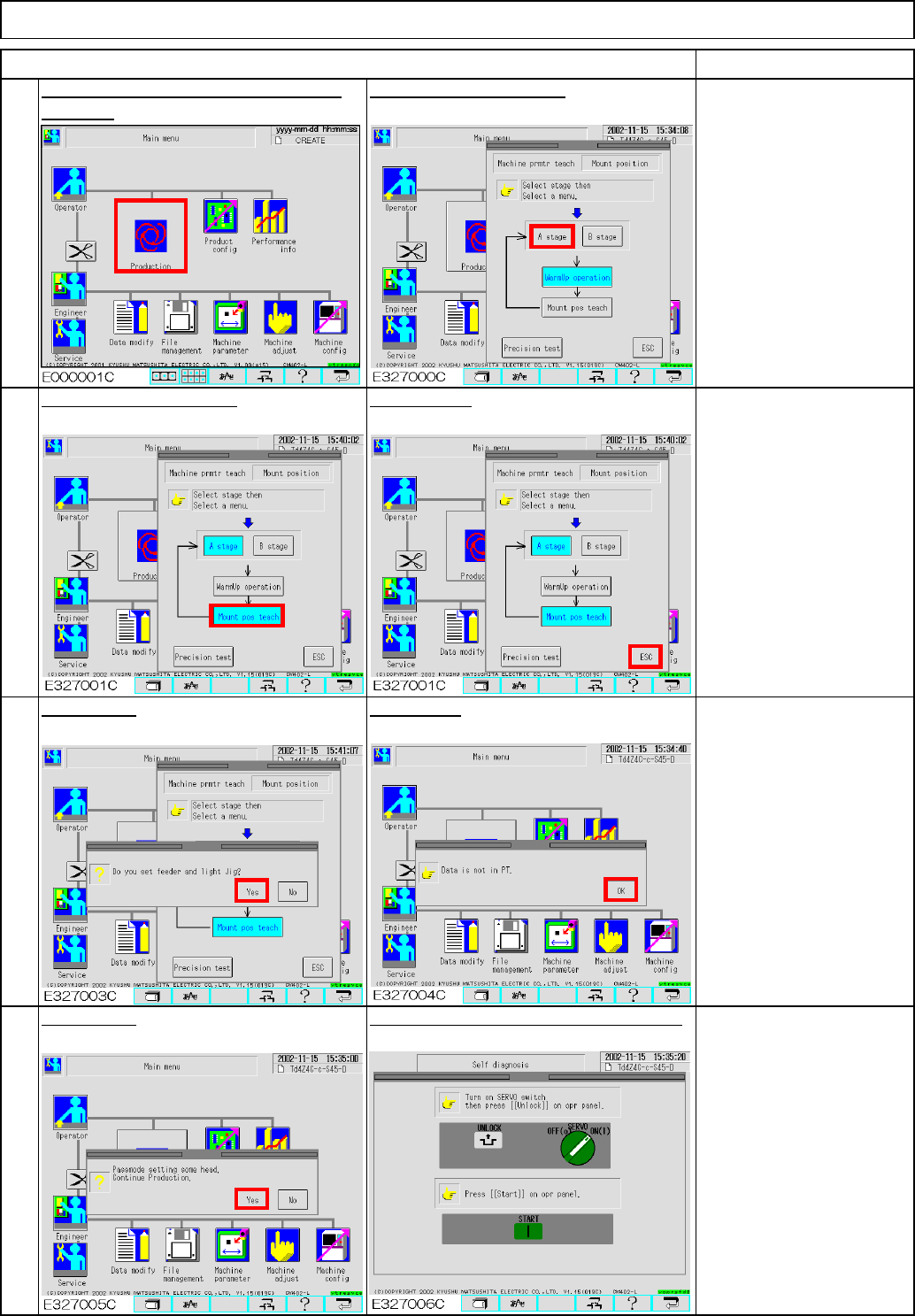
Press [Mount pos teach].
20
18
19
Press [Yes].
Press [OK].
Press [ESC].
Press [Yes]. Press the "Unlock" and the "Start" keys.
Press [Production]. (Mounting position Select the desired stage.
teaching)
ITEM REMARKS
Light Transfer-Head Assembly(3 nozzles)
17
EJM8A-E-SMA040307-A01-00
Page 4-3-7-7