CM602all_EJM8AESM_Service Manual.pdf - 第269页
Maintenance Adjustment Light Transfer-Head Assembly (3 nozzles) Remarks Item Place the board jig on the 2nd mounting position. Firmly press the board jig against the fixed guide and the board stopper. Take care with the …
Maintenance Adjustment Light Transfer-Head Assembly (3 nozzles)
Remarks
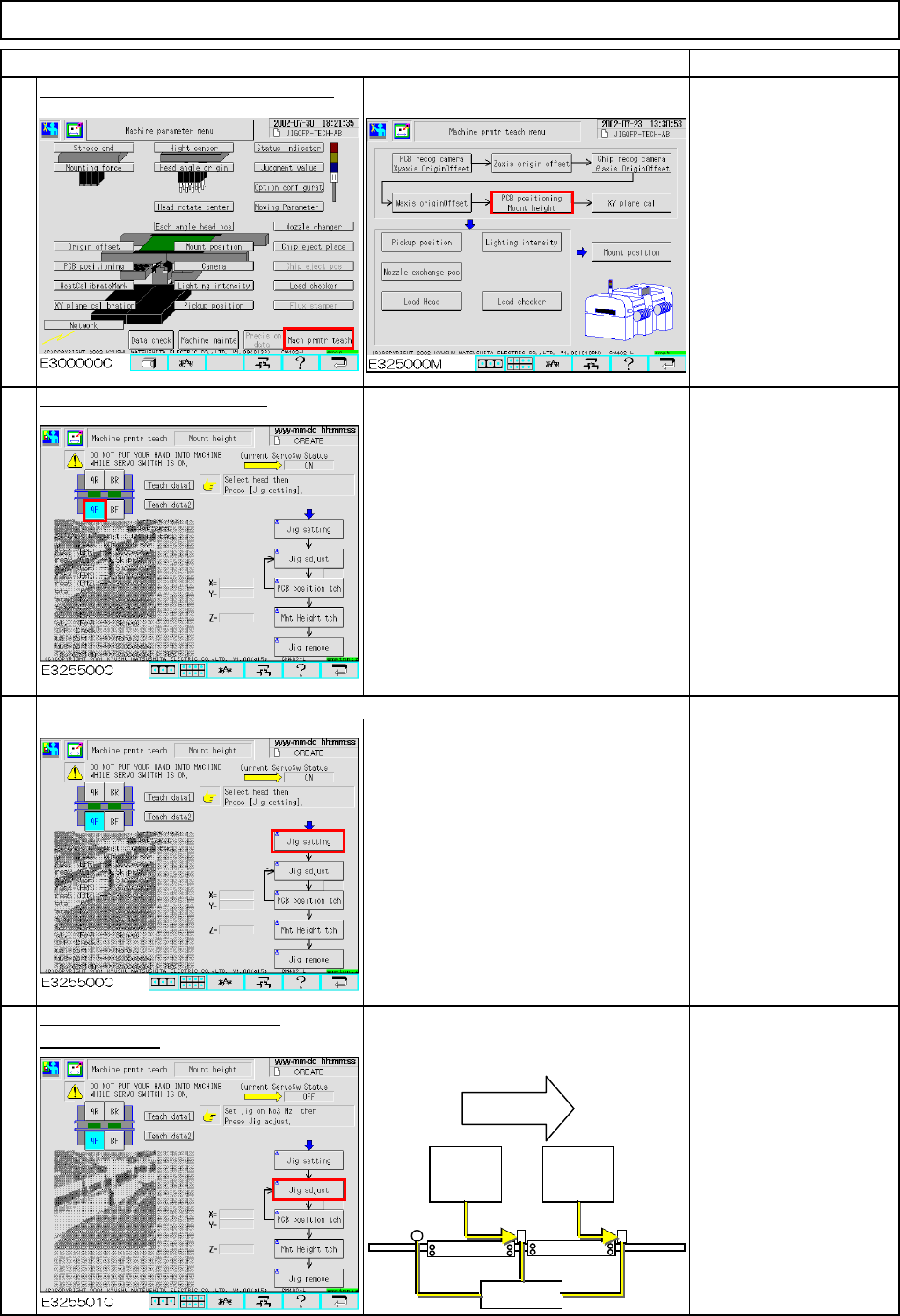
Press [PCB positioning Mount height].
Be sure to remove the
support pins beforehand
since the width of the
conveyor is adjusted in
this step.
The conveyor will be
adjusted to a width of 50
mm.
Select the stage to be taught.
Press [Unlock] and [Jig setting] simultaneously.
Set Nozzle 1003 on
Nozzle Position 3.
Press [Unlock] and [Jig adjust]
The head moves away. The board
simultaneously.
stopper at the 2nd mounting position
moves up.
To change "Right" to
"Left," press [Jig adjust].
The 2nd mounting
position is positioned left
when you see the stage;
check that "Left" is
selected.
Item
2
3
4
1
Flow of
boards
2nd
mounting
position
1st
mounting
position
Stoppers
EJM8A-E-SMA040305-A01-00
Page 4-3-5-2
Maintenance Adjustment Light Transfer-Head Assembly (3 nozzles)
Remarks
Item
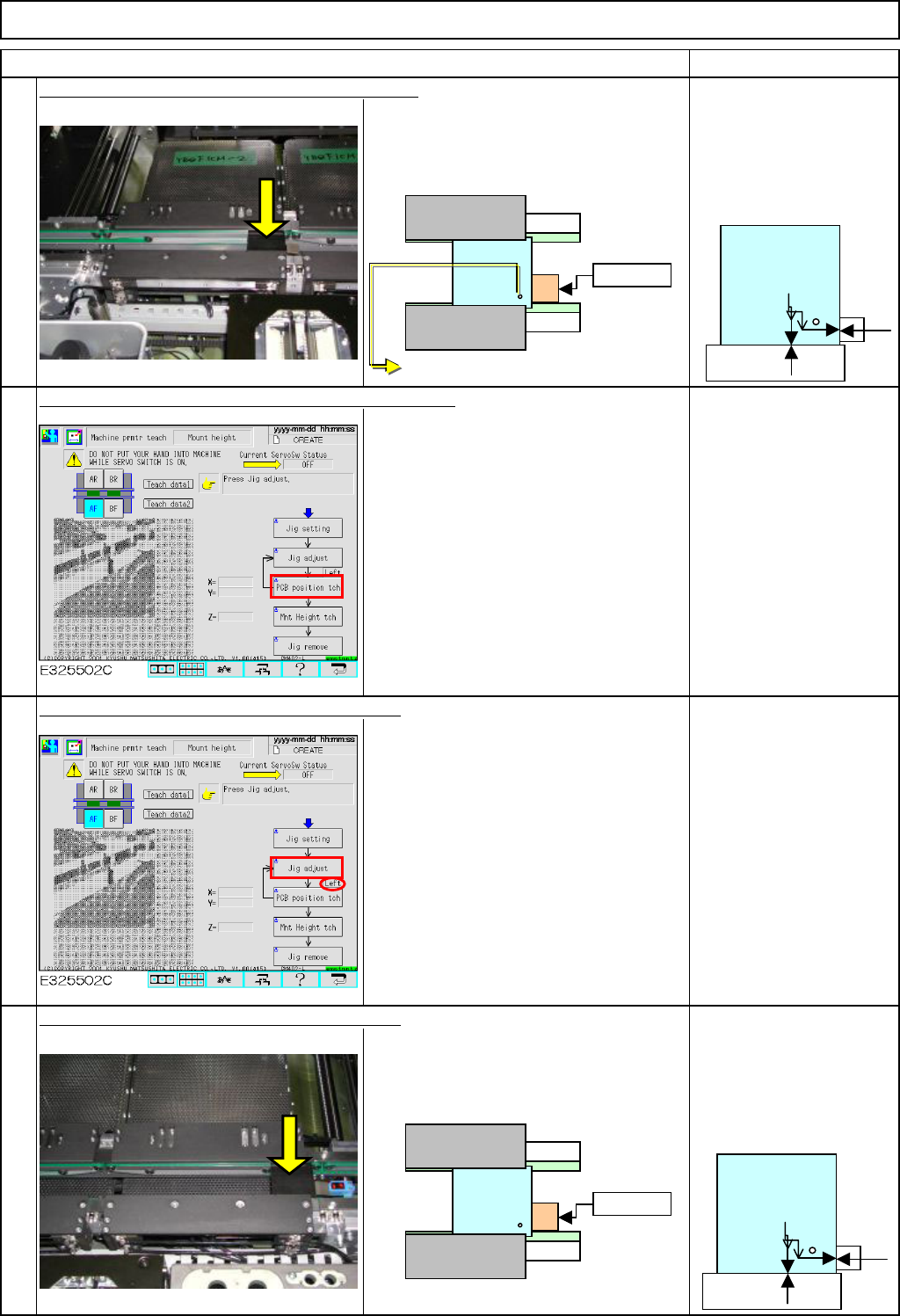
Place the board jig on the 2nd mounting position.
Firmly press the board jig against the
fixed guide and the board stopper.
Take care with the
orientation of the jig;
the hole on the jig should
face the stopper and the
fixed guide.
Press [Unlock] and [PCB position tch] simultaneously.
The head camera recognizes the jig hole
so that the offset for the hole position will
be entered automatically.
Press [Unlock] and [Jig adjust] simultaneously.
The head moves away. The board
stopper at the 1st mounting position
moves up.
Check that the jig is
positioned at right.
Set the board jig on the first mounting position.
Firmly press the board jig against the
fixed guide and the board stopper.
Take care with the
orientation of the jig;
the hole on the jig should
face the stopper and the
fixed guide.
5
6
7
8
Stopper
Fixed guide
ストッパー
固定側
Stopper
Fixed side
No gap should
be created.
The chamfered side should face downwards.
No gap should
be created.
EJM8A-E-SMA040305-A01-00
Page 4-3-5-3
Maintenance Adjustment Light Transfer-Head Assembly (3 nozzles)
Remarks
Item
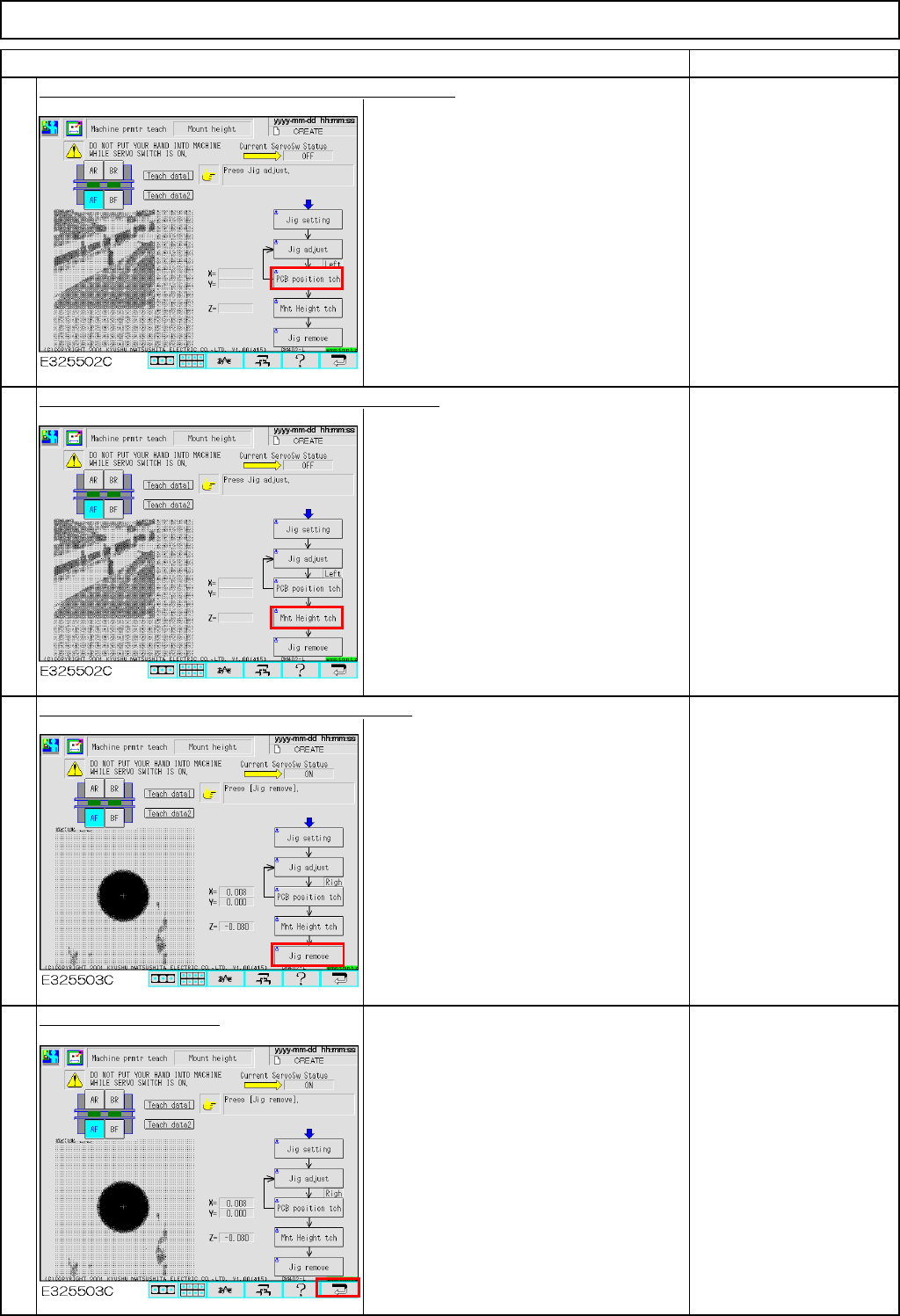
Press [Unlock] and [PCB position tch] simultaneously.
The head camera recognizes the jig hole
so that the offset for the hole position will
be entered automatically.
Press [Unlock] and [Mnt Height tch] simultaneously.
With the nozzle descending to and
ascending from the jig, the vacuum
pressure is measured and the offset is
set automatically.
Press [Unlock] and [Jig remove] simultaneously.
The head moves to the nozzle set
position (over the NG box).
Remove the nozzle and
the jig.
Press the "Return" key.
To save the parameter,
press the [Return] key.
9
10
11
12
EJM8A-E-SMA040305-A01-00
Page 4-3-5-4