CM602all_EJM8AESM_Service Manual.pdf - 第1078页
EJ M8A-E- 090101-A01- 00 Page 9- 1- 1-3 Sof twar e Sof twar e Inst allation 2. CM 602-L Ker nel V ersion Upgr ade 2.1 Pow er dow n the m achi ne. 2.2 Ins ert the ker nel v er si on up gr ade i nstall di sk into t he f lo…
EJM8A-E-090101-A01-00
Page 9-1-1-2
Software Software Installation
1. Procedures for Saving the CM602-L Machine Parameters & Network
Configuration
1.1
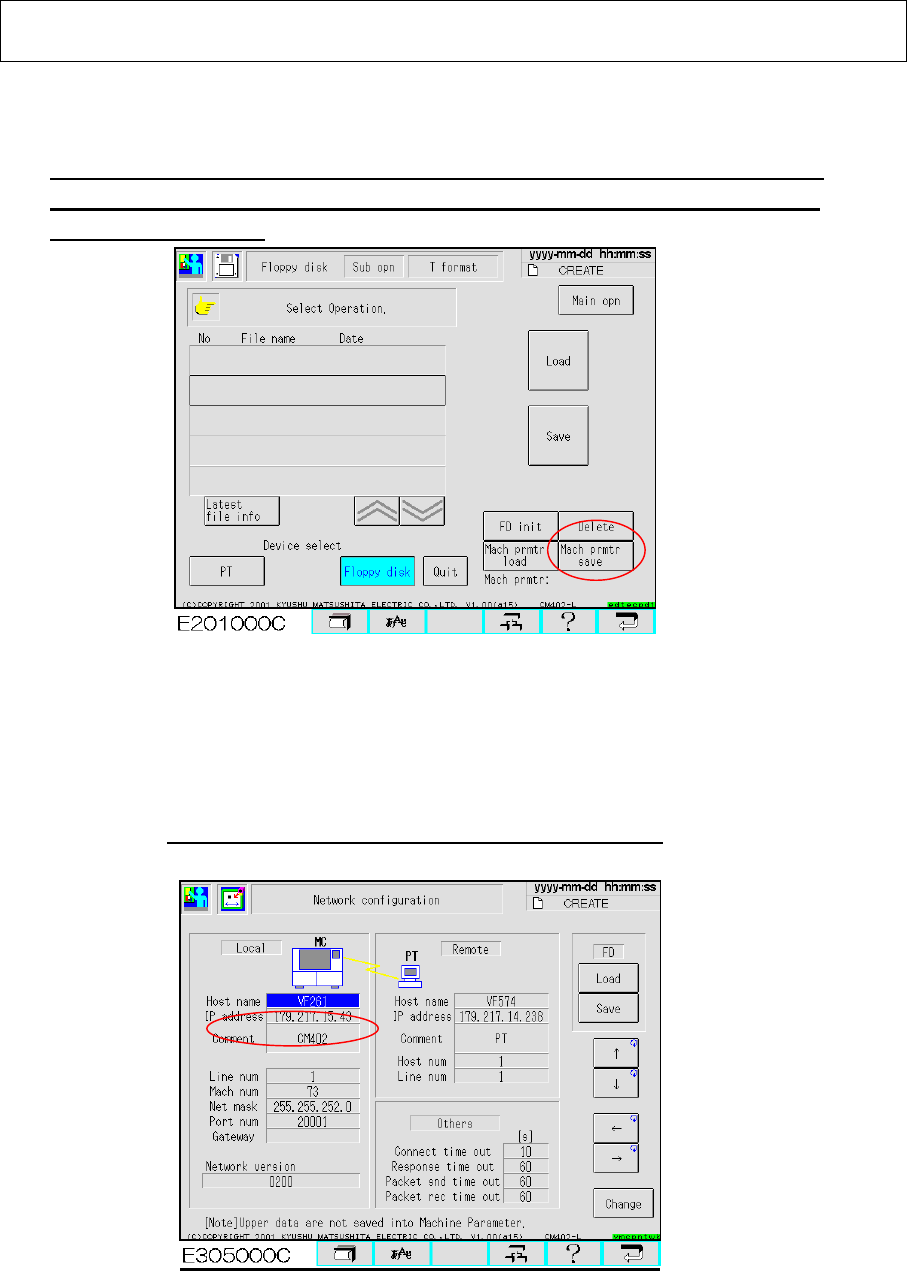
With the CM602-L operated, select [File management] from the main menu.
Select [Floppy Disk] and [Sub operation] so that the “Mach prmtr save” button is
displayed. (Fig. 1.1). Press that button so that the machine parameters are saved
into a floppy disk (FD). 【Time: 10 sec. Approx.】
Fig. 1.1 “File management” screen CM602-L
1.2 Select [Machine Parameter] from the main menu and [Network configuration] so that the
“Network configuration” screen is displayed. (Fig. 1.2) Press the “Save” button so
that the network parameters are saved into a floppy disk. (The floppy disk containing
the machine parameters can be used.) 【Time: 3 sec. Approx.】
Remember the CM602-L IP address; it may be required later.
Fig. 1.2 Network Configuration screen CM602-L
1.3 Upgrading the version clears the password to enter the “Engineer” mode. After
the version is upgraded, it is necessary to set the password.
EJM8A-E-090101-A01-00
Page 9-1-1-3
Software Software Installation
2. CM602-L Kernel Version Upgrade
2.1 Power down the machine.
2.2 Insert the kernel version upgrade install disk into the floppy disk drive (FDD).
Note. The kernel cannot be installed if its type is not matched with the machine model.
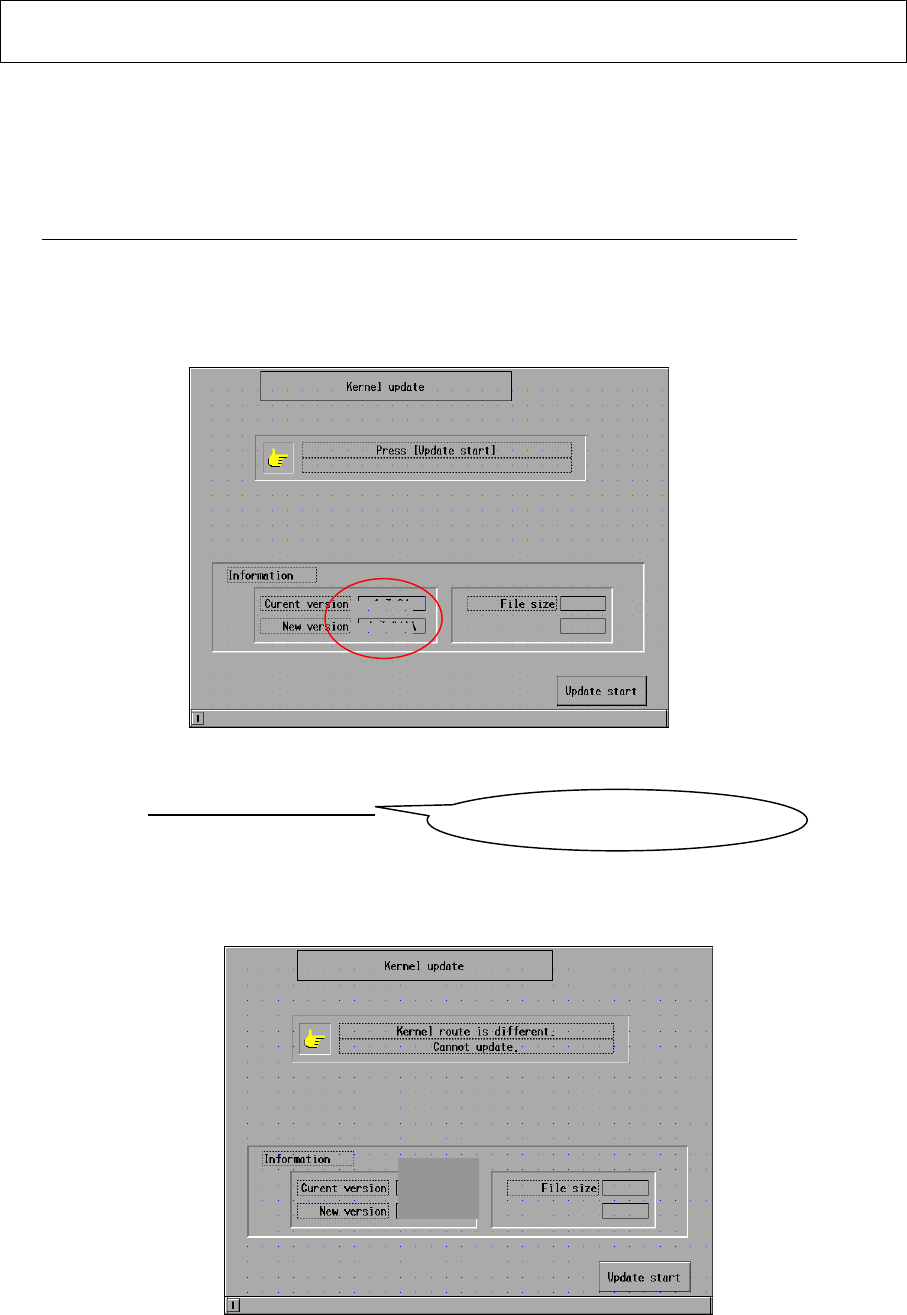
2.3 Power up the machine. After the machine is booted up, the initial screen is displayed.
(Fig. 2.1)
【Time: 100 sec. Approx.】
Fig. 2.1 Initial screen CM602-L
2.4 The current and the new kernel versions are displayed. Check that the new kernel
version is CM602-L:V2. 02. 00GJ.
If the kernel type is not matched with the machine model, the kernel cannot be installed.
(Fig. 2.2) Remove the floppy disk, power down the machine and use the correct
floppy disk.
Fig. 2.2 Initial screen CM602-L
2.01.00GA
2.01.00GB
1.3.24AA
2.01.00GA
2.01.00GB
1.3.24AA
2.01.00GB
Check the last letter is J.
EJM8A-E-090101-A01-00
Page 9-1-1-4
Software Software Installation
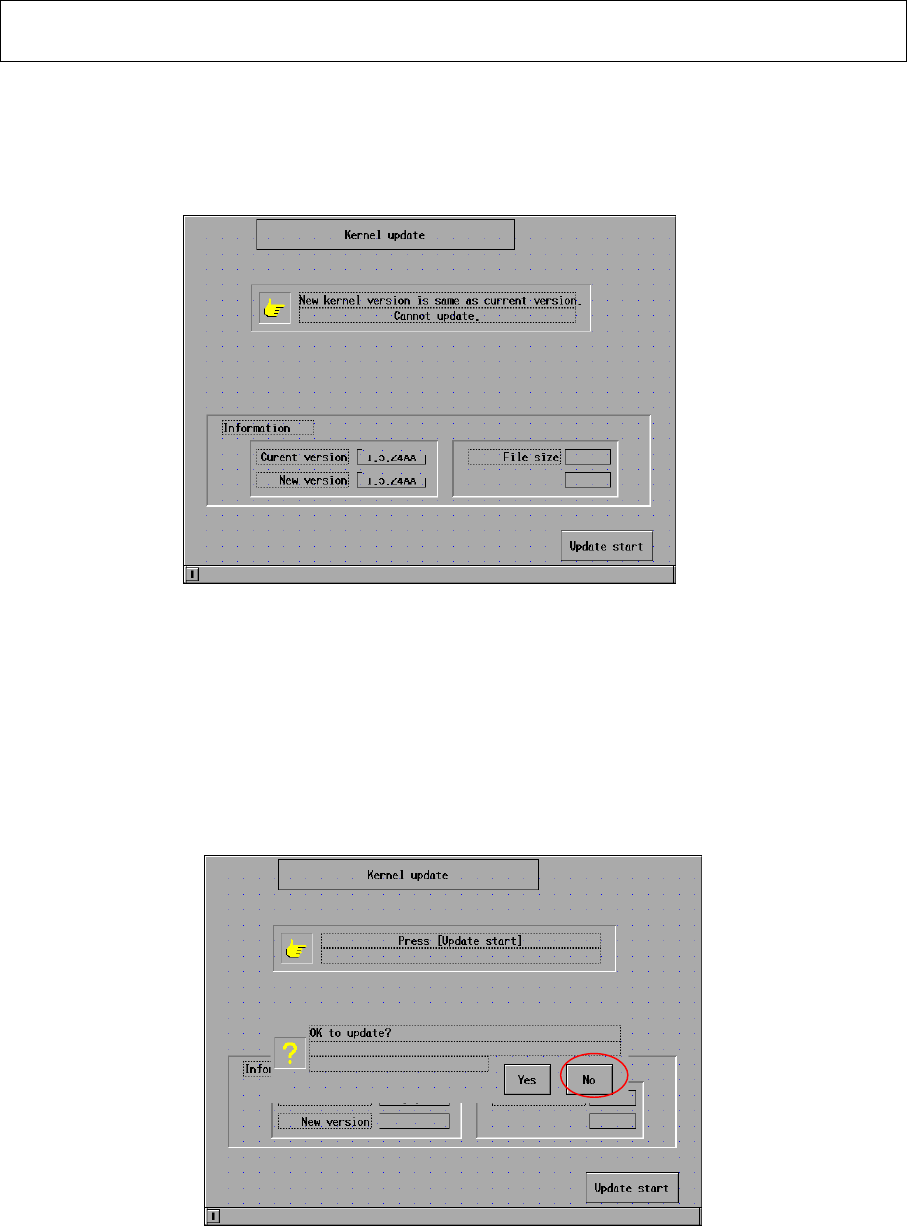
2.5 If the current version is the same as the new version, the kernel cannot be installed.
(Fig. 2.3) If the current kernel version is 2.02.00GJ, that kernel has been
already upgraded. It is not necessary to update the kernel.
Fig. 2.3 Initial screen CM602-L
2.6 Press [Update start]. The message “OK to update?” is displayed. (Fig. 2.4) Press
[Yes] so that installation is started.
【Time: 120 sec. Approx.】
Fig. 2.4 Installation screen CM602-L
The “Installation” screen is displayed on the M/C touch panel. (Figs. 25 and 26)
2.01.00GB
2.01.00GB
2.01.00GB
2.01.00GB
2.01.00GB