CM602all_EJM8AESM_Service Manual.pdf - 第89页
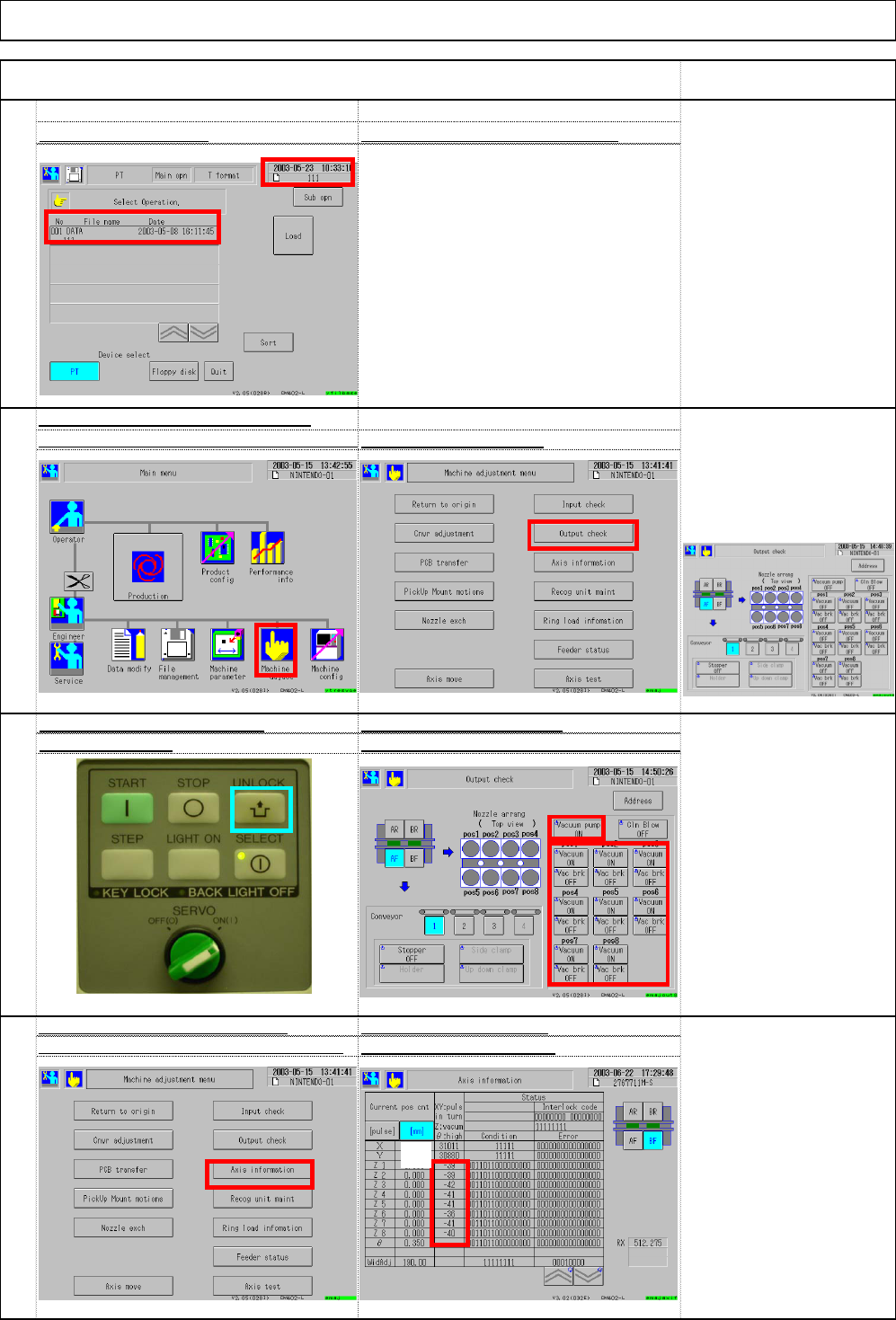
Installation Machine Installation Item Remark 77 Multi-purpose vacuum pressur e Turn on the vacuum pump check method: (1) Unlock + (2) Vacuum pump (3) Vacuu m * To change "Vacuum" to "ON," press "…
74
Check the vacuum value of the vacuum
checking method
:
(1) Unlock + (2) Vacuum pump (3) Vacuu
m
75
High-speed vacuum pressure Turn on the vacuum pump
76
After turning on "Vacuum," go to the
Check vacuum pressure
"Machine adjust." Select (4) Axis information
with (5) Axis information
* There should be no large
difference among vacuum
pressures.
(Normally, there is 1 to 2
difference.)
* To change "Vacuum" to
"ON," press "Unlock" and
"Vacuum."
Turn on all vacuum pumps
and vacuums.
sensor of each head. Select (1) Machine adju
s
Select (2) Output check
.
"Out
p
ut check" window
73
Check (5) file name.
Check ⑥ loading date and etc
.
Installation Machine Installation
Item Remark
(5)
(1)
(2)
(1)
(2)
(4)
(5)
(3)
(6)
EJM8A-E-SMA020103-A01-00 Page 2-1-3-20
Installation Machine Installation
Item Remark
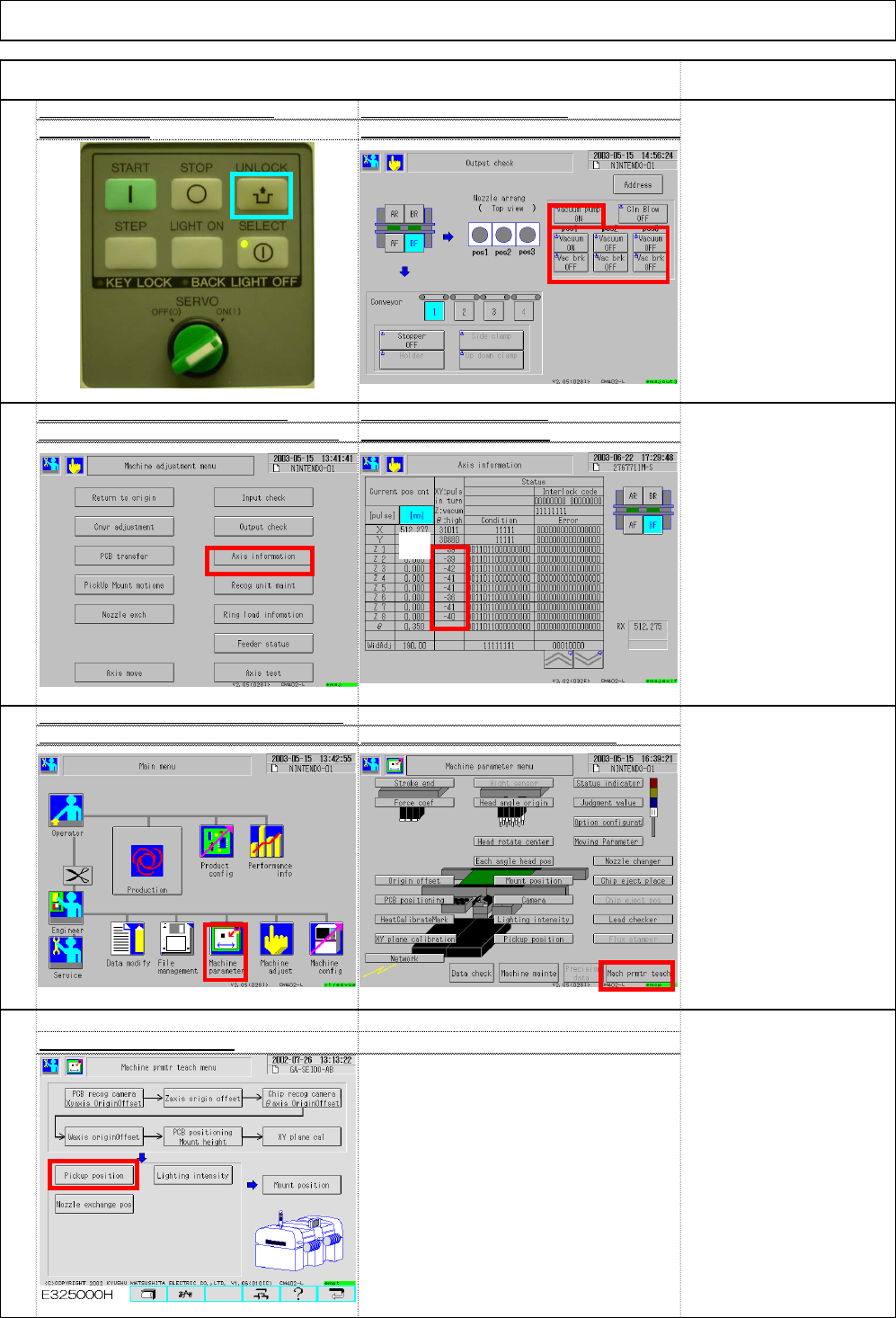
77
Multi-purpose vacuum pressur
e
Turn on the vacuum pump
check method: (1) Unlock + (2) Vacuum pump (3) Vacuu
m
* To change "Vacuum" to
"ON," press "Unlock" and
"Vacuum."
Turn on all vacuum pumps
and vacuums.
"Machine adjust." Select (4) Axis information
with (5) Axis information
* There should be no large
difference among vacuum
pressures.
(Normally, there is 1 to 2
difference.)
78
After turning on "Vacuum," go to the
Check vacuum pressure
80
79
Check with the pickup position alignme
n
jig. (Option) Select (1) Machine paramet
e
Select "Machine parameter teach
Select (3) Pickup position.
(1)
(4)
(5)
(1)
(2)
(3)
(3)
(2)
EJM8A-E-SMA020103-A01-00 Page 2-1-3-21
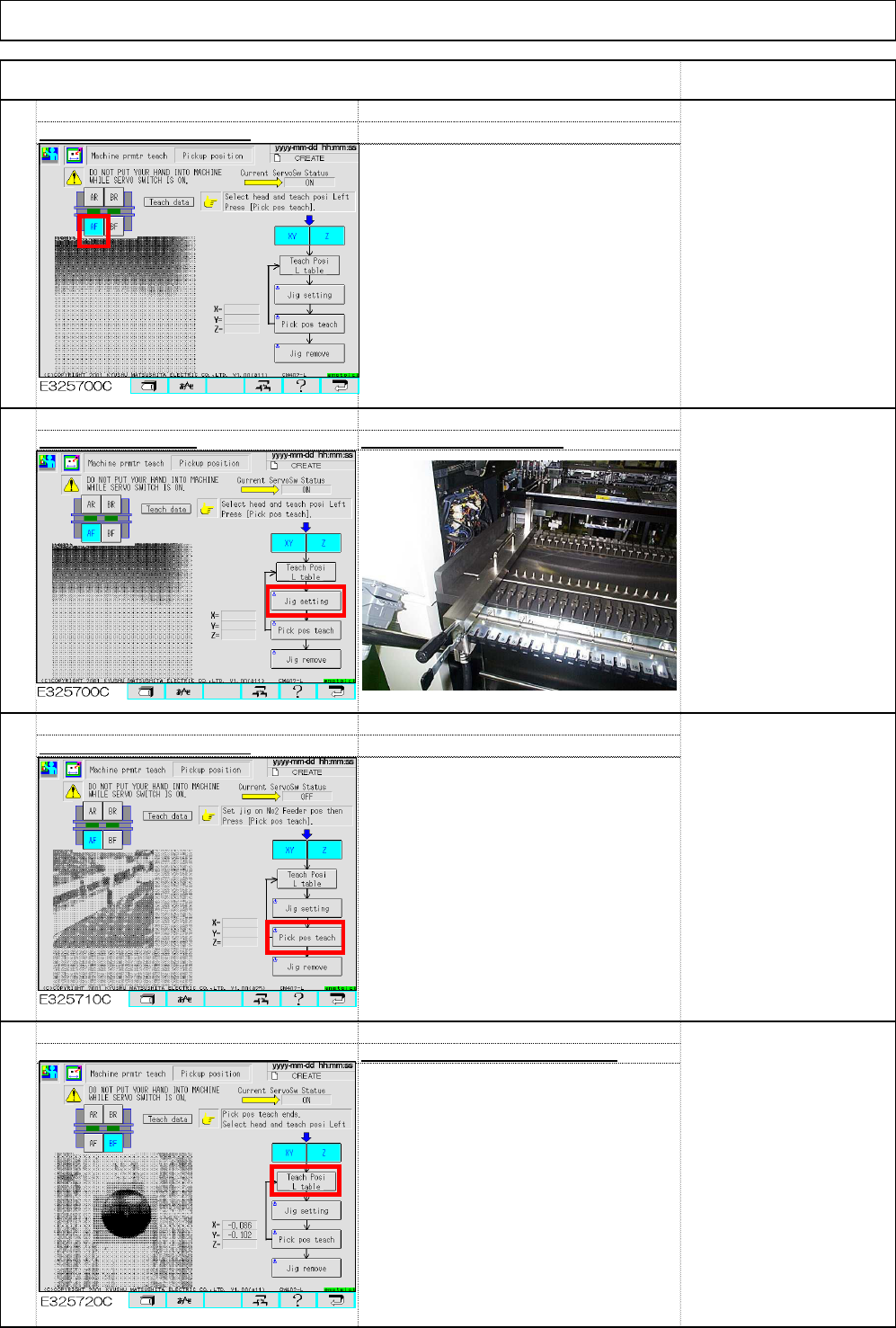
Select (7) Teach Posi L table. ⇒ Change it to "Teach Posi R table.
"
Select (6) Pickup pos teach.
Select (5) Jig setting Set the jig on the PU No.2
.
* Reason for setting on PU
No.2
The recognition camera
cannot move to PU No.1.
Select the desired stage. (4)
82
83
84
Installation Machine Installation
Item Remark
81
(4)
(5)
(6)
(7)
EJM8A-E-SMA020103-A01-00 Page 2-1-3-22