CM602all_EJM8AESM_Service Manual.pdf - 第300页
Maintenance Adjustment Light Transfer-Head Assembly (3 nozzles) Remarks Item Press [Load Head]. The board width is set to 70 mm and the conveyor width is adjusted automatically. Press the "Unlock" key and [Jig …
Maintenance Adjustment Light Transfer-Head Assembly (3 nozzles)
Remarks
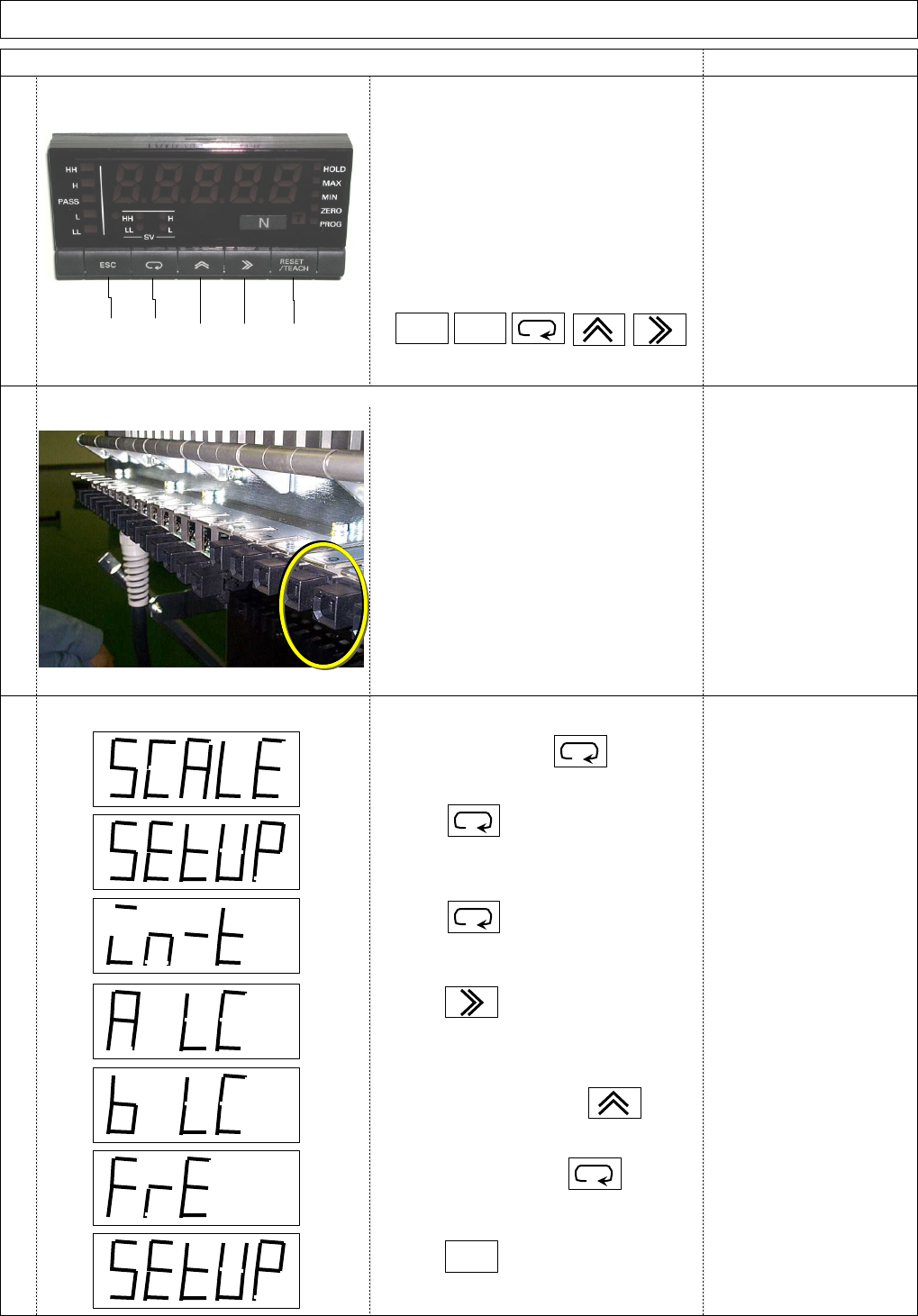
Initial setup
Connect the power supply cord to the feeder connector.
Set "Input range."
1
2
3
Item
①Escape: used to return to the previous operation.
②Mode: used to change menu or to determine the set value.
③Up: used to change setting.
④Shift: used to shift the highlight to the right digit when setting.
⑤RESET/TEACH: used to reset or to teach.
①②
③④ ⑤
ESC
RESET/
TEACH
Press several times until
"SETUP" is displayed.
Power up and press for 1 sec.
Press for 1 sec.
Press to highlight the digit
to be changed.
To display "b LC," press
To determine, press
ESC
and
EJM8A-E-SMA040310-A01-00
Page4-3-10-2
Maintenance Adjustment Light Transfer-Head Assembly (3 nozzles)
Remarks
Item
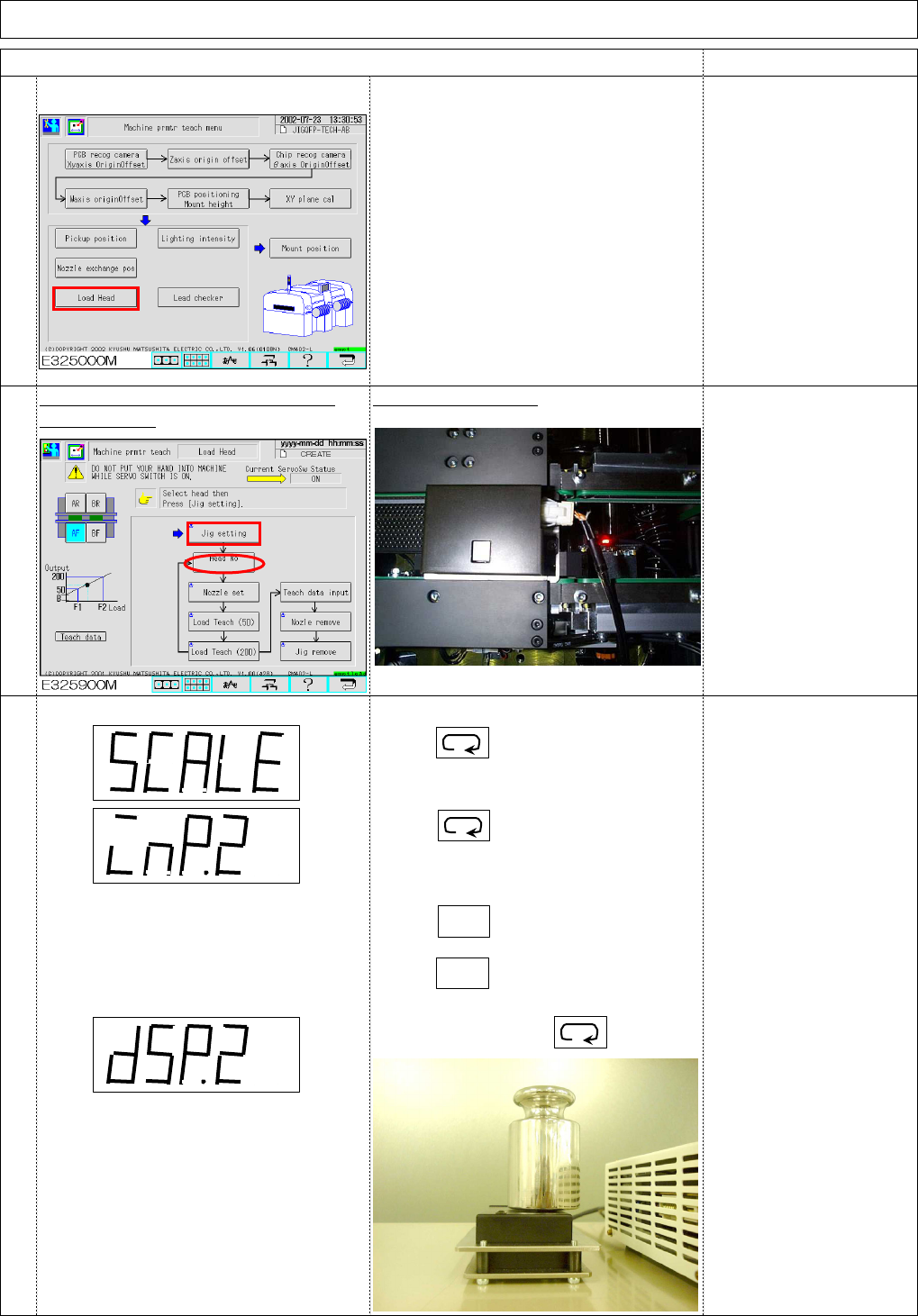
Press [Load Head].
The board width is set to 70 mm and the
conveyor width is adjusted automatically.
Press the "Unlock" key and [Jig setting]
Place the load cell jig.
simultaneously. The cable should not be
higher than the height of
the load cell.
Setting Input value 2.
4
5
6
Press several times until the
"SCALE" is displayed.
Press for 1 sec.
RESET/
TEACH
Place a 1-kg weight on the load cell.
Press for 1 sec.
RESET/
TEACH
Press again.
To determine, press
EJM8A-E-SMA040310-A01-00
Page4-3-10-3
Maintenance Adjustment Light Transfer-Head Assembly (3 nozzles)
Remarks
Item
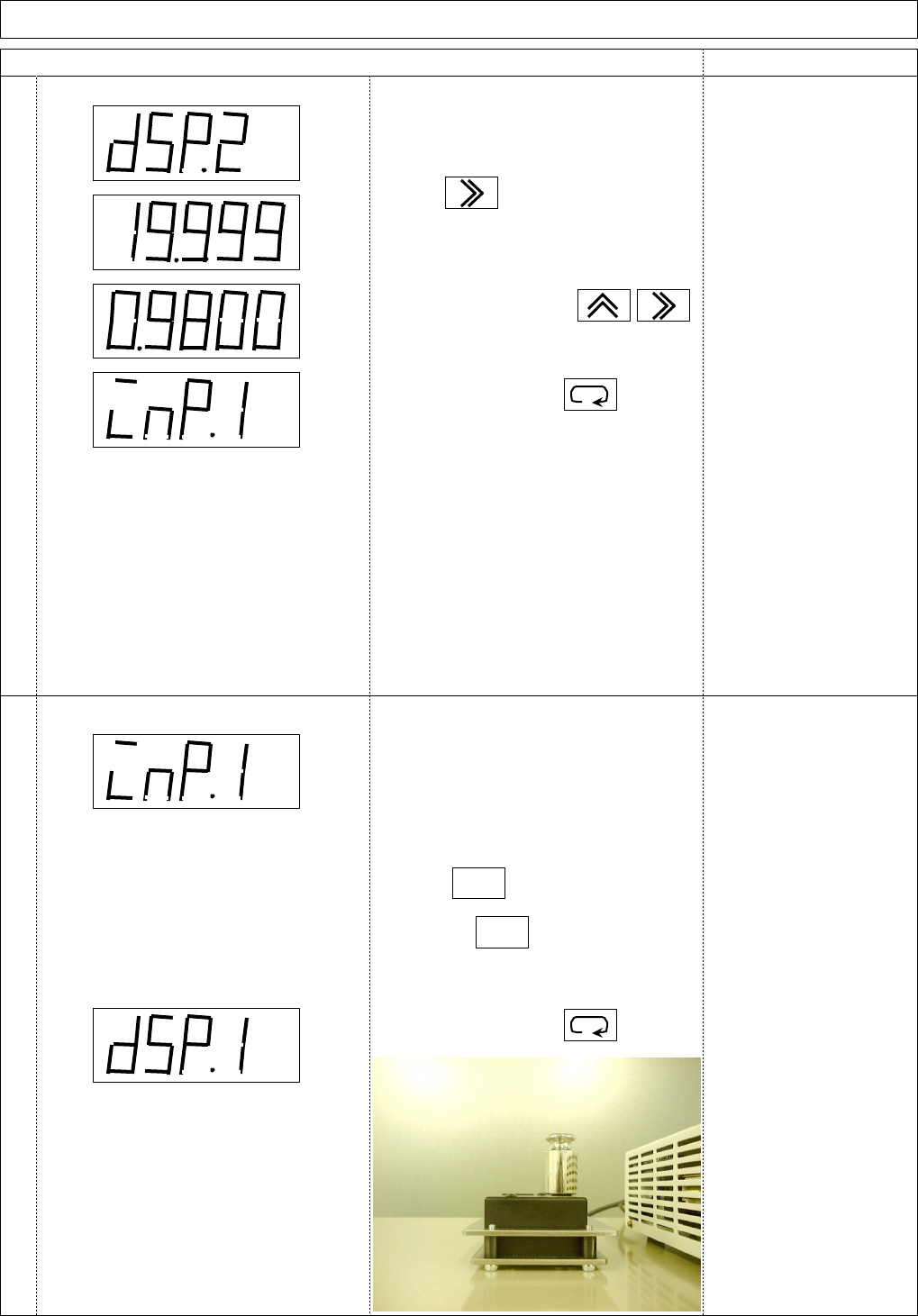
Setting Display value 2.
Setting Input value 1.
7
8
Check that "DSP2" is displayed after
Input value 2 is set.
To set "09800," press
To determine, press
Check that "INP1" is displayed
after Display value 2 is set.
Re-press
RESET/
TEACH
To determine, press
Press to highlight the digit
to be changed.
RESET/
TEACH
Place a 100-g weight on the load cell.
Press for 1 sec.
EJM8A-E-SMA040310-A01-00
Page4-3-10-4