CM602all_EJM8AESM_Service Manual.pdf - 第383页
Tools and Specifications Allen key 3 mm Screw M4 4 pcs. 5 8 7 Item 6 Phillips screwdriver 2 pcs. Round cross-head screw M6 4 pcs. Tools and Specifications Remove the lower chute from the rear side of the selected stage. …
Tools and Specifications
Machinery Part Replacement
Tools and Specifications
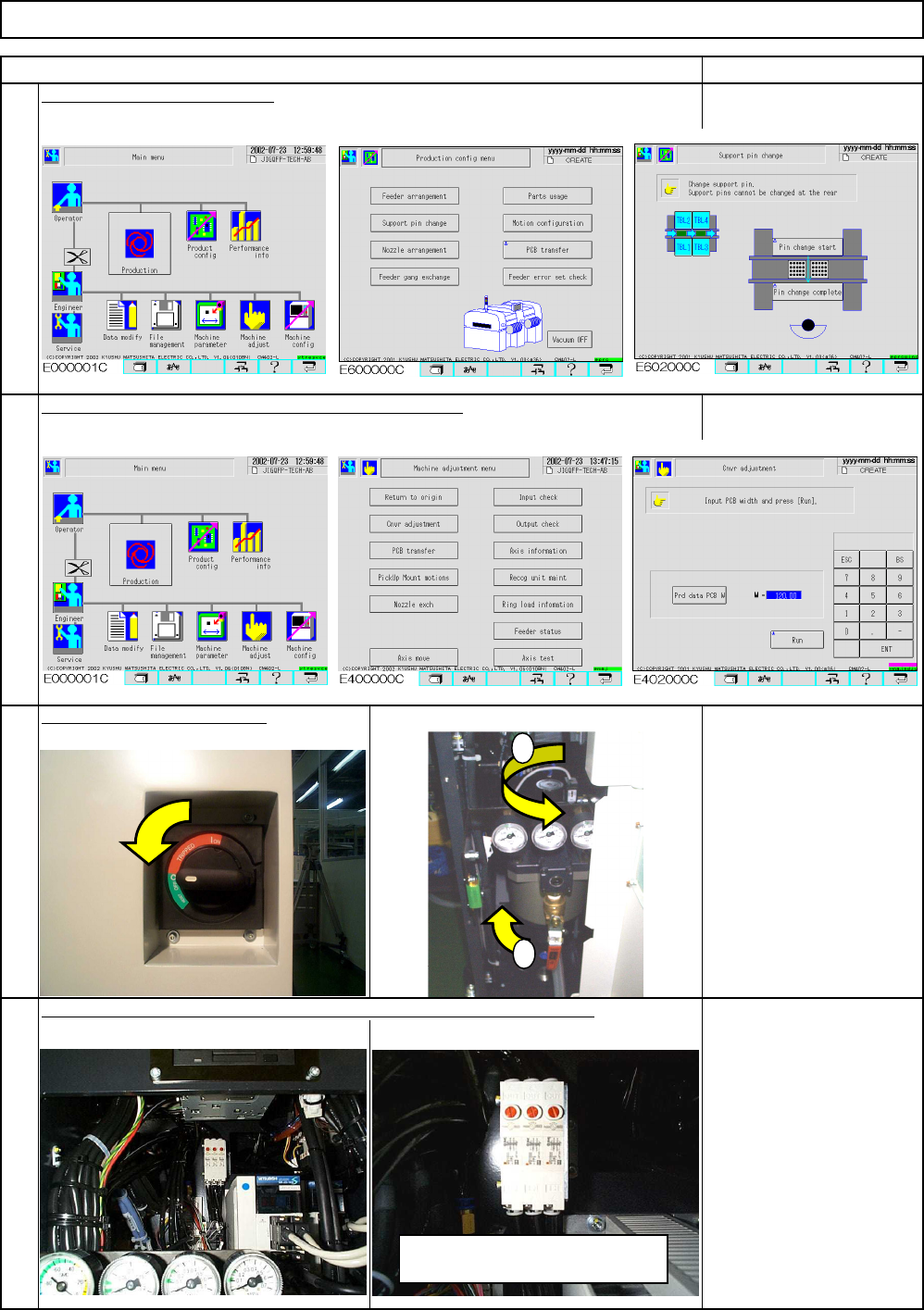
Cut the power and air suppl
y
Remove the support pin plate.
4
3
1
2
Lower the sub plate. Widen the conveyor to maximum.
Release the air from the perfect block, which is behind the center cover.
Board Holder Unit
Item Remark
Tools and Specifications
Tools and Specifications
1
2
To release the air, press the red
button. (Do not turn it.)
EJM8A-E-SMA050201-A01-00
Page 5-2-1-2
Tools and Specifications
Allen key 3 mm
Screw M4 4 pcs.
5
8
7
Item
6
Phillips screwdriver 2 pcs.
Round cross-head screw
M6 4 pcs.
Tools and Specifications
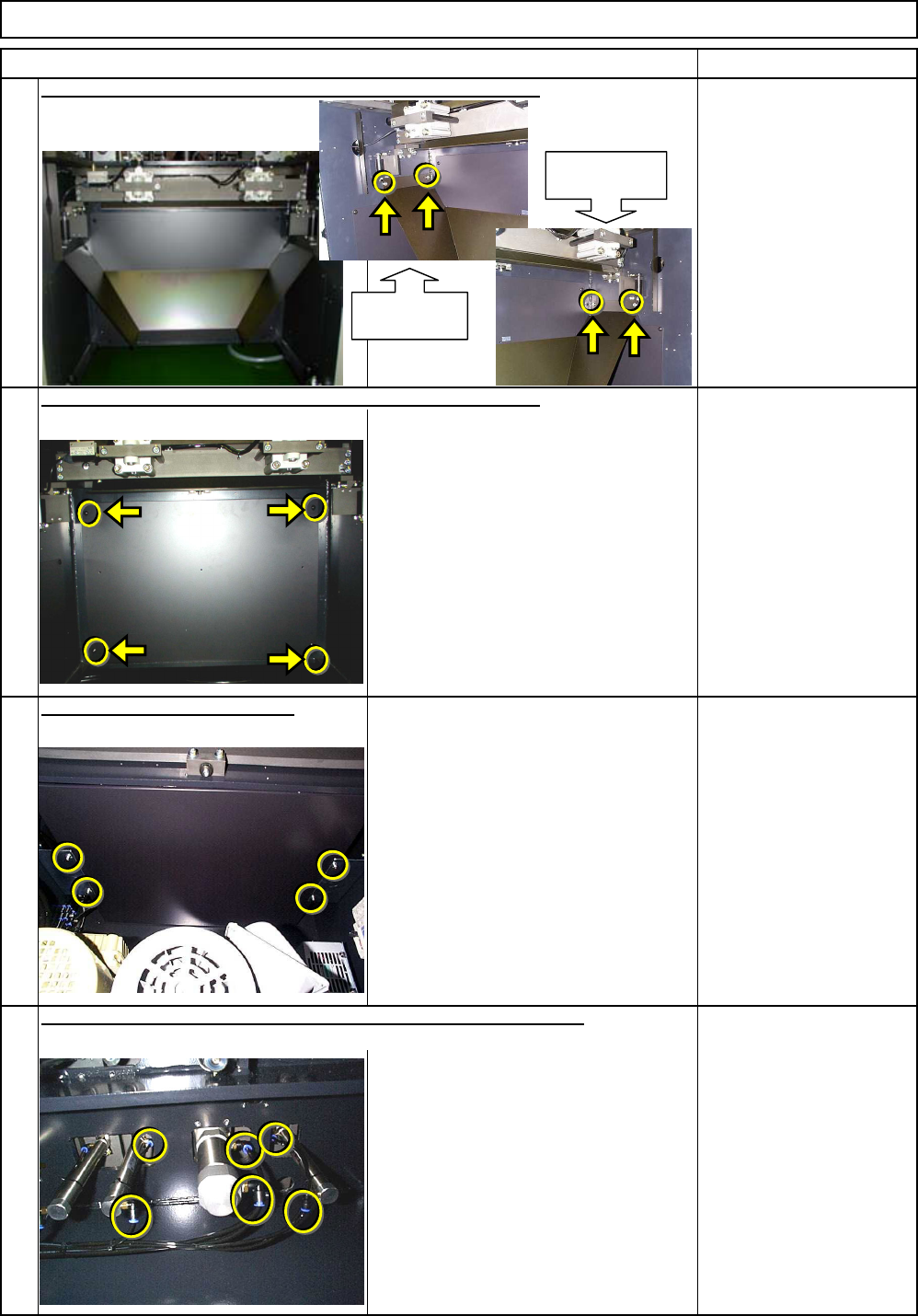
Remove the lower chute from the rear side of the selected stage.
Allen key 4 mm
Screw M5x12mm 4 pcs.
Thick washer 4 pcs.
Remark
Tools and Specifications
Remove the lower cover from the rear side of the selected stage.
Remove the ceiling from the box.
Tools and Specifications
Machinery Part Replacement Board Holder Unit
Remove the air tubs from the support plate and the sub plate cylinders.
Chute holding
section (Left)
Chute holding
section (Right)
EJM8A-E-SMA050201-A01-00
Page 5-2-1-3
Do not remove the bars.
Tools and Specifications
12
Allen key 5 mm
Screw M3 6 pcs.
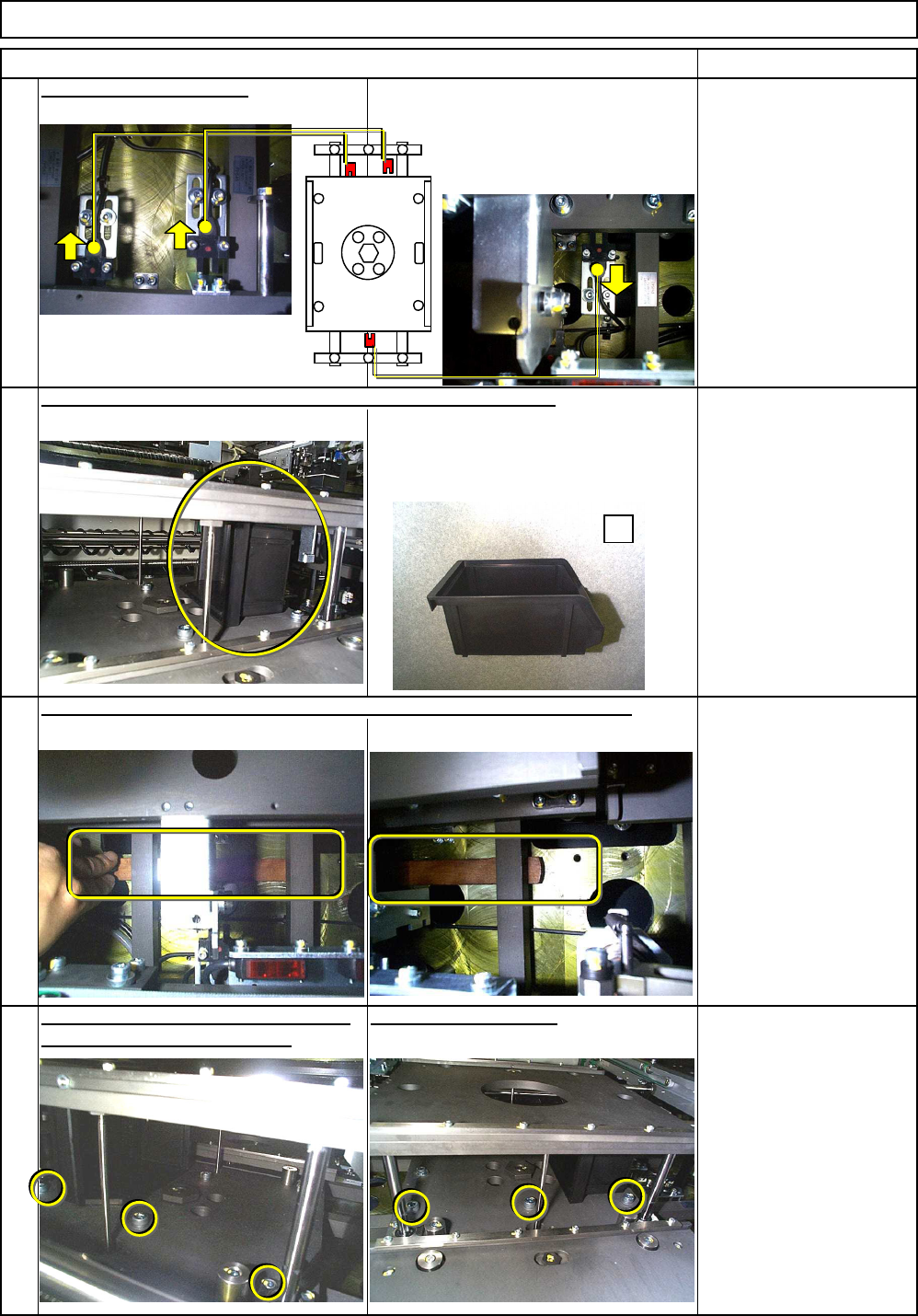
Remove the screws holding the support-
unit upper-limit determining bars.
11
Insert a 15-mm-thick bar behind the support-unit upper-limit determining bars.
Tools and Specifications
15-mm-thick metal bar
(160 mm to 200 mm)
2 pcs.
Tools and Specifications
Remark
100-mm block
or equivalent
Raising the sub plate by hand, insert a 100-mm block or equivalent.
Allen key 2.5 mm
Screw M3 6 pcs.
Tools and Specifications
10
Block:
should be enough to support the sub
plate.
Move the sensor outwards.
9
Machinery Part Replacement Board Holder Unit
Item
Ex
EJM8A-E-SMA050201-A01-00
Page 5-2-1-4