CM602all_EJM8AESM_Service Manual.pdf - 第97页
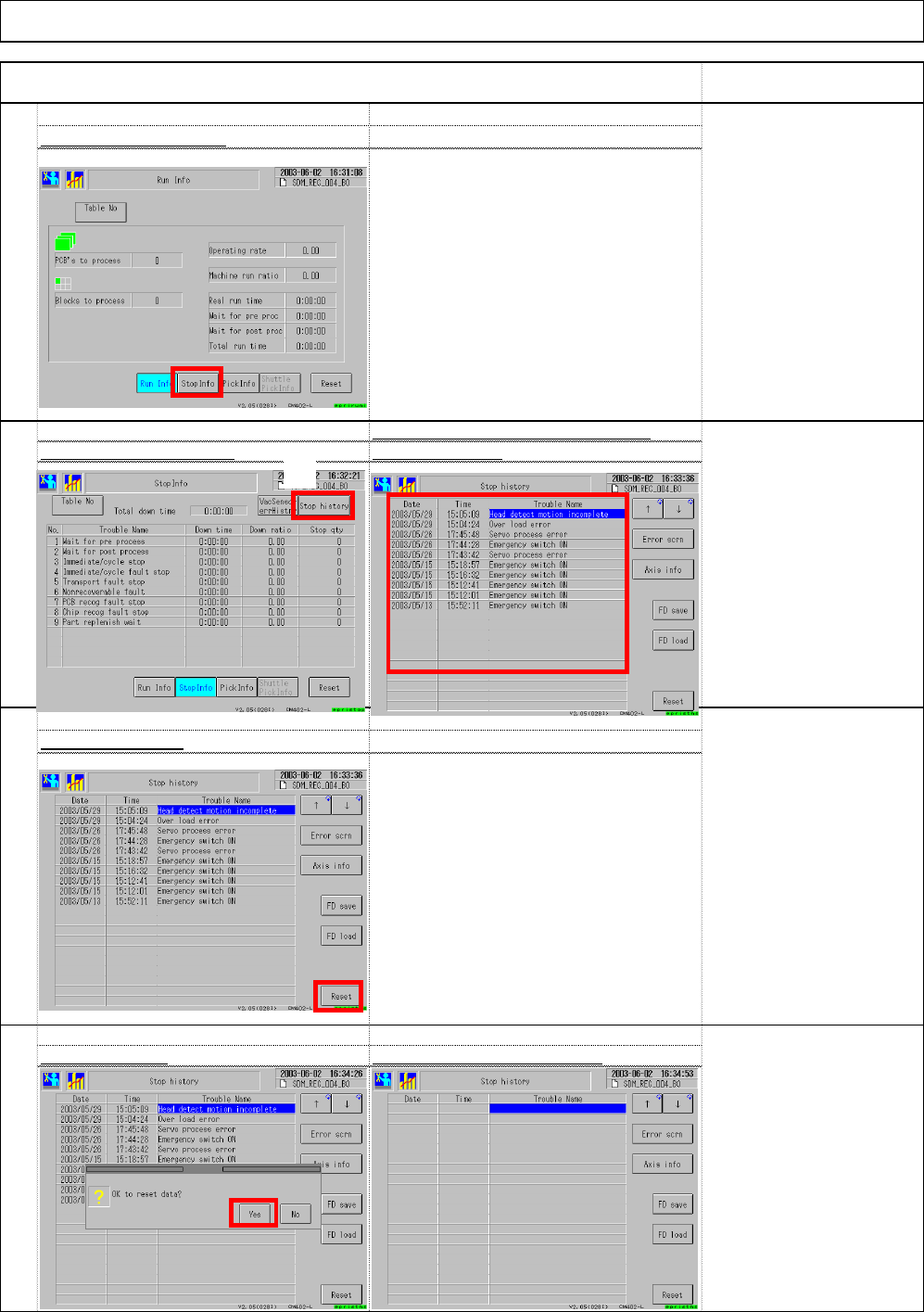
Installation Select (1) "Vacuum sensor error history. are displayed. (2 ) 109 Reset the vacuum sensor error record s Machine Installation Remark Press (3) "Reset. " Item The errors that have occurred so fa…
106
108
Select (6) "Yes.
"
The errors that have occurred so fa
Select (3) "Stop history.
"
are displayed.(4
)
The errors records disappea
r
107
Select (5) "Reset."
Select (2) "Stop Info.
"
Item Remark
105
Installation Machine Installation
(2)
(3)
(4)
(5)
(6)
EJM8A-E-SMA020103-A01-00 Page 2-1-3-28
Installation
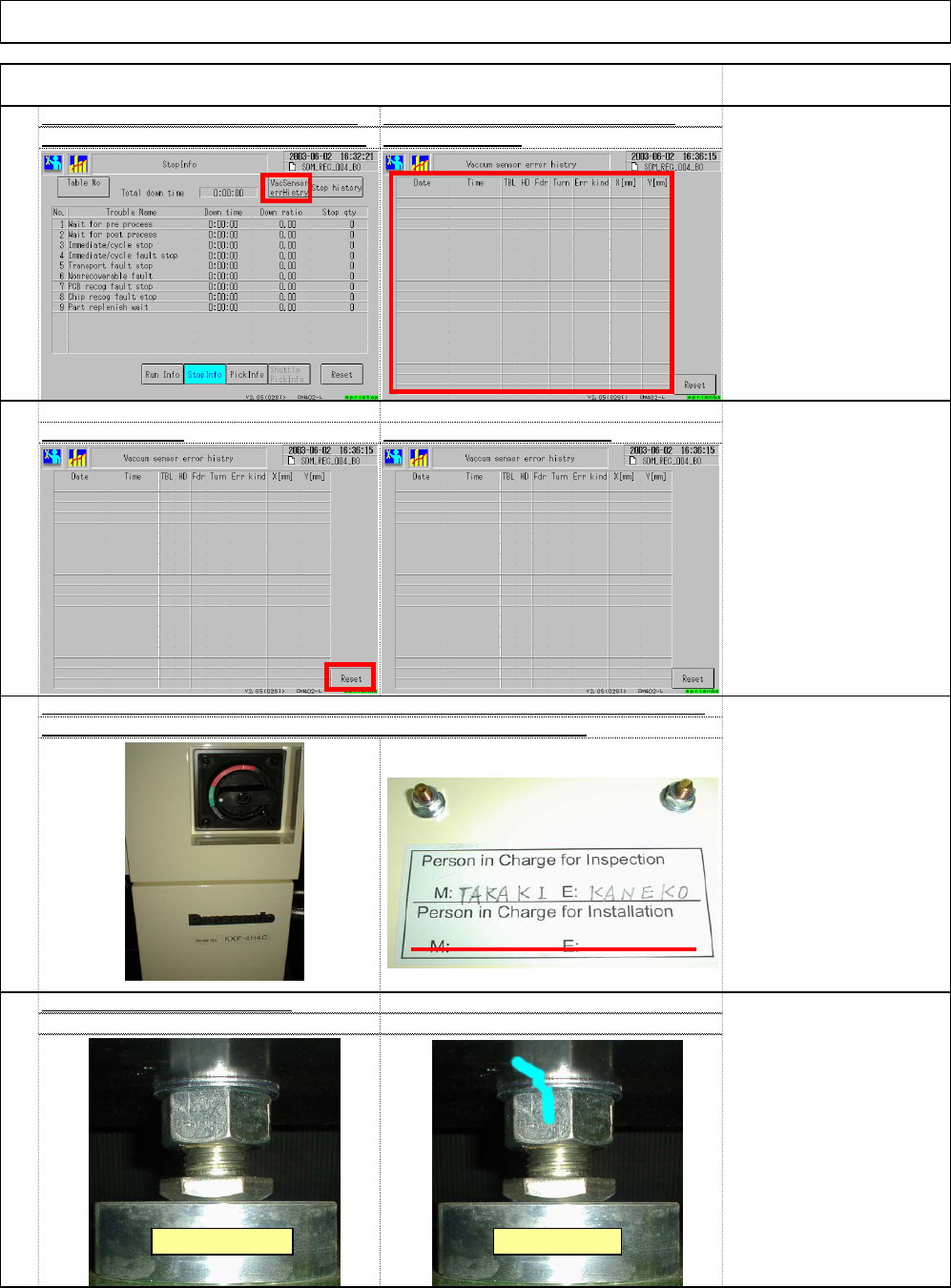
Select (1) "Vacuum sensor error history. are displayed. (2
)
109
Reset the vacuum sensor error record
s
Machine Installation
Remark
Press (3) "Reset.
"
Item
The errors that have occurred so fa
r
The error records disappear
111
112
110
* Grease is applied to the
nut. Remove excess
grease. Put a mark on the
nut.
Even though a magic
marker is used, it may not
work on a grease section.
Confirm a mark on the lock nut
[Person in charge]
Two lines for persons in
charge:
Upper line:
Persons in charge of
shipping
Lower line:
Persons in charge of
installation
Sign the inspection/installation label as shown below: (M for machine, E for electricity)
The label is placed inside the cover under the electric source sectio
(1)
(2)
Before marking After marking
(3)
EJM8A-E-SMA020103-A01-00 Page 2-1-3-29
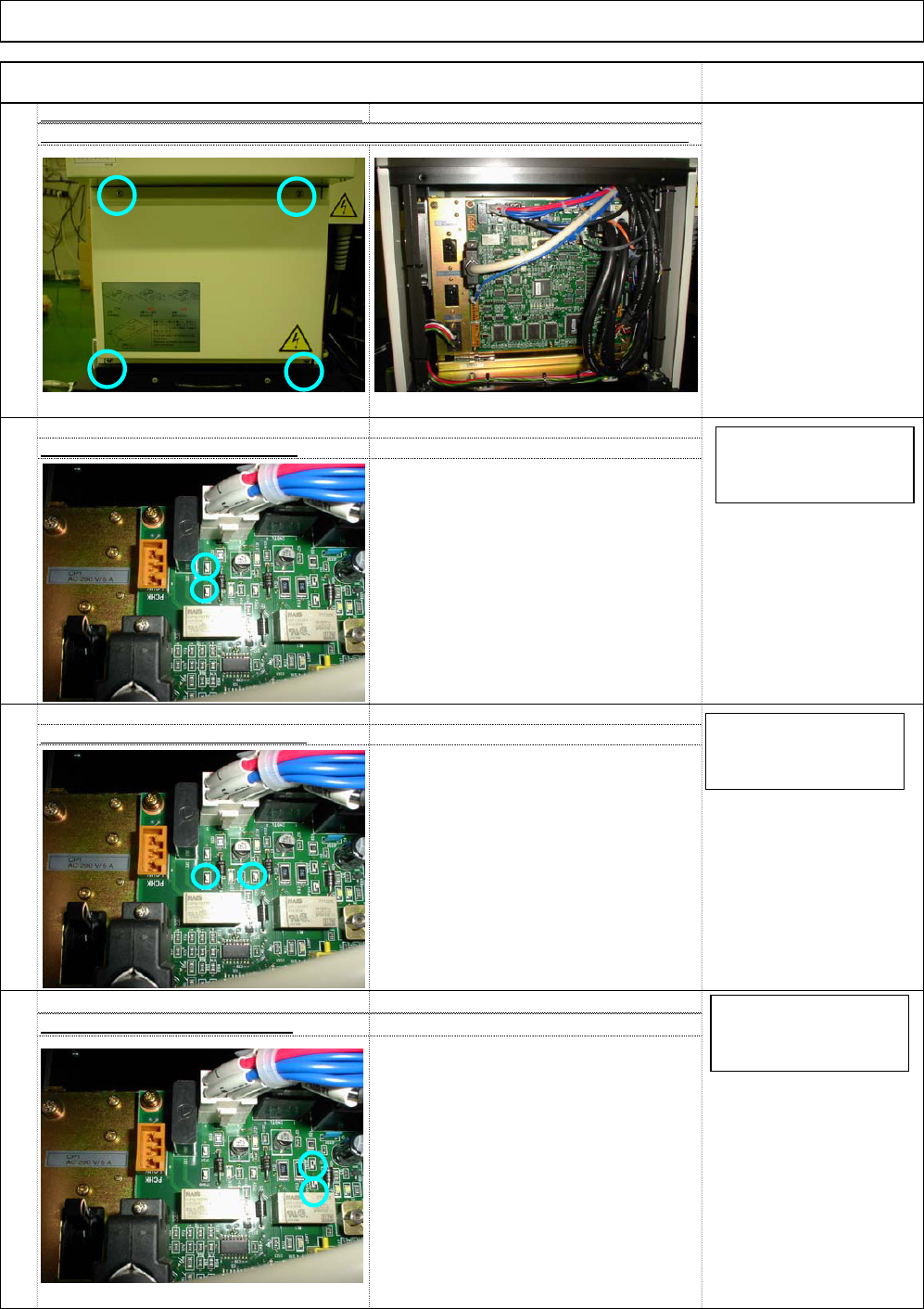
Phillips screwdriver screw
4 pcs.
[Tool]
Tester
Precision screwdriver
[Specifications]
5.05_0 to +0.03
V
[Tool]
Tester
Precision screwdriver
[Specifications]
12.00±0.1
V
[Tool]
Tester
Precision screwdriver
[Specifications]
24.00 to 24.30
V
Check it with TP5V and TGGNG
Check it with TP24V and TP24G
116
115
Check it with TP12V and TGGNG
113
ST40T Inspection Voltage Measureme
n
Remove the cover from the control box cover, which is placed under the shuttle tray.
114
Installation Machine Installation
Item Remark
TP5V red
TGGND black
Tester DC 20V range
TP12V red
TGGND black
Tester DC 20V range
TP24V red
TP24G black
Tester DC 20V range
EJM8A-E-SMA020103-A01-00 Page 2-1-3-30