CM602all_EJM8AESM_Service Manual.pdf - 第1080页
EJ M8A-E- 090101-A01- 00 Page 9- 1- 1-5 Sof twar e Sof twar e Inst allation Fi g. 2. 5 Install ation s cr een CM 602-L ↓ Fi g. 2. 6 Install ation s cr een CM 602-L W hen the i nstall ation i s f i nis hed, the m es sag e…
EJM8A-E-090101-A01-00
Page 9-1-1-4
Software Software Installation
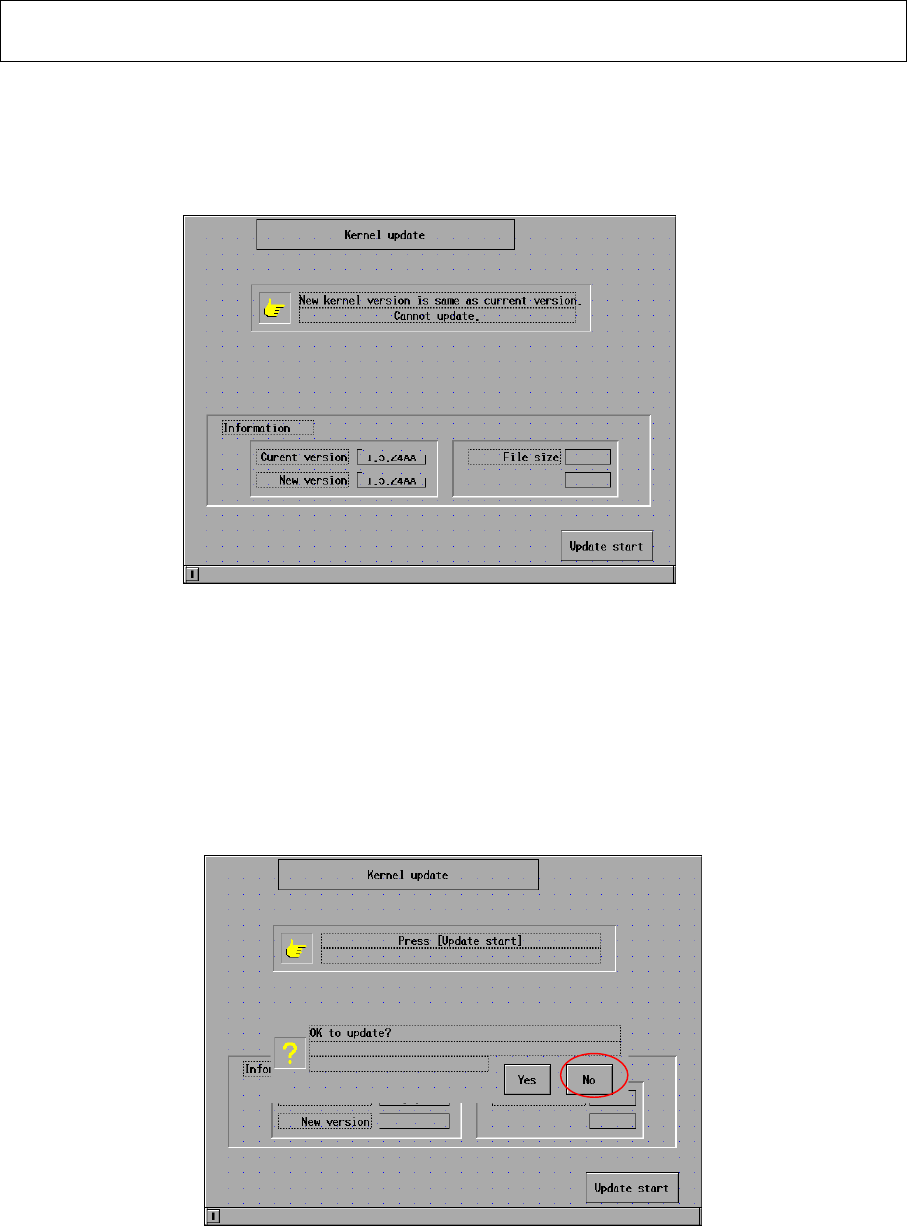
2.5 If the current version is the same as the new version, the kernel cannot be installed.
(Fig. 2.3) If the current kernel version is 2.02.00GJ, that kernel has been
already upgraded. It is not necessary to update the kernel.
Fig. 2.3 Initial screen CM602-L
2.6 Press [Update start]. The message “OK to update?” is displayed. (Fig. 2.4) Press
[Yes] so that installation is started.
【Time: 120 sec. Approx.】
Fig. 2.4 Installation screen CM602-L
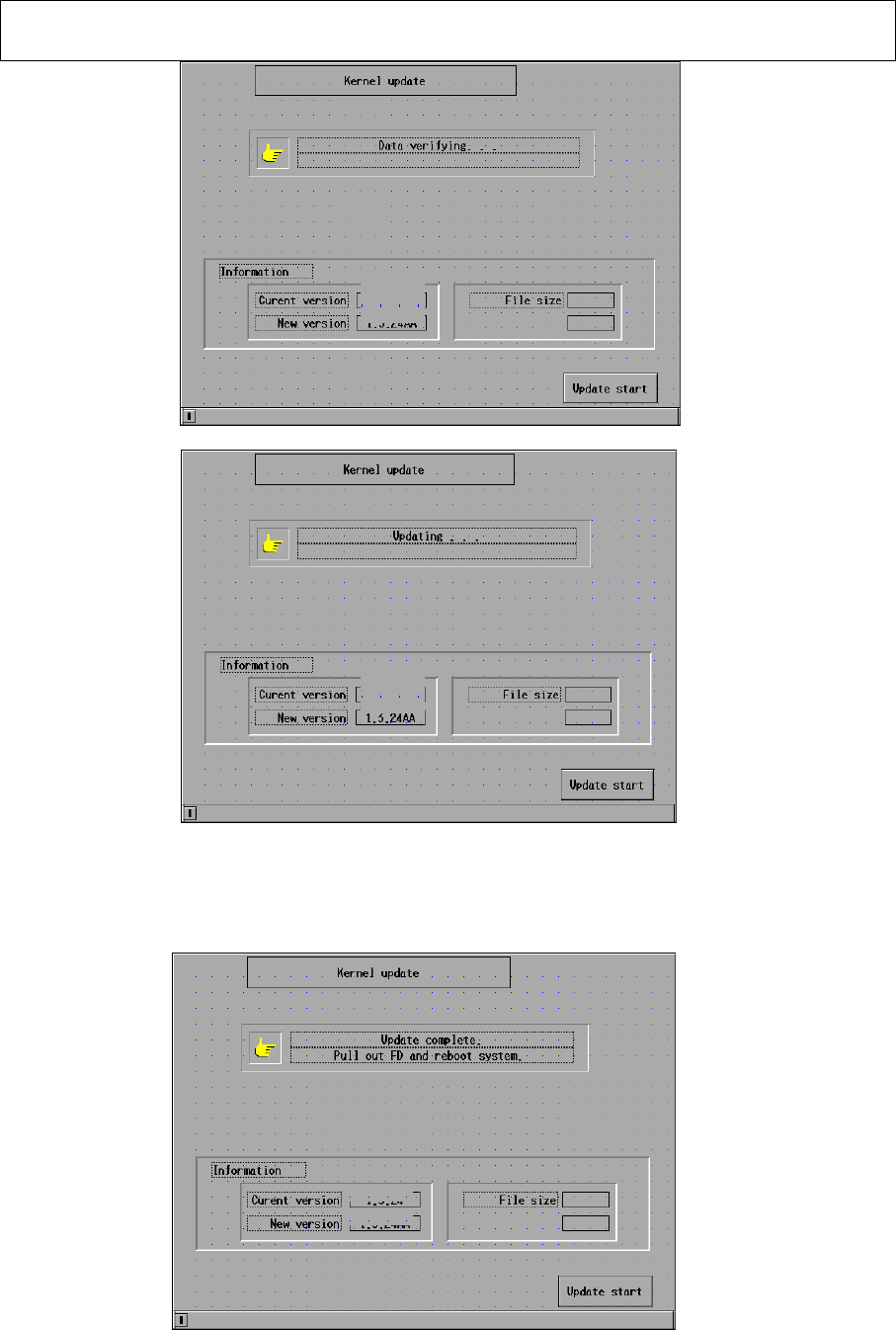
The “Installation” screen is displayed on the M/C touch panel. (Figs. 25 and 26)
2.01.00GB
2.01.00GB
2.01.00GB
2.01.00GB
2.01.00GB
EJM8A-E-090101-A01-00
Page 9-1-1-5
Software Software Installation
Fig. 2.5 Installation screen CM602-L
↓
Fig. 2.6 Installation screen CM602-L
When the installation is finished, the message in the “installation” box, which is
located at the upper portion of the screen, is changed. (Fig. 2.7)
Fig. 2.7 Installation screen CM602-L
2.01.00GA
2.01.00GB
2.01.00GA
2.01.00GB
2.01.00GA
2.01.00GB

EJM8A-E-090101-A01-00
Page 9-1-1-6
Software Software Installation
2.7 The message of ”Update complete. Pull out FD and reboot system.” is displayed.
Remove the floppy disk. Insert the “System Install” floppy disk
. Power down and
up the machine.