CP643 系统参考.pdf - 第107页
1.7.5 Mode for Checking All Devices Used When a production program changes as a result of changeover, device check can now be carried out on all the devices that are used. If one of the following conditions applies then …
1.7.4 Permanent Set
If a number of production programs are being used, there are cases when frequently
used devices are fixed in order to eliminate several steps in the changeover process when
changing programs. When programs are changed, if this method is used, a comparison
is made between the device comments stored in present machine memory and the device
comment of the program that has changed. For any devices in common, device check is
omitted if the device has been checked already. Devices set in such a manner are
referred to as permanently set devices.
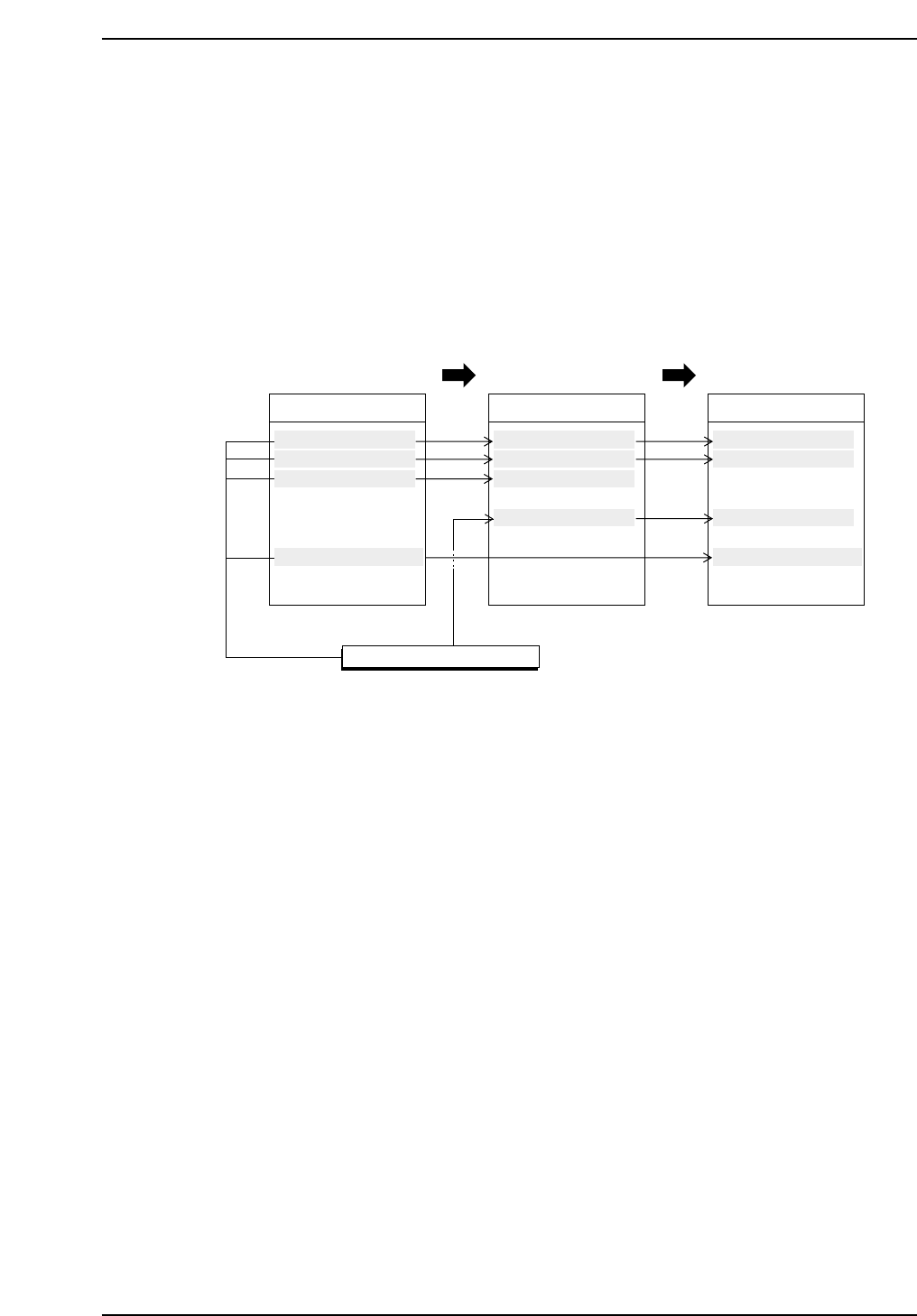
For example, consider the display below where production programs are carried out in
A → B → C order.
When changing from production program A to program B
If D1~D3 are used in both programs then once these devices have been checked they are
considered permanently set devices. These devices are displayed in green on the device
check screen.
Once a device check is completed on D7 it is considered a permanently set device. Since
D7 is not used in production program B a device check is not carried out. Permanently
set devices such as D7 that are not used in the current program display in blue on the
screen.
When changing from production program B to program C
D1 and D2 are used in both programs and have already been checked. These devices
have been judged as permanently set devices and are displayed in green on the device
check screen.
The device being used in D3 has changed and thus a device check is carried out. This
device is displayed in yellow on the device check screen until a check is carried out.
D7 has already been checked and determined as a permanently set device and thus it
displays in green.
Device_Comment
D1 RECT3216120
D2 RECT1608040
D3 MINI1220120
D4 ALEC4343570
D5 RECT2012040
D6 RNT45032040
D7 SQFP03610100
··········
Production program A
Device_Comment
D1 RECT3216120
D2 RECT1608040
D3 MINI1220120
D4 ALEC4343570
D5 RECT2012040
D6 RNT45032040
··········
Production program B
Device_Comment
D1 RECT3216120
D2 RECT1608040
D3 MINI1220120
D4 ALEC4343570
D5 RECT2012040
D6 RNT45032040
D7 SQFP03610100
··········
Production program C
Permanently Set Devices
CP643S2032
Part 2 Chapter 1 Basic Operation
Edition 1.1 2-1-49 CP643E System Reference

1.7.5 Mode for Checking All Devices Used
When a production program changes as a result of changeover, device check can now be
carried out on all the devices that are used.
If one of the following conditions applies then device check will be carried out on all of
the devices that are used.
1. Program change on the machine
2. Production program change using the handy terminal
3. Next production program changed using the handy terminal
(Pre device check in the AB mode)
4. Program transmitted to the foreground (including partial transmission)
5. Automatic changeover using HELPS
6. Reserve or report program set using HELPS (Pre device check in the AB mode)
7. When in the AB mode if the next production program (reserve program) is
retransmitted to the background
8. Change from the joint mode to the AA · AB mode (production table is T2)
9. Change from the AA · AB mode (production table is T2) to the joint mode
10. Production table changed in the AB mode
[Conditions 8, 9, and 10 are all initiated from a command on the machine (handy
terminal)]
The device check status will be changed to the following.
No option set Option set
Different device comment Un-Set Un-Set
Parts out warning Tape E Tape E
Parts out Parts E Parts E
Vision processing error Vision Vision
Pickup miss Pickup Pickup
Parts out at next device Next D Next D
Other than the above OK Un-Set
Proper data setting
A Proper data setting is required to enable the device check described
above.
11. Machine_Status_A : (The ? is either a 0 or 1.)
???? ???? ?X?? ????
X : 1 Check carried out on all devices used at the time of changeover
X : 0 Standard device check carried out
<F4G · FijiCam>
When 64 is added: When performing changeover, carry out a check of all the devices
used.
Part 2 Chapter 1 Basic Operation
Edition 1.1 2-1-50 CP643E System Reference
1.8 Loading and Unloading Boards
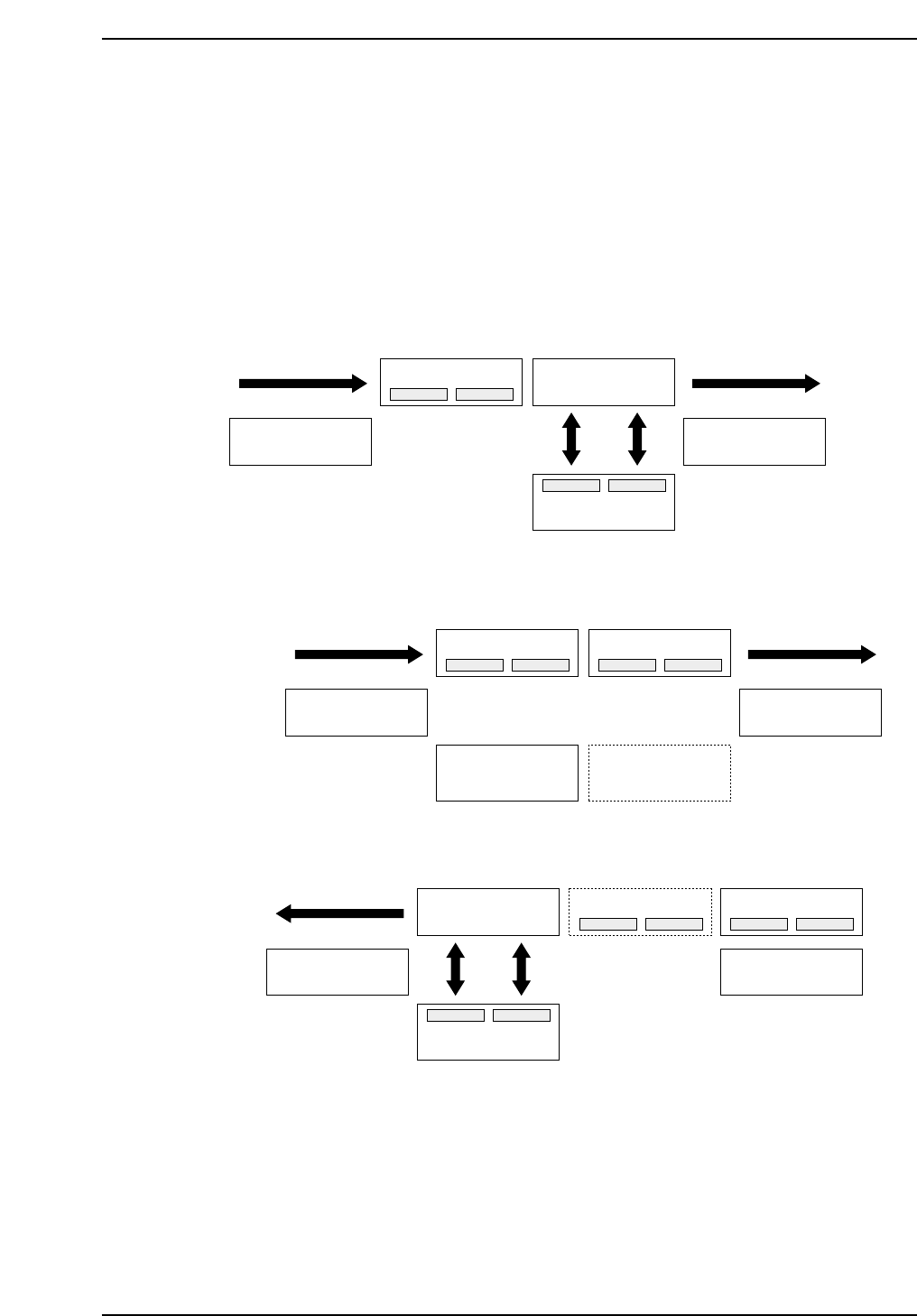
The loading and unloading of boards is carried out on a “receive and transfer” basis
using carriers.
If a board (or boards) exist on the main conveyor when production starts, the ensuing
processing will take one of the following two courses depending on the status of the
board(s) at that time.
If production is finished
The board in question is unloaded and a new board is loaded and produced.
If production has not been carried out or production is in progress
That board is produced.
In-conveyor
In-carrier Out-carrier
XY-table
Out-conveyor
Out-carrier
CP643S2035
Board loading
In-conveyor
XY-table movement
In-carrier Out-carrier
XY-tableXY-table
Out-conveyor
CP643S2034
In-conveyor
In-carrier Out-carrier
XY-table
Out-conveyor
CP643S2033
Board unloading
Part 2 Chapter 1 Basic Operation
Edition 1.1 2-1-51 CP643E System Reference