CP643 系统参考.pdf - 第38页
(4) Buttons The CP-643E series machines are equipped with several push-button switches. This section describes the use of these buttons. Buttons on the Front Panel a: POWER OFF button This button, when pressed after the …
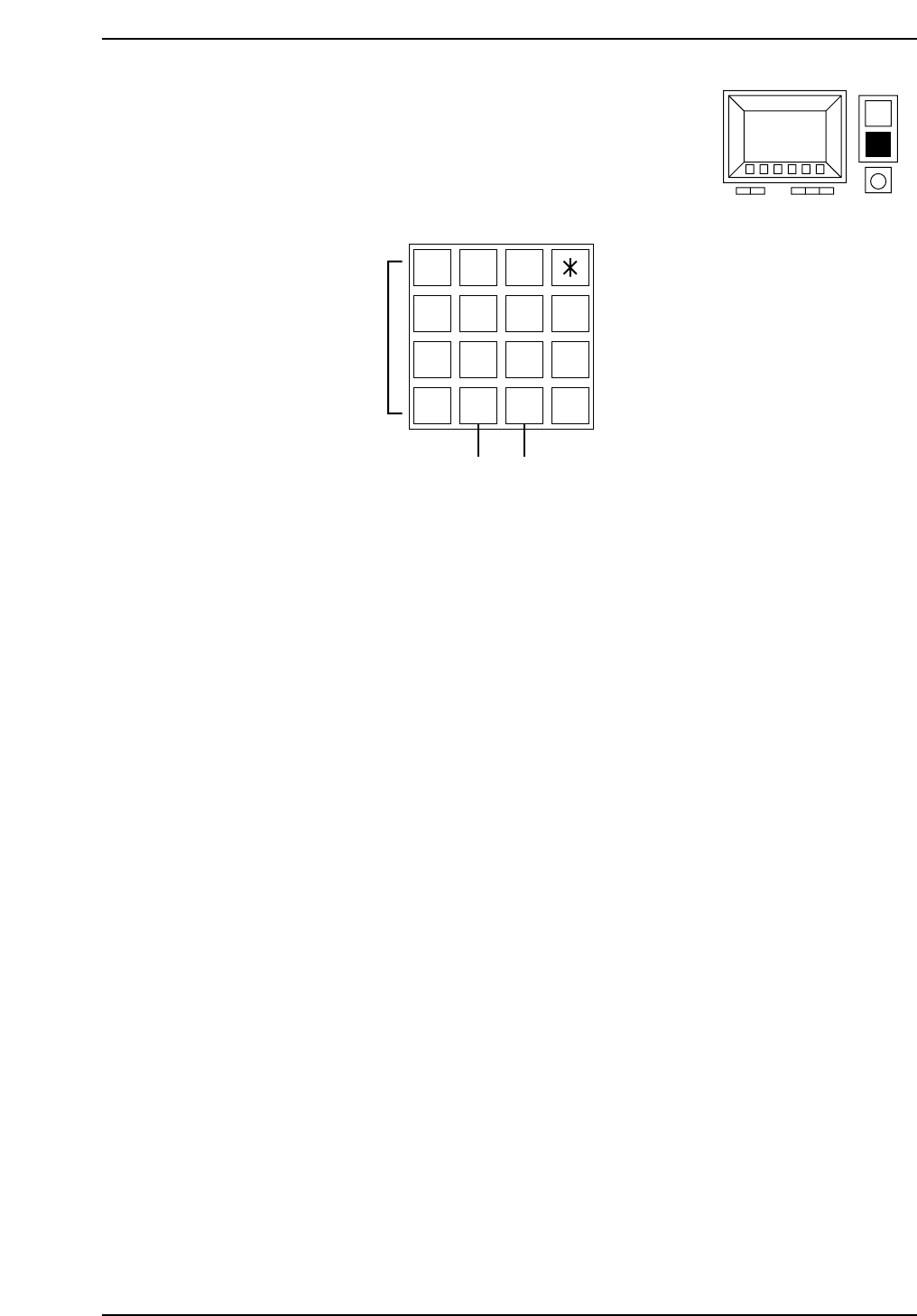
(3) Numeric Keys
These keys are used to input numerical values.
a: Input keys (0 - 9, *, #, D, –)
The numerical keys are used to input numerical values such as sequence numbers or I.D.
codes.
b: Backspace key (BS)
When inputting numerical values this key is used to delete previously input values.
Press this key once to move the cursor backward a single space.
c: Carriage return key (CR)
This key is used to complete the entry of a numerical value. It may also be pressed to
take the machine out of numerical input mode.
7 8 9
4 5 6 #
1 2 3 D
0 –
B
S
C
R
(a)
(b) (c)
CP643S1012
CP643S1011
Part 1 Chapter 1 Machine Overview
Edition 1.1 1-1-11 CP643E System Reference
(4) Buttons
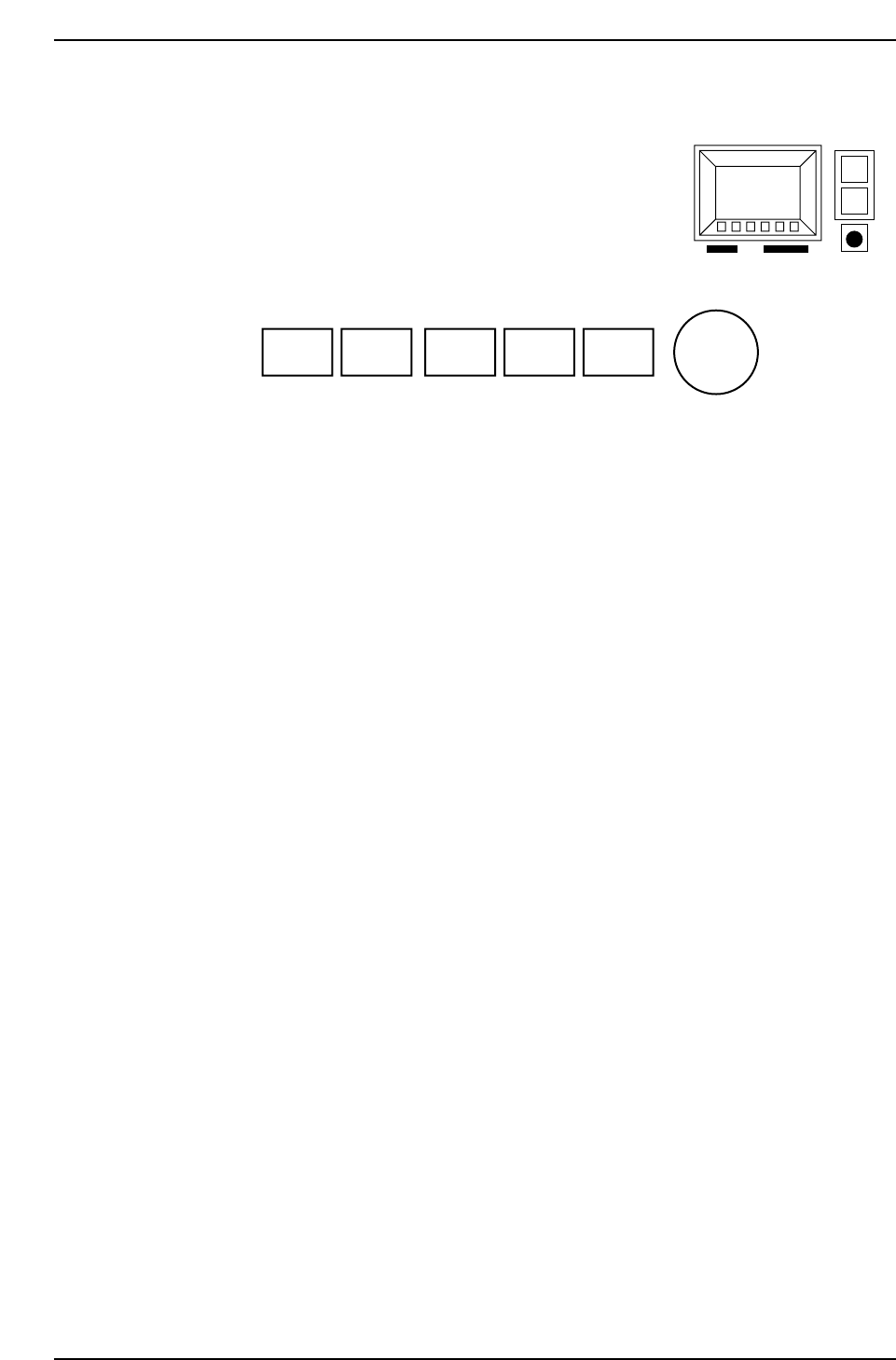
The CP-643E series machines are equipped with several push-button switches.
This section describes the use of these buttons.
Buttons on the Front Panel
a: POWER OFF button
This button, when pressed after the EMERGENCY STOP button is pressed, turns the
power off.
Note: Pressing this button alone will not turn off the power.
b: POWER ON button
When the machine circuit breaker is turned ON, press this button to turn on the
machine’s power supply.
c: START button
This button starts the machine operation.
Press this button to start automatic operation and zero setting when the START button is
enabled (“Start SW” shows in the second display area).
d: CYCLE STOP button
This button is used to stop operation.
Press this button during automatic operation to interrupt automatic operation at the end
of the current sequence. The START button is enabled to restart operation.
e: RESET button
This button is used to reset an alarm which has occurred.
When an alarm occurs, an error message will be displayed and this button will begin
flashing. Press this button to clear the alarm.
f: EMERGENCY STOP button
This button is used to stop the machine instantly.
When this button is pressed, the machine’s 200 V power supply is turned off. In
addition, the button locks down when it is pressed. Turn the button in the direction of
the arrow (clockwise) to release it.
(a) (b) (c) (d) (e) (f)
POWER
OFF
POWER
ON
START
CYCLE
STOP
RESET
EMERGENCY
STOP
CP643S1014
CP643S1013
Part 1 Chapter 1 Machine Overview
Edition 1.1 1-1-12 CP643E System Reference
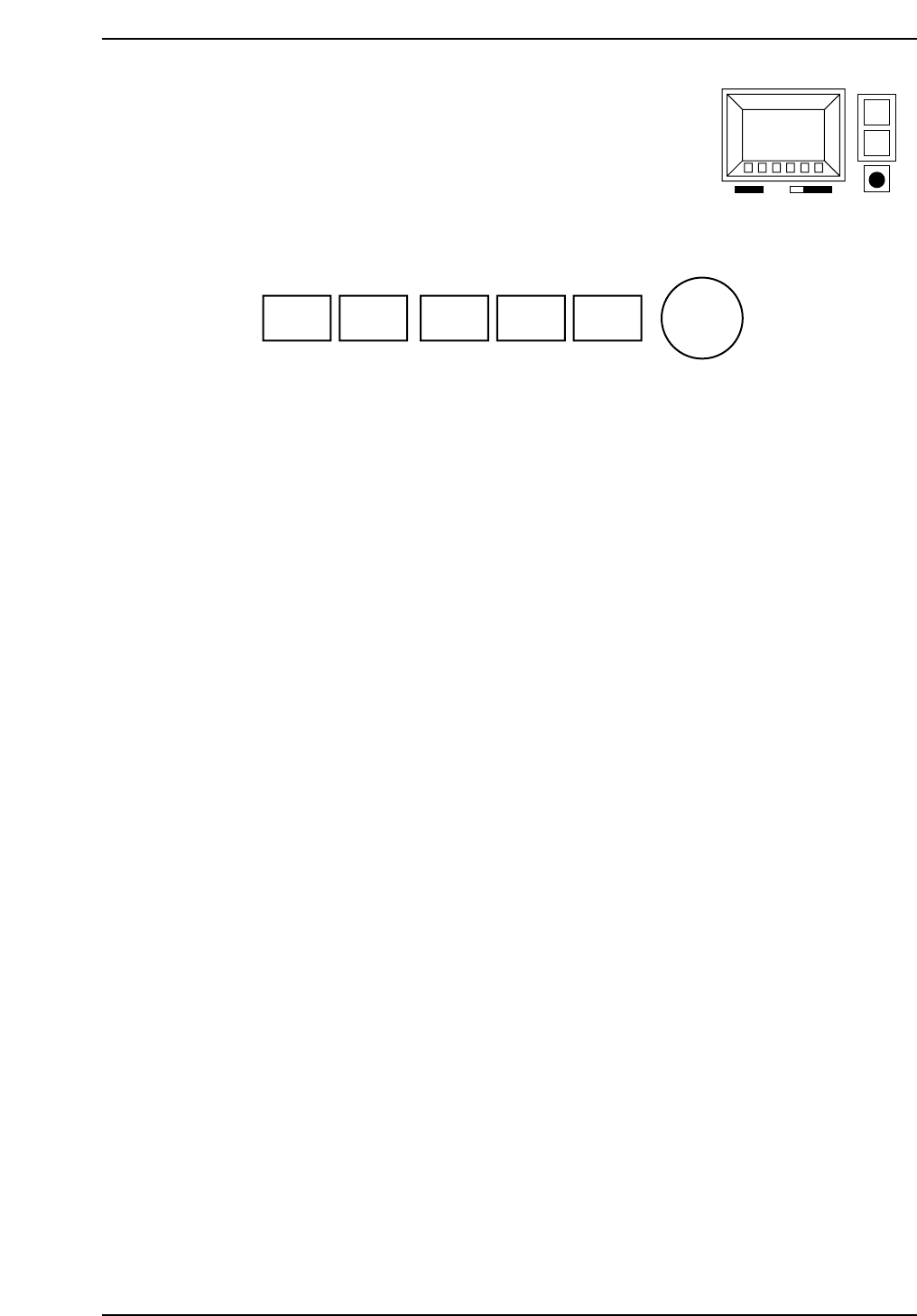
Rear Operation Panel
a: POWER OFF button
This button, when pressed after the EMERGENCY STOP button is pressed, turns the
power off.
b: POWER ON button
This button turns on the machine.
When the machine circuit breaker is turned ON, press this button to turn on the
machine’s power supply.
c: START button
This button starts the machine operation.
Press this button to start automatic operation and zero setting when the START button is
enabled (“Start SW” shows in the second display area).
d: CYCLE STOP button
This button is used to stop operation.
Press this button during automatic operation to interrupt automatic operation at the end
of the current sequence. The START button is enabled to restart operation.
e: RESET button
This button is used to reset alarms.
When an alarm occurs, an error message will be displayed and this button will begin
flashing. Press this button to clear the alarm.
(a) (b) (c) (d) (e) (f)
POWER
OFF
POWER
ON
START
CYCLE
STOP
RESET
EMERGENCY
STOP
CP643S1014
CP643S1015
Part 1 Chapter 1 Machine Overview
Edition 1.1 1-1-13 CP643E System Reference