CP643 系统参考.pdf - 第144页
(2) Setting Sequence Information Data <for MCS> In MCS systems, the sequence information is set at N_data. For part sequences which use a next device, specify the original device number under the “D” heading. <F…
<For F4G>
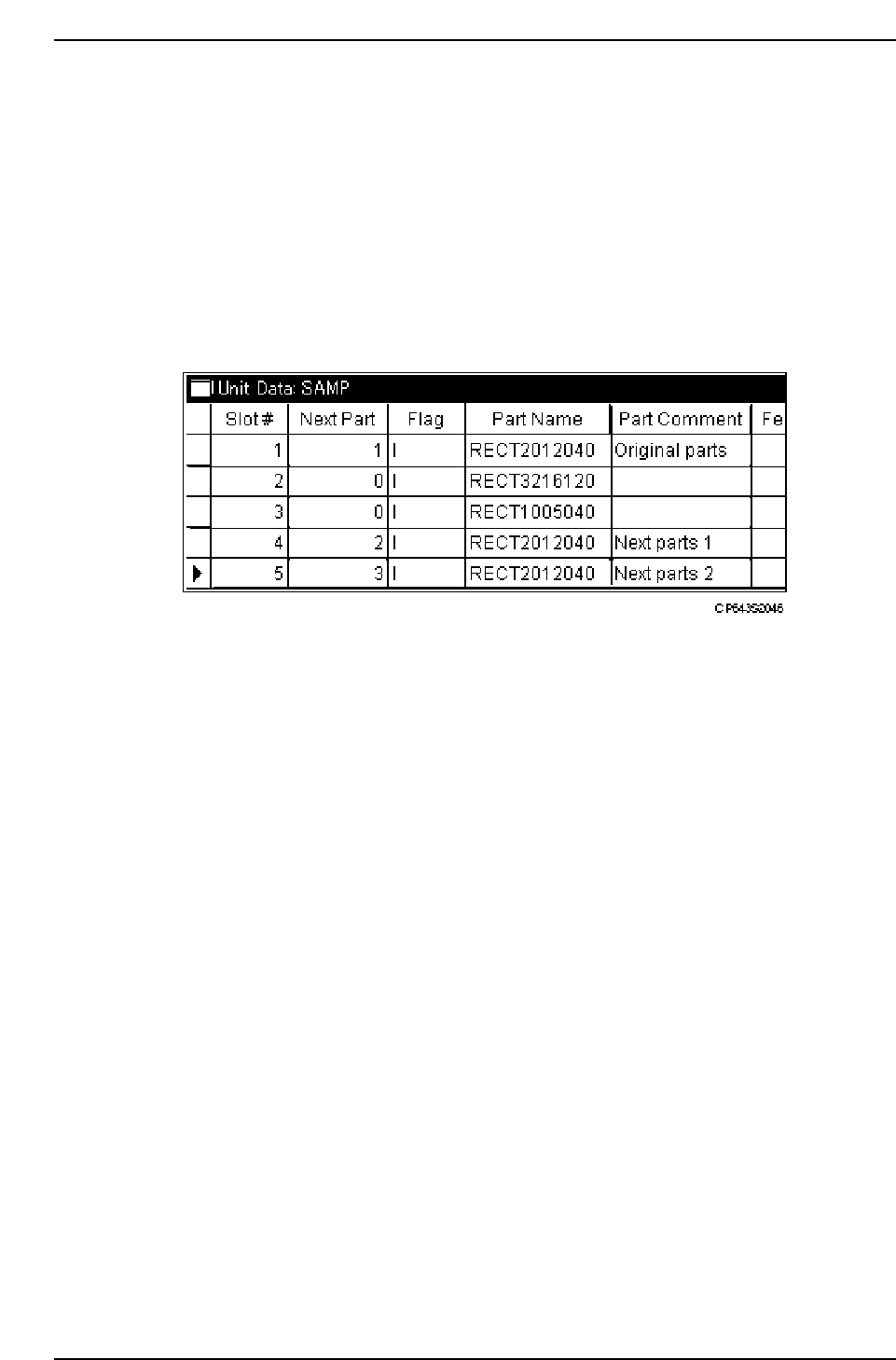
In F4G systems, device information is set at “Unit Data”. Enter the desired device
sequence in the “Next Part” column.
1. Start the GUE (Graphical Editor).
2. Open the Unit Data in the relevant program.
3. Select and copy the device line which specifies a “next device” setting.
4. Select a line which has no device setting, then paste in the data copied at step 3 above.
The same device setting may be specified at more than one line.
5. In the “Next Part” column, enter the sequence (at each line) in which devices are to be
used.
Part 2 Chapter 1 Basic Operation
Edition 1.1 2-1-86 CP643E System Reference

(2) Setting Sequence Information Data
<for MCS>
In MCS systems, the sequence information is set at N_data. For part sequences which
use a next device, specify the original device number under the “D” heading.
<For F4G>
In F4G systems, the sequence information is set in the Sequence Data. For part sequences
which use a next device, specify the original device number under the “Slot#” heading.
(3) Device Table Change Trigger
In next device mode and device change mode, there are times when certain problems
occur (i.e. when there is a picking error, vision processing error or when a feeder has run
out of parts) and it would not be advisable to automatically change device tables. On the
other hand, there are also times when these problems occur but where the device table
could be changed. The choice is left to the operator to decide under what circumstances
the device or device table will be automatically changed.
Proper data setting:
[Proper]
78. D Change Trigger Error, Parts, Miss, PD
Error The device or device table will change when the device is out of parts, not
picking properly or experiencing a vision processing error.
Parts The device or device table will change only when the current device is out of
parts.
Miss: The device or device table will change only when the device is out of parts or
not picking properly.
PD: The device or device table will change as specified in Part Data (explanation
follows).
When this Proper data item is set to “PD”, the device table trigger will change to the
condition that has been set in the Part Data of each respective part.
N_data B W
1
2
3
4
001
001
001
001
X
-001000
-002000
-003000
-004000
Y
001000
002000
003000
004000
Q
000
000
000
000
D
001
002
001
003
D
D
D
D
Specify the original device number.
CP643S2047
Part 2 Chapter 1 Basic Operation
Edition 1.1 2-1-87 CP643E System Reference
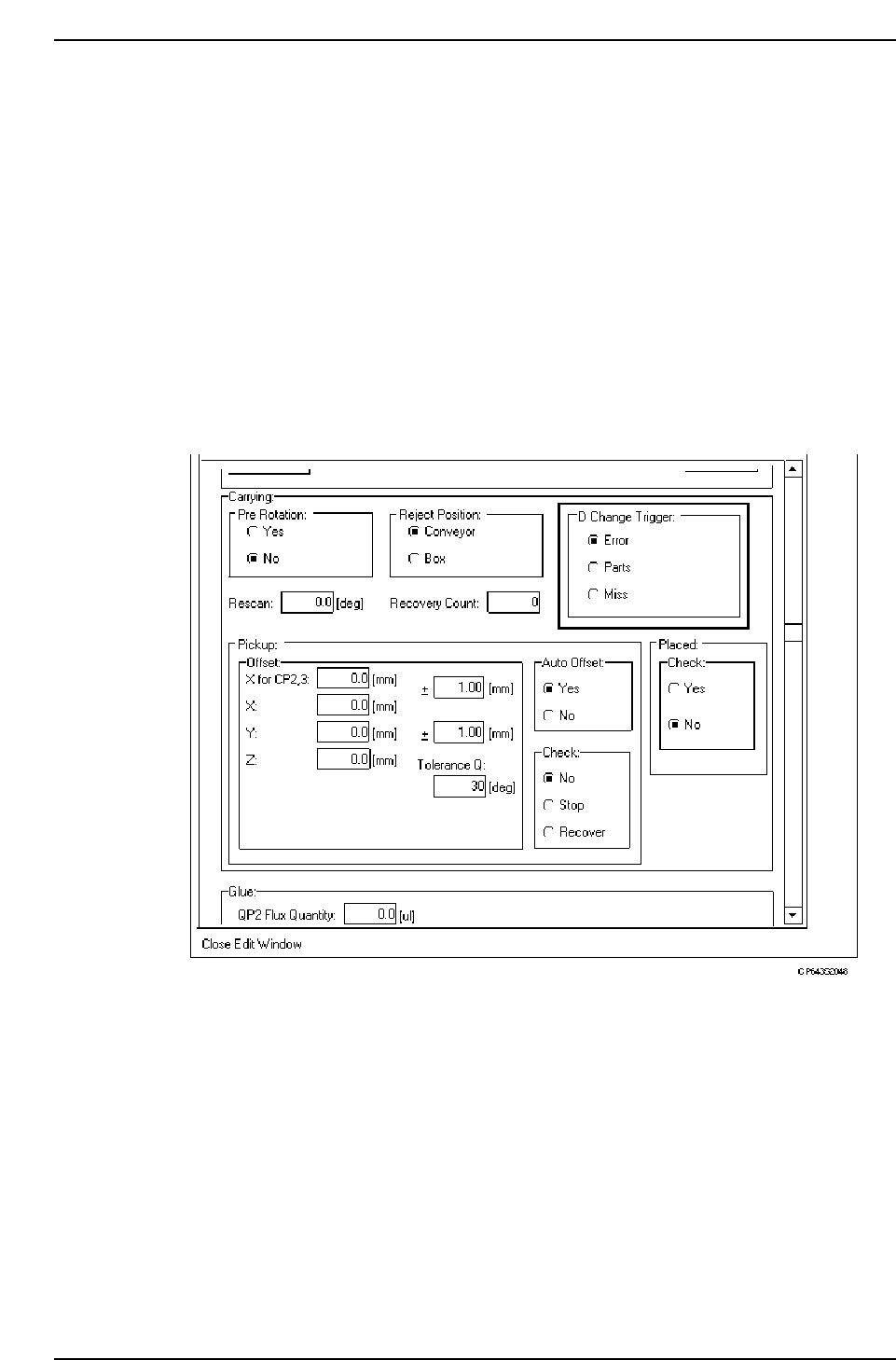
<For MCS>
[PART DATA] Carrying data
20. D_change_trigger Error, Parts, Miss
Error: The device or device table will change when the device is out of parts, not
picking properly or experiencing a vision processing error.
Parts: The device or device table will change only when the current device is out of
parts.
Miss: The device or device table will change only when the device is out of parts or
not picking properly.
<For F4G>
1. Start the VPD.
2. Open the Part Type Data in the relevant part data.
3. At the [Carrying] - [D type Trigger] item, specify a setting in the same manner as in
MCS systems (see above).
Part 2 Chapter 1 Basic Operation
Edition 1.1 2-1-88 CP643E System Reference