CP643 系统参考.pdf - 第23页
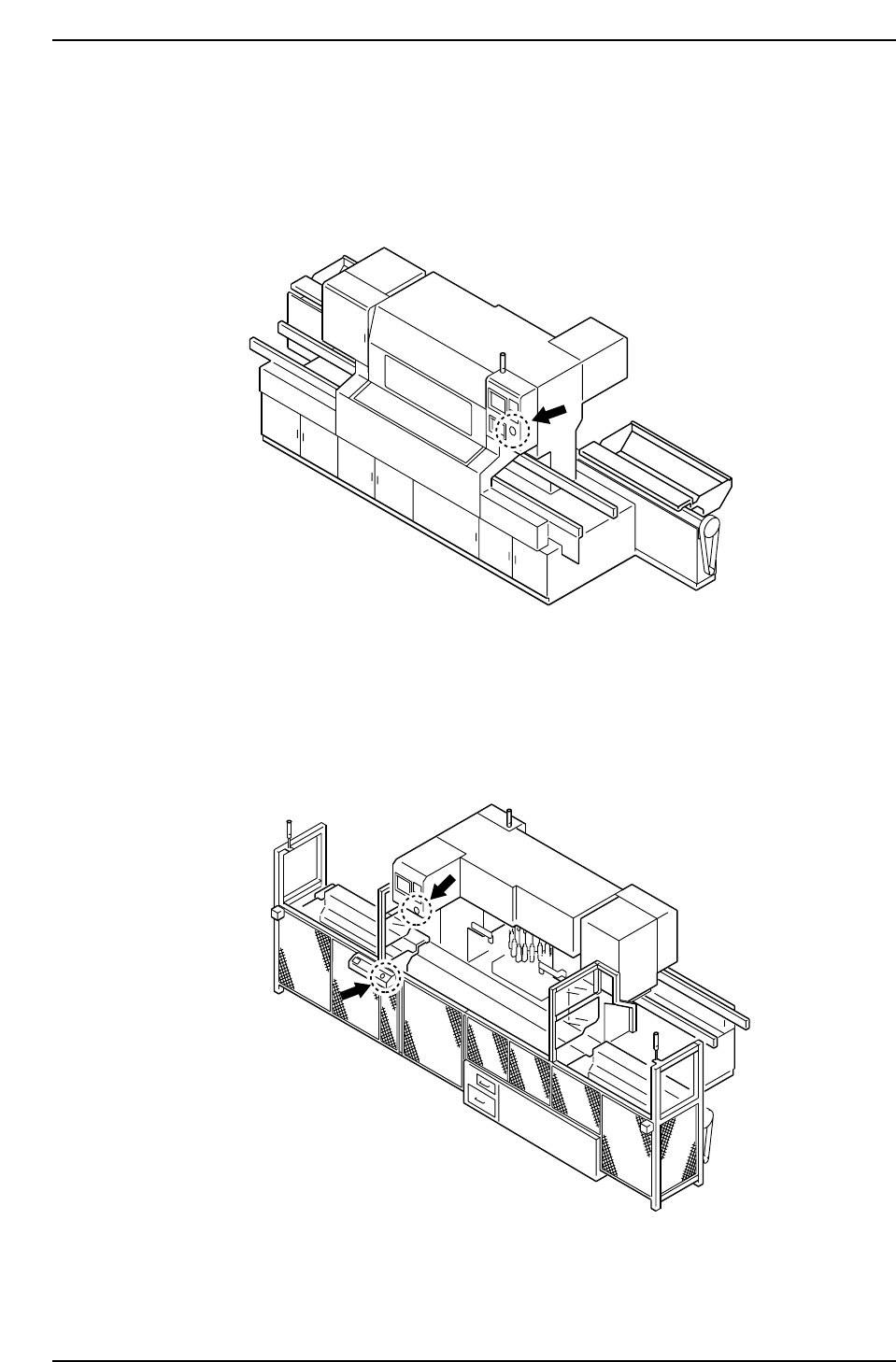
5. The EMERGENCY ST OP Button In the event of an emergency, press any of the red EMERGENCY STOP buttons located on the machine at the positions indicated in the figure below. EMERGENCY STOP Button on the front of the mac…
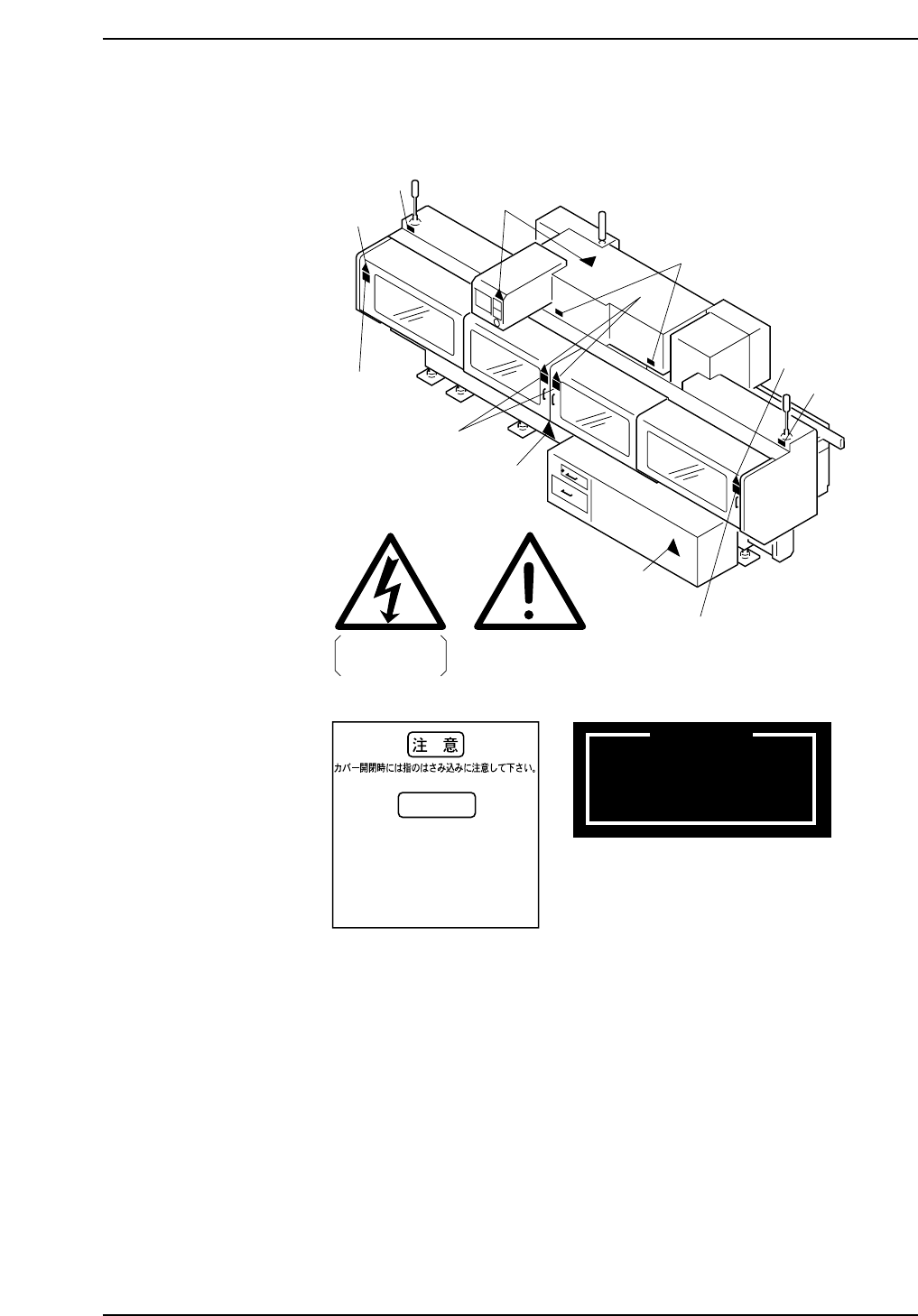
Rear Side of the Machine
Models with Rear Cover
1
High Voltage
1
1
1
3
3
3
Care should be taken
not to trap fingers
when opening / closing cover.
WARNING
Attention de ne pas se pincer
les doigts a l' ouverture / fermeture
des capots de protection.
2
4
2
4
2
4
3
4
2
m-062
WARNING
THE BYPASS KEY OVERRIDES
SAFETY DOOR INTERLOCKS.
EXERCISE EXTREME CAUTION
DURING USE
Safety Guidelines
Edition 1.0 11 CP643E System Reference
5. The EMERGENCY STOP Button
In the event of an emergency, press any of the red EMERGENCY STOP buttons located
on the machine at the positions indicated in the figure below.
EMERGENCY STOP Button on the front of the machine
EMERGENCY STOP Buttons on the rear of the machine
Models with Fence
CP6MF002
CP6MF001
Safety Guidelines
Edition 1.0 12 CP643E System Reference
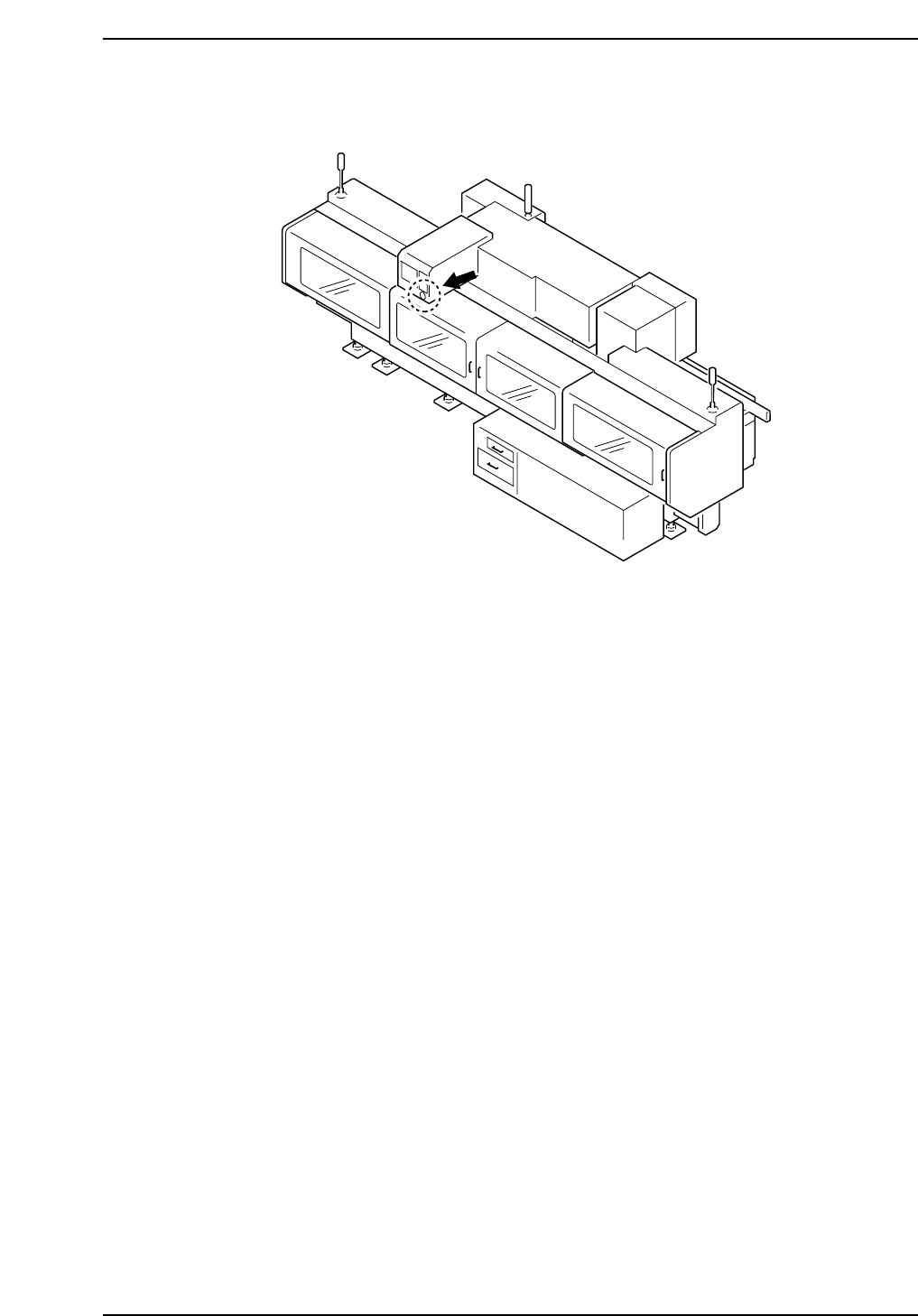
EMERGENCY STOP Button on the rear of the machine
Models with Rear Cover
CP6M001
Safety Guidelines
Edition 1.0 13 CP643E System Reference