CP643 系统参考.pdf - 第220页
No. 26 Agf This is used when the angle finder carries out detail verification. This function is used when the angle or corner check is carried out during vision processing. No. 30 AcqTime This is used for the timing of a…

No. 5 Line
Display of the auxiliary observation lines is carried out. These auxiliary observation
lines can be displayed when seeking to base these lines on the observation points. In
determining the auxiliary observation lines the observation points that are used are
indicated by an [o] while the observation points that are not used are indicated by an [x].
In addition, the results of the angle finder and the output results of the other essential
tools are displayed for finding the blob center of gravity and the direction of inertia of
the main axis.
No. 13 Color
This is used to change the color of the graphic display to black. Normally this is not set,
in which case the display appears in white.
No. 14 Detail
All of the graphic functions are displayed along with the details of the data of each
function. In this case the trackball is necessary.
No. 15 Pause
This raises the flag when the trackball is used. When used together with other functions,
this is used for verifying the device process while the other functions such as zoom in or
zoom out are being used.
No. 24 Clp
This is used for verifying the device process for devices that use calipers. This function is
presently used for SOIC's and when the frontlight system is used, for PLCC's and
SQFP's.
No. 25 Blob
This is used for process verification when the blob function is used. This function is used
for carrying out rough device positioning. This function is presently used for SOIC's,
PLCC's, SQFP's and when the frontlight system is used.
Part 3 Chapter 3 Command Descriptions
Edition 1.0 3-3-59 CP643E System Reference
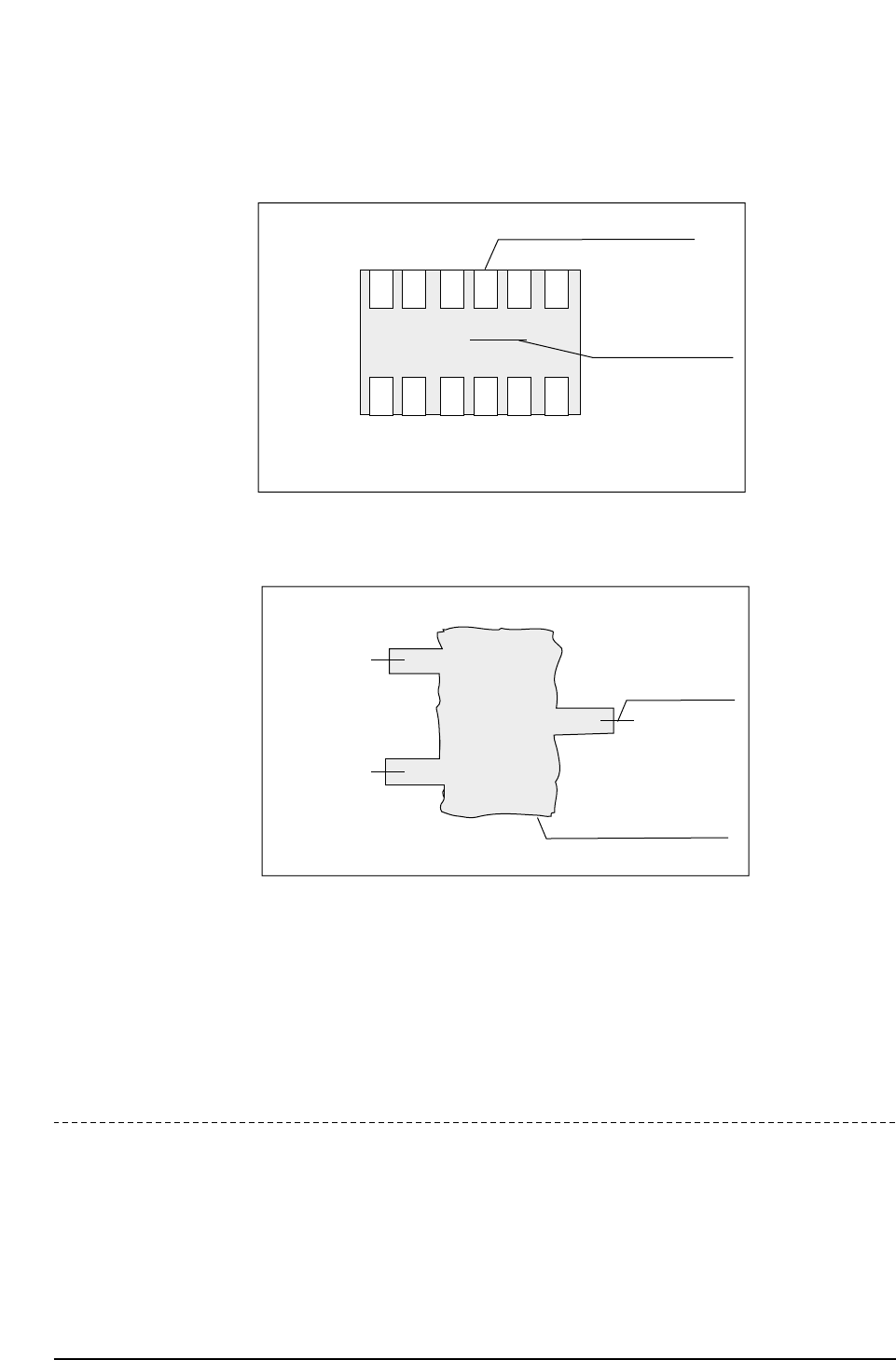
No. 26 Agf
This is used when the angle finder carries out detail verification. This function is used
when the angle or corner check is carried out during vision processing.
No. 30 AcqTime
This is used for the timing of acquisition when output is being sent to a parallel port.
No. 31 InsTime
This is used for the timing of inspection when output is being sent to a parallel port.
Revision History
V1.10 and later
Lead check OK
Boundary tracking display
CP643S3018
ID : 0001
NOZZLE : 10
X
Y
Q
: 00000
: 00000
: 00000
Blob processing display
(coarse positioning of part)
Angle finder display
(angular positioning
of part)
CP643S3017
ID : 0001
NOZZLE : 10
X
Y
Q
: 00000
: 00000
: 00000
Part 3 Chapter 3 Command Descriptions
Edition 1.0 3-3-60 CP643E System Reference
▲ 522-2-1
Command Pass: [SET] - [MANUAL] - [VISION] - [TRACE] - [▲]
Press to move the cursor upward on the vision processing screen.
Revision History
V1.10 and later
▼ 522-2-2
Command Pass: [SET] - [MANUAL] - [VISION] - [TRACE] - [▼]
Press to move the cursor downward on the vision processing screen.
Revision History
V1.10 and later
ON / OFF 522-2-3
Command Pass: [SET] - [MANUAL] - [VISION] - [TRACE] - [ON / OFF]
Press to select or cancel the item identified by the cursor.
Revision History
V1.10 and later
CLEAR 522-2-4
Command Pass: [SET] - [MANUAL] - [VISION] - [TRACE] - [CLEAR]
Press to cancel all of the trace mode settings.
Revision Hisotry
V1.10 and later
Part 3 Chapter 3 Command Descriptions
Edition 1.0 3-3-61 CP643E System Reference