CP643 系统参考.pdf - 第97页
1.5 Nozzle Statistical Processing The machine has a statistical processing function which monitors the number of nozzle errors that occur, and automatically skips any nozzle that generates errors frequently. This statist…
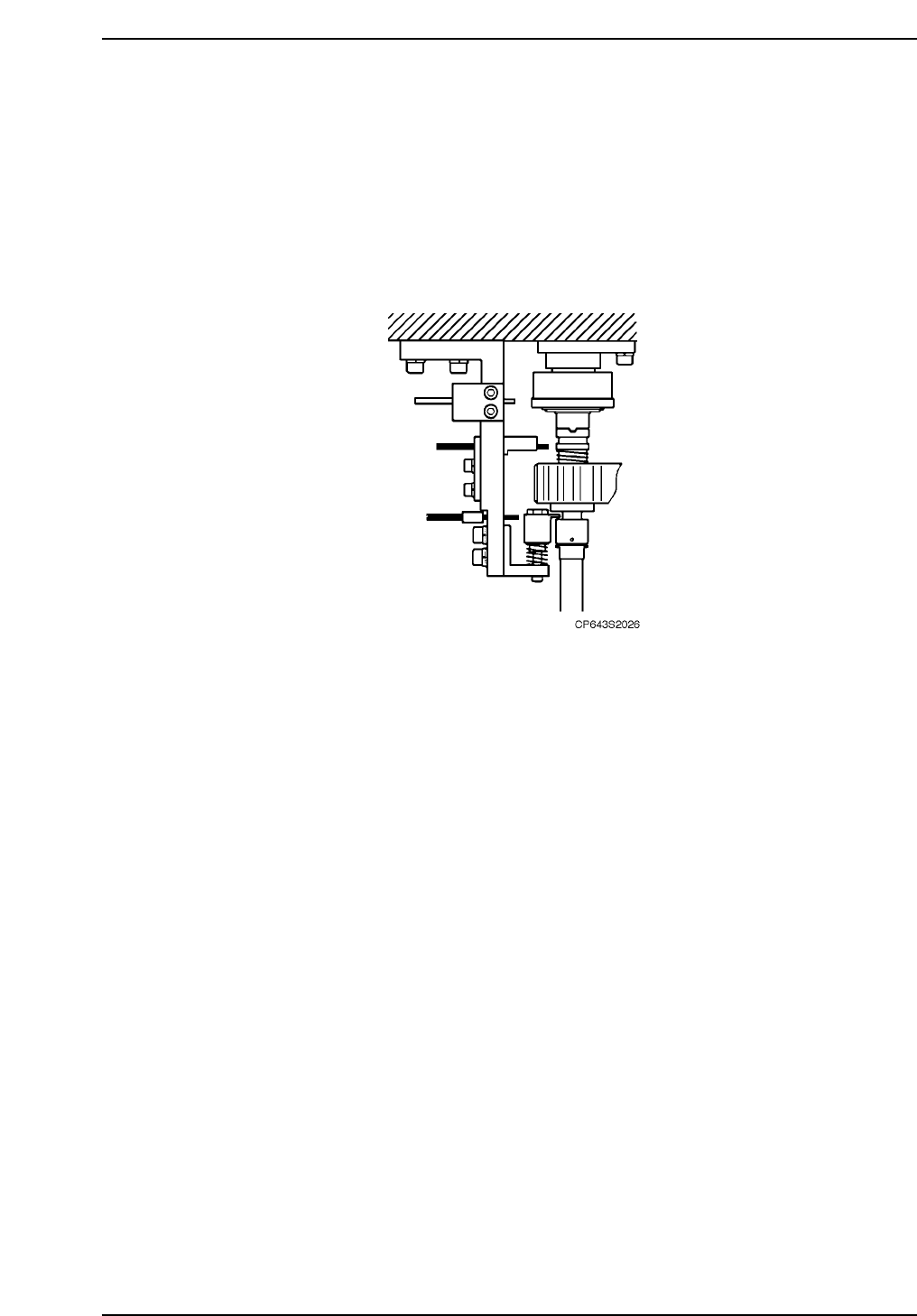
Nozzle Origin Search which occurs at ST12 checks the position of the nozzle holder and
the nozzle holder clutch to insure that nozzle changeover can be performed correctly at
ST18.
There are three instances when nozzle origin search is performed. One is after zero
setting following bootup, the second is before automatic operation (step operation
included), and the third is during automatic operation.
Nozzle origin searches (which occur after a zero-setting and before automatic operation)
consist of detecting all the origin position markers when the START button is pressed.
Nozzle origin search after zero-setting
Push START for zero-setting. Zero-setting and Origin searching is performed.
Nozzle origin search performed before automatic operation.
Push START (for automatic operation) Origin searching and automatic operation is
performed.
Nozzle origin search is performed
• before measuring the nozzle center
• after an emergency stop during automatic operation, where the cam has stopped
between the cam angles of 10° and 350°
• when turning the C-axis more than one cycle using the cam handle or using the
inching keys
Nozzle origin search during automatic operation
The machine performs origin search with the cam at an angle of 267° when the shaft
positioned at ST12, does not engage the ST12 FRQ clutch during automatic
operation.
Part 2 Chapter 1 Basic Operation
Edition 1.1 2-1-39 CP643E System Reference

1.5 Nozzle Statistical Processing
The machine has a statistical processing function which monitors the number of nozzle
errors that occur, and automatically skips any nozzle that generates errors frequently.
This statistical processing function is called the nozzle skip function.
1.5.1 Nozzle Skip Method
Nozzle skip can be set in Proper data. (Hereafter referred to as “auto skip”.) This
function is effective for detecting dirtied nozzles, or when there are too many rejected
parts.
Nozzle skip can also be set manually. This is useful when there are damaged nozzles on
the nozzle holder.
Auto-skip
When there is a nozzle whose errors exceed the error rate set in Proper data (i.e. a
picking error or vision processing error), that nozzle will be skipped and the nozzle
number will appear at the monitor.
There is also a limit (set in Proper data) to the number of nozzles which can be skipped
for each nozzle position. If this limit is reached, the machine stops.
The “Skip” status of the nozzle is cleared when operation is restarted after stopping due
to the nozzle skip limit, or can be changed by the operator at the machine using the
following procedure.
Manual Nozzle Skip
Pressing the [SET], [MANUAL] and [NOZZLE SKIP] command function keys in that
order will either set or cancel the nozzle skip, depending on the context of the situation.
If the nozzle skip has been set manually it must be canceled manually as well and cannot
be used again.
Setting the Error Rate
This error rate determines when a nozzle will be skipped. For each individual nozzle,
the number of errors in the most recent 16 placements is counted and if this rate exceeds
the error rate that has been set then the nozzle will be skipped automatically. For
example, if this value is set at 1 and any one nozzle is defective more than about 6% of
the time (i.e., 1/16 of the time), that nozzle will be skipped.
Part 2 Chapter 1 Basic Operation
Edition 1.1 2-1-40 CP643E System Reference

How to Set the Proper Data
The appropriate Proper data settings are shown below.
129 Skip Number: The number entered here will become the error rate number
described above.
130 Skip Nozzle 1: This sets the maximum permissible number of defective No. 1
nozzles.
131 Skip Nozzle 2: This sets the maximum permissible number of defective No. 2
nozzles.
132 Skip Nozzle 3: This sets the maximum permissible number of defective No. 3
nozzles.
133 Skip Nozzle 4: This sets the maximum permissible number of defective No. 4
nozzles.
134 Skip Nozzle 5: This sets the maximum permissible number of defective No. 5
nozzles.
135 Skip Nozzle 6: This sets the maximum permissible number of defective No. 6
nozzles.
Display Monitor
When nozzle skip and manual nozzle skip take place, information on the skipped
nozzles will be displayed on the screen.
The yellow display indicates a nozzle has been automatically skipped and the blue
display indicates a nozzle has been skipped manually.
Points to Remember When Using Nozzle Skip
When the manual skip is set during production of a board, the manual skip will be
immediately effective and the part currently held by that nozzle will not be placed. To
avoid this, set the skip between boards.
CP643S2027
1ABC
2HIIJKLM
3
4EFG
5OP
6
Skip Nozzle
Part 2 Chapter 1 Basic Operation
Edition 1.1 2-1-41 CP643E System Reference