CP643 系统参考.pdf - 第134页
3. Press the [PROGRAM], [SKIP] and [BLOCK] command function keys. The display will change to the one shown below. In this display block 5 has been set to be skipped. 4. Enter the block number you want to skip using the n…

1.19 Block Skip
A single board can be divided into many smaller boards or blocks. This is called a multi-
block board. If some of the blocks on a multi-block board are defective, those blocks
must be skipped to avoid placing parts there.
1.19.1 Block Skip Method
The three methods of setting the block skip function are described below.
• Using the Skip function in N_data of program. This is effective for skipping specific
blocks in a large lot.
Note: For further information, refer to the MCS/2H System Operation Manual or F4G User’s
Manual.
• Using the [SKIP] command function on the machine.
This is effective for skipping specific blocks in a small lot.
Note: For further information refer to Section 1.19.2 (1) “Using Machine Commands” of this
chapter.
• Using the machine fiducial camera to read block skip marks. This is good for random
block skips.
Note: For more information on reading block skip marks with the fiducial camera, refer to
Section 1.19.2 (2) “Setting Automatic Block Skip Marks” of this chapter.
For further information, refer to the MCS/2H System Operation Manual or F4G User’s
Manual.
1.19.2 Setting Block Skip
The block skip can be set at the operation panel on the machine. It can also be set by
programming a block skip mark on the appropriate part of the board, which the camera
will read to determine whether a block will be skipped.
Some simple examples are described below.
(1) Using Machine Commands
1. Using the host computer Skip function in N_data, create a multi-block program and
transmit it to the machine.
Note: For further information, refer to the MCS/2H System Operation Manual or F4G User’s
Manual.
2. Select the transmitted program as the production program.
Part 2 Chapter 1 Basic Operation
Edition 1.1 2-1-76 CP643E System Reference
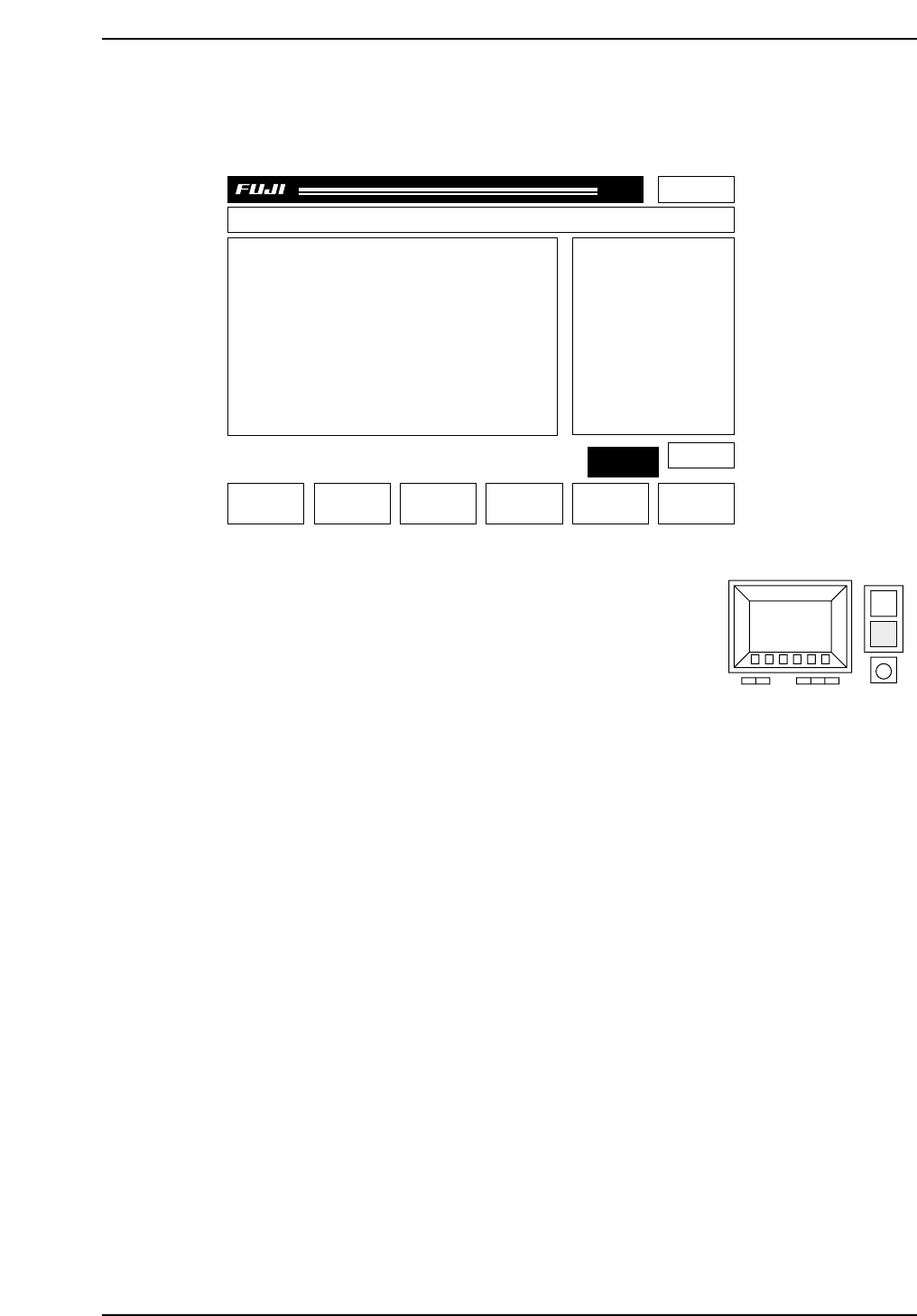
3. Press the [PROGRAM], [SKIP] and [BLOCK] command function keys.
The display will change to the one shown below. In this display block 5 has been set
to be skipped.
4. Enter the block number you want to skip using the
numerical keypad (see figure at right).
Press the number to be set as the block number and
then press the carriage return [CR] to enter the value.
[Example]
The display will change accordingly. If 3 is entered “B 3P (green)” will change to “B
3S (yellow).”
Note: Refer to Chapter 3 “Command Descriptions” in Part 3 “Commands” for further details.
5. A block skip displayed in red indicates that the block has been set at the host
computer and cannot be changed on the machine.
6. Enter the block skip number (the block number displayed in yellow) one more time to
cancel the block skip flag.
[Example]
The display will change accordingly. If 3 is entered “B 3S (yellow)” will change to “B
3P (green).”
7. If the user presses the [RETURN] command function key after all the block skips have
been set, the previous screen will display.
B 1P (green): Placing will be carried out on Block 1.
B 2S (yellow) Block 2 will be skipped. This skip was set at the machine.
B 3S (red): Block 3 will be skipped. This skip was set in the program and cannot
be canceled at the machine.
CP643S2040
Page 000
Off line
B1P
B2P
B3P
B4P
B5S
Prod 00000 Sche 00000CP_6.PROGRAM
v1.10
000000000000
000000000000
jog X Y
C
CP643S2039B
Part 2 Chapter 1 Basic Operation
Edition 1.1 2-1-77 CP643E System Reference
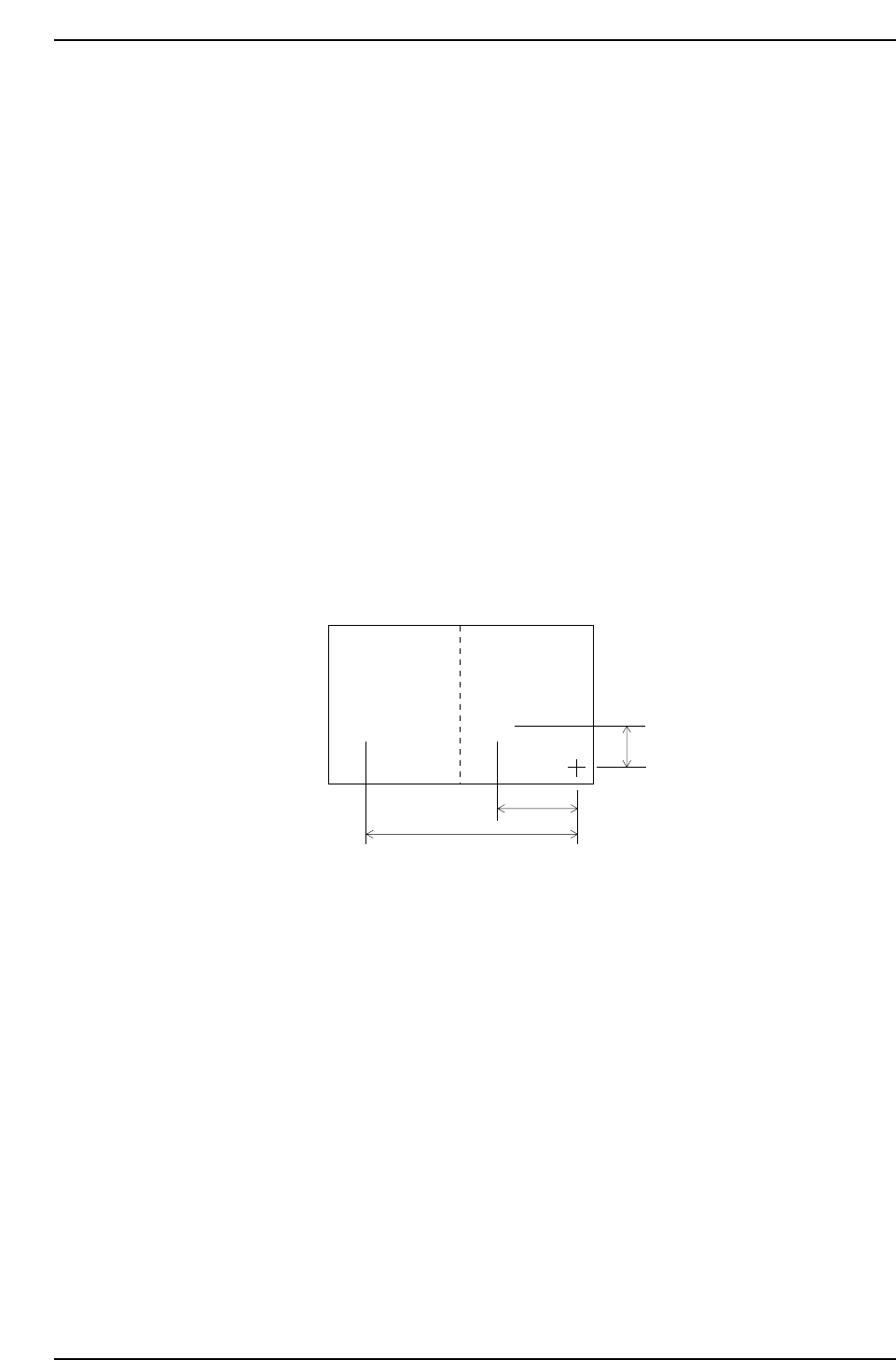
(2) Setting Automatic Block Skip Marks
In this case, the camera will read the block skip marks on the board and automatically
skip the appropriate blocks.
1. Decide positions to put block skip marks on the board. It doesn’t matter whether they
are inside of each block. Each block has to have an individual block skip mark
position.
2. In Mark_data of production program, enter the mark type (B), mark color (B/W),
mark size (Size_X, Y) and reading threshold level (CCD).
3. Enter every block number into sequence data (N_data) block number (B) column.
4. Enter the letter B into sequence data (N_data) device type (W).
5. Enter the Mark_data Mark No. as the device number (D) in sequence data (N_data).
6. Finally, enter the XY-coordinates for each block skip mark position into sequence data
(N_data).
The example below shows the entries for two block skip marks.
For the sequence which B is entered in the W column, the machine will automatically
read the block skip mark and based on the results will skip the blocks that are marked
appropriately.
Mark sizes (Size X, Size Y) and reading threshold levels (CCD) can also be set at the
machine. See Chapter 3 “Command Descriptions” in Part 3 “Commands” for further
details.
CP643S2041
Block 2
Block skip
mark 2
Block skip
mark 1
Block 1
••
1000
2000
6000
Part 2 Chapter 1 Basic Operation
Edition 1.1 2-1-78 CP643E System Reference