CP643 系统参考.pdf - 第24页
EMERGENCY STOP Button on the rear of the machine Models with Rear Cover CP6M001 Safety Guidelines Edition 1.0 13 CP643E System Reference
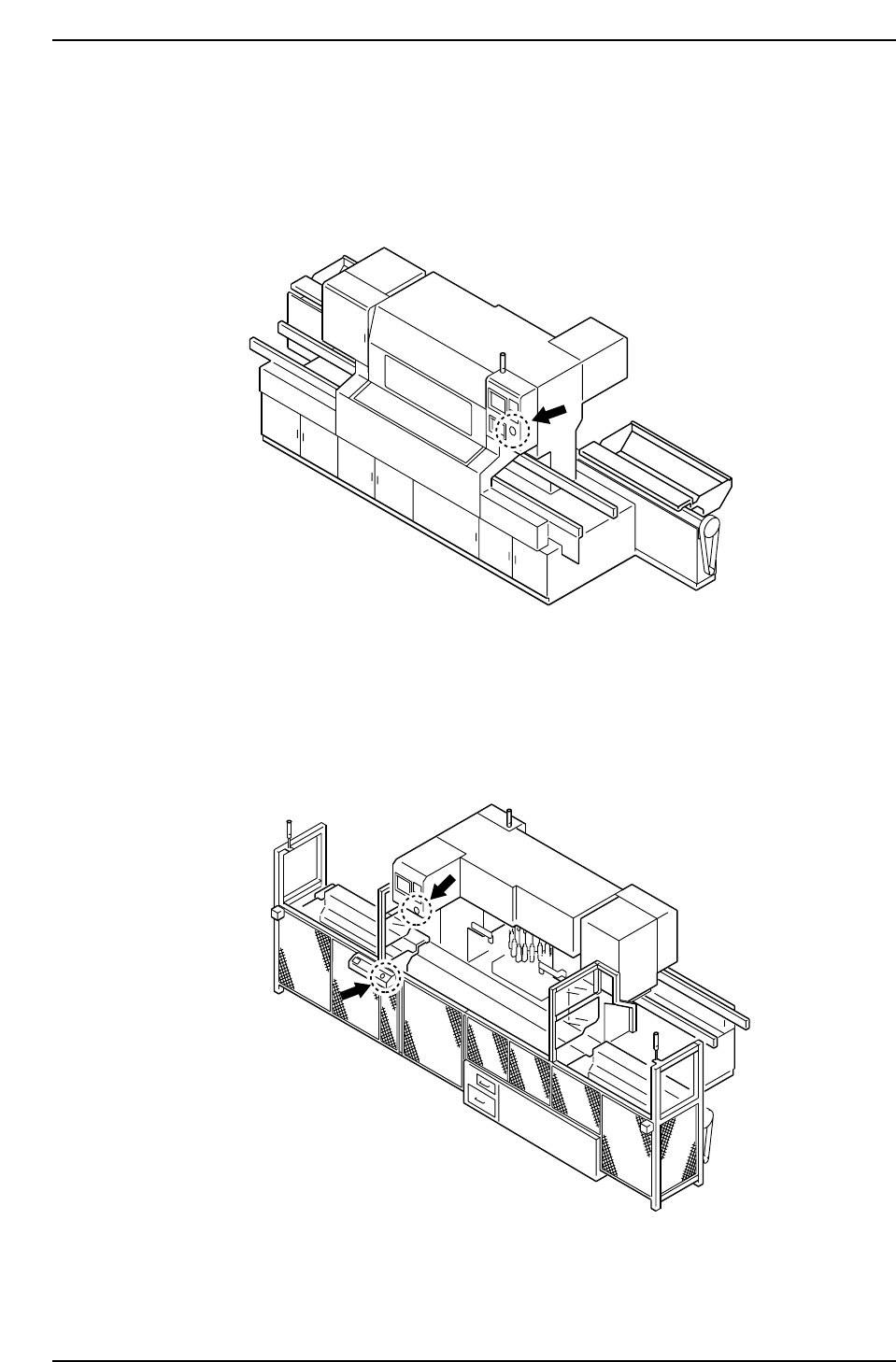
5. The EMERGENCY STOP Button
In the event of an emergency, press any of the red EMERGENCY STOP buttons located
on the machine at the positions indicated in the figure below.
EMERGENCY STOP Button on the front of the machine
EMERGENCY STOP Buttons on the rear of the machine
Models with Fence
CP6MF002
CP6MF001
Safety Guidelines
Edition 1.0 12 CP643E System Reference
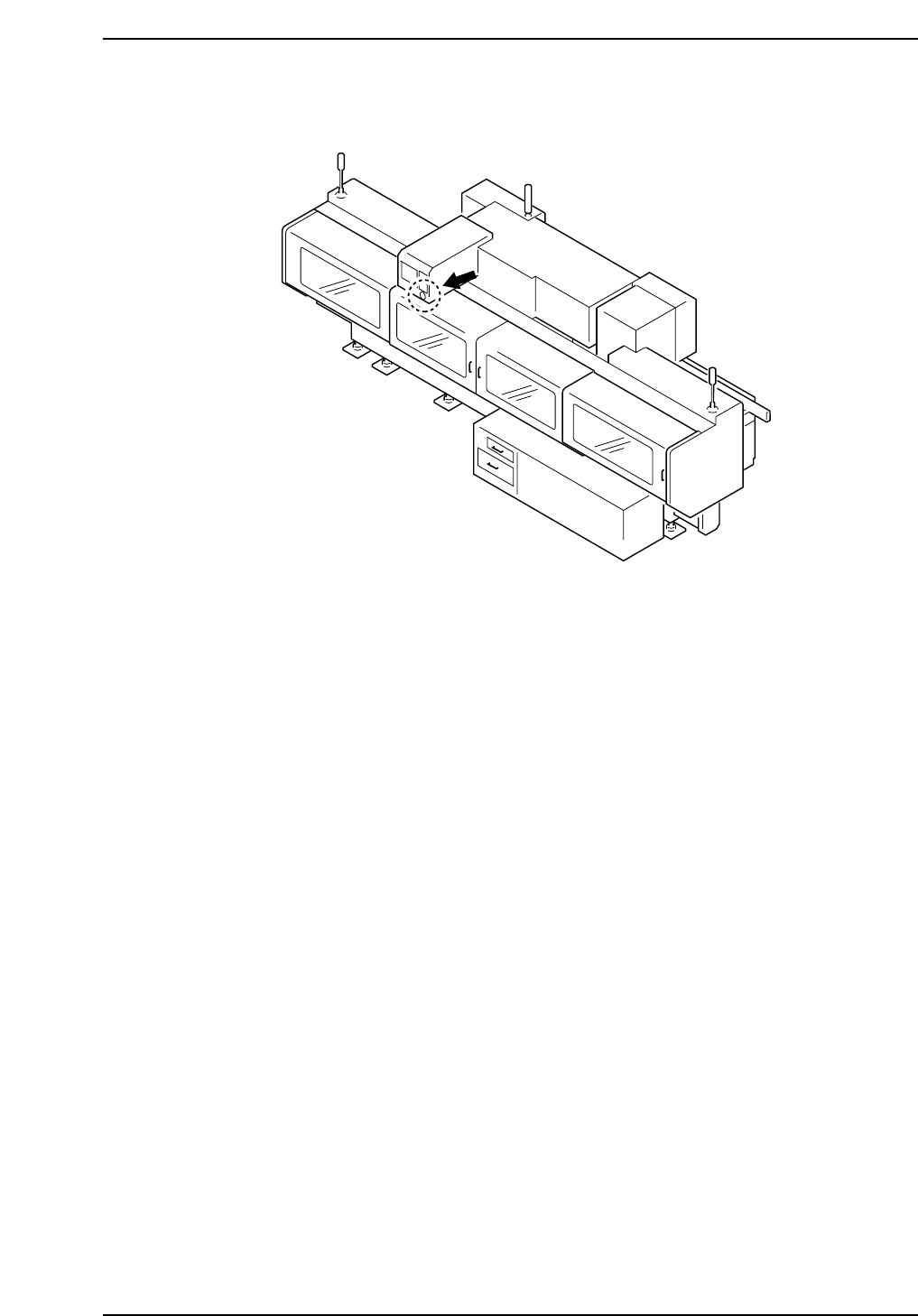
EMERGENCY STOP Button on the rear of the machine
Models with Rear Cover
CP6M001
Safety Guidelines
Edition 1.0 13 CP643E System Reference

6. Before Operation
Prior to operating the machine, make sure that no one is inside the machine or inside the
safety fence, or that anyone other than yourself is touching the machine.
7. Do not Leave Tools in or on the Machine
Following maintenance on a machine, make sure that no tools have been left in or on the
machine. Tools that get caught in the machine's moving parts may cause severe damage
to the machine.
Safety Guidelines
Edition 1.0 14 CP643E System Reference