CP643 系统参考.pdf - 第230页
VP . EXE. 522-4-3-5 Command Pass: [SET] - [MANUAL] - [VISION] - [VISION TEST] - [B MARK] - [VP. EXE.] This command can be used to execute vision processing after the image of the block skip mark for the specified sequenc…
LEVEL SET 522-4-3-2
Command Pass: [SET] - [MANUAL] - [VISION] - [VISION TEST] - [B MARK] - [LEVEL SET]
This command can be used to set the block skip mark threshold level.
The specified value after a change will be reflected in the production program.
Note: If F1 [SET DATA] has not been executed this command cannot be executed.
Revision History
V1.10 and later
SET SIZE 522-4-3-3
Command Pass: [SET] - [MANUAL] - [VISION] - [VISION TEST] - [B MARK] - [SET SIZE]
This command can be used to set the block skip mark size. The specified value after a change will
be reflected in the production program.
Note: If F1 [SET DATA] has not been executed this command cannot be executed.
Processing after numeric keypad input
When a value from 0 to 999 is input using the numeric keypad, this input value becomes the set
block skip mark size.
Revision History
V1.10 and later
DSP REAL-IMG 522-4-3-4
Command Pass: [SET] - [MANUAL] - [VISION] - [VISION TEST] - [B MARK] - [DSP REAL-IMG]
This is used to display the real image of the mark camera on the monitor.
Revision History
V1.10 and later
Part 3 Chapter 3 Command Descriptions
Edition 1.0 3-3-69 CP643E System Reference

VP. EXE. 522-4-3-5
Command Pass: [SET] - [MANUAL] - [VISION] - [VISION TEST] - [B MARK] - [VP. EXE.]
This command can be used to execute vision processing after the image of the block skip mark for
the specified sequence has been acquired.
Note:
1. If F1 [SET DATA] has not been executed this command cannot be executed.
2. If a board is not set on the XY-table a vision processing error will result.
Processing after START is pressed
After the interference check the XY-table moves to the point on the board above the mark specified
in the sequence. Once movement is completed the mark camera light comes on and the mark image
is acquired. Vision processing is carried out after the image is acquired.
Revision History
V1.10 and later
Part 3 Chapter 3 Command Descriptions
Edition 1.0 3-3-70 CP643E System Reference
CENTER 523-1-0
Command Pass: [SET] - [MANUAL] - [NOZZLE] - [CENTER]
The center of each nozzle is measured. The measurement results are displayed on the CRT.
Note that center measurement is not carried out for black nozzles.
Note: If the vision processing version is earlier than V2.60 then messages such as “Unsuitable vision
processing version” or “Backlight check not performed” will display in yellow in the first display area for
four seconds. This simply means that the brightness measurement is not carried out during center
measurement. This is not an error status.
The display characters have the following meaning.
* (yellow) : The first center measurement has been completed.
0 (yellow) : The center measurement has been completed and is normal.
0 (yellow) : There is a possibility that a vision processing error will
occur if this nozzle is used in production.
O (purple) : Gray scale standard deviation alarm.
X (red) : A nozzle error has occurred (vision processing error).
X (red) : The nozzle diameter is outside of the limits set.
X (red) : The nozzle bend is outside of the limits set.
--(white) : Nozzle measurement has not yet finished.
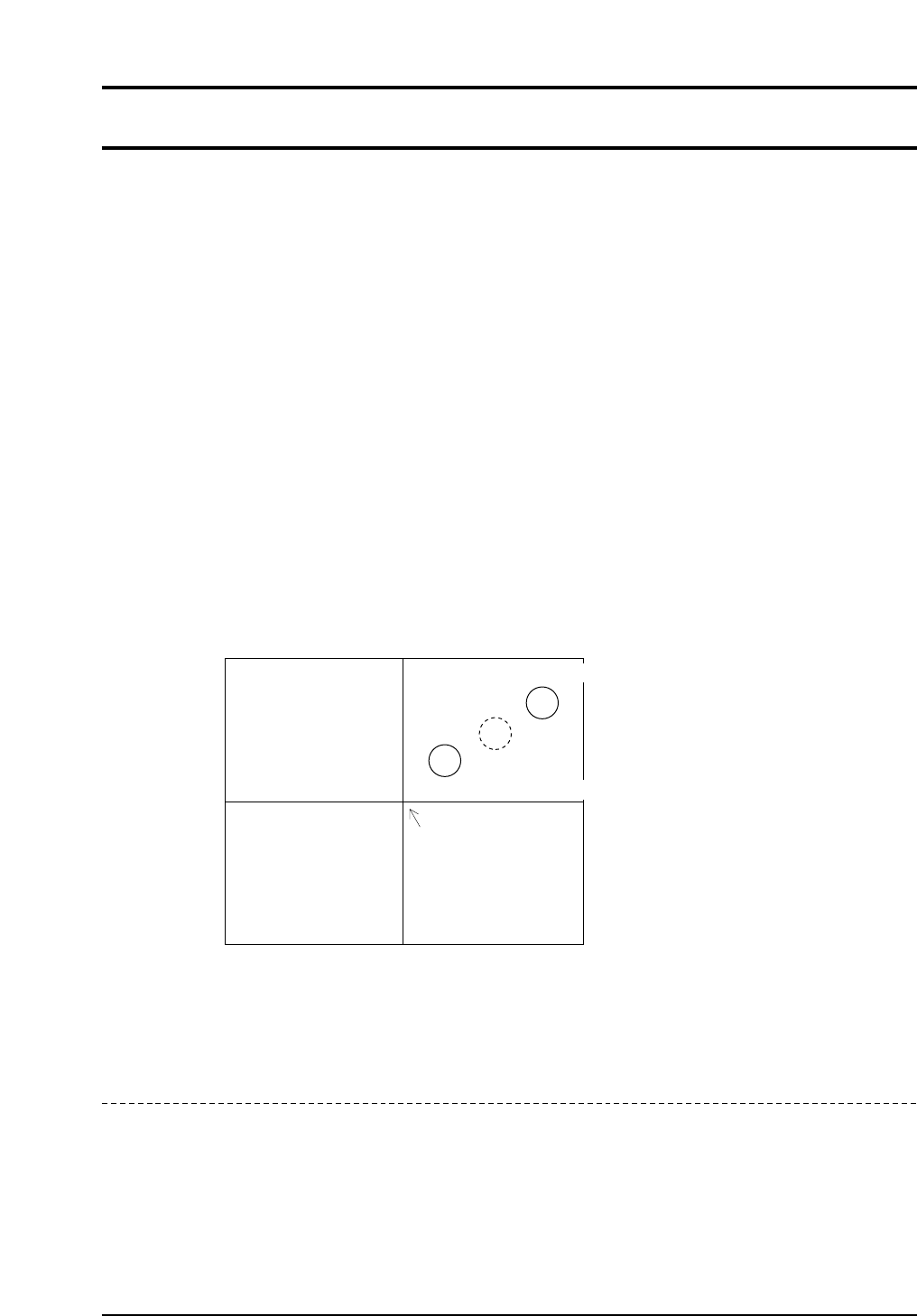
If the position of the nozzle center is as shown in the above figure, there is the possibility
depending on the size of the part, that the acquired image of the part will not fit on the screen.
Revision History
CP643S3021
Center of image acquation
Center of rotation
Second nozzle measurement position
First nozzle measurement position
Part 3 Chapter 3 Command Descriptions
Edition 1.0 3-3-71 CP643E System Reference