CP643 系统参考.pdf - 第94页
As with automatic selection, if there is no disk larger than the minimum back light disk specified in Part Data, vision processing cannot be carried out properly and a transmission error will result (error code 1101D04?)…
1.4.4 Specifying a Selected Nozzle
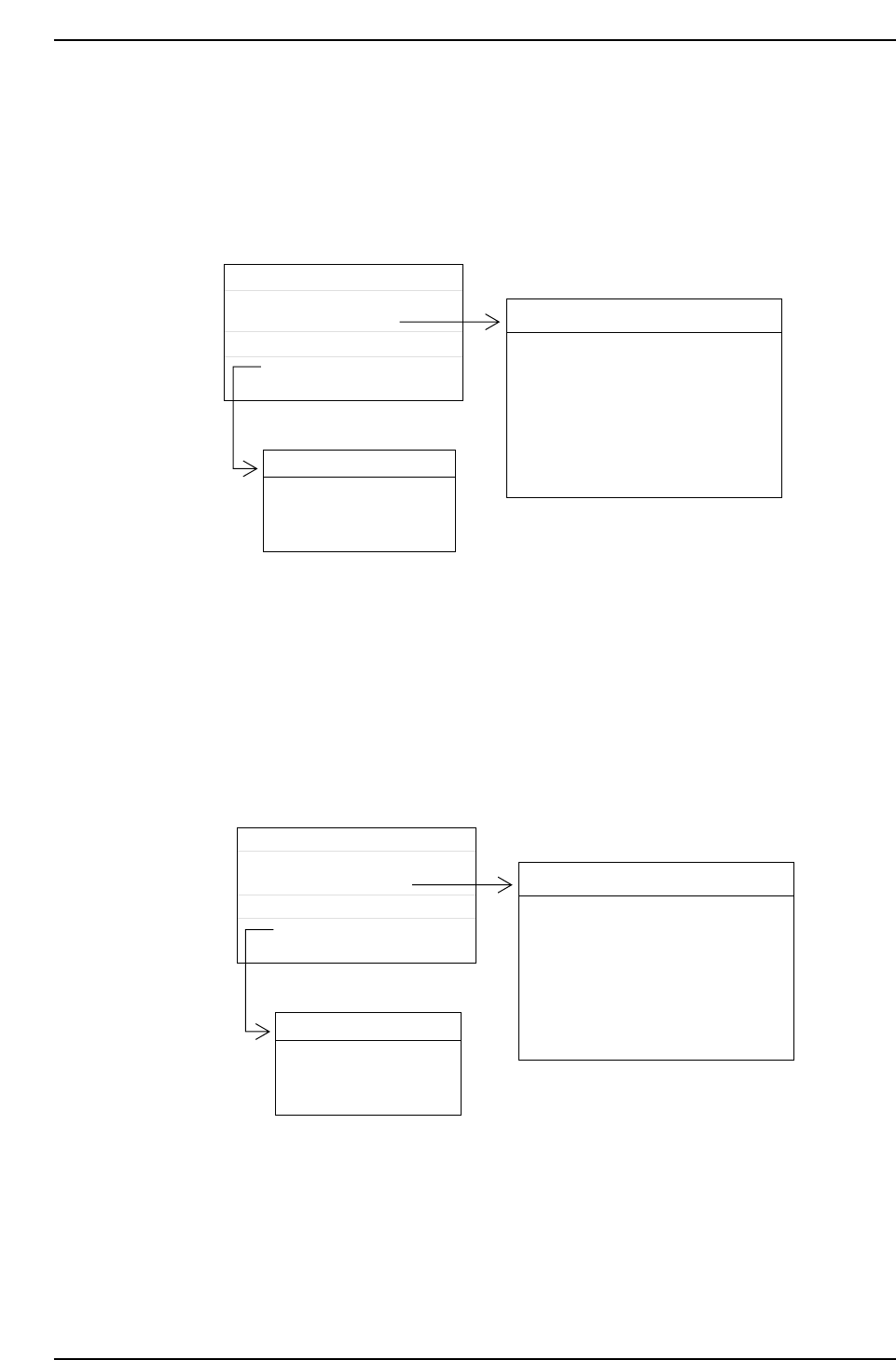
In the case it is necessary to place a part with a nozzle of a specific diameter, this nozzle
diameter can be input in Carrying_data item 36: Nozzle_size_CP6. When this specific
nozzle diameter data has been set, the nozzle in the nozzle assignment table that matches
this input will automatically be selected.
For the part specified above, the No. 2 nozzle (1.0 mm) would be selected since the
specified nozzle diameter is 1.0 mm. After this a check is made to make sure it is
possible to vision process the part given the size of the attached back light disk. This
nozzle will be used for placing the part as long as the size of the disk is appropriate.
If a nozzle of the same diameter as Nozzle_size_CP6 does not exist in the nozzle
assignment table, an error will occur (error code 1101108?H) when the program is
transmitted.
1.3
0.5
12
Machine_data
Nozzle_assignment_table_CP6
NAT_CP6
D_data
D1 RECT3216120
Part Data name
Production program
D1 RECT3216120
Part Data
Max. Nozzle Size
Nozzle No.
Back Light Min.
Bend
0.1
0.1
0.2
0.2
0.2
0.2
NAT_CP6
No
1
2
3
4
5
6
Nozzle_size
0.7
1.0
1.3
2.5
1.8
5.0
Back_light
12
12
12
20
12
20
CP643S2021
1.3
1.0
12
Machine_data
Nozzle_assignment_table_CP6
NAT_CP6
D_data
D1 RECT3216120
Part Data name
Production program
D1 RECT3216120
Part Data
Max. Nozzle Size
Nozzle No.
Back Light Min.
Bend
0.1
0.1
0.2
0.2
0.2
0.2
NAT_CP6
No
1
2
3
4
5
6
Nozzle_size
0.7
1.0
1.3
2.5
1.8
5.0
Back_light
12
12
12
20
12
20
CP643S2020
Part 2 Chapter 1 Basic Operation
Edition 1.1 2-1-36 CP643E System Reference
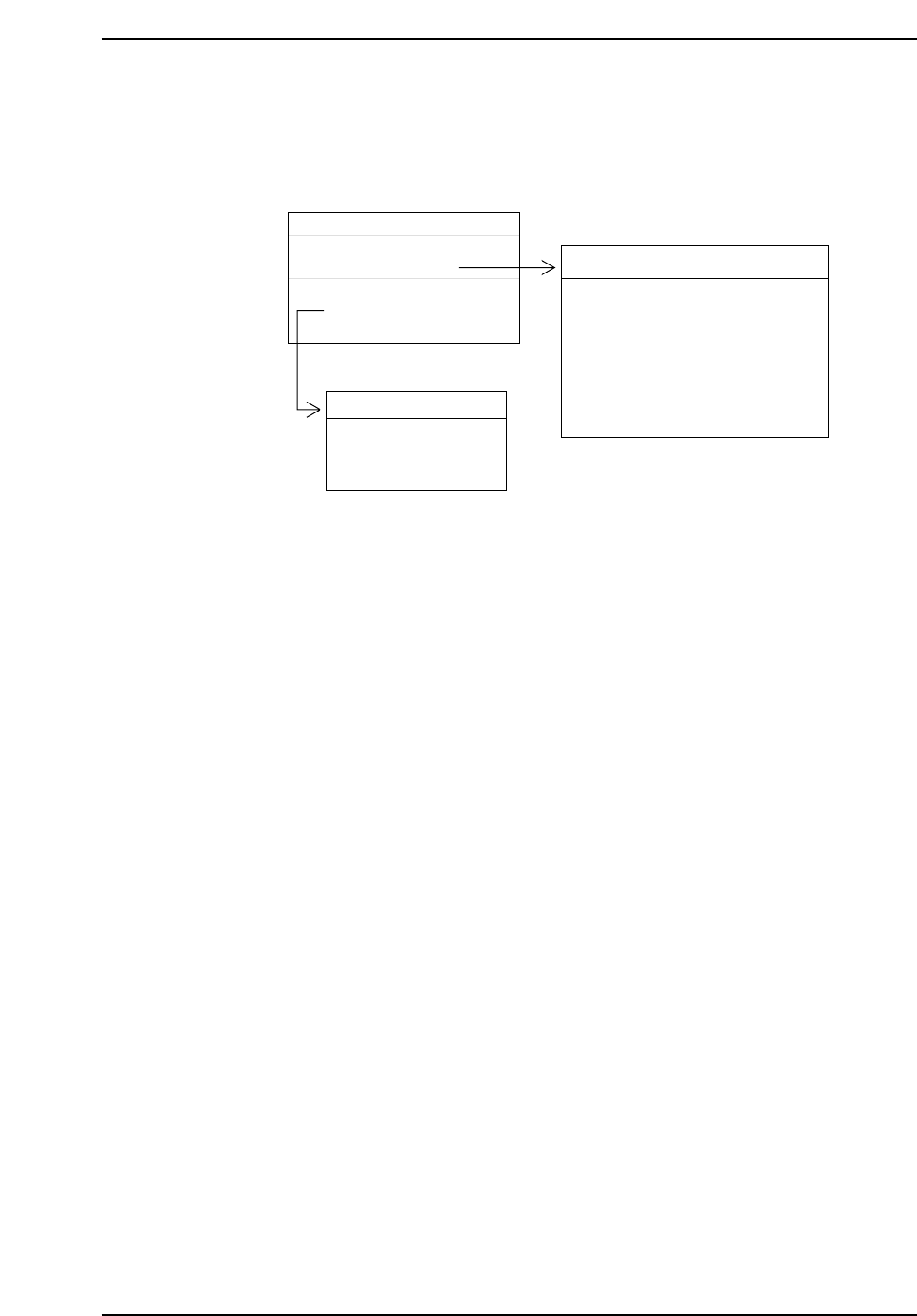
As with automatic selection, if there is no disk larger than the minimum back light disk
specified in Part Data, vision processing cannot be carried out properly and a
transmission error will result (error code 1101D04?).
1.4.5 Determining the Nozzle Rotation Direction and Nozzle
Assignment Table
Using the current nozzle position as a reference, the next nozzle indexing direction
(clockwise or anticlockwise) is determined by which direction requires the least amount
of rotation. Data describing which size of nozzle is installed in which nozzle holder is
recorded in the nozzle assignment table.
Nozzle indexing is reduced to a minimum when all six nozzles in the holder (specified in
the NAT) are different (presuming the target nozzle is not skipped).
A “Next Nozzle” can be specified by having more than one of the same nozzle type in
the holder. If this is the case, when the nozzle is skipped the machine automatically
changes to a different nozzle of the same size and production continues. However,
unlike "Next Device", the next nozzle number cannot be specified.
1.3
1.0
30
Machine_data
Nozzle_assignment_table_CP6
NAT_CP6
D_data
D1 RECT3216120
Part Data name
Production program
D1 RECT3216120
Part Data
Max. Nozzle Size
Nozzle No.
Back Light Min.
Bend
0.1
0.1
0.2
0.2
0.2
0.2
NAT_CP6
No
1
2
3
4
5
6
Nozzle_size
0.7
1.0
1.3
2.5
1.8
5.0
Back_light
12
12
12
20
12
20
CP643S2022
Part 2 Chapter 1 Basic Operation
Edition 1.1 2-1-37 CP643E System Reference
1.4.6 Nozzle Type and Nozzle Holder Check
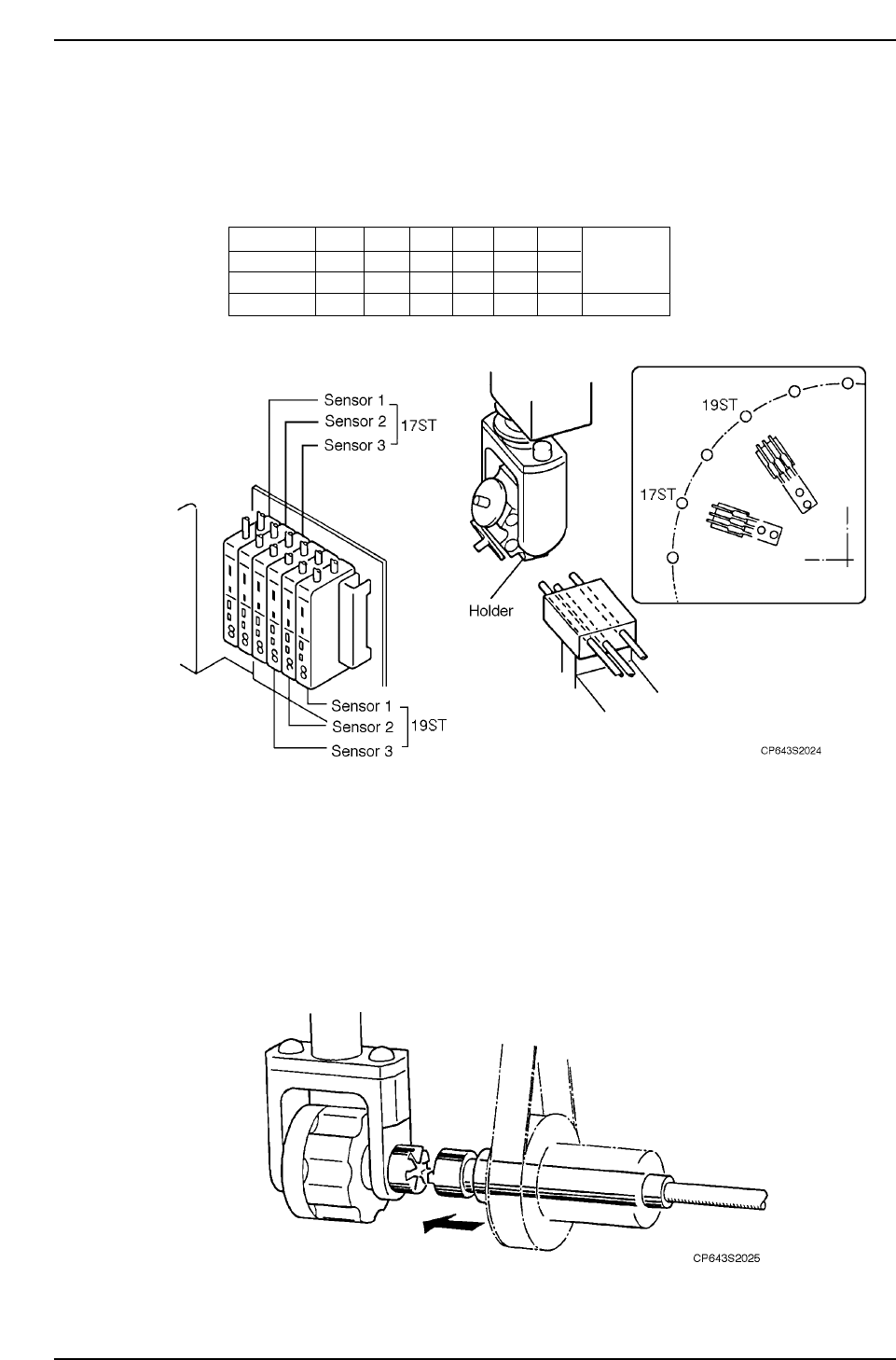
At Station 17 a set of three sensors will check to see which nozzle is being used in order
to determine whether or not nozzle change is necessary for the next part to be picked. At
Station 19, another set of three nozzle change check sensors will check to see if the
appropriate change has been made.
1.4.7 Nozzle Origin Search Sensor
On the machine, the nozzle is changed at ST18 when the nozzle holder clutch and the
spline shaft engage. In order for the nozzle holder clutch and the nozzle spline shaft to
engage, it is necessary that both centers are aligned. (If the nozzle center is not aligned
when nozzle origin position check is performed at ST15, that nozzle holder will be
skipped and parts will not be picked up.)
ON
OFF
OFF
1
OFF
ON
OFF
2
OFF
OFF
ON
3
ON
ON
OFF
4
OFF
ON
ON
5
ON
OFF
ON
6
Other than
No.1 ~
No.6
Alarm
Sensor 1
Sensor 2
Sensor 3
Noz No.
CP643S2023
Part 2 Chapter 1 Basic Operation
Edition 1.1 2-1-38 CP643E System Reference