CP643 系统参考.pdf - 第115页
1.12.2 Offset When Placing Parts A total of 120 nozzles (6 nozzle types on 20 heads) can be fitted onto the machine. The center placing point of each of these nozzles can in fact be misaligned based on the accuracy with …

1.12 Supply and Placing Unit Functions
1.12.1 Offset When Picking Parts
In order to be able to continually pick parts at the center of the part, the machine
compiles statistics on how far off center in the X-direction parts are being picked. This
information is then used to correct the pick-up position of parts subsequently picked
from the same device position. The three types of offset are described below.
• Automatic Offset
The results of vision processing are processed statistically and the pickup point is
changed accordingly. When a program is transmitted from the host computer or the
[CHANGE] command is used to change the program the offset values will all be
cleared.
These values are internally calculated automatically by the machine and cannot be
changed by the user.
• Device Offset in Proper Data (Device Offset 1 ~ 140)
If automatic offset is not functioning efficiently after a program has been changed,
such that pick-up from a specified device number is not possible, then Device Offset in
Proper data can be set to allow the part to be picked. Moreover, once Device Offset
has been set so that pick-up is possible, then the automatic offset operates to calculate
the center of the part.
• Parts Picking Offset in Part Data
When a part cannot be picked because of its peculiar shape, an offset can be specified
in Part Data to allow pick-up. Moreover, after the offset part is set so that it can be
picked, the automatic offset operates to calculate the center of the part.
.
Part 2 Chapter 1 Basic Operation
Edition 1.1 2-1-57 CP643E System Reference

1.12.2 Offset When Placing Parts
A total of 120 nozzles (6 nozzle types on 20 heads) can be fitted onto the machine. The
center placing point of each of these nozzles can in fact be misaligned based on the
accuracy with which the machine is assembled, the manufacturing accuracy of the parts,
or by nozzle bend. This misalignment is corrected by placing point offset values. The
different types of placing point offset values are as follows:
• Cam Speed Dependent Offset Y
Movement of the nozzle center in the Y-direction is compensated based on the cam
speed. (Cam speed 100, 90, 80, 70, 60)
• Nozzle Center Offset X
Movement of the nozzle center in the X-direction is compensated.
• Nozzle Center Offset Y
Movement of the nozzle center in the Y-direction is compensated.
• Nozzle Proper data X (A1 Place Offset X ~ T6 Place Offset X)
Amount of mechanical deviation of the X-coordinate placing point is compensated.
• Nozzle Proper data Y (A1 Place Offset Y ~ T6 Place Offset Y)
Amount of mechanical deviation of the Y-coordinate placing point is compensated.
Note: Refer to Chapter 3, “Command Descriptions“ in Part 3 “Commands” for command page
information concerning measurement of the nozzle center of rotation.
1.12.3 Tape End Display
When the supply of a part is about to run out the device number will display on the
monitor. Also, the signal tower lamp can be set to flash (the color depends on what is
entered in Proper data).
Clearing the tape end
When tape end is detected, the following actions will clear the status.
Program change: In joint mode and device change mode all devices must be cleared.
In changeover mode the tape and status of the device on the original
table must be cleared.
Parts Set switch: When parts run out during production in device change mode, once
the table has been loaded and the PARTS SET switch is set to
[COMPLETE], tape and status of the device on that table will be
cleared.
Tape End Detection switch:After the tape end the tape end sensor has detected the parts
again, the tape end status will be cleared.
Power ON: After the power has been turned on all the tape end displays will be
cleared.
Part 2 Chapter 1 Basic Operation
Edition 1.1 2-1-58 CP643E System Reference
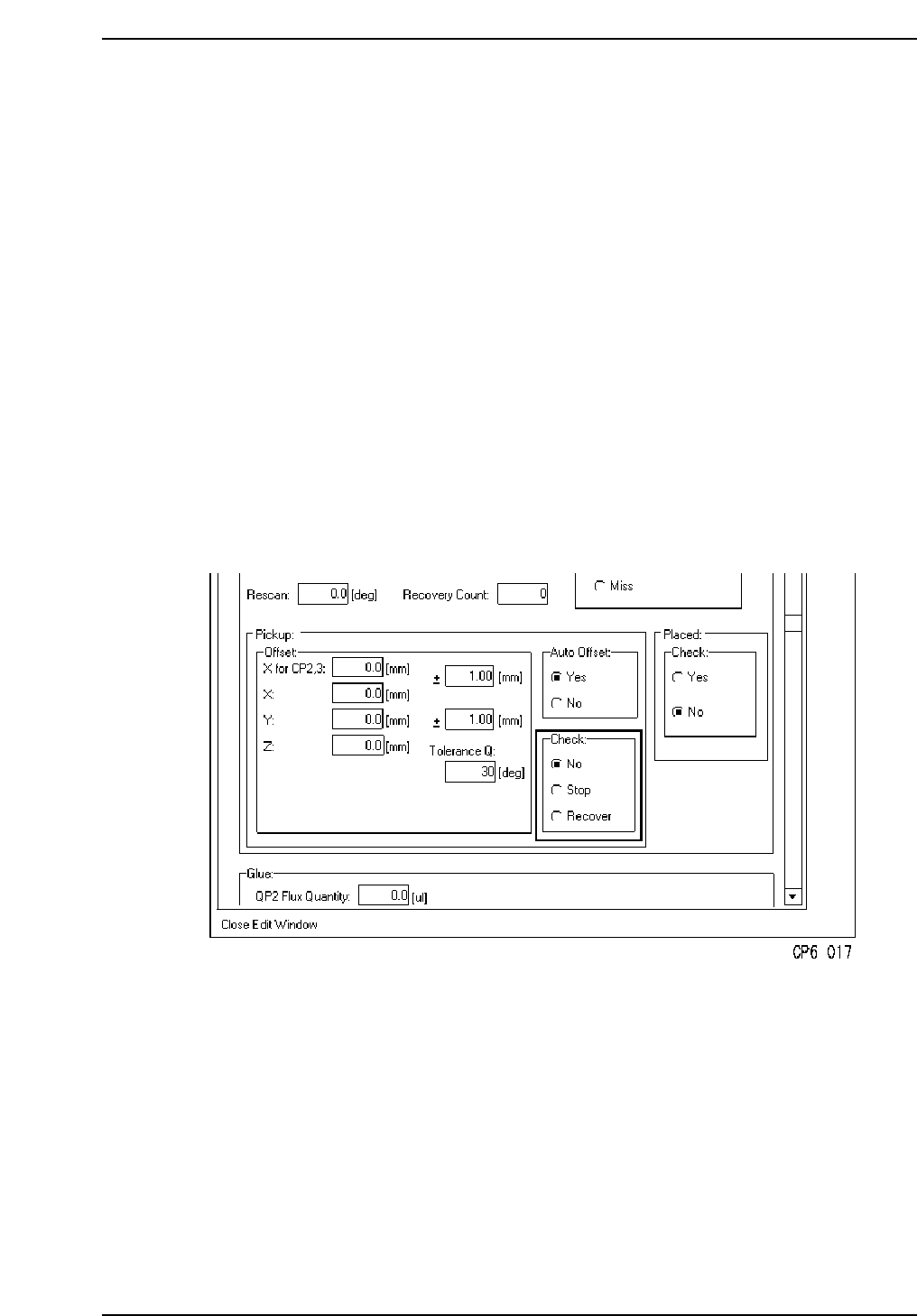
1.12.4 Large Parts Pick-up Check
Inspection of whether or not the mounting parts have been picked up from the feeder is
performed at STN2. If pickup cannot be confirmed, the line stops immediately and a
device check is performed. If it is the end of the tape, "Parts out" is displayed. If it is not
the end of the tape, "Pickup miss" is displayed. This function is set in Part Data, allowing
it to be selected for each part type. If a part could not be picked and recovery is not set to
"error pass", the machine will attempt the recovery process at station 2 after 6 sequences.
How to set Part Data:
[PART DATA] Carrying_data
<for MCS>
Carrying_data
14. Pickup_check : This data item chooses whether or not a large part pick-up check
will be carried out.
[Example] 14. Pickup_check Stop
<For F4G>
1. Start the VPD.
2. Open the “Part Type Data” in the relevant part data.
3. At the [Pick up] - [Check] item, specify whether or not a large part pick-up check is to
occur.
Caution: The large parts pick-up check function is only concerned with parts whose thickness
exceeds 1 mm. The check function is not carried out for parts with a thickness
(registered in Part Data) of less than 1 mm.
Part 2 Chapter 1 Basic Operation
Edition 1.1 2-1-59 CP643E System Reference