CP643 系统参考.pdf - 第141页
1.19.4 Points to Remember When Using Block Skip It is possible for a block skip mark sequence to reference a fiducial mark, but the fiducial mark sequence must be placed before the block skip mark sequence. A block skip …

(5) Reacquisition When All Block Skip Marks are Skipped
The use of an additional condition for distinguishing whether reacquisition is to be
performed or not is determined based on the Proper data item setting 11.
Machine_Status_A ???? ???? ??1? ???? (?: 0 or 1).
11. Machine_Status_A ???? ???? ??1? ???? (?: 0 or 1)
If all block skip marks that have been read are judged as skipped, this will result in a
machine cycle stop.
If the machine is then restarted the block skip marks will be read again.
Execute the loader command to clear off the board. (This is left up to the operator after
the machine stops.)
The following message will display after the machine stops.
“Certify to B_mark!!”
Precautions
If the board check function using block skip marks is specified, this function check will
take precedence over reacquisition of block skip marks when all block skip marks are
skipped.
1.19.3 Block Skip Specifications
The specifications of the block skip function are as follows:
• Block Number Restrictions
Block numbers can be set from 0 to 255.
• Managing the Skip Sequence in the Program
When a skip sequence is set in the program using the host computer’s editor, all block,
device and sequence skips are effective. Moreover, the skip sequence cannot be
canceled at the machine.
• Marks Permissible On One Board
Including fiducial marks, a maximum of 255 marks are permissible.
• Block Skip Mark Restrictions
Size: Set in host computer
Mark color: The mark should contrast with the board color so that the camera can
read it easily.
Location: Same as fiducial marks
• Conditions Under Which Block Skip Marks Are Read
When the letter "B" has been entered into the sequence data device type (W) column,
the machine looks for block skip marks.
• Conditions Under Which Block Skip Is Carried Out
An area of a certain size (Size_X, Size_Y) centered around the coordinate location is
inspected. If all this area matches the color specified for the block skip mark, the
corresponding block is skipped.
Part 2 Chapter 1 Basic Operation
Edition 1.1 2-1-83 CP643E System Reference

1.19.4 Points to Remember When Using Block Skip
It is possible for a block skip mark sequence to reference a fiducial mark, but the fiducial
mark sequence must be placed before the block skip mark sequence.
A block skip that is set using the machine command keys is valid until cleared by the
operator if the program being run does not have block skip mark sequences. For
programs which do have block skip mark sequences, the block skip flags set at the
machine are cleared before each new board is produced.
If a board which uses block skip marks, is cleared off in the middle of production and a
new board is then added by hand, production on the new board will continue using the
original block skip information of the previous board. On the other hand, if a new board
is loaded into the machine using the [LOADER] or [AUTO] function then block skip
marks will be read again and the block skip function will be carried out using this new
information.
Part 2 Chapter 1 Basic Operation
Edition 1.1 2-1-84 CP643E System Reference
1.20 Next Device
An empty device can be readied with the same part being used by another device so that
when the first runs out of parts, the next device can be used. This process is called “Next
Device”.
The next device setting is specified in the program.
Next device is set in the production program using the host computer’s editor. A simple
example with explanation follows.
1.20.1 Setting Next Device
(1) Setting Device Information Data (D_data)
<For MCS>
In MCS systems, device information is set at D_Data. The “Next” setting specifies the
device number from which parts are to picked up when the current device is out of parts.
(At the final device, the “Next” setting should specify the original device.)
When this data is set the same type of part must be mounted in an empty device position
so that when the current device runs out of parts, the same part can automatically be
placed from the next device.
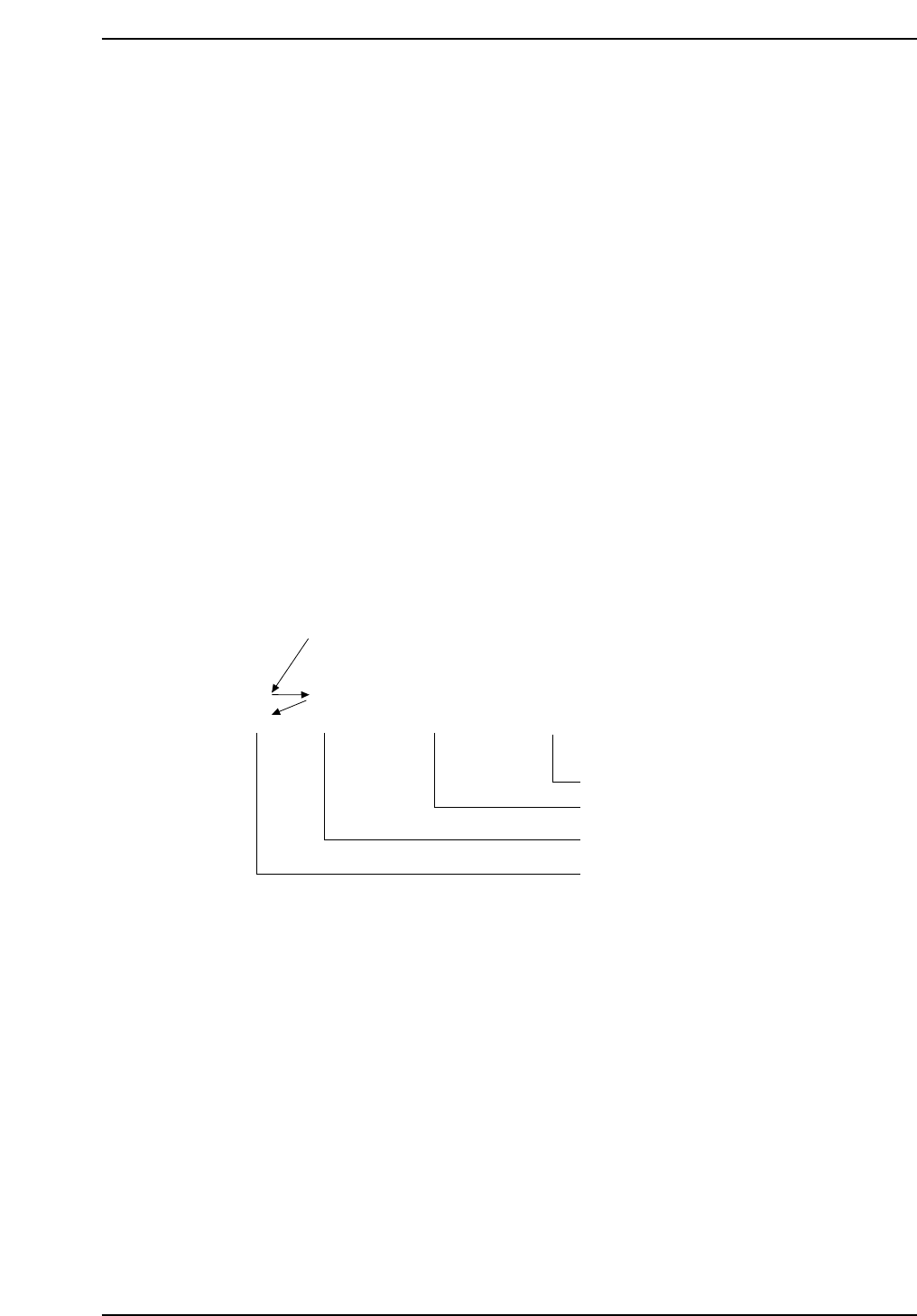
D_data Next $ @
001
002
003
004
005
004
005
001
RECT2012040
RECT3216120
RECT1005040
RECT2012040
RECT2012040
Original parts
Next parts No.1
Next parts No.2 End
Device comment
Part data file name
Next device number
Device number
CP643S2045
Part 2 Chapter 1 Basic Operation
Edition 1.1 2-1-85 CP643E System Reference