CP643 系统参考.pdf - 第136页
<for MCS> [Program] Mark_data Mark_data Type Ptn B/W CCD L/S Scan Size_a Size_b Size_c Size x Size_y -----------------------------------------------------------------------------------------------------------------…
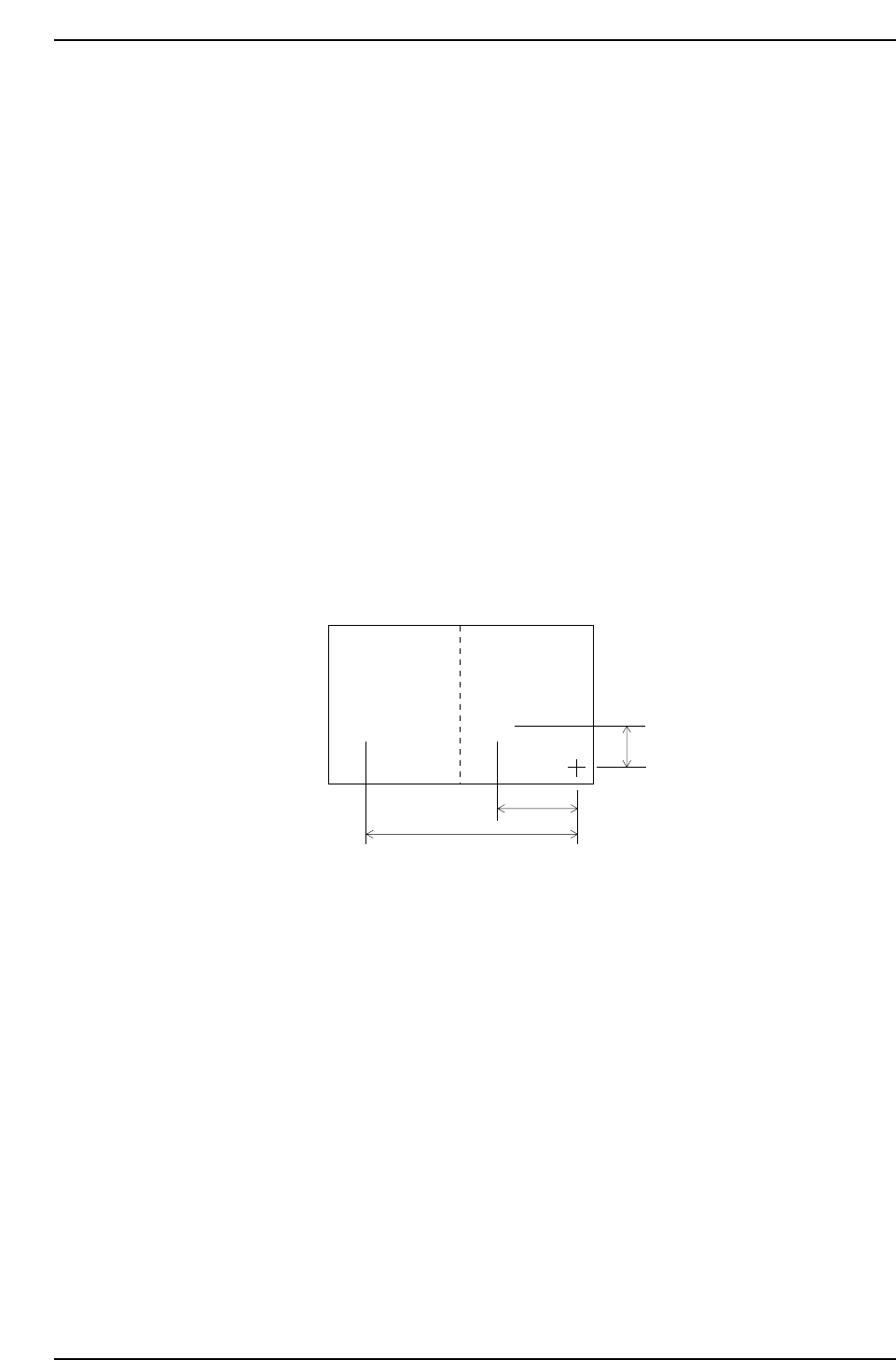
(2) Setting Automatic Block Skip Marks
In this case, the camera will read the block skip marks on the board and automatically
skip the appropriate blocks.
1. Decide positions to put block skip marks on the board. It doesn’t matter whether they
are inside of each block. Each block has to have an individual block skip mark
position.
2. In Mark_data of production program, enter the mark type (B), mark color (B/W),
mark size (Size_X, Y) and reading threshold level (CCD).
3. Enter every block number into sequence data (N_data) block number (B) column.
4. Enter the letter B into sequence data (N_data) device type (W).
5. Enter the Mark_data Mark No. as the device number (D) in sequence data (N_data).
6. Finally, enter the XY-coordinates for each block skip mark position into sequence data
(N_data).
The example below shows the entries for two block skip marks.
For the sequence which B is entered in the W column, the machine will automatically
read the block skip mark and based on the results will skip the blocks that are marked
appropriately.
Mark sizes (Size X, Size Y) and reading threshold levels (CCD) can also be set at the
machine. See Chapter 3 “Command Descriptions” in Part 3 “Commands” for further
details.
CP643S2041
Block 2
Block skip
mark 2
Block skip
mark 1
Block 1
••
1000
2000
6000
Part 2 Chapter 1 Basic Operation
Edition 1.1 2-1-78 CP643E System Reference
<for MCS>
[Program] Mark_data
Mark_data Type Ptn B/W CCD L/S Scan Size_a Size_b Size_c Size x Size_y
-----------------------------------------------------------------------------------------------------------------
001 B 00 B 150 – 200 100 000 50 100 100
[Program] N_Data
N_Data B W D X Y Q
-----------------------------------------------------------------------------------------------------------------
001 1 B 1 -2000 1000 0.00 : Block 1, block skip mark 1
input
002 2 B 1 -6000 1000 0.00 : Block 2, block skip mark 2
input
<For F4G>
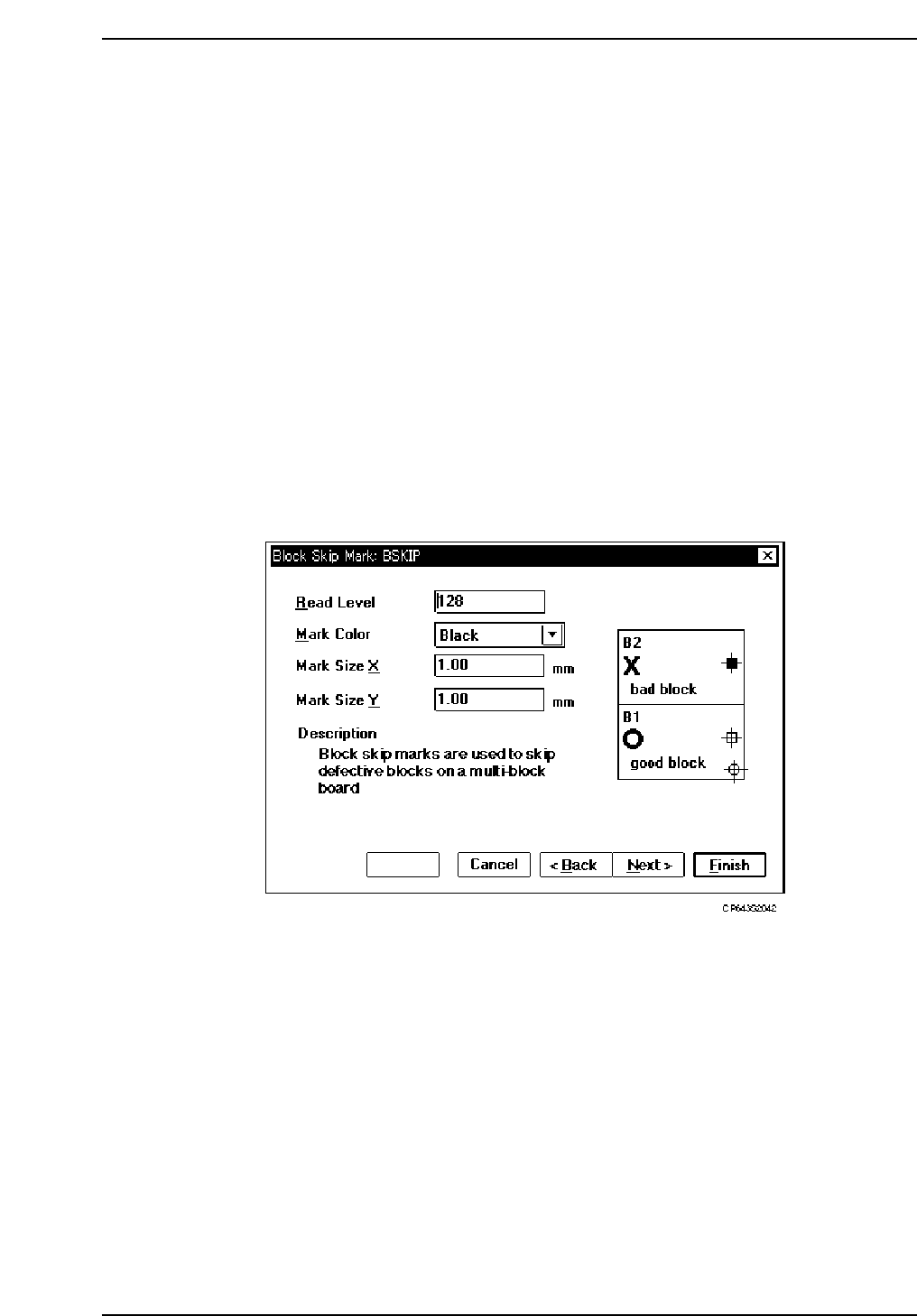
1. Start the GUE (Graphical Editor).
2. Create new Mark Data.
3. Select a Block Skip Mark as the mark type.
4. Enter the following settings: Read Level, Mark Color, Mark Size X, Mark Size Y.
5. Name and save this data.
Part 2 Chapter 1 Basic Operation
Edition 1.1 2-1-79 CP643E System Reference
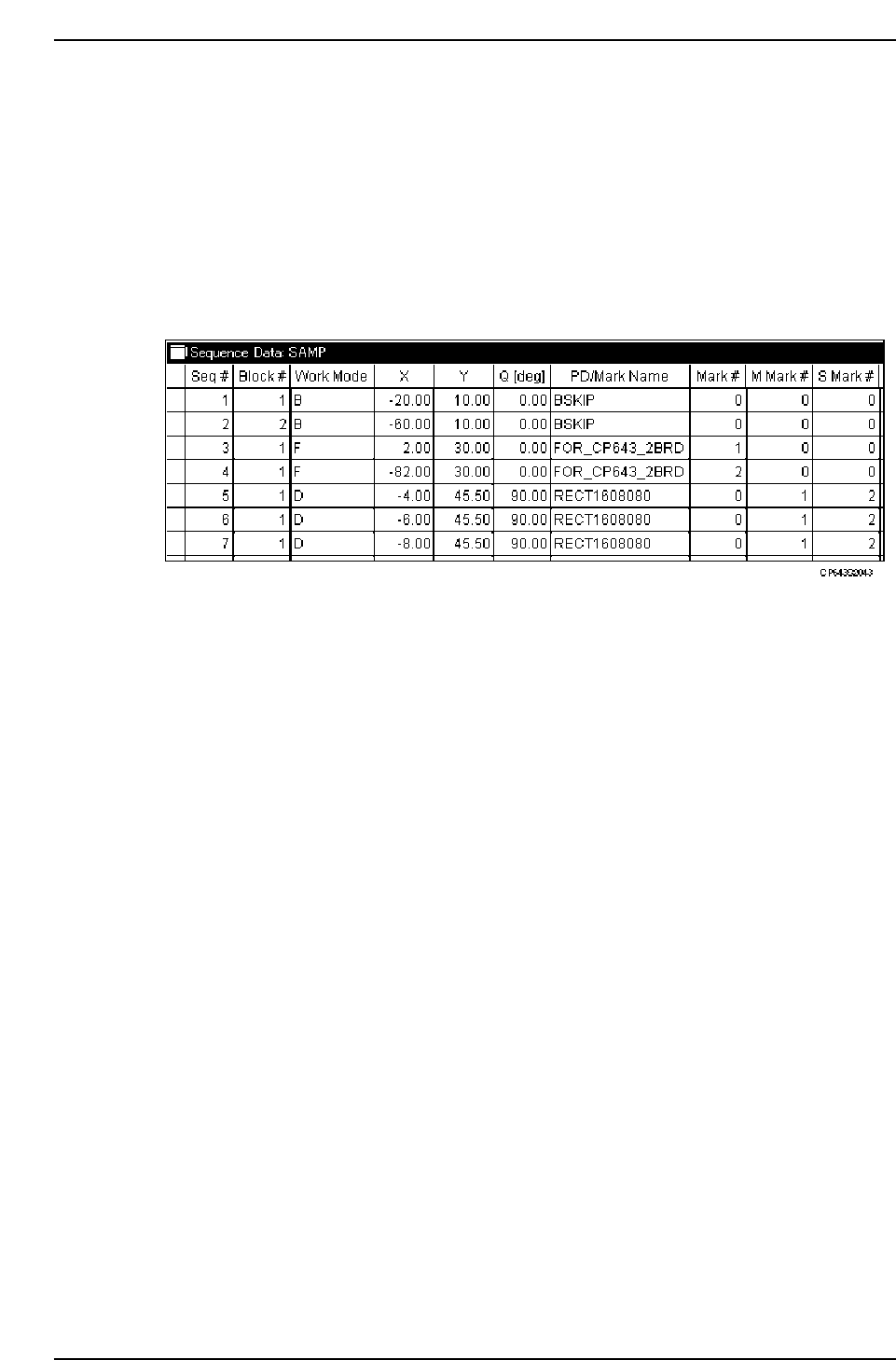
6. Open the Sequence Data in the relevant program.
7. At the beginning of the sequence, insert the same number of lines as the number of
blocks.
8. Specify the following setting items at the inserted lines:
Block#: Enter the block number corresponding to that block skip mark.
Work Mode: Select “B”.
X: Enter the X-coordinate for that block skip mark.
Y: Enter the Y-coordinate for that block skip mark.
PD/Mark Name: Enter the block skip mark name (specified at step 5 above).
9. Overwrite and save the data.
(3) Global Skip Mark
This function has been introduced to control the number of times block skip marks are
read by the machine on a multiblock board. Standard production involves the placing of
all the blocks on a multi-block board, the machine therefore reads all the block skip
marks. In a production situation where the skipping of blocks is rare, a global skip mark
should be used. By using a global skip mark, the machine has only to read one block
skip mark instead of reading all the block skip marks on the board.
• Definition
The global skip mark is defined as the block skip mark with block number 0. (Settings
for standard block skip marks are 1 to 255.)
• Setting a global skip mark
Global skip mark should be placed before block skip marks of 1 ~ n (Place the global
skip mark at the top of the block skip mark reading sequences).
Part 2 Chapter 1 Basic Operation
Edition 1.1 2-1-80 CP643E System Reference