YV180X_Ope_E.pdf - 第148页
5 -72 EPD8013110 Operation Chapter 5 5 Creating the PCB data 4. Creating the mark infor mation This section describes how to create mark information for fiducial marks used on a PCB. Mark information has v arious paramet…
5
-71
EPD8013110
Operation
Chapter 5
5
Creating the PCB data
3.9 Registration location of component
data
Component data can be registered in the “Component Info.”, “Component
Database” and “STATIC COMPONENTS” information. To create PCB
data more efficiently, it is important to register the component data in the
appropriate location by considering how the component is to be used. Refer
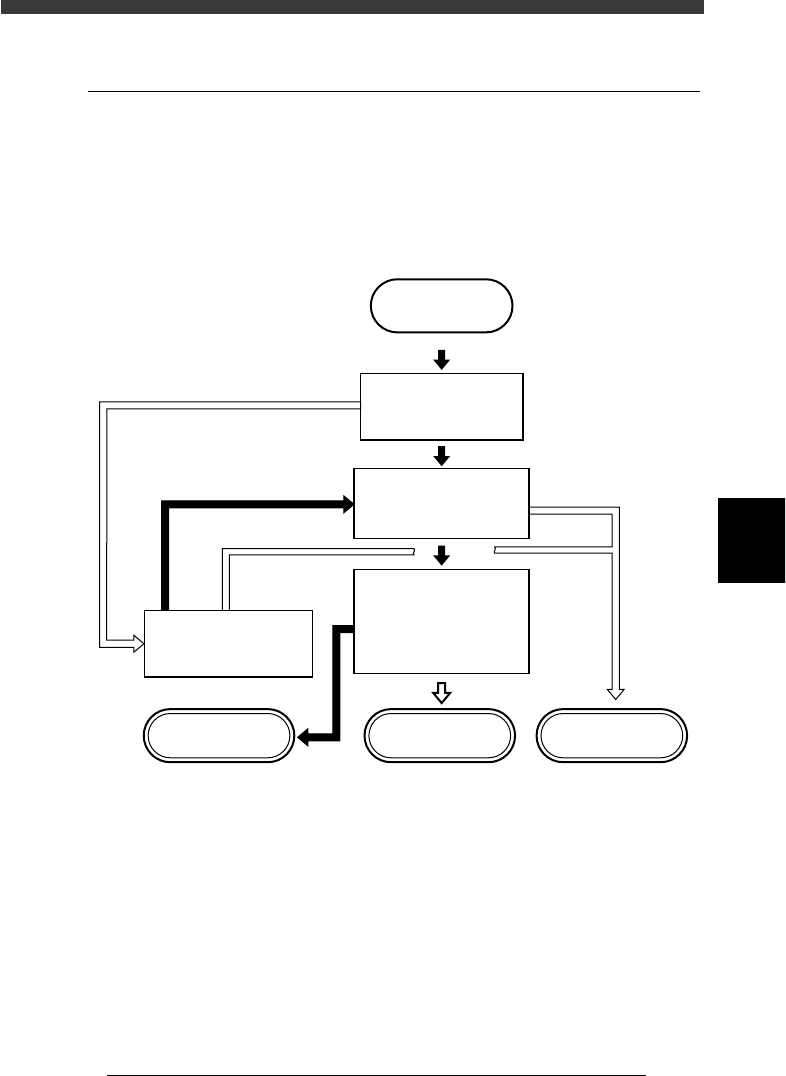
to the following flow chart when determining the registration location.
Flow chart for determining component registration location
23527-C0-00
START
Is the same type of
component registered
in YAMAHA database?
Do you use this component
in different PCB
production?
Do you want to save this
data along with various
parameter settings?
Do you want to change
component setup ?
STATIC_COMPONENT
information
Component database Component Info.
YES
YES
YES
NO
NO
NO
NO
YES
5
-72
EPD8013110
Operation
Chapter 5
5
Creating the PCB data
4. Creating the mark information
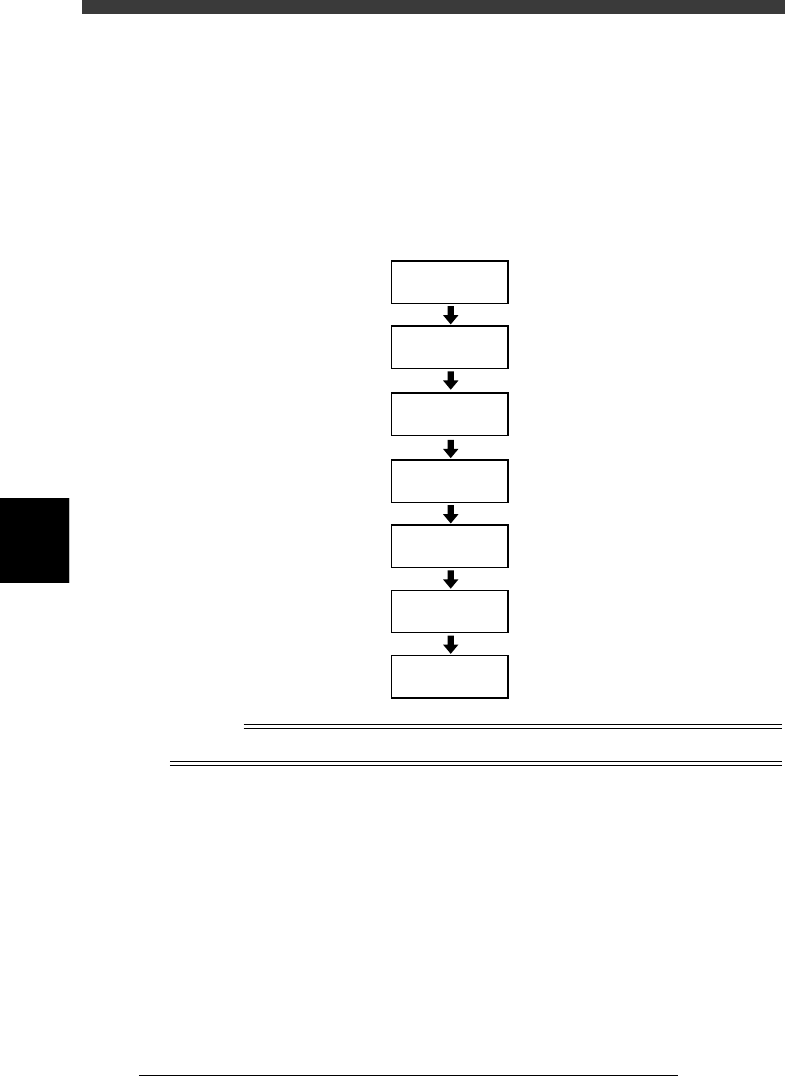
This section describes how to create mark information for fiducial marks
used on a PCB. Mark information has various parameters for each of the
mark names registered. To set these parameters, copy sample data of a
mark with a similar shape from the database and edit only the different
parameters.
Flow chart for creating mark information
23528-C0-00
4.2
☞
4.3
☞
Open
Mark Information
Enter COMMENT
Enter MARK
NAME
Copy database
information
Set various
parameters
Execute Adjust
Assistant
Save data
Reference
To create mark information on badmarks, see “6. Using badmark functions” in Chapter 6.
5
-73
EPD8013110
Operation
Chapter 5
5
Creating the PCB data
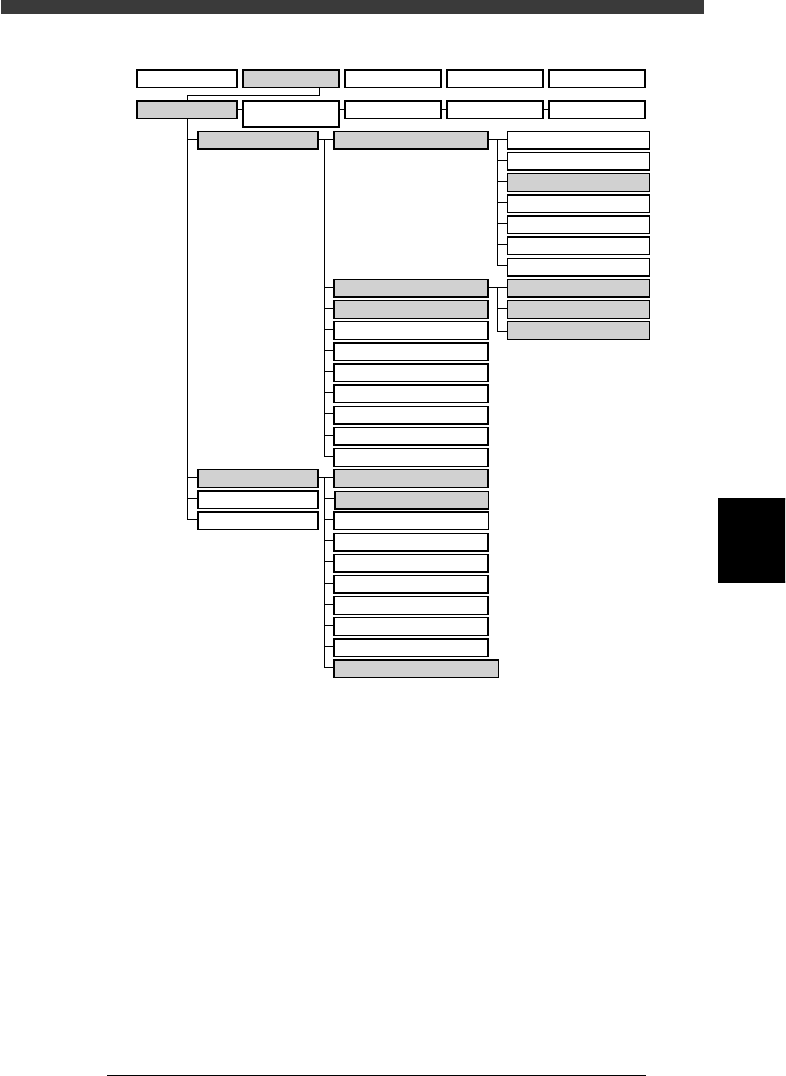
VIOS structure for “Mark Info.”
23529-C0-00
A/DISPLAY
B/UTILITY
C/EDIT_TOOL
D/FILE
PCB Info.
Mount Info.
Component Info.
Mark Info.
Blk Repeat Info.
Local Fidu.Info.
LocalBadMrkInfo.
Mark Type Info.
Mark Size Info.
Vision Info.
1/OPERATION/M 2/DATA/M 3/MAINTE/M 4/SHELL/M 0/EXIT
1/EDIT_DATA
2/DATA_
GENERATOR
3/DATABASE 4/MANUAL 0/EXIT
A1 MAIN WINDOW
A2 SUB WINDOW
A3 VIEW DATABASE NO.
A4
VISION ALIGNMENT DIC
.
A5
A6
A7 FIND NEXT
A8
A9
A0 RETURN TO EDIT
B1 ADJUST ASSISTANT
B2 DATABASE UTILITY
B3
B4
DRAW THE SHAPE(CMP)
B5
B6 SET PALLET
B7 CONVEYOR UNIT
B8
B9
B0
TEACH,TRACE CONDITION