YV180X_Ope_E.pdf - 第63页
4 -24 EPD8013110 Operation Chapter 4 4 Daily operation 4 7. T ur ning the power OFF Flow chart for turning off the po wer 23408-C0-00 Quit application Press emergency stop button Turn off screen Turn power switch OFF Qui…
4
-23
EPD8013110
Operation
Chapter 4
4
Daily operation
2
Reset the operation.
Press the [RESET] key on the YPU or execute the <1/1/E2 RESET RUN-
NING> command. The machine stops operation immediately and returns
to PCB production standby status.
n
NOTE
To resume operation after reset, use the “HALFWAY CONTINUE” command in the <1/1/
D5 STOPPING UTILITY>. For more details, see “9. HALFWAY CONTINUE command”
in this chapter.
Reference
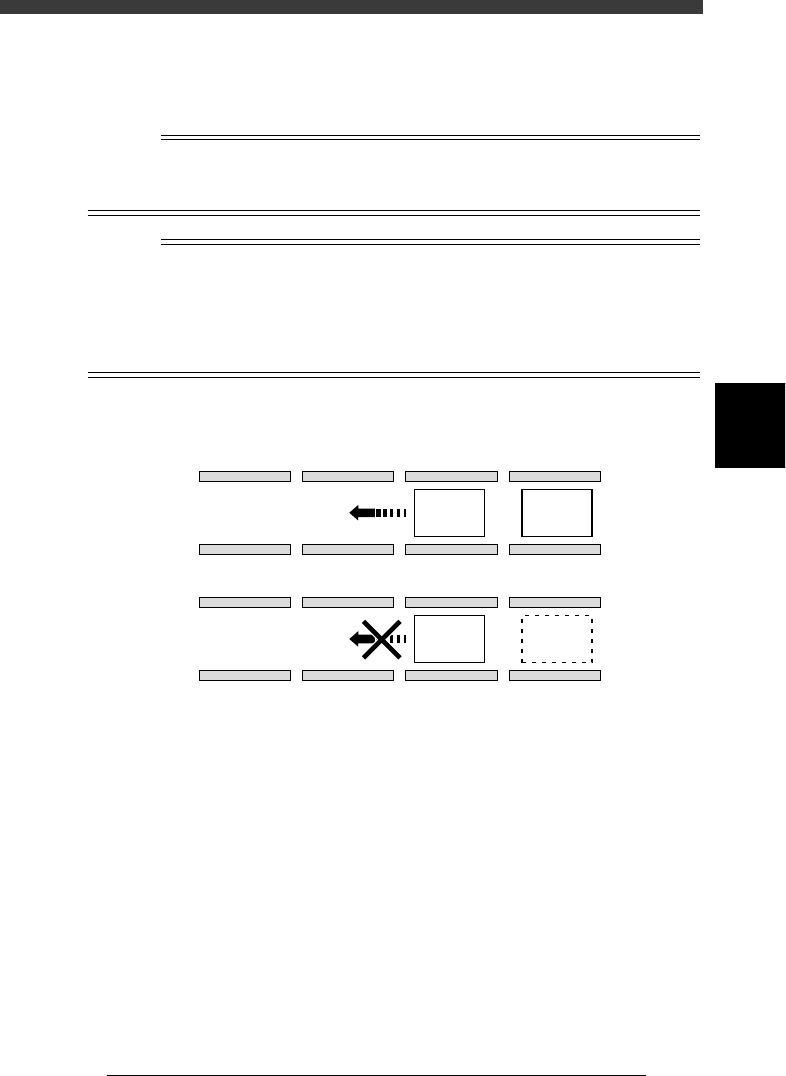
Normally, the YV180X surface mounter transfers the component-mounted PCB to the
downstream side (from B table to A table or A table to conveyor exit) only when the next
PCB is carried in at the conveyor entrance (A in the figure below). To transfer the
component-mounted PCB to the downstream side without waiting for a new PCB at the
conveyor entrance, use the <1/1/D6 RUNNING RUNNING> - “NEXT PCB RUNNING”
command.
PCB transfer during automatic operation (right-to-left flow)
23407-D8-00
B
A
A Table B Table
A Table B Table
PCB
Upstream
Downstream
PCB
PCB
4
-24
EPD8013110
Operation
Chapter 4
4
Daily operation
4
7. Turning the power OFF
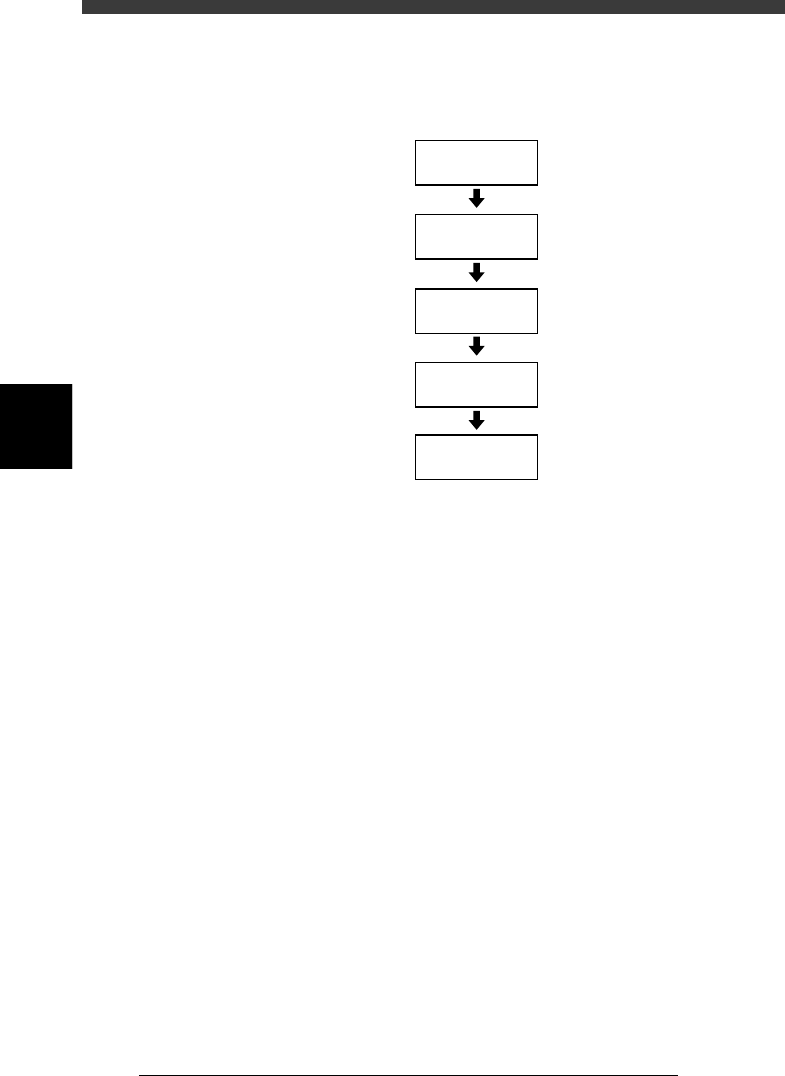
Flow chart for turning off the power
23408-C0-00
Quit
application
Press emergency
stop button
Turn off
screen
Turn power
switch OFF
Quit current mode
4
-25
EPD8013110
Operation
Chapter 4
4
Daily operation
1
Exit the current mode.
Press the [ESC] key to select <1/0/ EXIT> and press the [ENTER] key. This
exits the mode selection screen.
2
Quit the application.
1. Press the [ESC] key to select <0/ EXIT> and press the [ENTER] key. The
alert window appears on the screen, so follow the instructions.
2. Stay out of the axis movement range and press the [ENTER] key. Each
axis returns to its origin.
e
3
Press the emergency stop button.
Press any of the emergency stop buttons on the main unit or YPU.
4
Clear the screen.
Press any key, and the screen display will then disappear.
Reference
The screen display then reappears if you press any key.
5
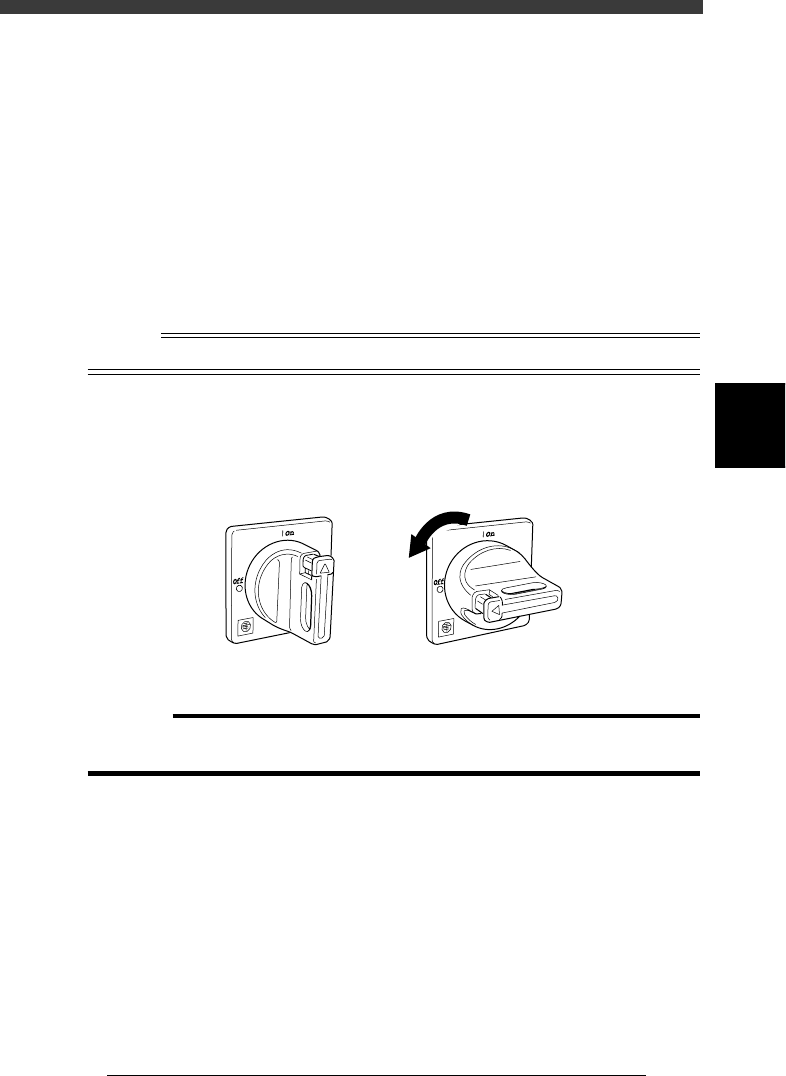
Turn off the main power.
After the screen display has disappeared, turn off the main power switch
by turning it to the left (to the vertical position).
Main power switch ON/OFF positions
21402-C0-00
ON OFF
c
CAUTION
If you often turn off the power without following the above sequence, the hard disk data
may be damaged.