YV180X_Ope_E.pdf - 第33页
Chapter 3 Manual operation This chapter describes how to use the joystic k for manual mov ement of servomotor -controlled units and other basic manual operation of con veyor units and feeders. 1. Using the joystick 3-3 1…
2
-7
EPD8013110
Operation
Chapter 2
2
About VIOS
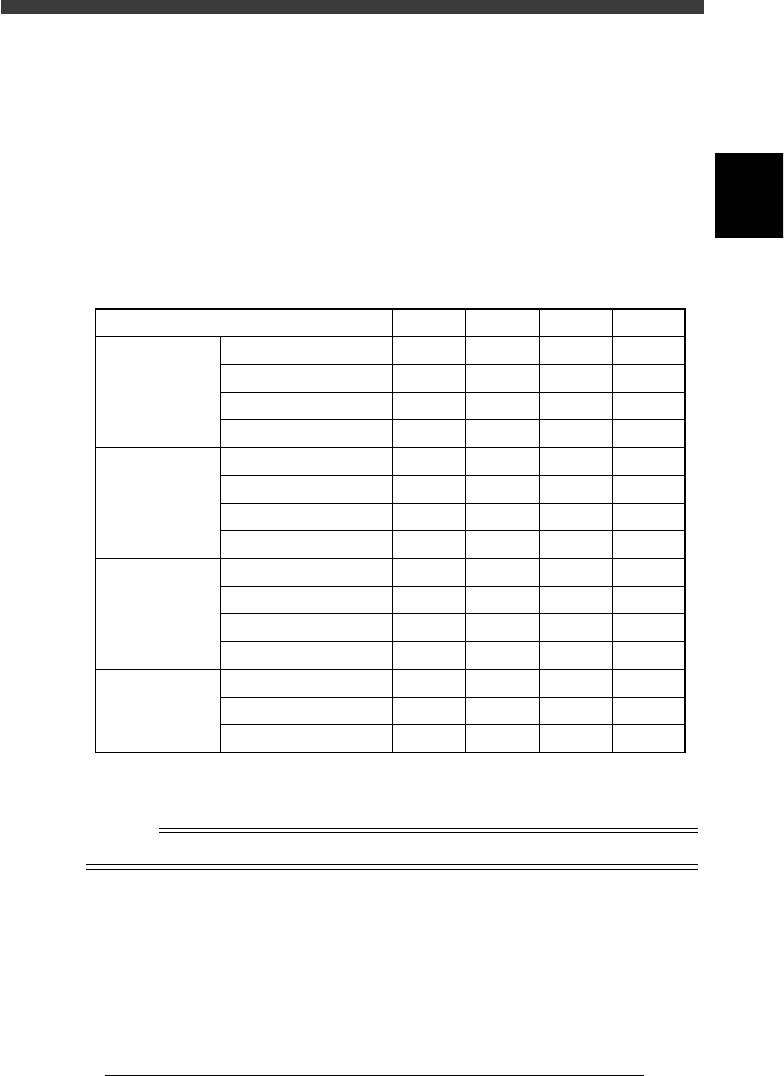
2. Password
The VIOS system accepts four levels of passwords as shown in the table
below. Level A allows you to use the most limited range (only automatic
operation). Level D in contrast, permits use of the entire VIOS system
range. Password settings are useful to prevent data change or corruption
due to inadvertent misoperation or undesired operation by a third person.
Passwords can be specified on the application select screen or mode select
screen.
Password levels
25201-C0-00
Level
1/OPERATION/M
2/DATA/M
3/MAINTE/M
4/SHELL/M
RUNNING
PRD. DATA
PRD. HISTORY
MANUAL
EDIT_DATA
DATA_GENERATOR
DATABASE
MANUAL
MCH_CONFIG
MCH_DATA
MCH_ADJUST
MANUAL
DATA_FILE_MNG
DISK_MAINTENANCE
VIOS_DIC
A
Yes
No
No
No
No
No
No
No
No
No
No
No
No
No
No
B
Yes
Yes
Yes
Yes
No
No
No
No
No
No
No
No
No
No
No
C
Yes
Yes
Yes
Yes
Yes
Yes
Yes
Yes
No
No
Yes
Yes
Yes
No
Yes
D
Yes
Yes
Yes
Yes
Yes
Yes
Yes
Yes
Yes
Yes
Yes
Yes
Yes
Yes
Yes
Yes: Operation allowed
No : No operation allowed
n
NOTE
It is up to the user to decide who should know the passwords.

Chapter 3
Manual operation
This chapter describes how to use the joystick for manual movement
of servomotor-controlled units and other basic manual operation of
conveyor units and feeders.
1. Using the joystick 3-3
1.1 Axis configuration ...................................................................................... 3-3
1.2 Selecting the axis ....................................................................................... 3-4
1.3 Selecting the speed .................................................................................... 3-5
1.4 Axis movement direction ........................................................................... 3-6
2. Conveyor unit operation 3-7
3. Feeder operation 3-8
4. Operating the I/O monitor 3-9
3
-3
EPD8013110
Operation
Chapter 3
3
Manual operation
1. Using the joystick
In MANUAL mode you can manipulate the joystick to move a servomotor-
controlled unit along its axis. (See “5.1” in Chapter 1 for the YPU func-
tions.)
1.1 Axis configuration
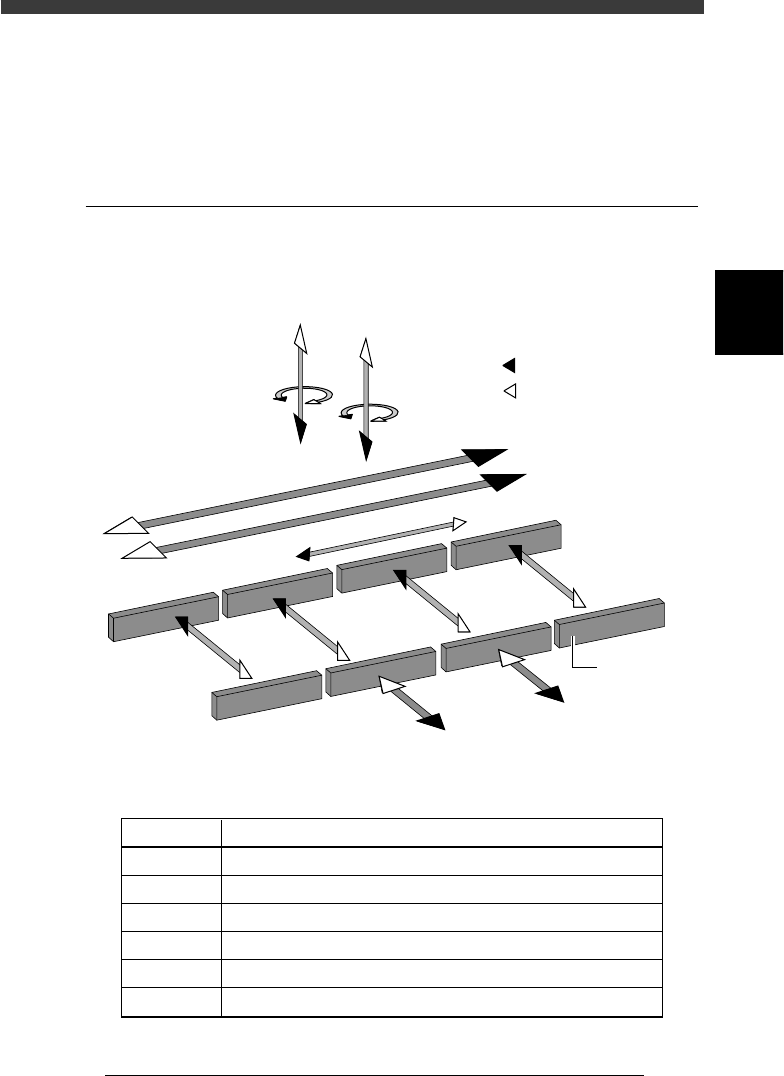
The machine axis configuration and operation are shown in the drawing
and table below.
Axis configuration and plus/minus directions
23301-D8-00
W1-axis
Y2-axis
(B teble)
Y1-axis
(A table)
Z2-axis
R2-axis
Plus direction
Minus direction
X2-axis
X1-axis
T-axis
Conveyor rail
W2-axis
W3-axis
W4-axis
Z1-axis
R1-axis
Function of each axis
25301-D8-00
X1, X2
Y1, Y2
Z1, Z2
R1, R2
W1 to W4
T
Axis Function
Moves the head assembly in parallel with the PCB flow.
Moves the conveyor table perpendicular to the PCB flow.
Controls the height of the head assembly.
Rotates the nozzle shafts of the head assembly.
Adjusts the conveyor width.
Transfers the PCBs on the conveyor to their next positions.