YV180X_Ope_E.pdf - 第32页
2 -7 EPD8013110 Operation Chapter 2 2 About VIOS 2. Password The VIOS system accepts four levels of pass words as sho wn in the table belo w . Lev el A allo ws you to use the most limited range (only automatic operation)…
2
-6
EPD8013110
Operation
Chapter 2
2
About VIOS
1.3 Help function
The Help function displays a help message explaining each item on the
VIOS software. To use the Help function, move the cursor to the item you
want to know and press the [F1] key. The help message for the selected
item will be displayed on the operation monitor. To make it disappear and
return to the preceding screen, press the [F1] key again or press the [ESC]
key.
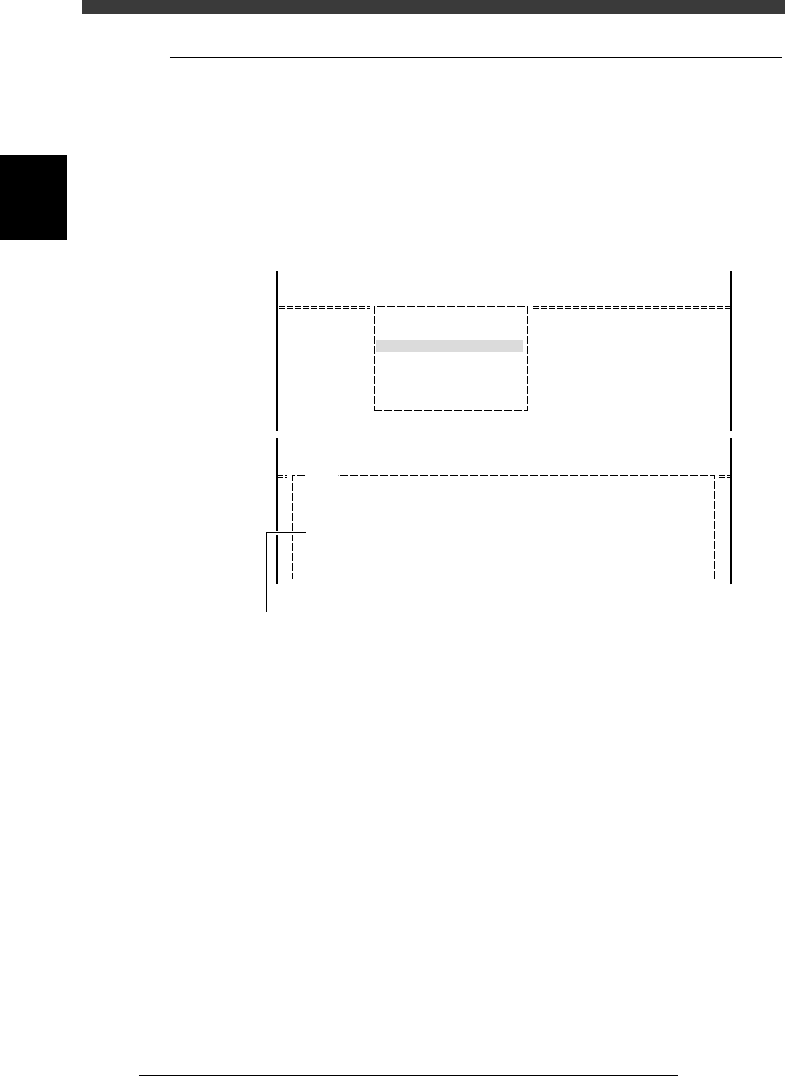
Help message screen example
27204-C0-00
<<<APPLICATION>>>
<<MODE>>
<COMMAND_LIST>
2/DATA/M
1/EDIT_DATA
A/DISPLAY
A3 VIEW DATABASE NO.
<<<APPLICATION>>>
<<MODE>>
<COMMAND_LIST>
H1102
VIEW DATABASE NO.
This command allows you to view a list of the names and database numbers
of every component in the component or mark database.
When the expand area is possible to be used, if pressing with [Shift],
all database in only the espand area is possibke to be referenced.....
2/DATA/M
1/EDIT_DATA
A/DISPLAY
Help message screen appears by pressing [F1] key.
2
-7
EPD8013110
Operation
Chapter 2
2
About VIOS
2. Password
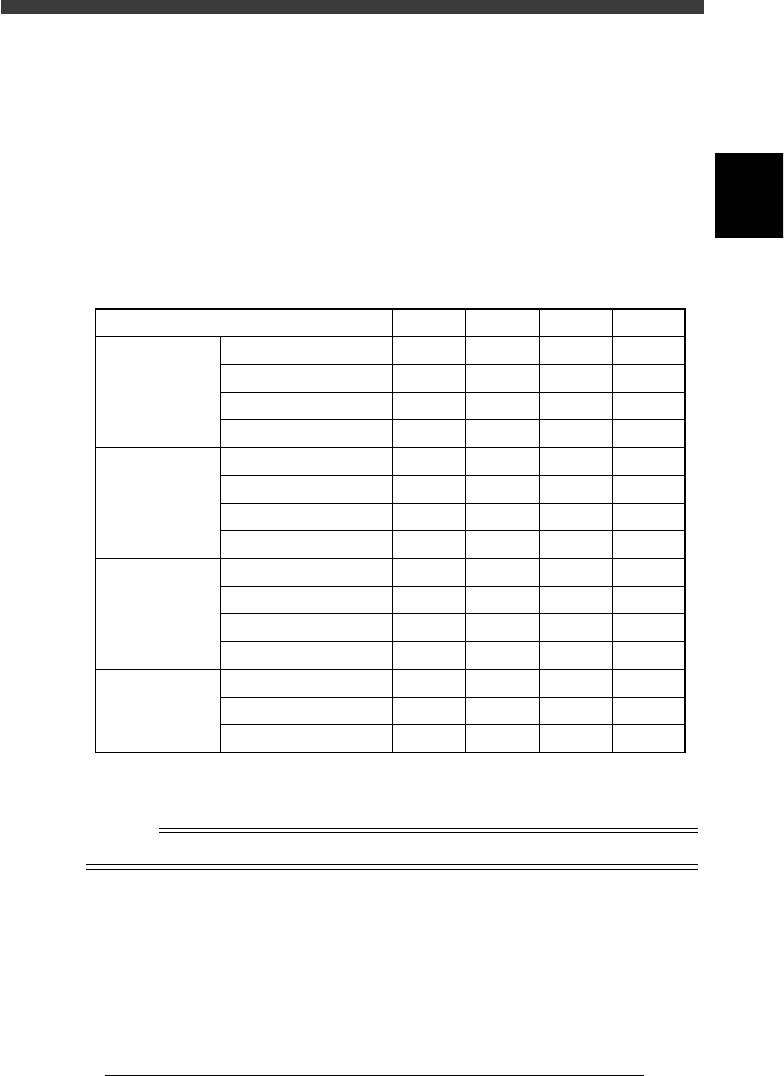
The VIOS system accepts four levels of passwords as shown in the table
below. Level A allows you to use the most limited range (only automatic
operation). Level D in contrast, permits use of the entire VIOS system
range. Password settings are useful to prevent data change or corruption
due to inadvertent misoperation or undesired operation by a third person.
Passwords can be specified on the application select screen or mode select
screen.
Password levels
25201-C0-00
Level
1/OPERATION/M
2/DATA/M
3/MAINTE/M
4/SHELL/M
RUNNING
PRD. DATA
PRD. HISTORY
MANUAL
EDIT_DATA
DATA_GENERATOR
DATABASE
MANUAL
MCH_CONFIG
MCH_DATA
MCH_ADJUST
MANUAL
DATA_FILE_MNG
DISK_MAINTENANCE
VIOS_DIC
A
Yes
No
No
No
No
No
No
No
No
No
No
No
No
No
No
B
Yes
Yes
Yes
Yes
No
No
No
No
No
No
No
No
No
No
No
C
Yes
Yes
Yes
Yes
Yes
Yes
Yes
Yes
No
No
Yes
Yes
Yes
No
Yes
D
Yes
Yes
Yes
Yes
Yes
Yes
Yes
Yes
Yes
Yes
Yes
Yes
Yes
Yes
Yes
Yes: Operation allowed
No : No operation allowed
n
NOTE
It is up to the user to decide who should know the passwords.

Chapter 3
Manual operation
This chapter describes how to use the joystick for manual movement
of servomotor-controlled units and other basic manual operation of
conveyor units and feeders.
1. Using the joystick 3-3
1.1 Axis configuration ...................................................................................... 3-3
1.2 Selecting the axis ....................................................................................... 3-4
1.3 Selecting the speed .................................................................................... 3-5
1.4 Axis movement direction ........................................................................... 3-6
2. Conveyor unit operation 3-7
3. Feeder operation 3-8
4. Operating the I/O monitor 3-9