YV180X_Ope_E.pdf - 第60页
4 -21 EPD8013110 Operation Chapter 4 4 Daily operation 6. Push-in (This is not used in the YV180X.) < : ON, No display : OFF 7. Entrance stopper O : ON, X : OFF 8. Gate in This is displayed when a PCB signal is input …
4
-20
EPD8013110
Operation
Chapter 4
4
Daily operation
4
6. BIGNUM MONITOR
This monitor shows information on the PCB count, block repeat No. and
cycle time for the PCB for which component mounting is in progress.
BIGNUM MONITOR screens showing the PCB count, cycle time, etc.
27413-C0-00
msec/chip
BLOCKs
PCBs
PCB count
Block repeat No.
Cycle time
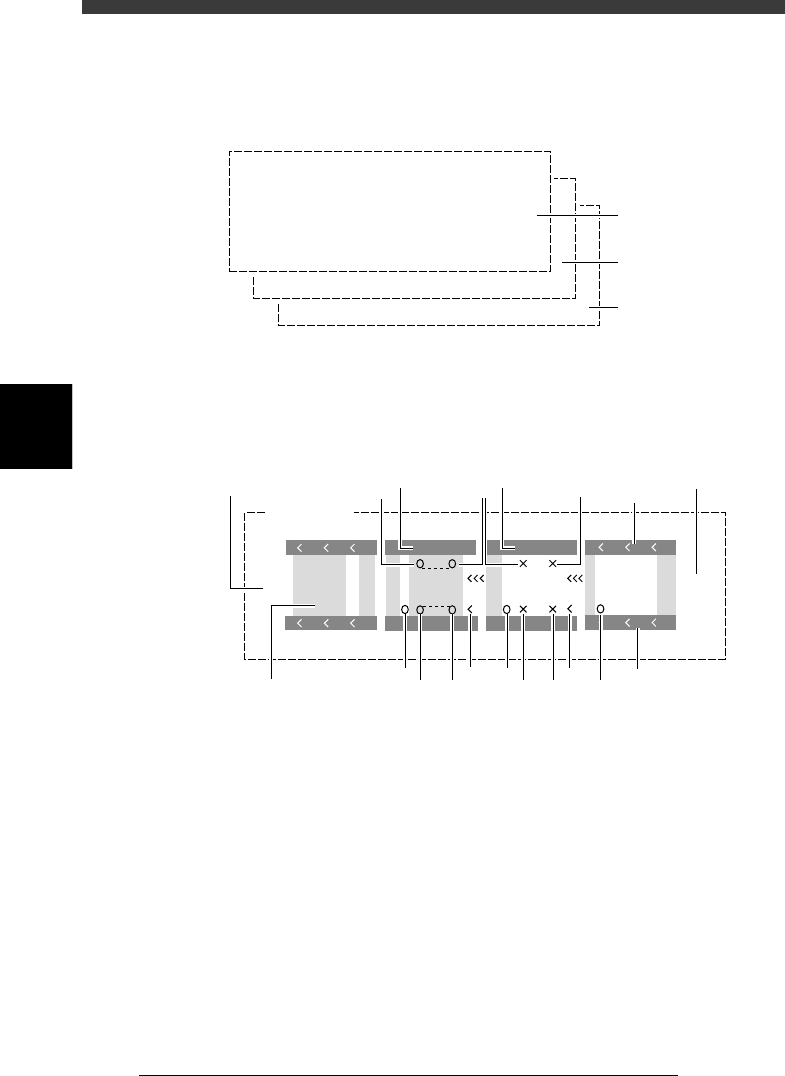
7. CONV. MONITOR
This monitor shows the current conveyor operation status.
Conveyor monitor
27414-C0-00
Gate
out
Gate
in
CONV. MONITOR
A Table
B Table
VV
VV
1
3 3
1
2
2
464
5 5 5 5
6
7
9
8
10
1
1. Push-up
O : ON, X : OFF (This is not displayed when the PCB clamping
method “PcbFixDevice” in the PCB Info. is set to “Locate Pin”.
2. Conveyor motor
Shows the operation status of the conveyor motor for PCB transfer.
When the conveyor motor is operating, the symbols “< < <“ move in
the PCB flow direction.
3. Edge clamp (option)
V : ON, No display : OFF
4. Main stopper
O : ON, No display : OFF
5. Locate pin
O : ON, X : OFF

4
-21
EPD8013110
Operation
Chapter 4
4
Daily operation
6. Push-in (This is not used in the YV180X.)
< : ON, No display : OFF
7. Entrance stopper
O : ON, X : OFF
8. Gate in
This is displayed when a PCB signal is input from the downstream
machine.
9. Gate out
This is displayed when calling for the next PCB from the upstream
machine.
10. PCB
Shows the position of the PCB in the machine.
4
-22
EPD8013110
Operation
Chapter 4
4
Daily operation
4
6. Finishing PCB production
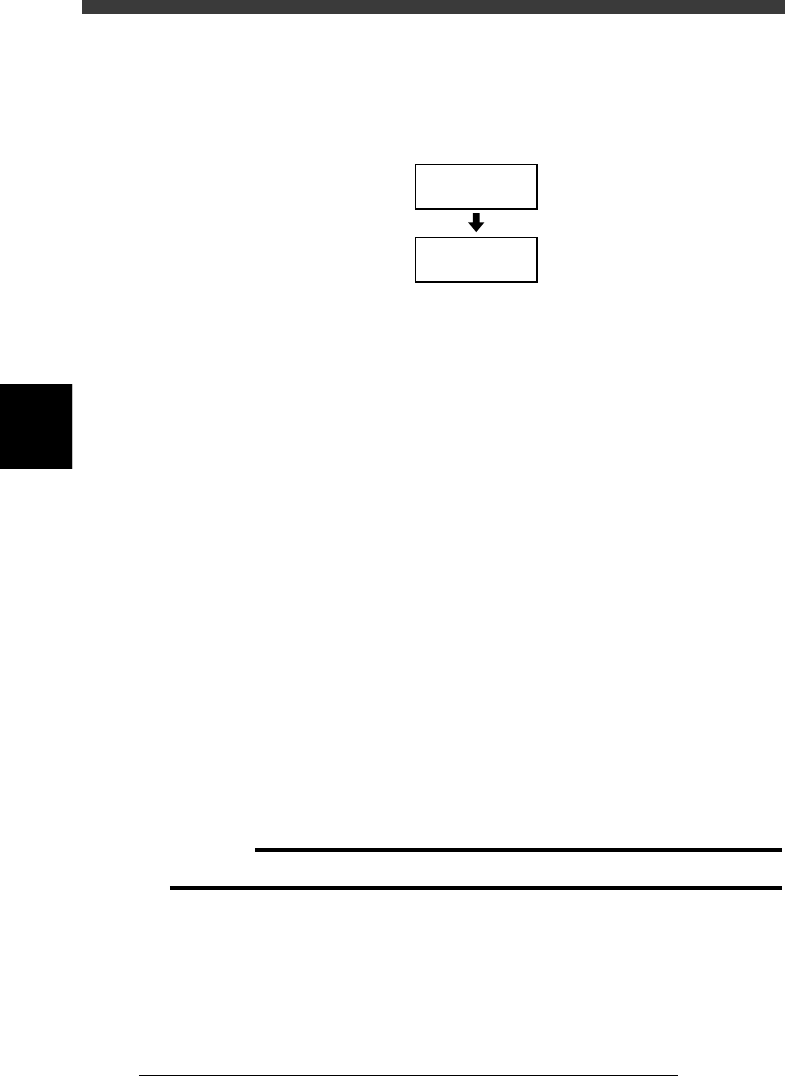
To finish PCB production, follow these steps.
Flow chart for finishing PCB production
23406-C0-00
Stop operation
Reset operation
1
Stop machine operation.
There are five methods for stopping the machine.
1. Emergency stop button:
Press this button to trigger emergency stop. Do not use this button
during normal operation.
2. YPU or operation panel [STOP] key:
Pressing the [STOP] key on the YPU or operation panel stops the
machine immediately. To resume operation, press the [RUN] key or
execute the <1/1/A2 AUTO RUNNING> command.
3. <1/1/A1 STOP RUNNING> command:
This command stops the machine immediately just as with the YPU
[STOP] key. To resume operation, press the [RUN] key or execute the
<1/1/A2 AUTO RUNNING> command.
4. <CYCLE STOP> command:
This command is available in the <1/1/D6 RUNNING UTILITY> and
stops the machine operation just after component mounting on the
current PCB has been completed.
5. <CONVEY OUT PCB> command:
This command is also available in the <1/1/D6 RUNNING UTILITY>.
Use this command when you want to finish production just after
components have been mounted on the PCB currently on the conveyor.
When this command is executed, all PCBs on the conveyor are carried
out after component mounting, but new PCBs are not carried in from
the upstream side.
c
CAUTION
Do not press the emergency stop button during operation except in case of emergency.