YV180X_Ope_E.pdf - 第75页
4 -36 4 Operation Chapter 4 4 Daily operation EPD8013110 9.1 Loading the saved data Even when you ha ve reset the mounting operation during PCB production, the machine stores the mounting operation data that was in progr…
4
-35
Operation
Chapter 4
4
Daily operation
EPD8013110
9. HALFWAY CONTINUE command
The HALFWAY CONTINUE command in the <1/1/D5 STOPPING
UTILITY> allows you to remount components with mounting data that has
been reset during PCB production, or perform mounting for a specific
block or mount point. There are two occasions you can select for executing
this command as explained below.
Note that the HALFWAY CONTINUE command can be used just for the
first PCB, with routine mounting operation beginning from the next PCB.
To quit this command, select “RETURN” from the HALFWAY CON-
TINUE menu box and press the [ENTER] key.
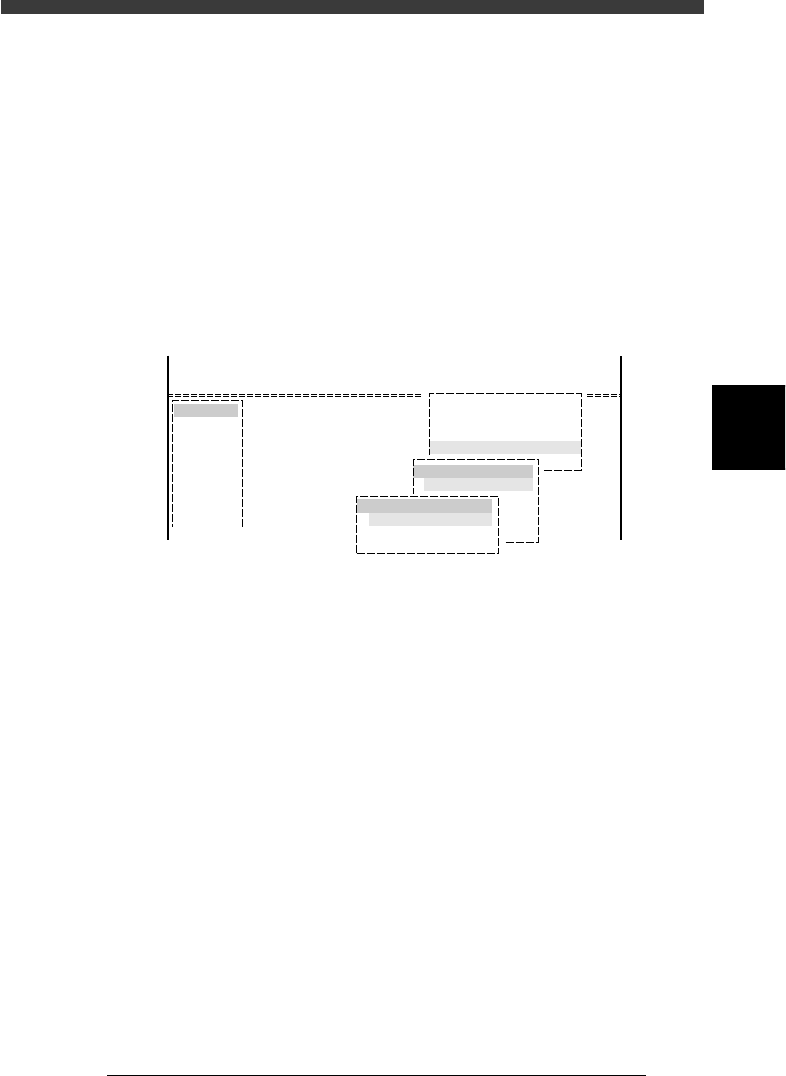
HALFWAY CONTINUE command
27417-C0-00
<<<APPLICATION>>> 1/OPERATION/M
<<MODE>> 1/RUNNIG
<<COMMAND_LIST>>
Condition
D/INITIALIZE
D5 STOPPING UTILITY
STOPPING UTILITY
HALFWAY CONTINUE
HALFWAY CONTINUE
LOAD SAVED CONDITION
MNT FLAG EDITOR
RETURN
4
-36
4
Operation
Chapter 4
4
Daily operation
EPD8013110
9.1 Loading the saved data
Even when you have reset the mounting operation during PCB production,
the machine stores the mounting operation data that was in progress. You
can load that data by executing the HALFWAY CONTINUE command to
resume operation from the stopped point. Since the last mounting data
including error information is stored, mounting restarts from the points at
which errors occurred.
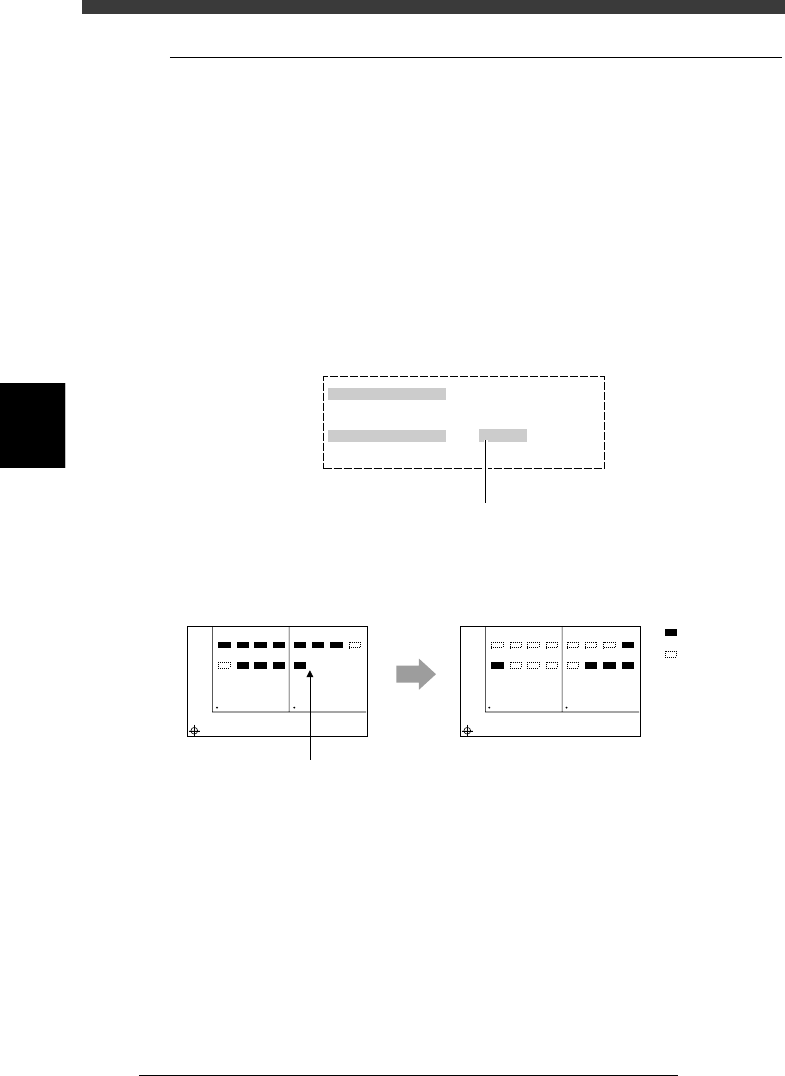
To load the saved data, select “LOAD SAVED CONDITION” from the
HALFWAY CONTINUE menu box and press the [ENTER] key. The Saved
Information box then appears as shown below. Set “Do you want to load
this?” to “EXECUTE”.
Setting to “EXECUTE” in the Saved Information box
27418-C0-00
Saved Information
Date & Time
Pcb name
Do you want to load this?
Select by [SPACE], press [ENTER] key.
1998-11-17 14 : 27 : 27
TEST
EXECUTE
Press the [Space], [INS] or [DEL] ke
y
to set this parameter to "EXECUTE".
Actual mounting operation
23416-C0-00
Automatic
operation restarts
after loading
the stored data.
1
5
BLOCK NO.1
BLOCK NO.2
2
6
3
7
4
8
1
5
2
6
3
7
4
8
1
5
BLOCK NO.1
BLOCK NO.2
2
6
3
7
4
8
1
5
2
6
3
7
4
8
: Mounted
: Not mounte
d
Reset and restart
4
-37
Operation
Chapter 4
4
Daily operation
EPD8013110
9.2 Editing mount flags
The HALFWAY CONTINUE command can also be used to perform
mounting for a specific mounting point by specifying the mount data
number. For example, when you have paused mounting operation and reset
the mounting data, you can check the flag in each point indicating whether
mounting has been completed and edit it as necessary.
To edit these flags, set “LOAD SAVED CONDITION” as with the previous
section (“9.1 Loading the saved data”), and then select “MNT FLAG
EDITOR” from the HALFWAY CONTINUE menu box and press the
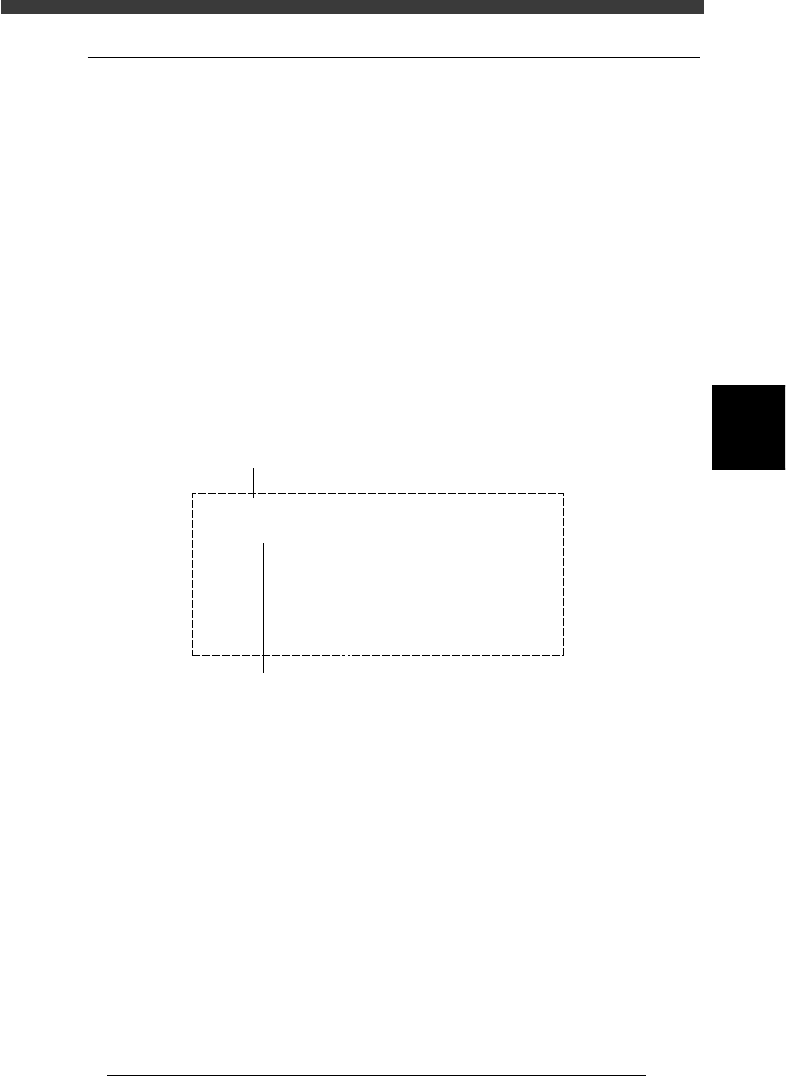
[ENTER] key. The mount flag edit box then appears as shown below. Edit
the flags as necessary. When the block repeat function is used, the mount
data for each block can also be edited.
Note that this function is used only for the first PCB, with routine mount-
ing operation beginning from the next PCB.
Mount flag edit screen
27419-C0-00
Blockt No.
Mount No.
Flags
Table No.
MountData
Component
| | | |
10 20 30 40
1
000---000
(0 : Finish - : Not Finish X : Skip)
Comment : C2125
X, Y, R : X= 71.00 , Y= 15.00 , R= -90.00
Name : C2125
No. : 1
Setno. : 40
Select the mount data No. with the right/left arrow keys, then
set the flag to “-” for the mount data No. you want to use to
perform mounting, and to “0” when you do not want to perform,
using the [Space], [DEL] or [INS] key.
To switch the block No., press the up/down arrow keys.