YV180X_Ope_E.pdf - 第57页
4 -18 EPD8013110 Operation Chapter 4 4 Daily operation 4 3. PRODUCTION MONIT OR The PRODUCTION MONIT OR shows information on PCB production in progress. T o see the next or previous screen, press the [PageUp] or [PageDow…
4
-17
EPD8013110
Operation
Chapter 4
4
Daily operation
6
Display the information monitor as necessary.
If you want to display the information monitor during operation, press the
[F4]. Each time you press the [F4] key, the information monitor changes in
the order of “SEQUENCE MONITOR”, “I/O MONITOR”, “PRODUCTION
MONITOR”, “VISION MONITOR”, “RETRY MONITOR”, “BIGNUM
MONITOR“, “CONV. MONITOR” and “ CO-PLANARITY MONITOR”. To
close the information box, press the [F4] key once more.
Reference
Information monitors can be displayed by executing the <1/1/C1 /AUTO RUNNING
MONITOR> command.
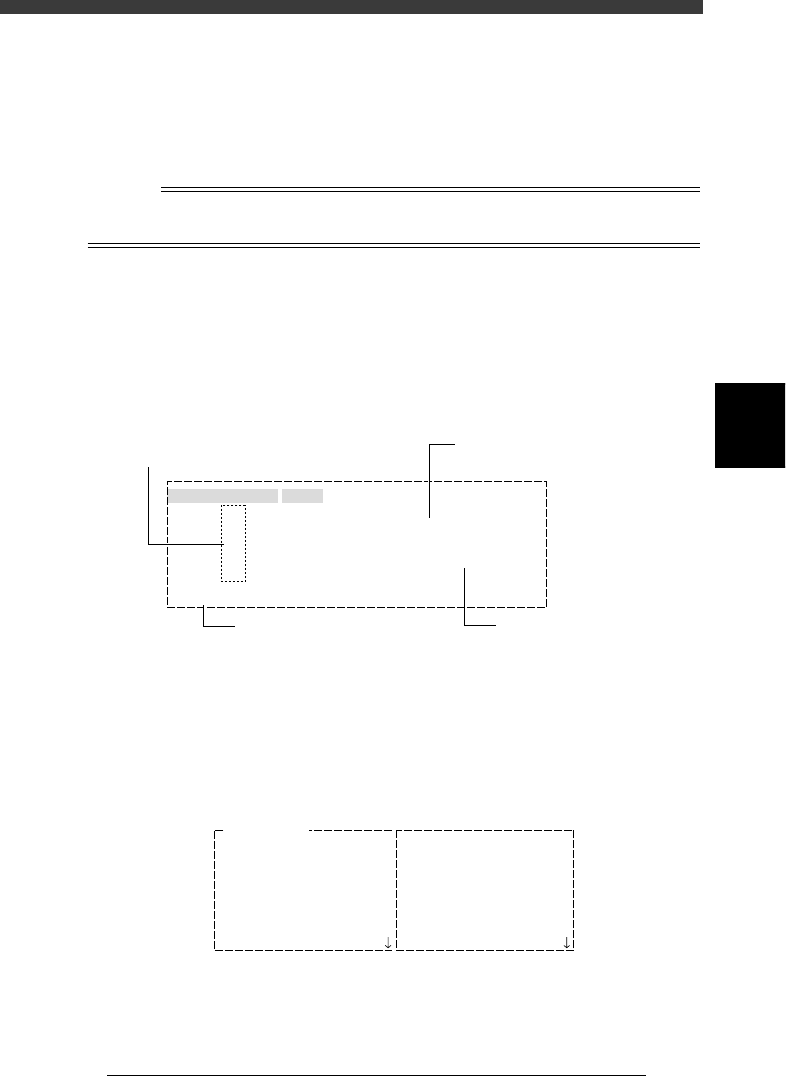
1. SEQUENCE MONITOR
The SEQUENCE MONITOR shows the progress of component pickup,
recognition and mounting. For the meaning of each code displayed in the
box, place the cursor on the <1/1/C1 AUTO RUNNING MONITOR> -
”MONITOR SEQUENCE” and press the [F1] key to see the help message.
SEQUENCE MONITOR window
27407-D8-00
Mounted the Component
BLK
BLK
#11
#61
#21
#71
#31
#81
#41
#91
#51
#101
1
1
MMMMMMMMMMMMMMMMMMMMMMMMMMMMMMMMM
MMMMMvvv
#1
#51
A table
SEQUENCE MONITOR
Atable
Btable
Atable
Btable
Mount data No.
Block No. in which components
are being mounted
Mounting status is shown
by code
Mounting status description
P: Picking up
V: Processing image
M: Mounting
D: Discarding
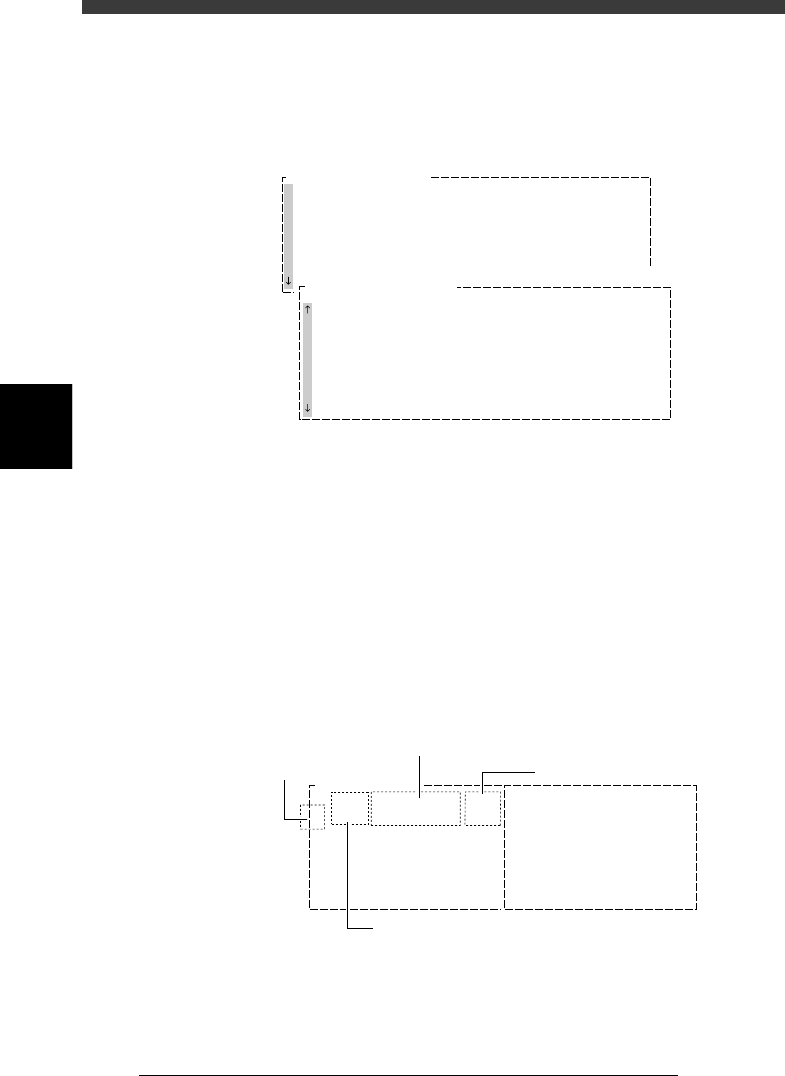
2. I/O MONITOR
The I/O MONITOR allows you to monitor the digital I/O signals changing
with the mounting operation. To see the next or previous screen, press the
[PageUp] or [PageDown] key ([Fn]+[
↑
] or [Fn]+[
↓
] keys).
I/O MONITOR window
27408-D8-00
IO MONITOR
T2A00
T2B00
T2A10
T2B10
T2A37
T2B67
T2A65
T2B35
HEAD
HEAD
HEAD
HEAD
HEAD
HEAD
HEAD
HEAD
00000000
00000000
00000000
00000000
0
0
0
0
N2260
N2360
N2270
N2370
N230
N2330
N2223
N2323
HEAD
HEAD
HEAD
HEAD
HEAD
LIGHT
LIGHT
HEAD
00000000
00000000
00000000
00000000
00000000
00000000
0
0
4
-18
EPD8013110
Operation
Chapter 4
4
Daily operation
4
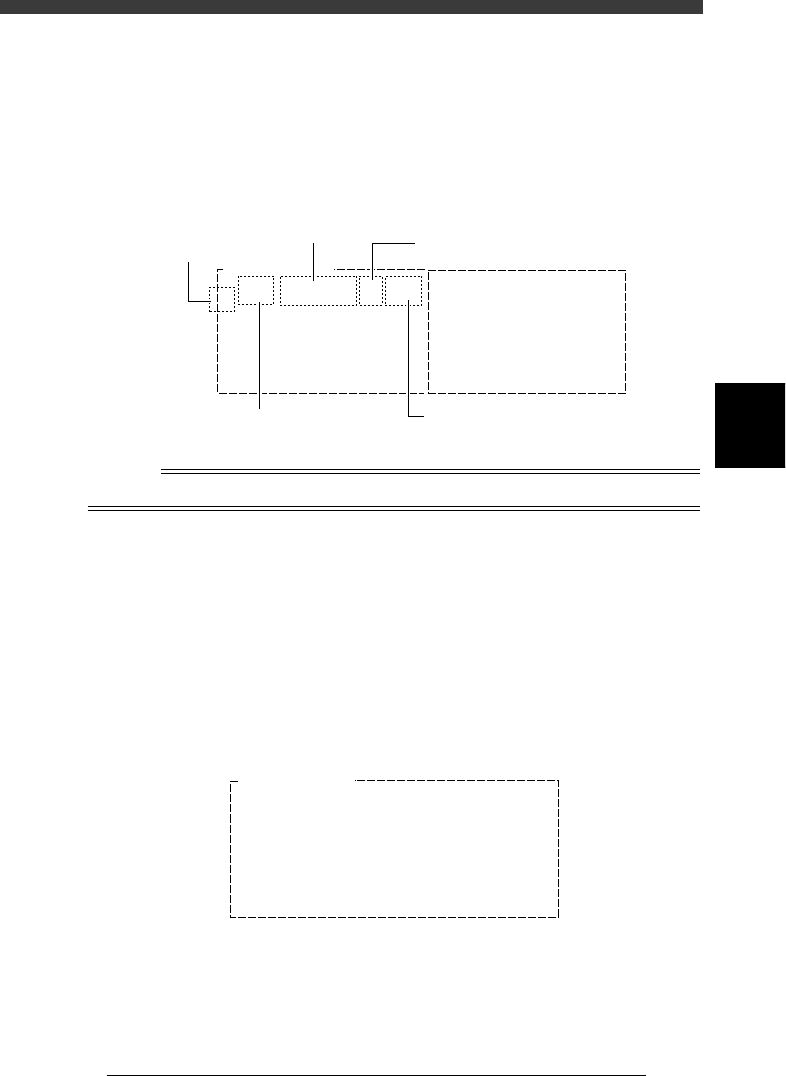
3. PRODUCTION MONITOR
The PRODUCTION MONITOR shows information on PCB production in
progress. To see the next or previous screen, press the [PageUp] or
[PageDown] key ([Fn]+[
↑
] or [Fn]+[
↓
] keys).
PRODUCTION MONITOR window
27409-C0-00
PRODUCTION MONITOR
PCB/SCHEDULE/BLOCK
UNLOADER COUNT/MAX
TOTAL TACT(sec/pcb)
SET PCB(sec/pcb)
WAITING(sec/pcb)
0
0
0
0
0
PRODUCTION MONITOR
Component Name SetNo.
F20
F21
F23
F24
F25
F26
F27
F28
Count
12
20
10
40
12
10
0
1
Error
0
0
0
0
0
0
0
0
Pallet Counter/Total
1
2
3
4
5
6
7
8
4. VISION MONITOR
The VISION MONITOR informs you of the component recognition status
of the vision system. The contents displayed in this window depend on the
password level.
• Password Level D:
The monitor shows the XYR offset values for each head which are detected
to correct the position of a component picked up and also shows error
code if an error occurred. Error numbers are indicated in the CEME
column. For the meaning of each number displayed in the box, place the
cursor on the <1/1/C1 AUTO RUNNING MONITOR> - ”MONITOR
VISION” and press the [F1] key to see the help message.
VISION MONITOR window (1)
27410-C0-00
Comp
7
X
-0.03
Y
-0.10
R
-0.05
CEME
0
1
Comp
21
X
-0.30
Y
0.02
R
0.12
CEME
1-22
VISION MONITOR
Offset detected by vision system
Head No.
Error code
Component No.
4
-19
EPD8013110
Operation
Chapter 4
4
Daily operation
• Password Levels A, B and C:
The monitor shows for each head, the component No. being picked up
by the head, feeder type and set position, and error code if an error
occurred. Error numbers are indicated in the CEME column. For the
meaning of each number displayed in the box, place the cursor on the
<1/1/C1 AUTO RUNNING MONITOR> - ”MONITOR VISION” and
press the [F1] key to see the help message.
VISION monitor (2)
27411-C0-00
Feeder Type
8mmTape
Set
12
Comp
7
CEME
0
1
Comp
21
Feeder Type
8mmTape
CEME
1-22
VISION MONITOR
Set
16
Component No.
Feeder type
Feeder set No.
Head No.
Error code
Reference
Refer to “2. Setting the password” in Chapter 2 for details on password setting.
5. Retry monitor (1/1/C5 MONITOR RETRY)
The RETRY MONITOR shows the following information.
• Error type (pickup error or recognition error) that called for a retry
• Message when alternative components have run out
• Feeder plate conditions when non-stop function is used
• Message when dump station (option) is full.
Up to 20 errors are displayed in the order that each error occurred.
To see the next or previous screen, press the [PageUp] or [PageDown] key
([Fn]+[
↑
] or [Fn]+[
↓
] keys).
RETRY MONITOR window
27412-C0-00
RETRY MONITOR
ERROR Component Name Feeder No. Time
08
07
06
05
04
03
02
01 R2125 17 17:23