YV180X_Ope_E.pdf - 第272页
6 -37 EPD8013110 Operation Chapter 6 6 Using various functions 6.1 PCB badmark and block badmark PCB badmarks and block badmarks are specified for the PCB data and registered in the PCB information. • PCB badmark A PCB b…
6
-36
EPD8013110
Operation
Chapter 6
6
Using various functions
6
6. Using the badmark functions
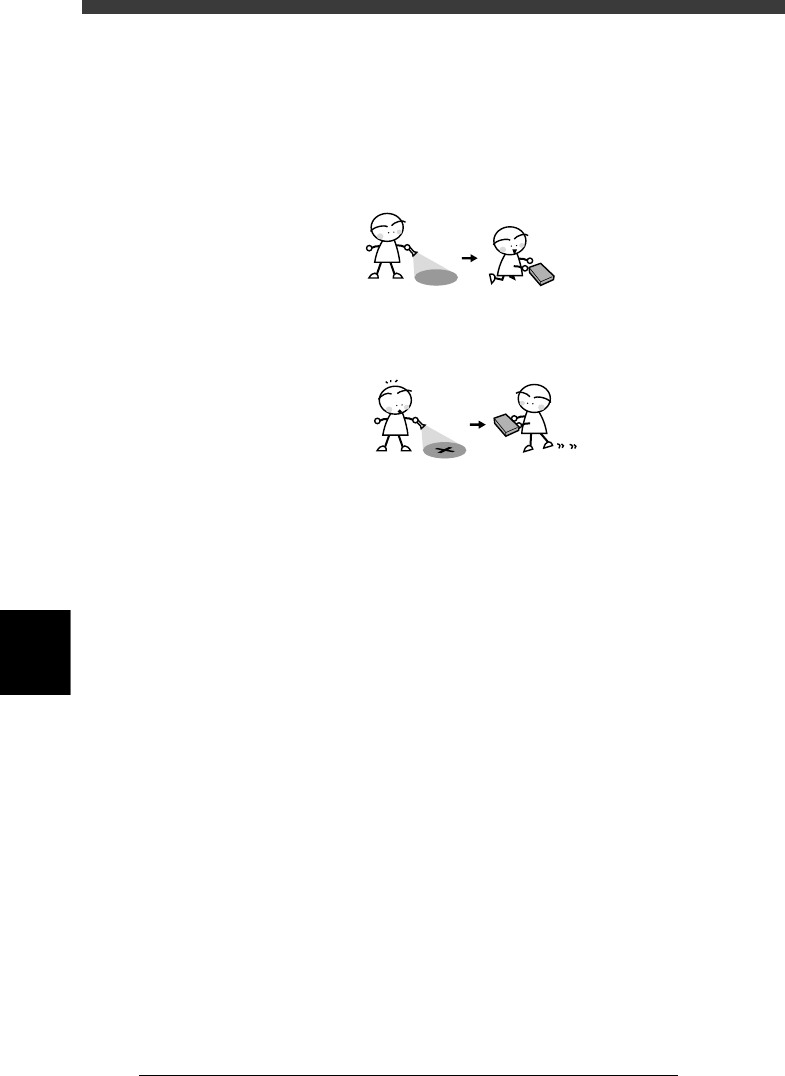
The badmark function permits the machine to cancel component mounting
if the machine detects a badmark affixed to the specified position on a
PCB.
Badmark function
23612-C0-00
The machine mounts components when no badmarks are detected.
The machine skips mounting components when a badmarrk is detected.
Badmarks are broadly classified into two types: one is specified for the
PCB data and the other is for the mount data. These badmarks are further
divided by their functions into “PCB badmark”, “block badmark” and
“local badmark”. This section explains how to create and use these
badmarks.
6
-37
EPD8013110
Operation
Chapter 6
6
Using various functions
6.1 PCB badmark and block badmark
PCB badmarks and block badmarks are specified for the PCB data and
registered in the PCB information.
• PCB badmark
A PCB badmark is affixed on a PCB and used to determine whether or
not the machine searches for block badmarks on the PCB. For example,
when a multi-block PCB with no faulty blocks (no block badmarks) is
fed to the machine, it is a loss of time to search for block badmarks on
that PCB. The PCB badmark function permits the machine to search for
block badmarks only when the PCB badmark is detected. If no PCB
badmark is detected, the machine mounts components on all blocks of
the PCB without searching for block badmarks. (See the operation flow
in 6.1.1.)
• Block badmark
A block bad mark is affixed to each block which is defective. The
machine mounts components only on blocks with no badmark affixed.
For example, if Block B is defective in a multi-block PCB consisting of
4 blocks (A, B, C and D), affix a block badmark on Block B so that the
block badmark function allows the machine to skip mounting on Block
B. Components will be mounted only on Blocks A, C and D. (See the
operation flow in 6.1.1.)
c
CAUTION
The block badmark function can only be used for the PCB data which are registered in
the Blk Repeat Info. (multi-block PCB data using the block repeat function).
6
-38
EPD8013110
Operation
Chapter 6
6
Using various functions
6
6.1.1 Operation flow
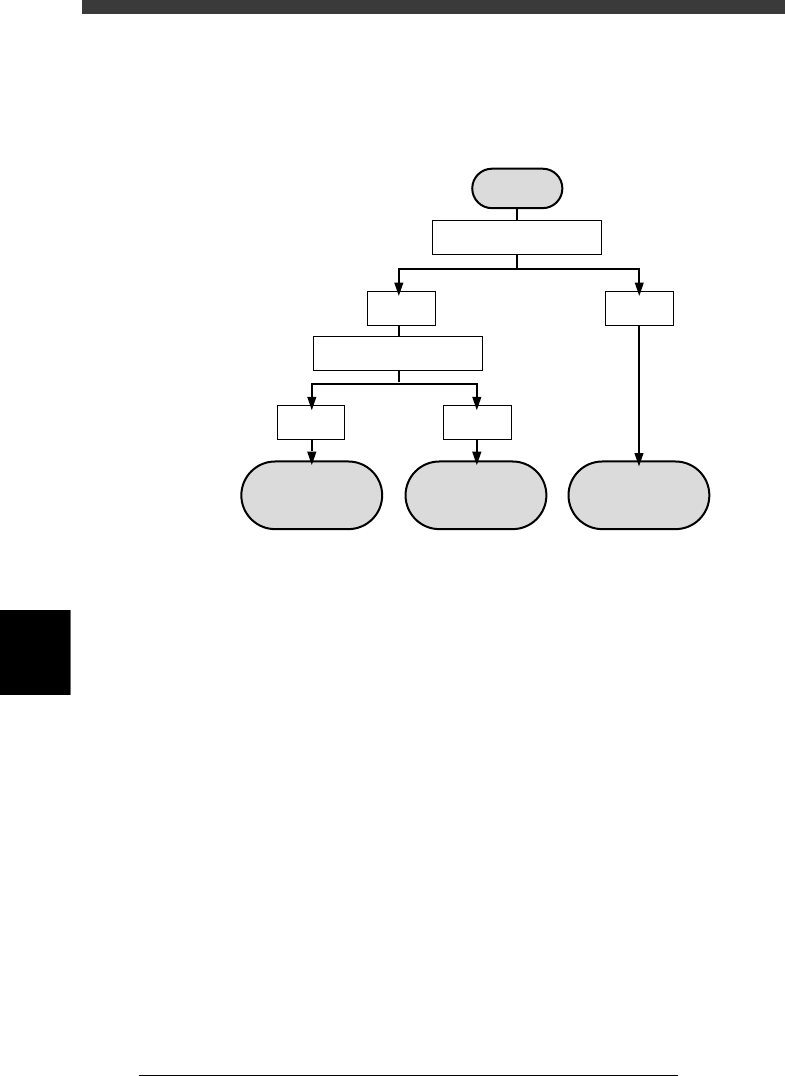
The flow chart below shows typical methods for setting a PCB badmark
and block badmark.
Badmark operation flows
23613-C0-00
Operation
not performed for
the block
Operation
performed for
the block
Operation
performed for
all blocks
Search PCB badmark
Detected
Not
detected
Search block badmark
Detected
Not
detected
Start