YV180X_Ope_E.pdf - 第199页
5 -123 EPD8013110 Operation Chapter 5 5 Creating the PCB data 5 Finish the component mount. T est mounting has been completed when the PCB is transferred out and stops at the position of the conveyor exit sensor . Press …
5
-122
EPD8013110
Operation
Chapter 5
5
Creating the PCB data
3 Start operation.
Check safety and then start PCB production as follows.
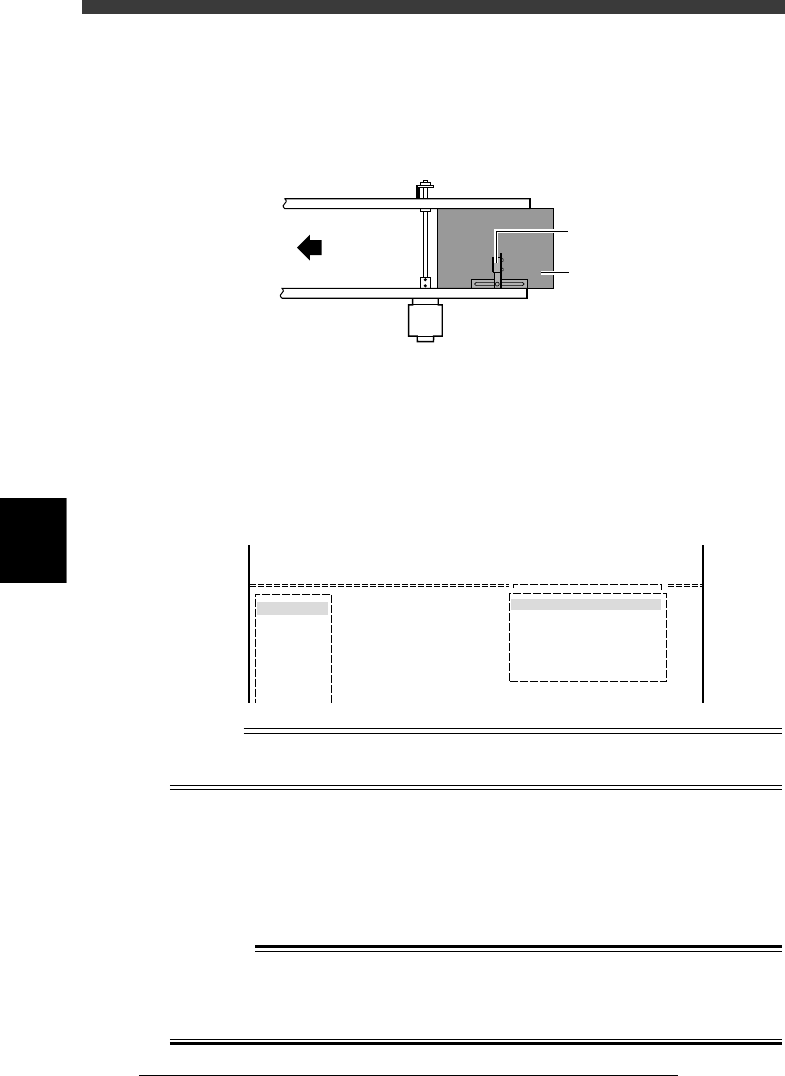
1. Place the PCB at the conveyor entrance so the entrance sensor
responds to the PCB.
Entrance sensor
23554-D8-00
Transfer
direction
Entrance sensor
PCB
2. Run the <1/1/A2 AUTO RUNNING> command or press the [RUN] key
to start operation.
3. Run the <1/1/D6 RUNNING UTILITY> - ”CONVEY OUT PCB”
command.
This command carries out the PCB without requesting the machine to
carry in the next PCB.
CONVEYOR OUT PCB command
27554-C0-00
<<<APPLICATION>>> 1/OPERATION/M
<<MODE>> 1/RUNNING
<COMMAND_LIST>
D/INITIALIZE
RUNNING UTILITY
CONVEY OUT PCB
Condition
PCB out
REfertence
For details on the CONVEYOR OUT PCB command, refer to “6. Finishing the PCB
production” in Chapter 4.
4 Proceed as follows if an error occurs.
If an error occurs during PCB data loading, component pickup or compo-
nent mounting, press the [Space] bar to temporarily stop the machine,
check the cause of the problem and take corrective action referring to the
next section, “10.3 Error countermeasures during mounting test”. To
resume operation after correcting the problem, press the [Space] bar again.
w
WARNING
NEVER ENTER ANY PART OF THE BODY IN THE AXIS MOVEMENT AREA OF
THE MOUNTER EVEN DURING TEMPORARY STOP. ALWAYS PRESS THE
EMERGENCY STOP BUTTON BEFORE ACCESSING A PART IN THE AXIS
MOVEMENT AREA.
5
-123
EPD8013110
Operation
Chapter 5
5
Creating the PCB data
5 Finish the component mount.
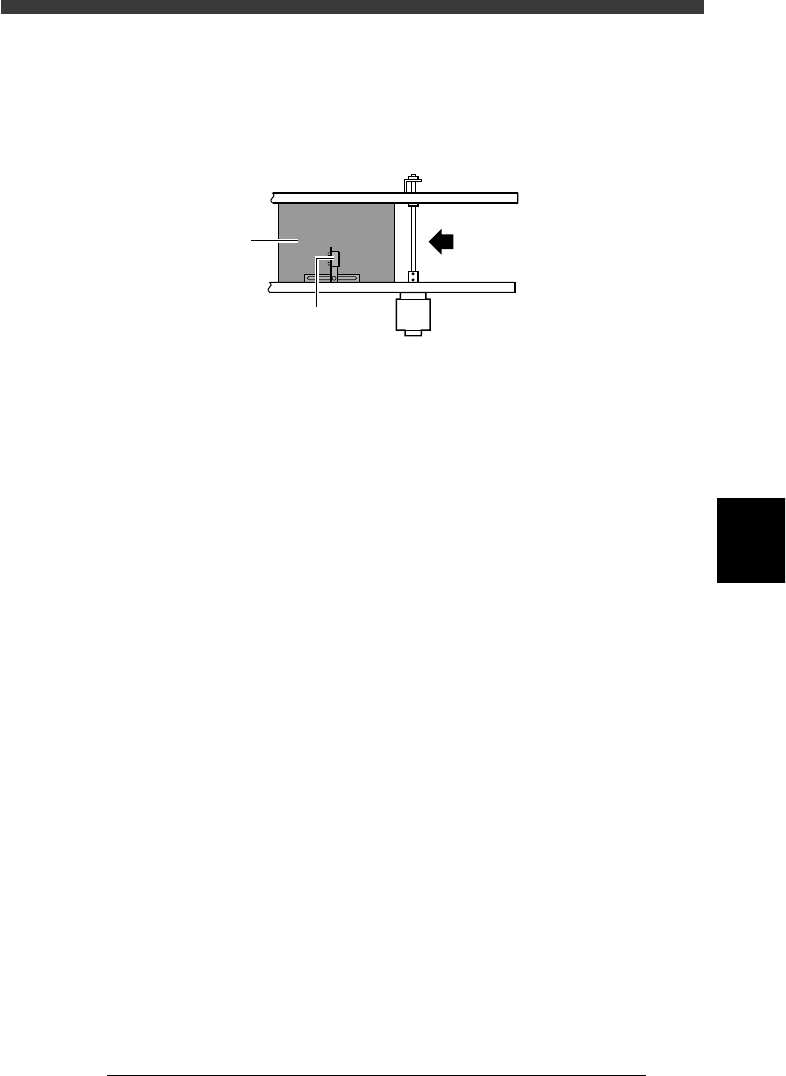
Test mounting has been completed when the PCB is transferred out and
stops at the position of the conveyor exit sensor. Press the emergency stop
button or reset the data.
Exit sensor
23555-D8-00
Transfer direction
PCB
Exit sensor
6 Check the mounting results.
Check the mounting results and correct the data if mounting position
errors are found. Refer to “10.4 Correcting the data after mounting test” for
more details.

5
-124
EPD8013110
Operation
Chapter 5
5
Creating the PCB data
10.3 Error countermeasures during
mounting test
If any error occurs during machine operation, take necessary corrective
action as explained below.
1 Press the [ESC] key to stop the alert sound.
2 Check the error message.
The error message is displayed on the operation monitor, so check and
make a note of the contents and error code.
3 Press the [ESC] key again to clear the error message.
4 Take corrective action.
To take corrective action, refer to the following sections “10.3.1” to
“10.3.5” which describe typical errors and the countermeasures.