YV180X_Ope_E.pdf - 第86页
5 -10 EPD8008100 Operation Chapter 5 5 Creating the PCB data 3. Creating the component infor mation The flow chart belo w shows the procedure for creating data on components to be mounted on a PCB. Component data has var…
5
-9
EPD8013110
Operation
Chapter 5
5
Creating the PCB data
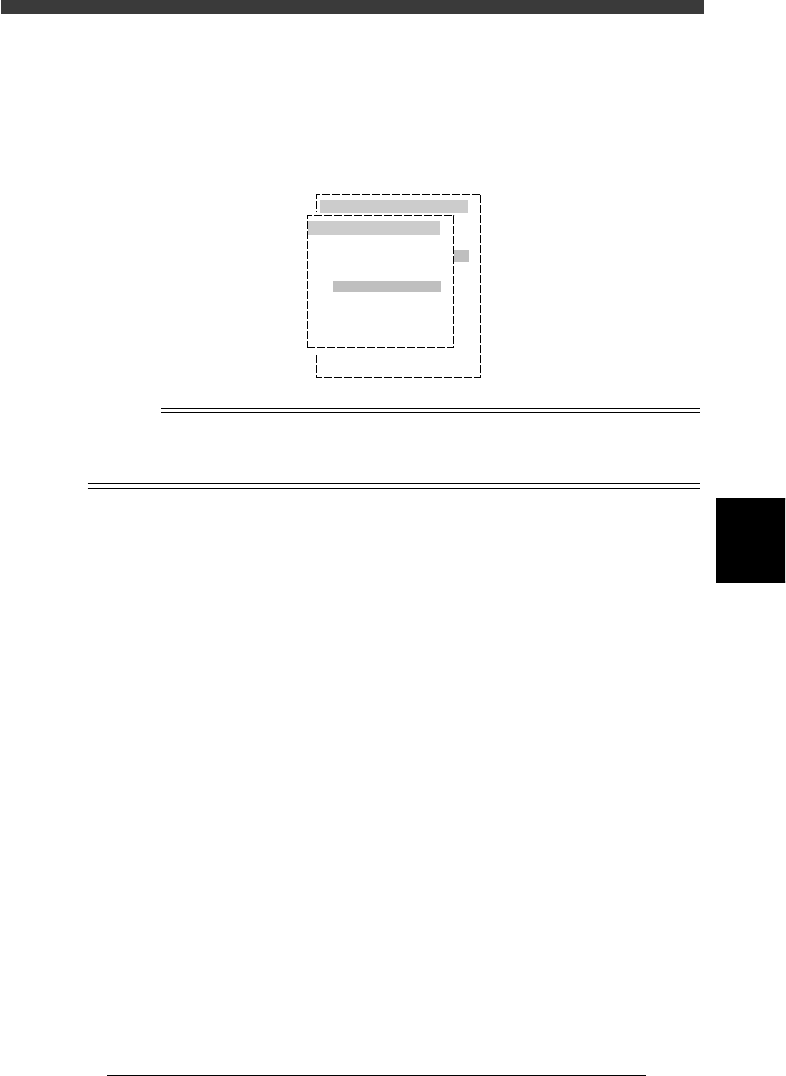
3 Select the item you want to edit or create.
After you have selected the PCB name, the edit menu appears, so select
the item you want to edit or create.
The selected information screen then appears. The PCB name is displayed
on the top of the screen (DATA [ ] column).
Selecting the edit item
27505-C0-00
pcb name
CONVEYOR
ANC_TEST
PALLET_88
PCB1
OBJECT
PCB Info.
Mount Info.
Component
Mark
Blk Repeat
Local Fidu.
LocalBadMrkI
Info.
Info.
Info.
Info.
Info.
n
NOTE
To switch the PCB data on the edit screen, press the [F2] key (or select <2/1/D1 SWITCH
PCB DATA>) . To switch the edit item, press the [F3] key (or select <2/1/A1 MAIN
WINDOW>).
5
-10
EPD8008100
Operation
Chapter 5
5
Creating the PCB data
3. Creating the component information
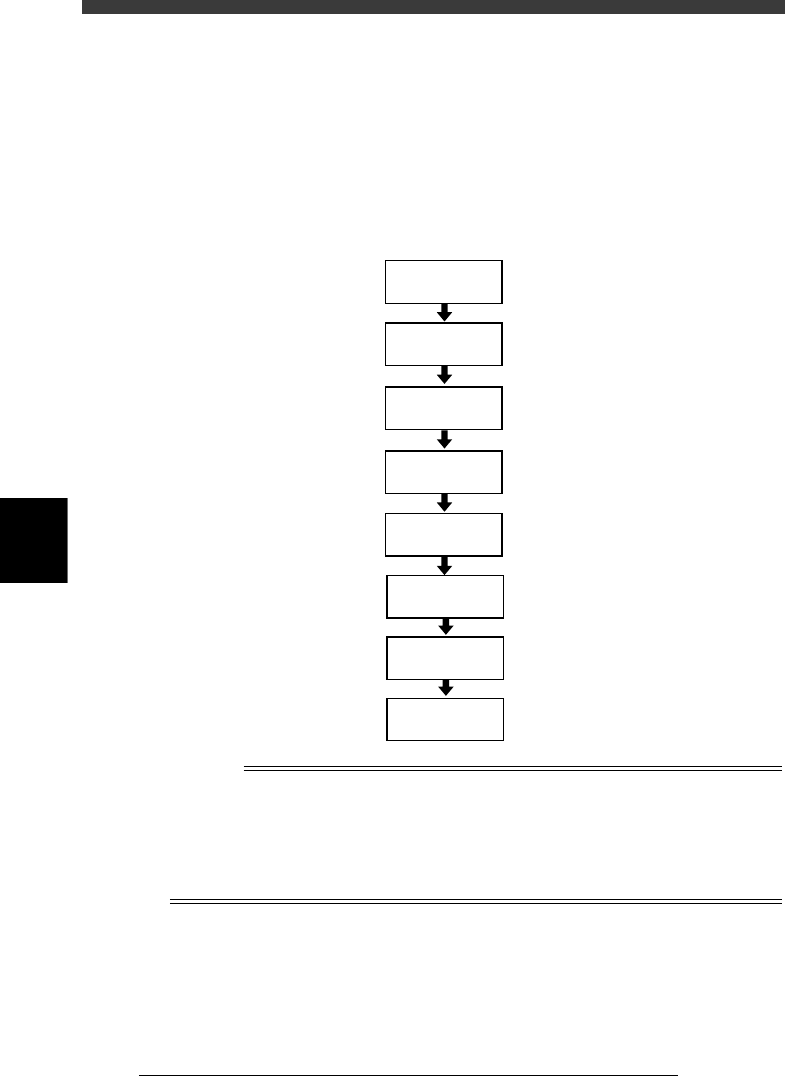
The flow chart below shows the procedure for creating data on components
to be mounted on a PCB. Component data has various parameters for each
of the component names registered. To set these parameters, it is conve-
nient to copy sample data of a component with a similar shape from the
database (<2/3 DATABASE>) and then edit only the different parameters.
Flow chart for creating component data
23505-C0-00
Save data
Execute Adjust
Assistant
3.7
☞
Set various
parameters
3.2
☞
Enter feeder
set No.
Copy information
from database
Enter comment
Enter component
name
Open
component info.
Reference
In <2/3/DATABASE>, various kinds of component data are pre-registered as the YAMAHA
database. You can also create the user database for your own purpose. (See “3. Creating
the user database” in Chapter 6.)
To create PCB data more efficiently, it is advisable to register the component data in the
appropriate location by considering how the component is to be used. Refer to “3.9
Registration location of component data” in this chapter for more details.
5
-11
EPD8008100
Operation
Chapter 5
5
Creating the PCB data
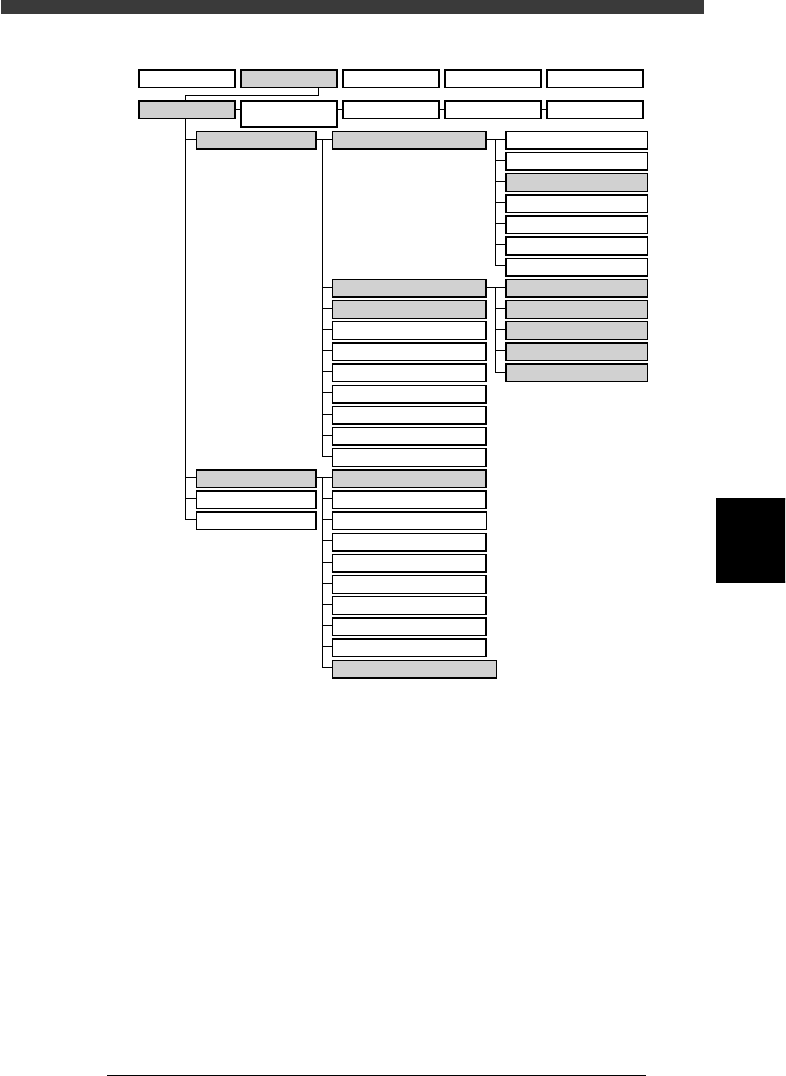
VIOS hierarchical structure (for creating component information)
23506-D8-00
A1 MAIN WINDOW
A2 SUB WINDOW
A3 VIEW DATABASE NO.
A4
VISION ALIGNMENT DIC.
A5
A6
A7 FIND NEXT
A8
A9
A0 RETURN TO EDIT
B1 ADJUST ASSISTANT
B2
DATABASE UTILITY
B3
B4
DRAW THE SHAPE(CMP)
B5
B6 SET PALLET
B7 CONVEYOR UNIT
B8
B9
B0
TEACH,TRACE CONDITION
A/DISPLAY
B/UTILITY
C/EDIT_TOOL
D/FILE
PCB Info.
Mount Info.
Component Info.
Mark Info.
Blk Repeat Info.
Local Fidu.Info.
LocalBadMrkInfo.
BASIC &OPTION
PICK, MOUNT & DUMP
VISION & SHAPE
*TRAY
*DISPENSE
1/OPERATION/M
2/DATA/M 3/MAINTE/M 4/SHELL/M 0/EXIT
1/EDIT_DATA
2/DATA_
GENERATOR
3/DATABASE 4/MANUAL 0/EXIT