YV180X_Ope_E.pdf - 第200页
5 -124 EPD8013110 Operation Chapter 5 5 Creating the PCB data 10.3 Error countermeasures during mounting test If any error occurs during machine operation, take necessary correcti ve action as explained belo w . 1 Press …
5
-123
EPD8013110
Operation
Chapter 5
5
Creating the PCB data
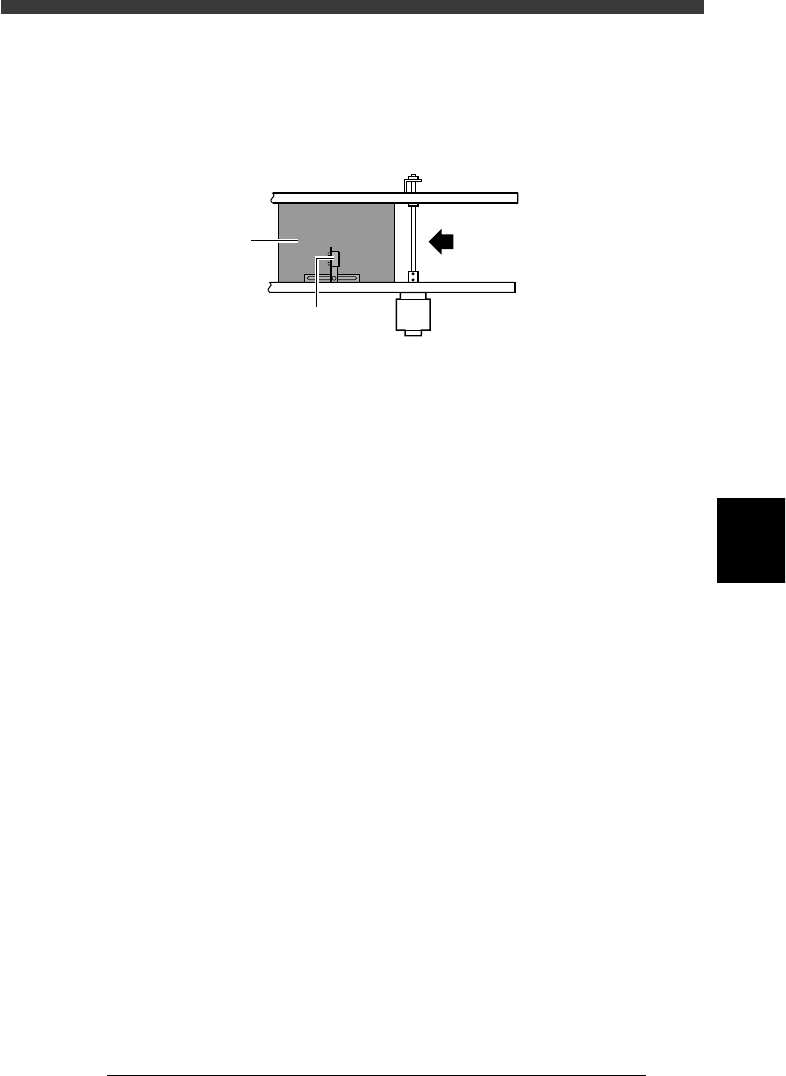
5 Finish the component mount.
Test mounting has been completed when the PCB is transferred out and
stops at the position of the conveyor exit sensor. Press the emergency stop
button or reset the data.
Exit sensor
23555-D8-00
Transfer direction
PCB
Exit sensor
6 Check the mounting results.
Check the mounting results and correct the data if mounting position
errors are found. Refer to “10.4 Correcting the data after mounting test” for
more details.

5
-124
EPD8013110
Operation
Chapter 5
5
Creating the PCB data
10.3 Error countermeasures during
mounting test
If any error occurs during machine operation, take necessary corrective
action as explained below.
1 Press the [ESC] key to stop the alert sound.
2 Check the error message.
The error message is displayed on the operation monitor, so check and
make a note of the contents and error code.
3 Press the [ESC] key again to clear the error message.
4 Take corrective action.
To take corrective action, refer to the following sections “10.3.1” to
“10.3.5” which describe typical errors and the countermeasures.
5
-125
EPD8013110
Operation
Chapter 5
5
Creating the PCB data
10.3.1 PCB data error
Take the following measure if an error occurs while loading the PCB data.
1 Check the error message.
If an error occurs, check the error message displayed on the operation
monitor.
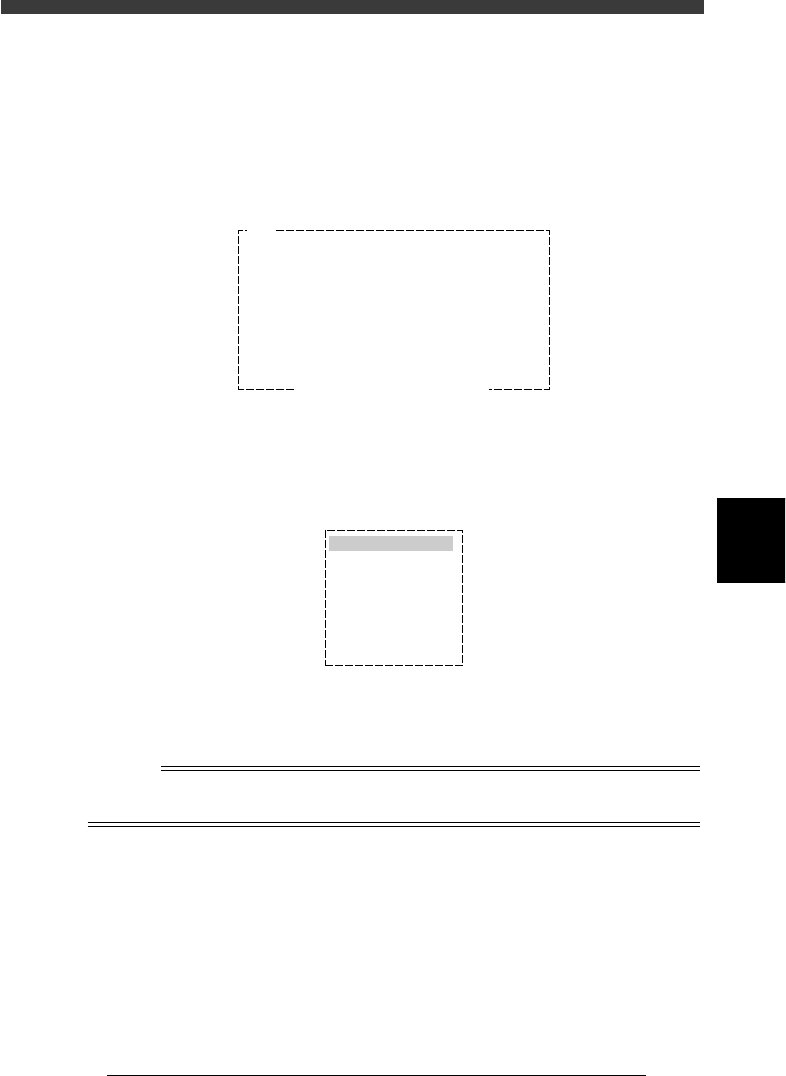
PCB DATA ERROR screen example
27555-C0-00
E150
PCB DATA ERROR
Illegal component shape data
or component data is not defined.
Component data ……………………
If this component is :FixCmpRef.
execute "FIX COMP. MATCH" in "DATA_GENERATOR"
Input the "Alignment Type" in "Component Info."
If executing "AUTO DISTRIBUTION" , execute the
optimization for each machine.
Ensure SAFETY and hit [ ENTER ] key.
2 Select the data and make corrections.
Select <1/2/PRD.DATA> and press the [ENTER] key, then select the data to
be corrected. Make necessary corrections according to the error message.
Edit item selection box
27556-C0-00
OBJECT
PCB Info.
Mount Info.
Component Info.
Mark Info.
Blk Repeat Info.
Local Fidu. Info.
Local BadMrk Info.
3 Confirm the corrected data.
Run the <1/2/C8 PCB DATA CHECK> command, and confirm that the
error has been corrected.
n
NOTE
The data check carried out with <1/2/C8 PCB DATA CHECK> is the same as that carried
out when executing the <1/1/D3 SWITCH PCB> command.