YV180X_Ope_E.pdf - 第52页
4 -13 EPD8013110 Operation Chapter 4 4 Daily operation 5. Star ting PCB production This section describes how to select the PCB data w hich is already regis- tered and perform component mounting. Flow chart for starting …
4
-12
EPD8013110
Operation
Chapter 4
4
Daily operation
4
4
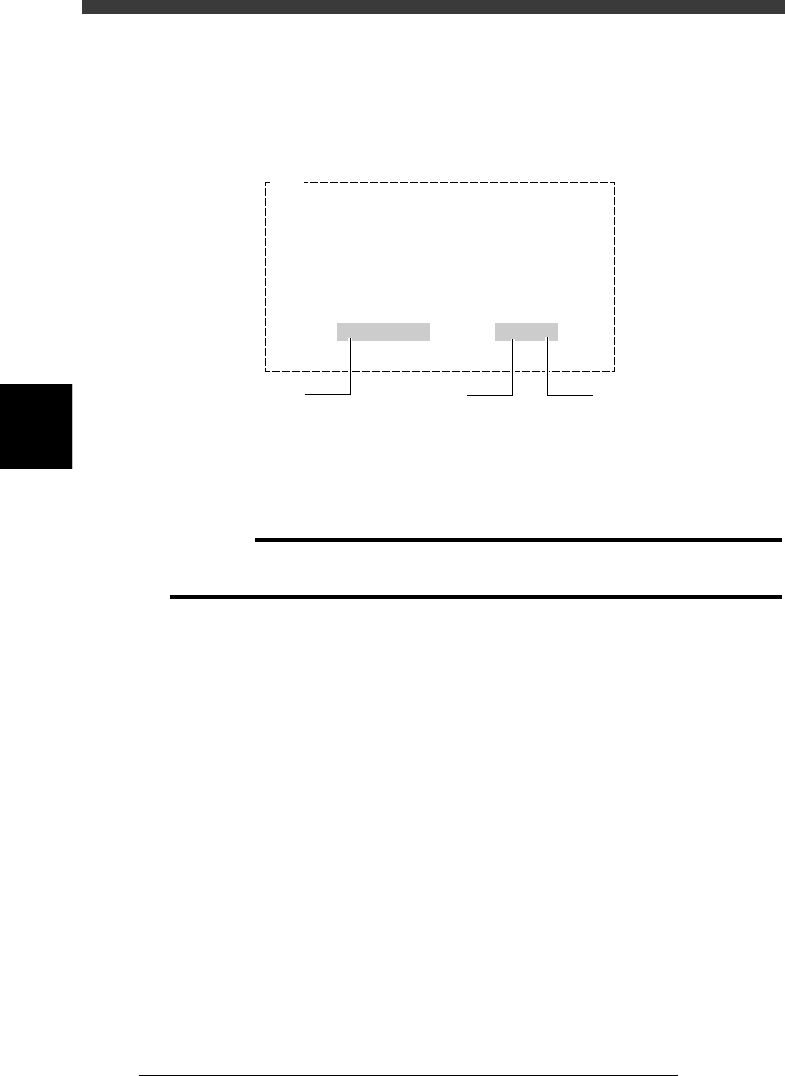
Press the [ENTER] key to start warm-up.
The machine starts warm-up, slowly at first and then gradually increases
speed. The current date and time, and elapsed time during warm-up are
displayed on the screen.
Warm-up operation display
27404-C0-00
E904
Now WARMING UP…
Press any key to stop WARM UP.
3/ 5 . 14:42 1min/10
Current date
and time
Warm-up time setting
Elapsed
warm-up time
5
Quit warm-up.
Warm-up operation will automatically stop when the warm-up time you
set has elapsed. (If you have not set the warm-up time, press any key to
stop warm-up.)
c
CAUTION
If an abnormality occurs during warm-up, press the [ESC] key to stop operation
immediately, check for the cause of the problem and eliminate it.
4
-13
EPD8013110
Operation
Chapter 4
4
Daily operation
5. Starting PCB production
This section describes how to select the PCB data which is already regis-
tered and perform component mounting.
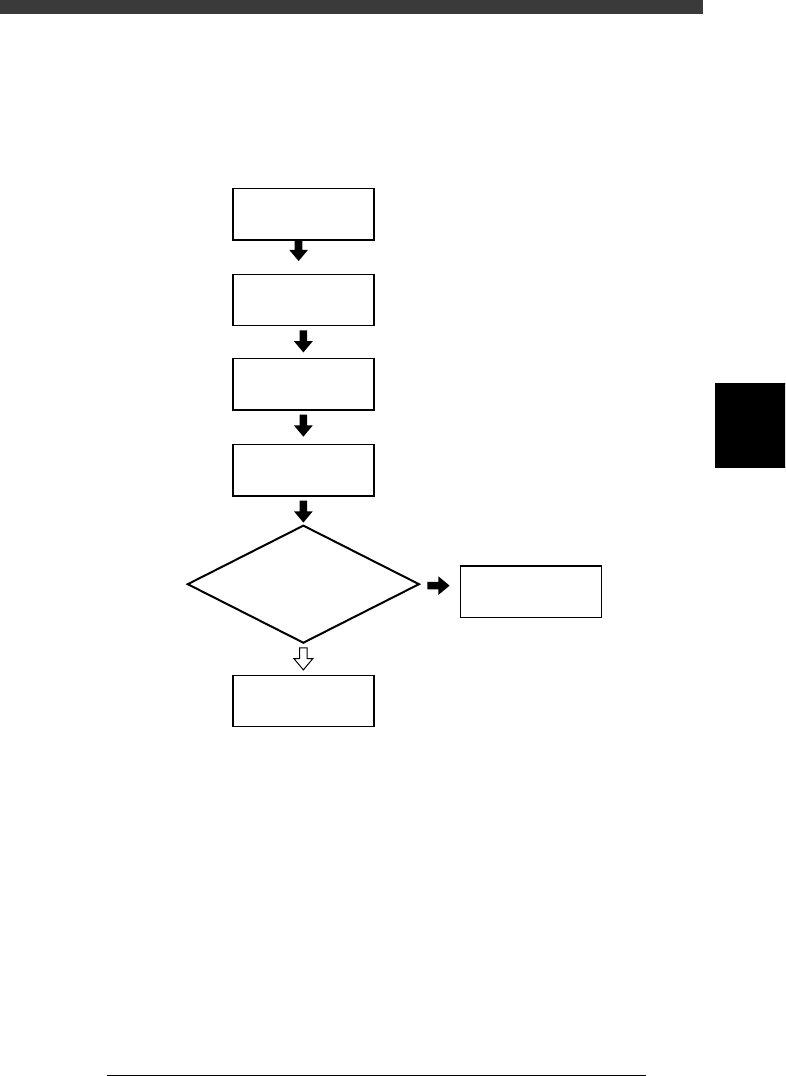
Flow chart for starting PCB production
23405-C0-00
Press [F4]
1/1/RUNNING
Display information
monitor during operation?
YES
NO
Select PCB name
1/1/D4
ASSISTANT UTILITY
Select
operation speed
Start operation
4
-14
EPD8013110
Operation
Chapter 4
4
Daily operation
4
1
Select <1/1/RUNNING> and press the [ENTER] key.
A PCB name selection box is displayed when you have not yet selected a
PCB name.
2
Select the PCB name and press the [ENTER] key.
1. Press the [F2] key (or execute <1/1/E1 SWITCH PCB>) when the list of
PCB names is not directly displayed.
2. Select the PCB name for production and press the [ENTER] key.
The machine then loads the selected PCB data.
3. When you select PCB data which uses bulk feeder components, the
message “Now machine will set BULK component to the top of the
feeder guide” appears. Press the [SPACE] bar to allow setting the bulk
components to the top of feeder guide when the bulk feeder is already
installed on the feeder plate. If not yet installed, press a key other than
the [SPACE] bar.
Reference
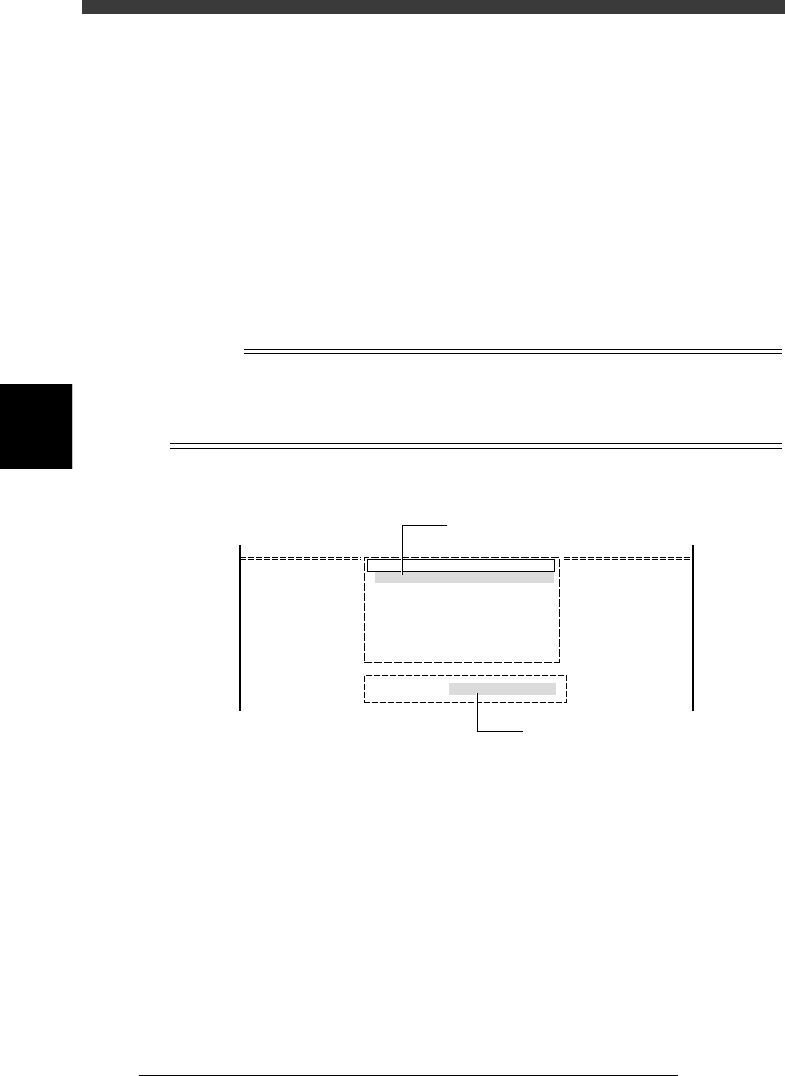
On the screen showing the PCB name selection box, you can select the PCB name by
typing its first few letters from the keyboard, into the INPUT PCB box which appears upon
typing the first letter of the PCB name. At the same time, the cursor in the PCB name
selection box moves to a PCB name that matches the letters you typed.
INPUT PCB box
27405-C0-00
pcb name
CUK_92001_1
TCO1M2
TCO1M1
TCO1M1_P
1997-03-08
1997-03-22
1997-03-22
1997-03-25
Search PCB : CUK
Cursor moves as you type the PCB name.
Type the PCB name here.