YV180X_Ope_E.pdf - 第83页
5 -7 EPD8013110 Operation Chapter 5 5 Creating the PCB data The following steps e xplain the procedure in “ 1. Registering a ne w PCB name ” . For other methods, refer to the separate manual “ YV OS 2 ” av ail- able from…

5
-6
EPD8013110
Operation
Chapter 5
5
Creating the PCB data
2.1 Registering PCB names
To create new PCB data for production, you must first register the PCB
name. There are four methods for registering a PCB name.
1. Registering a new PCB name
If no basic data is found in the previously registered PCB data. You
should register a PCB name to create empty space for new PCB data
and then enter necessary data.
2. Utilizing PCB data already registered
Make a copy of PCB data which is already registered in the VIOS
software memory.
3. Converting PCB data created by a YAMAHA YM series
mounter (UFOS machine)
Convert the UFOS data into VIOS data.
4. Converting CAD data or other manufacturer’s mounter data
After converting CAD data or other manufacturer’s mounter data into a
typical format, take its component coordinate data into the VIOS to
create data that can be used with YAMAHA full vision series
mounters.
5
-7
EPD8013110
Operation
Chapter 5
5
Creating the PCB data
The following steps explain the procedure in “1. Registering a new PCB
name”. For other methods, refer to the separate manual “YVOS 2 ” avail-
able from YAMAHA.
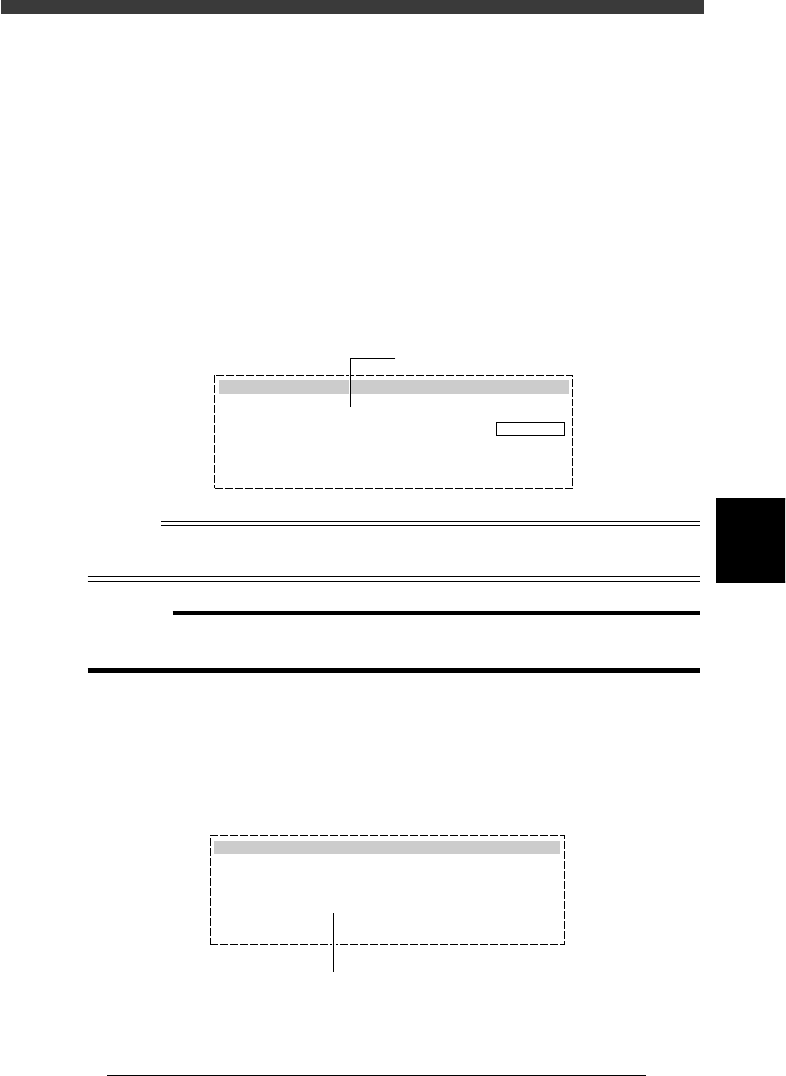
1 Select <2/1/D2 CREATE PCB DATA> and press the [ENTER]
key.
The Create PCB box then appears on the screen.
2 Enter a PCB name.
Enter a PCB name within 20 alphanumeric characters and press the
[ENTER] key. The message “NOT EXIST” then appears on the right in the
box and the cursor moves to the “Select Execute” parameter. (Refer to the
Caution below.)
Create PCB box
27501-C0-00
Create PCB
Destination
Select Execute
[INS][DEL] to change.
[ESC] to abort, [Enter] to finish.
PCB Name
MCH Name
NOT EXIST
: PCB1
: Machine
: CANCEL
Enter the PCB name here.
n
NOTE
A space cannot be included in a PCB name. Use underbars instead.
Example: SAMPLE PCB DATA --> SAMPLE_PCB_DATA
c
CAUTION
When the message “EXIST” appears in Step 2, this means that a PCB with the same
name has already been registered, so register another PCB name.
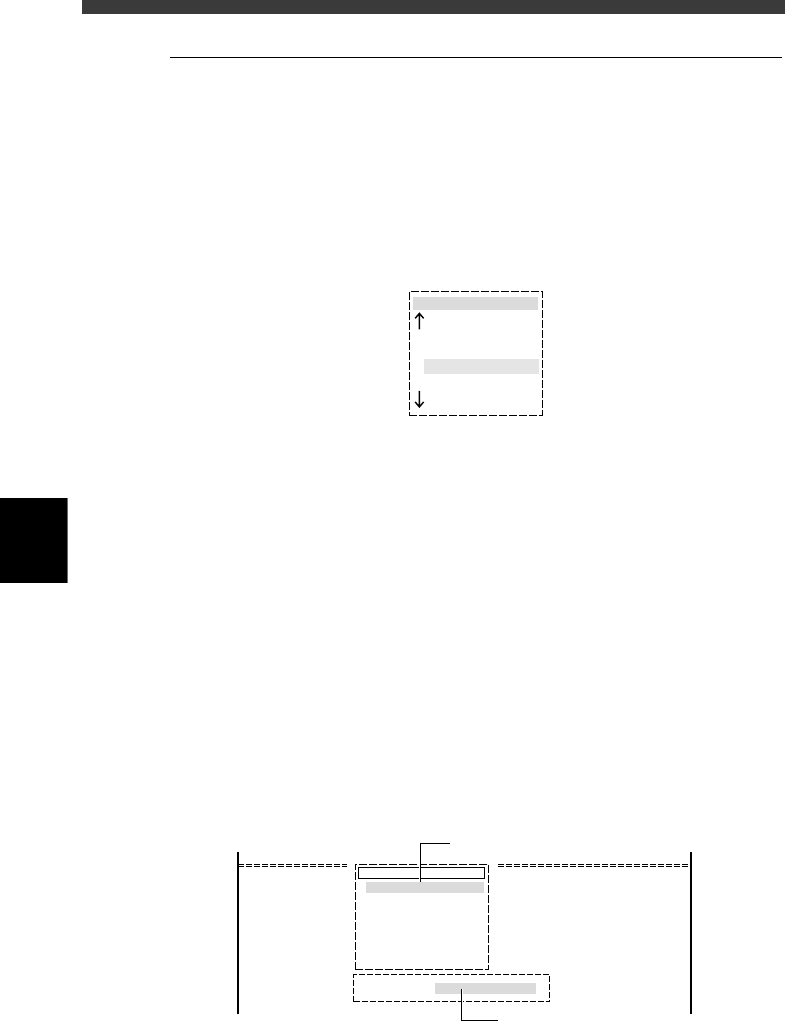
3 Set the “Select Execute” parameter to “EXECUTE”.
Use the [INS] [DEL] or [Space] key to select “EXECUTE” and press the
[ENTER] key. The PCB name has now been registered and then the menu
box for selecting the edit item appears.
Selecting “EXECUTE” to register the new PCB name
27502-C0-00
Create PCB
Select Execute
: EXECUTE
Use [INS], [DEL] or [Space] key to set to "EXECUTE".
5
-8
EPD8013110
Operation
Chapter 5
5
Creating the PCB data
2.2 Selecting the PCB name
To edit the PCB data you already registered, you must first select the PCB
name.
1 Run the <2/1/D1 SWITCH PCB DATA> command.
The “pcb name” selection box then appears showing a list of registered
PCB names.
When you are already in the EDIT_DATA mode, pressing the [F2] key
displays the “pcb name” selection box.
PCB name selection box
27503-C0-00
pcb name
CONVEYOR
ANC_TEST
CUK_100
PCB1
2 Select the PCB name.
There are the following two methods for selecting the PCB name.
1. Using the arrow keys (or PageUp/PageDown keys)
Using the up/down arrow keys (or PageUp/PageDown keys), move the
cursor to the PCB name for which you will edit data, and press the
[ENTER] key.
2. Typing the PCB name
On the screen showing the PCB name selection box, you can select the
PCB name by typing its first few letters from the keyboard, in the
Search PCB box which appears upon typing the first letter of the PCB
name. At the same time, the cursor in the PCB name selection box
moves to a PCB name that matches the letters you typed. (This method
will prove convenient when many PCB names are already registered.)
When the target PCB is selected, press the [ENTER] key. To change the
PCB name you have just typed, press the [Back Space] key to delete the
last letter one by one and retype the correct letters.
Search PCB box
27504-C0-00
pcb name
CUK_92001_1
TCO1M2
TCO1M1
TCO1M1_P
Search PCB : CUK
Type the PCB name here.
Cursor moves as you type the PCB name
in the Search PCB box.