Q170226E01.pdf - 第100页
4.1 Inspection Check List SERVICE MANUAL RH5 4.1−17 DA3SEC−80−020−B0 4.1.16 Main Controller Inspection Period Inspection item Daily x Make sure that connectors are not loose. Weekly x Clean the filter at the bottom of ma…
RH5
4.1 Inspection Check List
SERVICE MANUAL
4.1−16
DA3SEC−80−020−B0
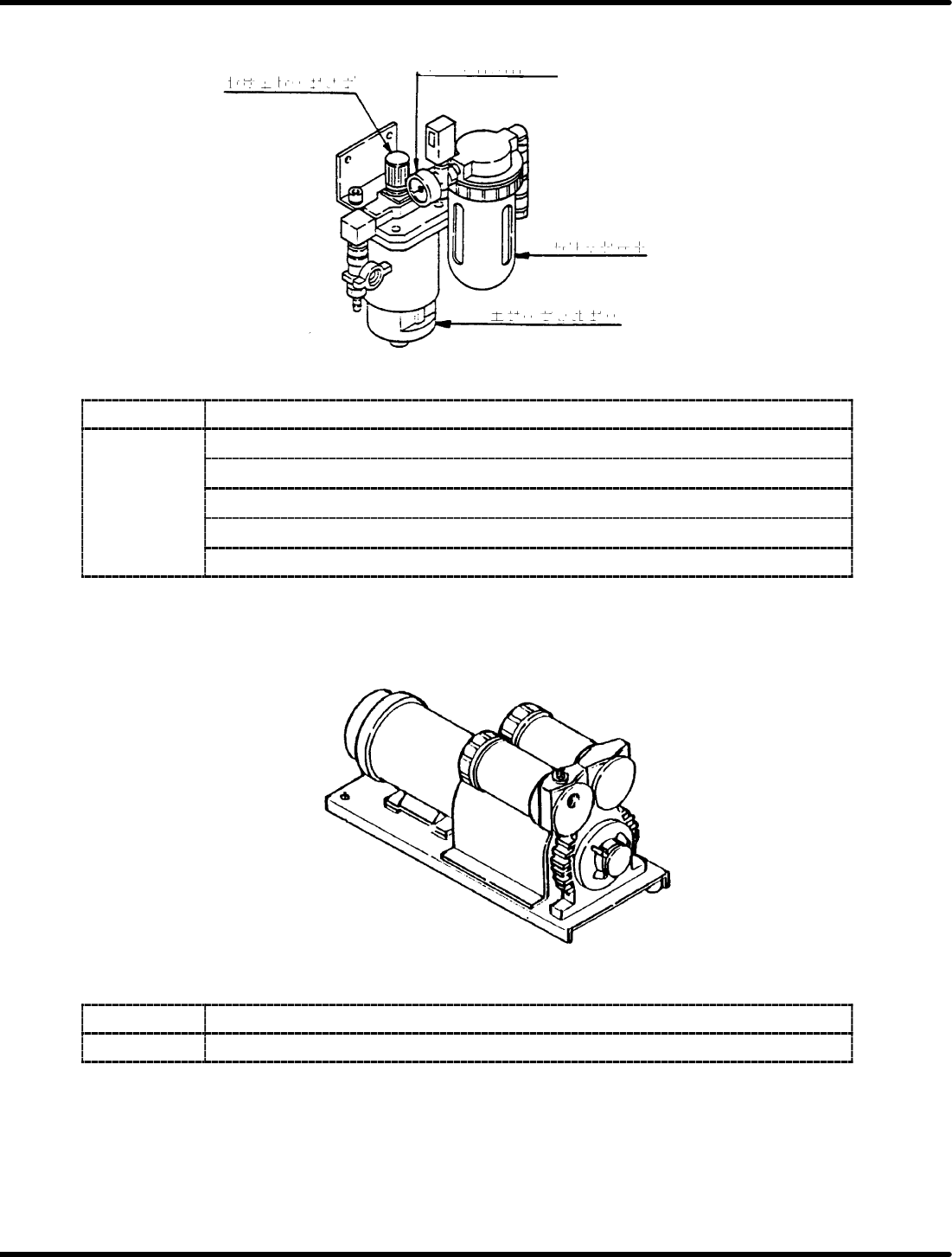
4.1.14 MR Unit
Regulator knob
Main pressure gauge
Lubricator
Air filter
Inspection
Period Inspection item
x Make sure that main pressure gauge reads 0.49 MPa.
x Make sure that air filter element is not damaged.
Daily x Make sure that air filter is not clogged.
x Replenish the lubricator with oil as necessary.
x Make sure that lubricator drips once every five minutes.
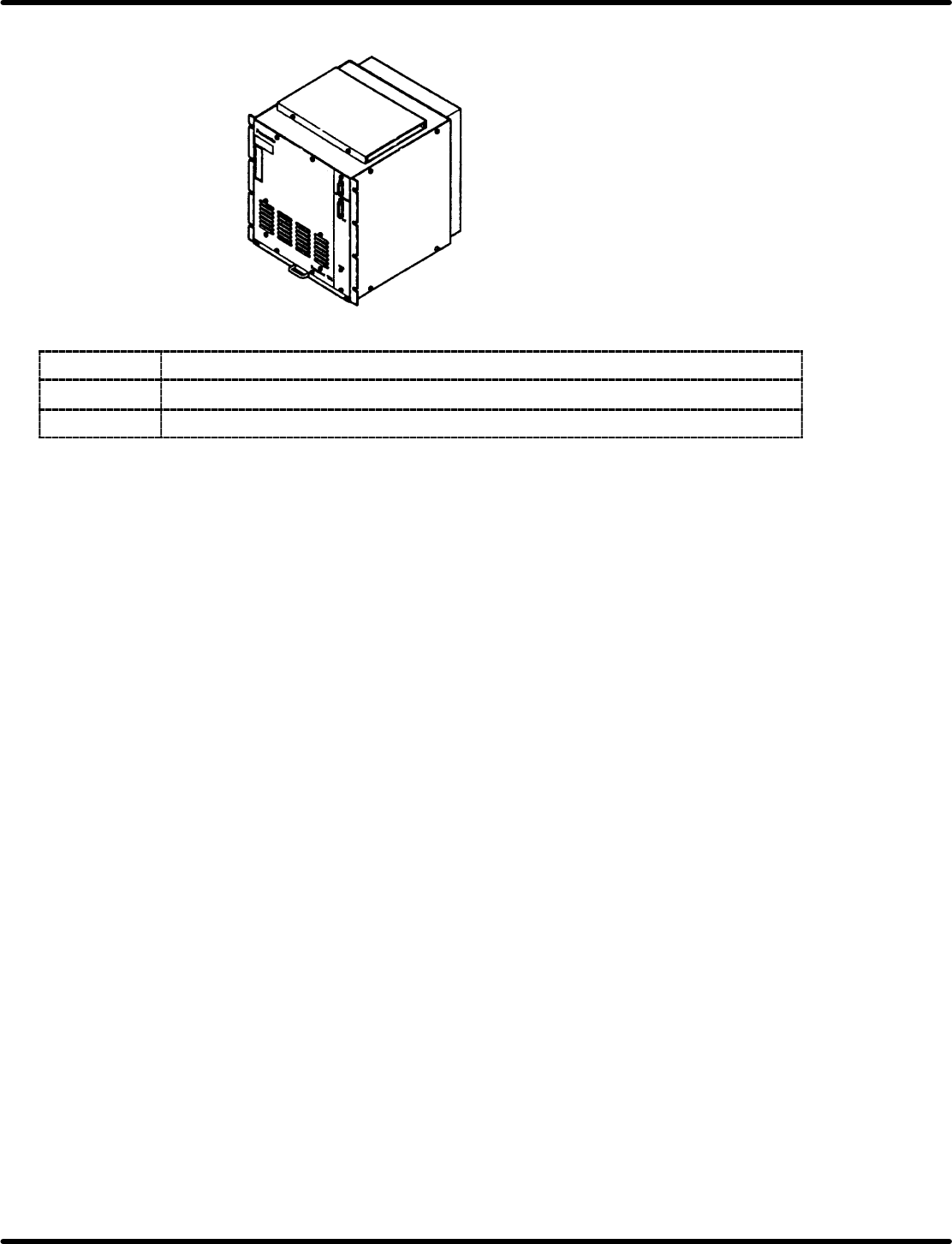
4.1.15 Vacuum Pump
Inspection
Period Inspection item
Daily
x Make sure that vacuum gauge reads minimum 79.99 KPa.
4.1 Inspection Check List
SERVICE MANUAL
RH5
4.1−17
DA3SEC−80−020−B0
4.1.16 Main Controller
Inspection
Period Inspection item
Daily
x Make sure that connectors are not loose.
Weekly
x Clean the filter at the bottom of main controller using a vacuum cleaner.
RH5
4.1 Inspection Check List
SERVICE MANUAL
4.1−18
DA3SEC−80−020−B0
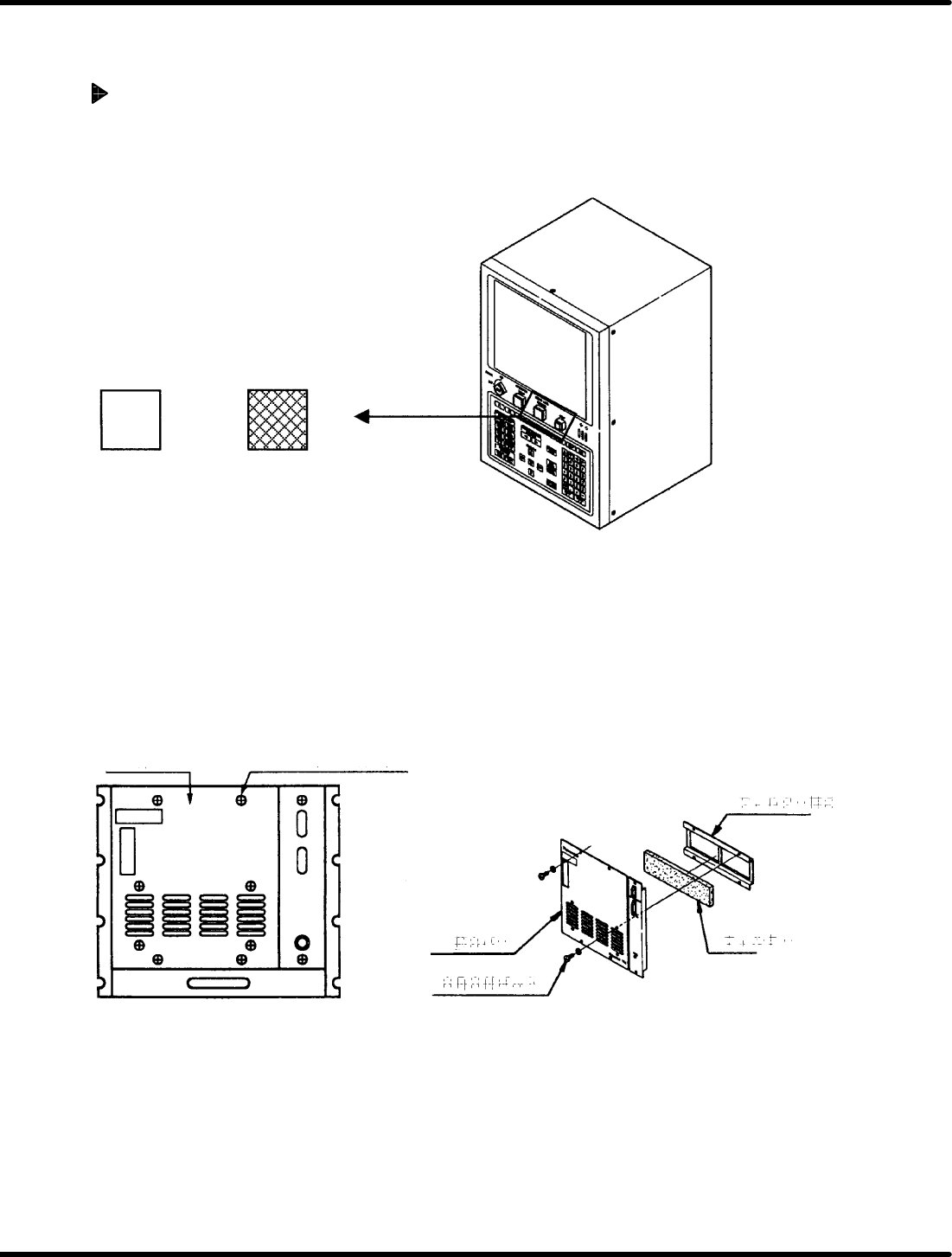
Clean the inlet port filter of the Panadac 791 once a month without fail.
(Clogged filter will increase the temperature in the controller and cause trouble.)
The method to clean and replace the filter is as follows:
How to Clean and Replace the Filter
(Once a month)
1. Turning the power OFF
Turn OFF the main switch.
OPERATION READY
ON OFF
Main Switch
=CHECK=
Be sure to turn the power OFF before starting the work.
2. Detaching the front cover
x Remove the four cross−recessed head machine screws.
x Detach the front cover.
x Remove the four hexagon socket head cap bolts to take out the filter.
Front cover
Cross−recessed
head machine screw
Hexagon socket
head cap bolt
Front cover
Filter
Filter
Filter holder
Front Cover