Q170226E01.pdf - 第205页
RH5 5.32 Setting Offset V alues SERVICE MANUAL 5.32−10 DA3SEC−83−9Q0−A0 Automatic camera offset measuring (Y direction) 1. Move the XY table to the insertion position of N4 block in the NC data. x Move the cursor to N4 b…
− Measuring completed −
5.32 Setting Offset Values
SERVICE MANUAL
RH5
5.32−9
DA3SEC−83−9Q0−A0
Supplemental remarks
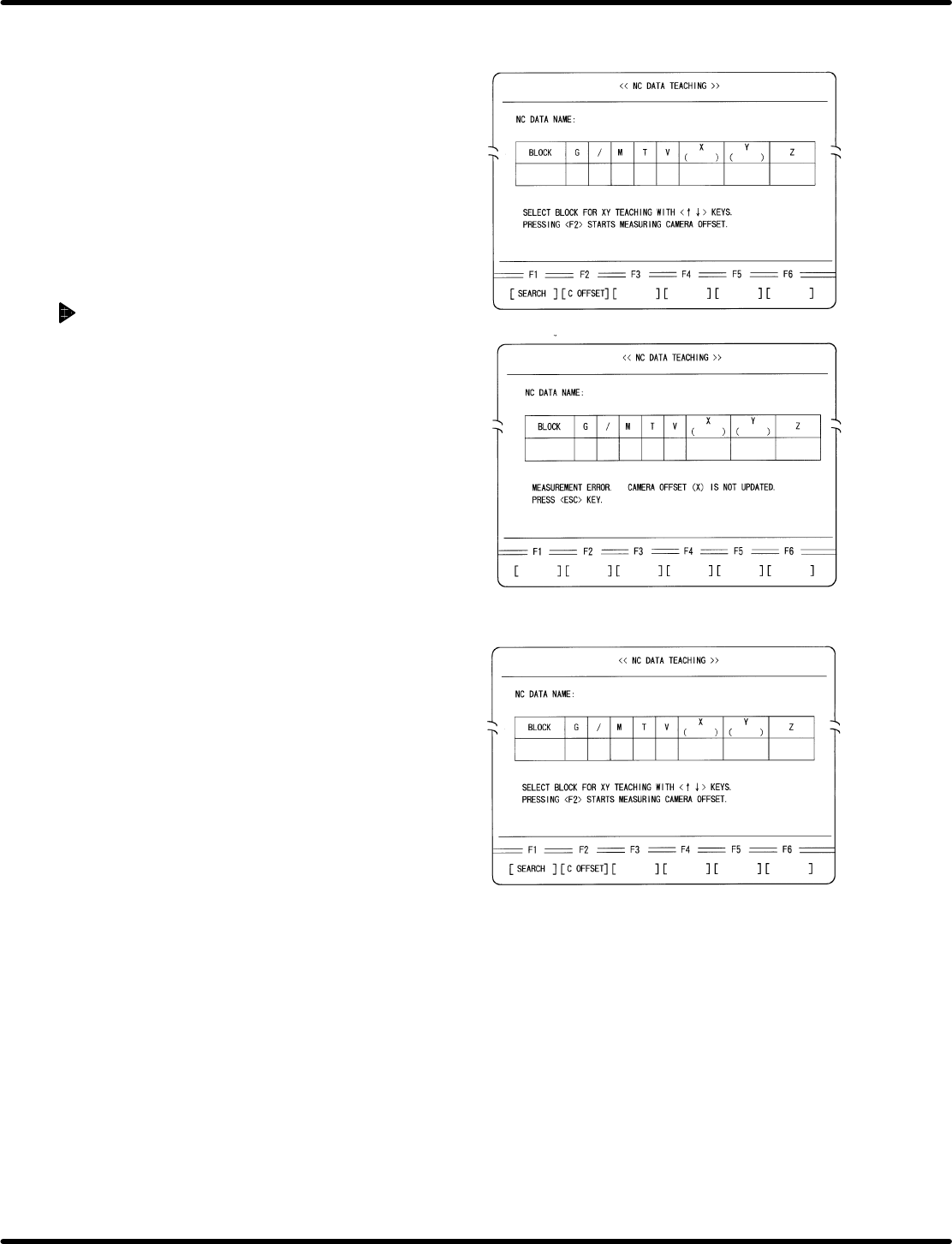
1. After measuring is completed, camera offset
(X) will be automatically overwritten.
2. If a measuring error occurs, a message as in
the left screen appears.
3. Return to the block setting screen.
x Press ESC.
4. Make sure that the insertion hole is not blocked
and repeat the operation from step 2.
RH5
5.32 Setting Offset Values
SERVICE MANUAL
5.32−10
DA3SEC−83−9Q0−A0
Automatic camera offset
measuring (Y direction)
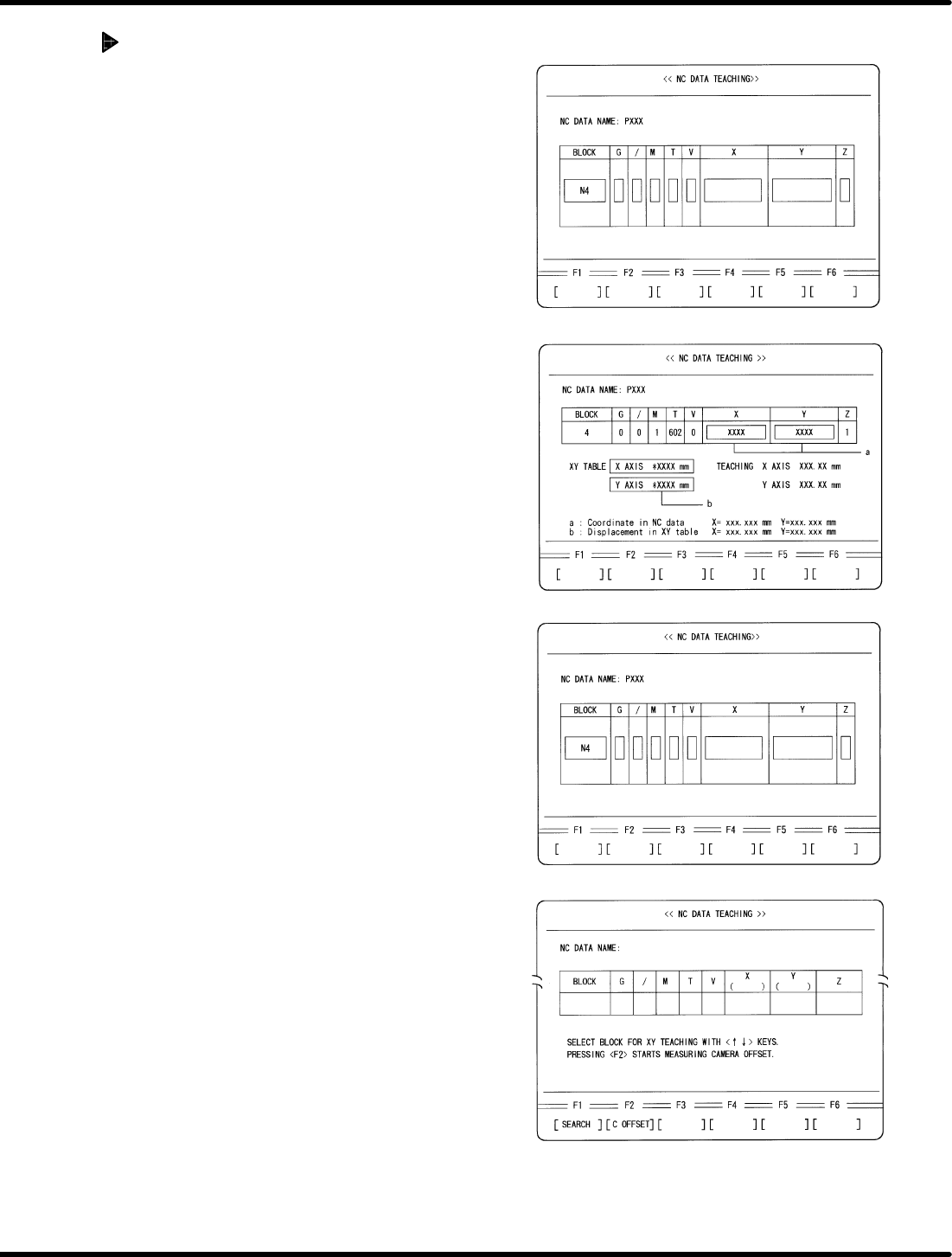
1. Move the XY table to the insertion position
of N4 block in the NC data.
x Move the cursor to N4 block using np
keys.
x Press ENTER.
x Press F1 (MOVE).
2. Perform XY teaching for X direction
insertion so that the guide pin may be
aligned with the center of the insertion
hole.
3. Write down the coordinate value (a) and
XY table displacement (b) displayed on
the NC DATA TEACHING screen.
4. Alter the NC data.
x Press ENTER.
5. Return to the block select screen.
x Press ESC.
− Measuring in progress −
− Measuring completed −
5.32 Setting Offset Values
SERVICE MANUAL
RH5
5.32−11
DA3SEC−83−9Q0−A0
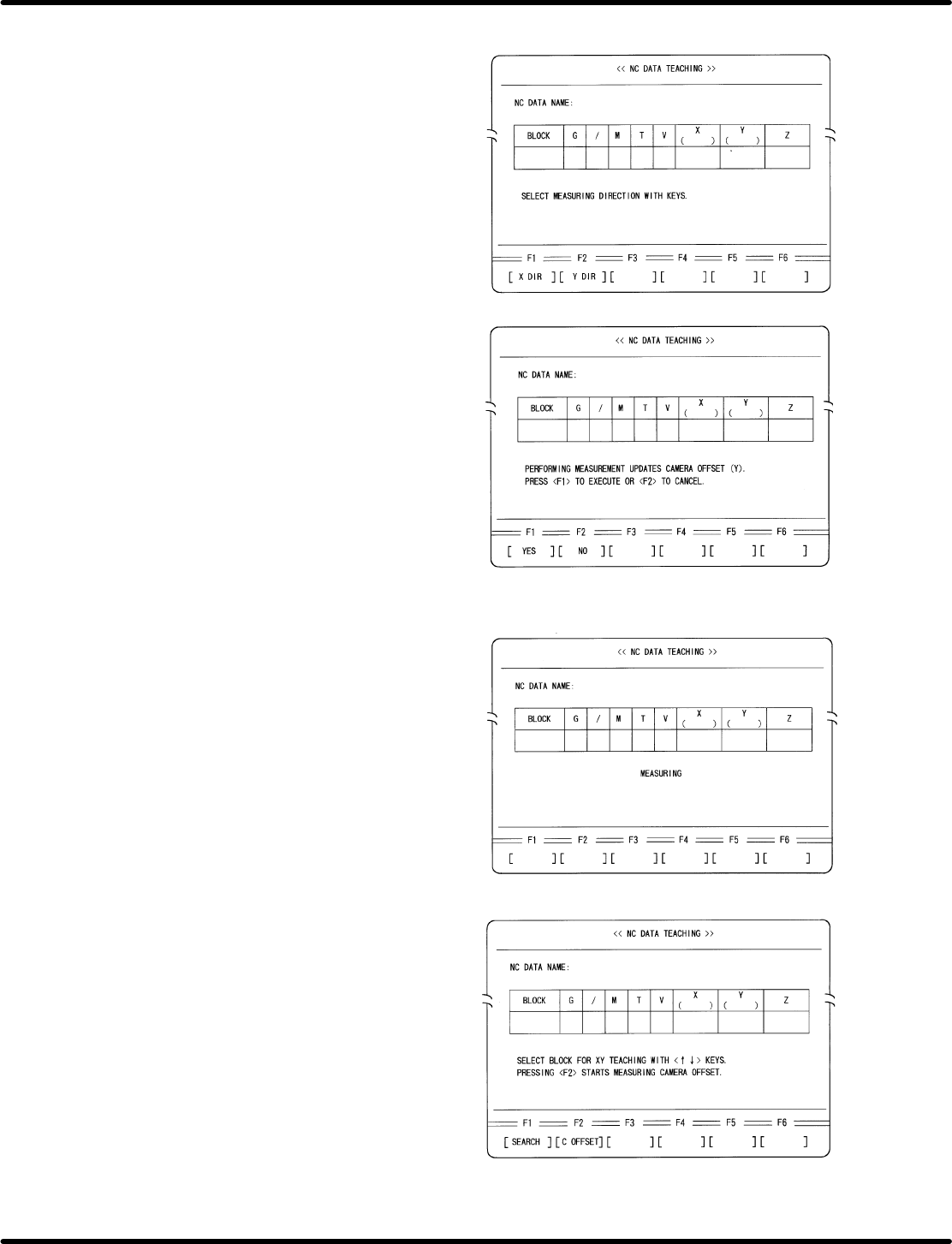
6. Select Automatic Camera Offset Measuring.
x Press F2 (C OFFSET).
7. Select the measuring direction.
x Press F2 (Y DIR).
8. Execute measuring.
x Press F1.
=REFERENCE=
After measuring is completed, camera
offset (Y) will be automatically overwritten.