Q170226E01.pdf - 第189页
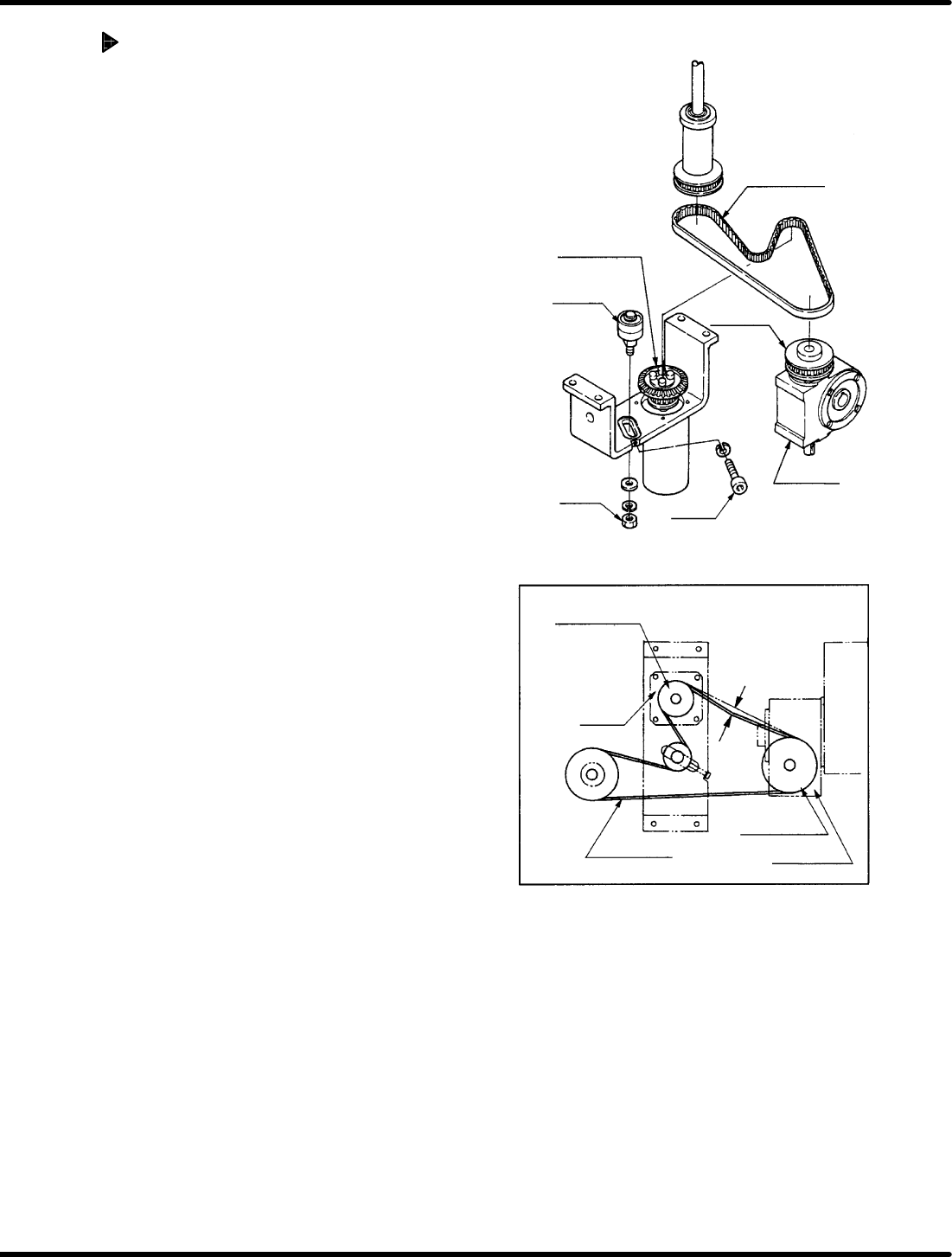
Timing belt Timing pulley (motor side) Reduction gear Bolt A Bearing Nut A Timing pulley (motor side) Reduction gear Timing pulley Motor Timing belt Deflection of 5 − 10 mm Timing pulley RH5 5.28 Main Drive Unit T iming …
Timing belt
Bearing
Bolt A
Nut A
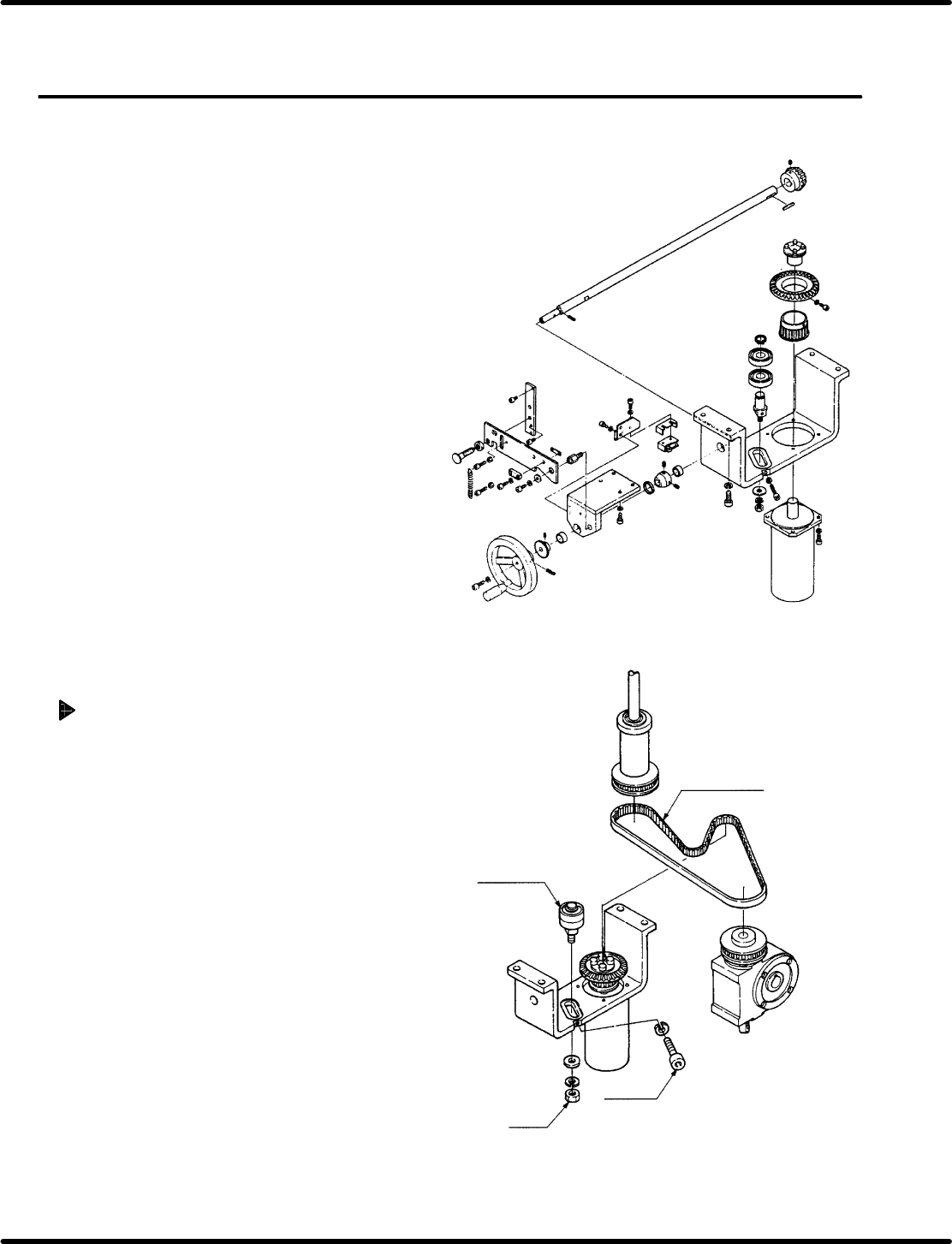
5.28 Main Drive Unit Timing Belt Replacement and Adjustment
SERVICE MANUAL
RH5
5.28−1
DA3SEC−83−9L0−A0
5.28 Main Drive Unit Timing Belt Replacement and
Adjustment
DA3SEC−83−9L0−A0
Sentence No.
When to perform
x When the timing belt slips due to wear
or damage.
Required tools
x Allen wrench
Timing belt replacement
1. Loosen the bolt A and the nut A.
2. Move the bearing to detach the timing belt.
3. Put on a new timing belt.
4. Fit the bearing with the timing belt and
ensure tension with the bolt A.
5. Retighten the nut A.
Timing belt
Timing pulley
(motor side)
Reduction gear
Bolt A
Bearing
Nut A
Timing pulley
(motor side)
Reduction gear
Timing pulley
Motor
Timing belt
Deflection of
5 − 10 mm
Timing
pulley
RH5
5.28 Main Drive Unit Timing Belt Replacement and Adjustment
SERVICE MANUAL
5.28−2
DA3SEC−83−9L0−A0
Adjusting belt tension
1. Tighten the nut A temporarily and the
adjust the tension of the timing belt with
bolt A.
2. Check the belt gives 5 to 10 mm when
pressed on. If outside this range, make
readjustments with the bolt A.
3. Tighten the nut A.
5.29 Checking and Replacing Main Drive Unit and Top/Bottom Timing
SERVICE MANUAL
RH5
5.29−1
DA3SEC−83−9M0−A0
5.29 Checking and Replacing Main Drive Unit and
Top/Bottom Timing
DA3SEC−83−9M0−A0
Sentence No.
Timing check
1. Remove the guide chuck and anvil unit.
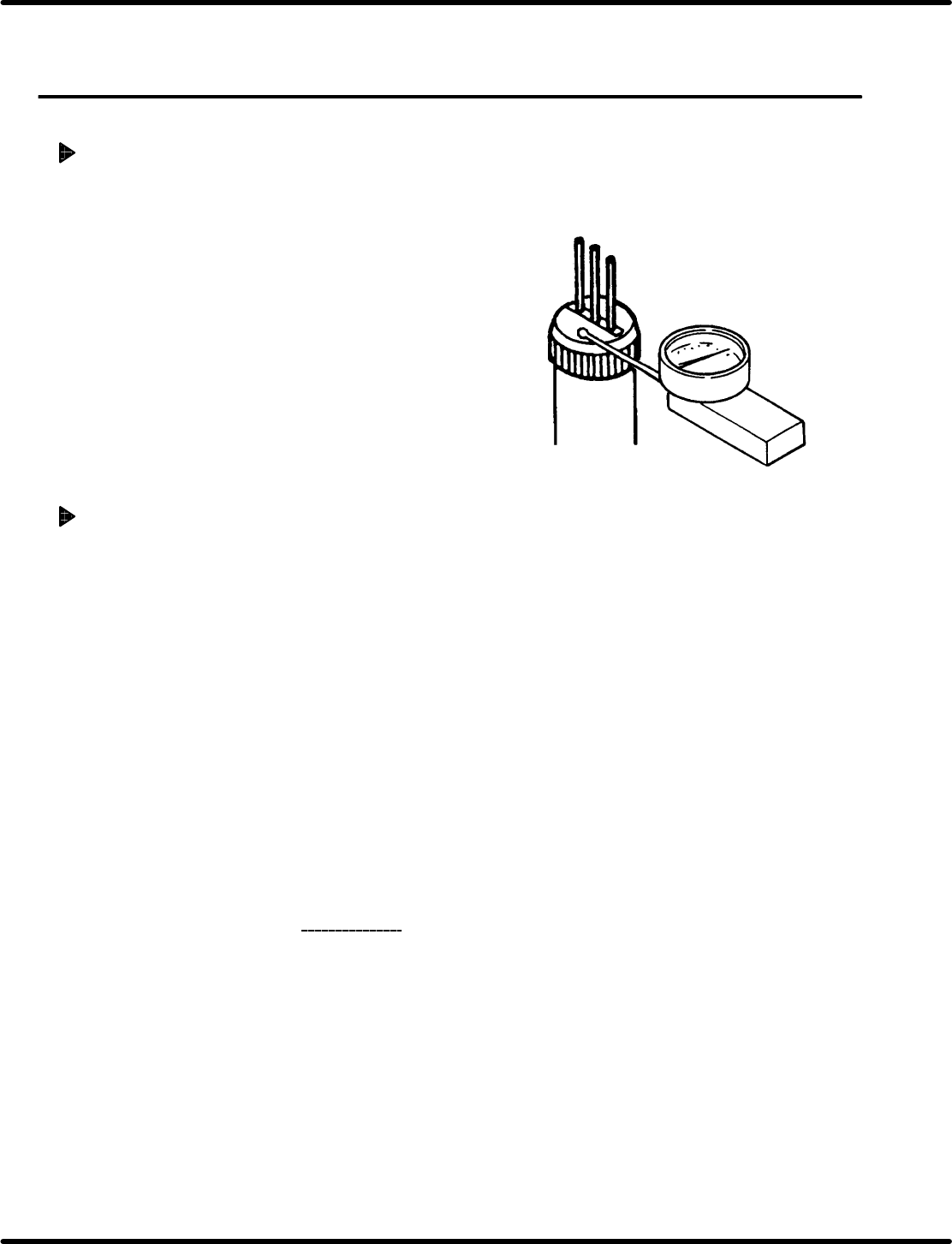
2. Turn the hand wheel to set the guide pin to the
uppermost position and insert the measuring
needle of the dial gauge into the cartridge.
3. Turn the hand wheel slowly in the clockwise
direction to secure it where the measuring
needle of the dial gauge moves by 0.01 mm.
4. Press “F6” (SEQ TIMER) on the main control
panel to display the angle.
5. Check that the current angle indicates 230q.
Timing adjustment
1. Set the mode to “SEMI” − “1BLOCK” −
”MANU” − “1BLOCK” on the main control
panel.
=REFERENCE=
This will reset the monitor screen.
2. Press “REQ” − “F6” − “F1” − “F2” − “F6”
in order.
3. Set the digital sequence timer to “RESET
mode”.
4. Set the mode to “SEMI” − “1BLOCK” −
”MANU” − “1BLOCK” on the main control
panel and press “F6” (SEQ TIMER).
5. Repeat steps 1 through 5 in “Timing check
”
above.
Ex.: When the guide pin starts lowering at
300q in timing.
6. Since the cam timing is delayed by 70q, turn
the hand wheel to set the digital sequence
timer to 70q .
7. Press “F1” (CH) − “0” − “F2” (SET) −
“F5” (T) − “F2” (SET) in order.