Q170226E01.pdf - 第216页
Cam follower for Z axis holder support 5.34 A x i s H eight Check and Adjustment SERVICE MANUAL RH5 5.34−3 DA3SEC−83−9S0−A0 Adjusting Z axis height (Lowering the Z axis) 1. Disengage the bolt stopper . 2. Sandwich the th…
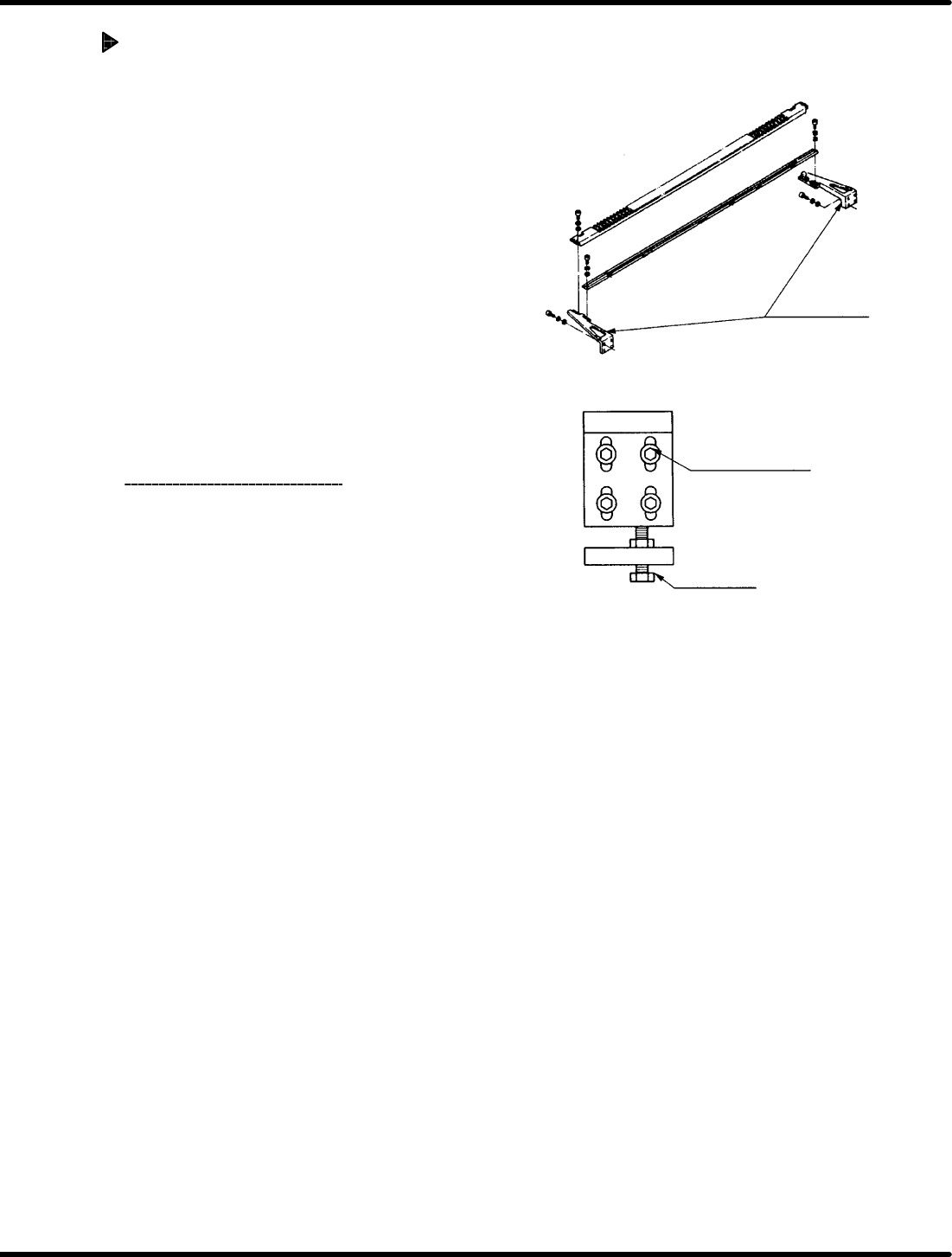
Z axis holder
bracket
Z axis holder bracket
(4−M8)
Bolt stopper
Two points at the Z axes Nos. 1 and 80 (62)
RH5
5.34 Axis Height Check and Adjustment
SERVICE MANUAL
5.34−2
DA3SEC−83−9S0−A0
Adjusting Z axis height (Raising
the Z axis)
1. Disengage the Z axis holder bracket (4− M8).
2. Using a slotted screwdriver, lift the Z axis
holder bracket and sandwich the thickness
gauge (has the height to be raised)
between the bolt stopper and holder
bracket.
3. Retighten the Z axis holder bracket (4− M8).
4. Remove the thickness gauge and loosen
the bolt stopper.
5. Squeeze the bolt stopper and secure it so
that 0.03 mm thickness gauge will not be
fit in.
6. Check the tape waste
again.
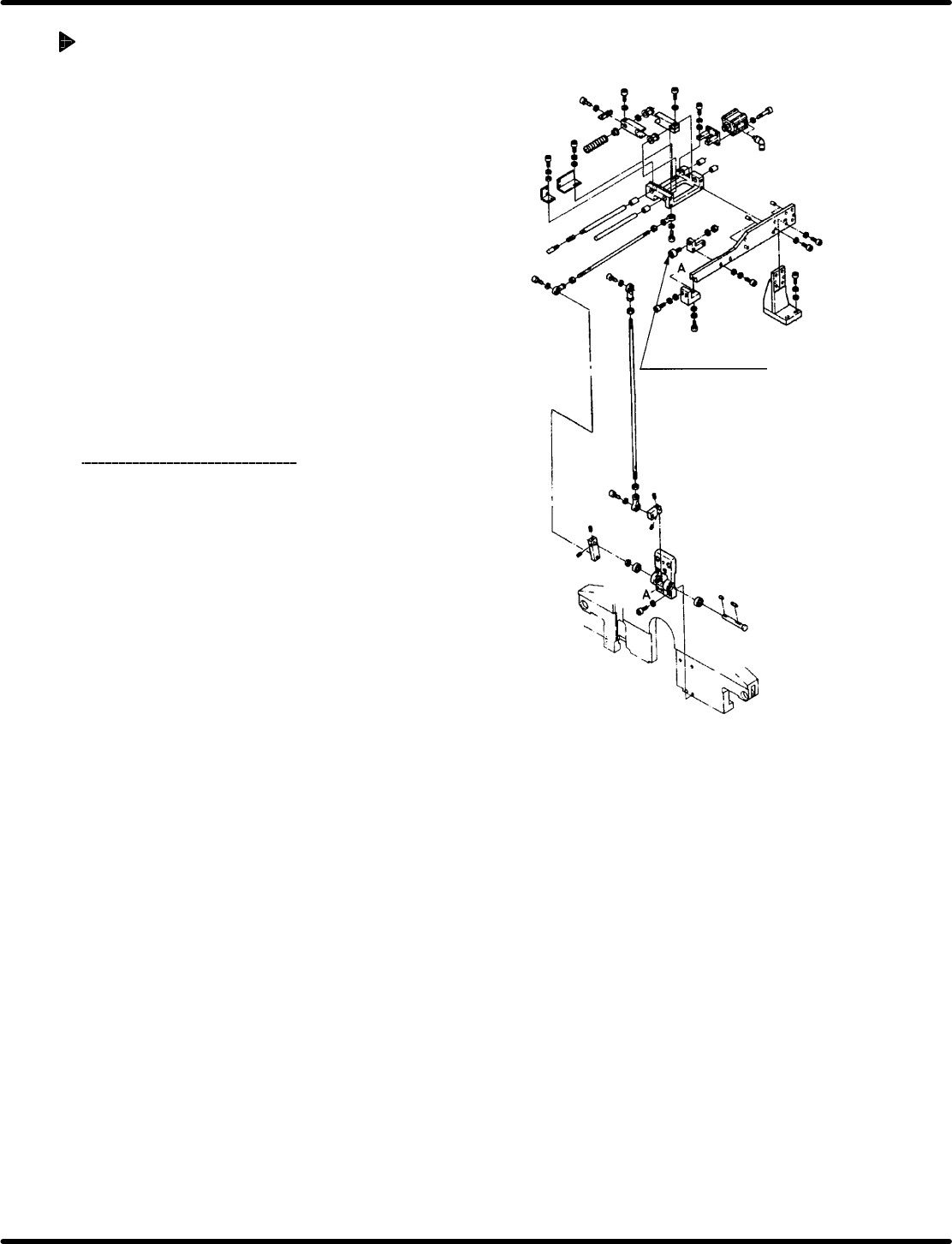
Cam follower for Z
axis holder support
5.34 Axis Height Check and Adjustment
SERVICE MANUAL
RH5
5.34−3
DA3SEC−83−9S0−A0
Adjusting Z axis height (Lowering
the Z axis)
1. Disengage the bolt stopper.
2. Sandwich the thickness gauge (has the
height to be lowered) between the bolt
stopper and holder bracket.
3. Retighten the bolt stopper.
4. Disengage the Z axis holder bracket (4− M8).
5. Tap the Z axis holder bracket from above
and make sure that 0.03 mm thickness
gauge can ’t be fit in.
6. Retighten the Z axis holder bracket (4− M8).
7. Check the tape waste again.
=CHECK=
Ensure that either of the cam follower
(x 2) for supporting the Z axis holder
mounted on the feed plate fit the Z
axis holder.
(When adjusting the Z axis height, do
the cam follower position as well.)

RH5
5.34 Axis Height Check and Adjustment
SERVICE MANUAL
5.34−4
DA3SEC−83−9S0−A0
= MEMO =