Q170226E01.pdf - 第81页
RH5 3.2 Connecting the Power Supply SERVICE MANUAL 3.2−2 DA3SEC−1 1−020−A0 3.2.2 Connecting Procedures Follow the procedures below to connect the cables. 1. T urn OFF the switch of the distribution panel. 2. Connect the …
3.2 Connecting the Power Supply
SERVICE MANUAL
RH5
3.2−1
DA3SEC−11−020−A0
3.2 Connecting the Power Supply
DA3SEC−11−020−A0
Sentence No.
3.2.1 Connecting the Cables
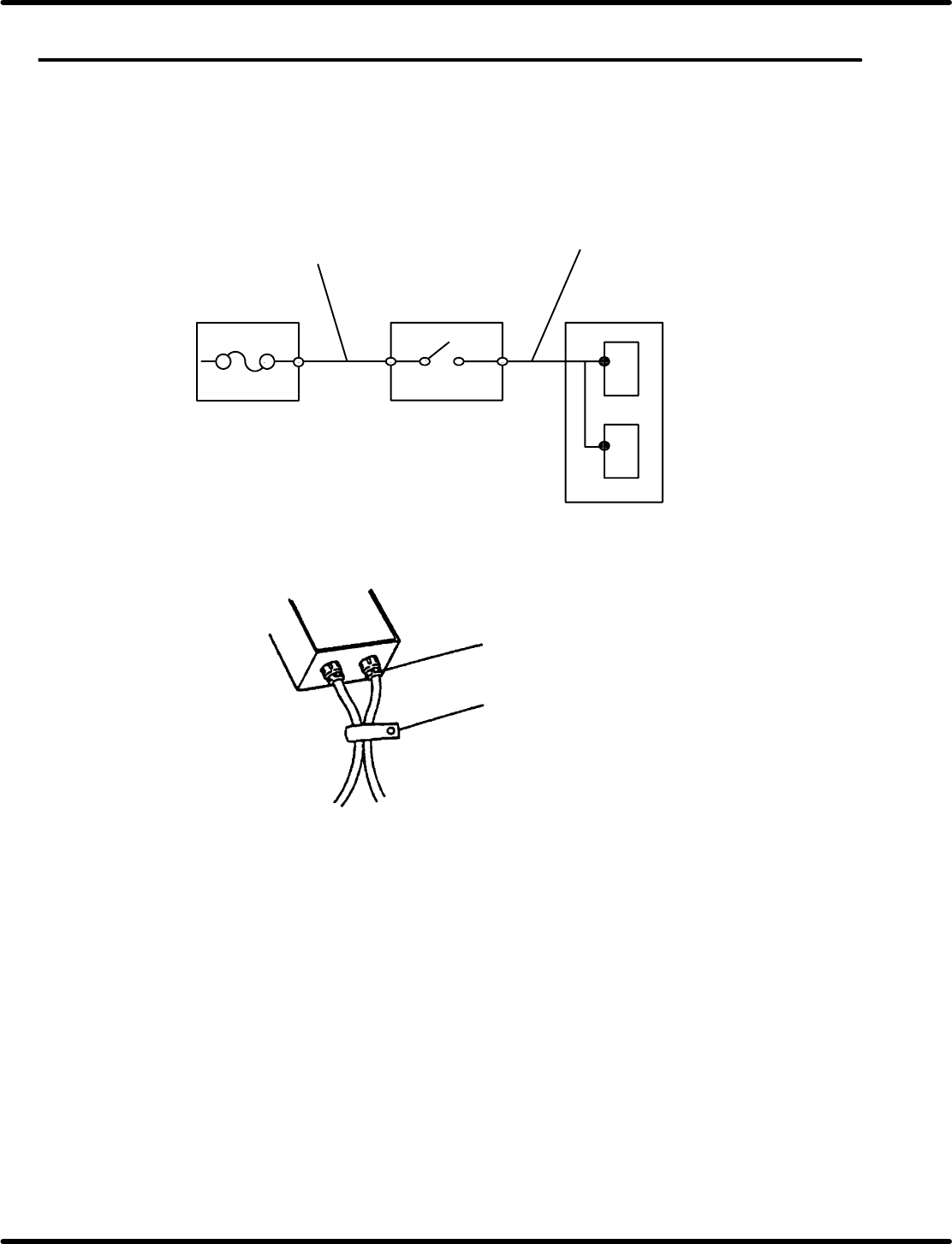
During installation of the machine, connect the power source and the machine by cable. The following
diagram shows the power input circuit.
Connect the distribution panel, the main switch, and the machine as indicated in the diagram.
To be provided by the
user.
Cables come with the machine
Distribution
panel
Main switch
Machine
Power source unit
Transformer
Connecting the cable
Power supply cable
grounding cable
Wire must be fixed
=CHECK=
The machine’s electrical power volume is three−phase AC 200V 5kVA. When connecting cable to
the main switch, take care to satisfy the requirement for the distribution panel installation.
RH5
3.2 Connecting the Power Supply
SERVICE MANUAL
3.2−2
DA3SEC−11−020−A0
3.2.2 Connecting Procedures
Follow the procedures below to connect the cables.
1. Turn OFF the switch of the distribution panel.
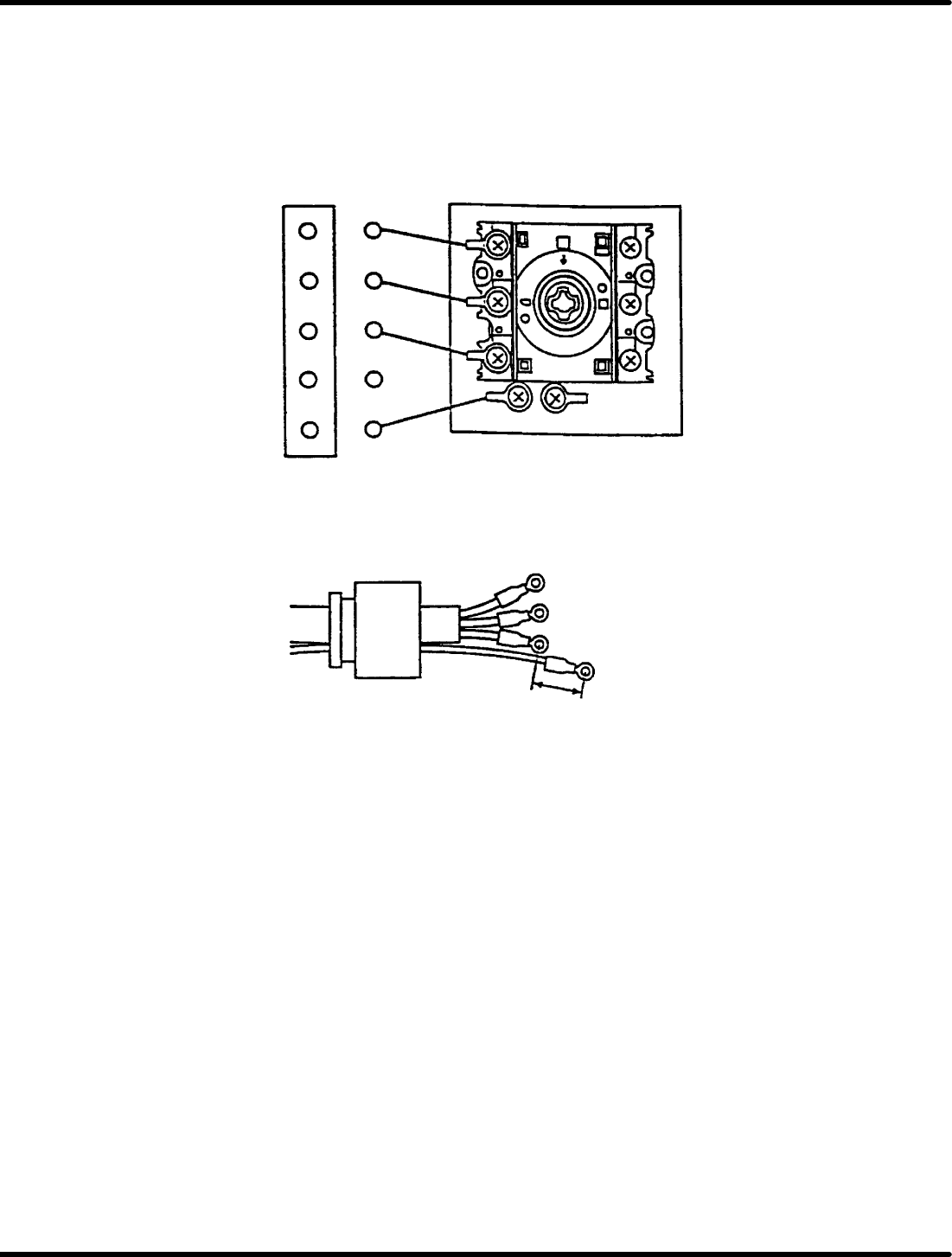
2. Connect the distribution panel to the input terminals of the main switch by 3−core cable and one core
protective earth cable.
Must be connected the protective earth (PE).
Distribution panel Main switch
L1
L2
L3
N
PE
PE PE
L1
L2
L3
T1
T2
T3
Cable gland
L1
L3
PE
10 − 15 mm
L2
PE Cable
=CHECK=
Instruction must be according to national requirement.

SERVICE MANUAL
RH5
4.0−1
4ダミー(Sectionのレベル1)
4.0ダミー(Sectionのレベル2)