Q170226E01.pdf - 第112页
5.3 X−Y T able Origin and Over Limit Check and Adjustment SERVICE MANUAL RH5 5.3−1 DA3SEC−83−8KO−A0 5.3 X−Y T able Origin and Over Limit Check and Adjustment DA3SEC−83−8KO−A0 Sentence No. When to perform x After replacin…

RH5
5.2 X−Y Table Motor Replacement
SERVICE MANUAL
5.2−2
DA3SEC−83−8JO−A0
7. Tighten the N coupling nut on the motor side
temporarily.
=REFERENCE=
x Follow steps 1 through 7 to replace the
Y−axis motor.
x Be sure to proceed to ‘5.3 X−Y Table
Origin and Over Limit Check and
Adjustment’ after replacing the motor.
5.3 X−Y Table Origin and Over Limit Check and Adjustment
SERVICE MANUAL
RH5
5.3−1
DA3SEC−83−8KO−A0
5.3 X−Y Table Origin and Over Limit Check and
Adjustment
DA3SEC−83−8KO−A0
Sentence No.
When to perform
x After replacing the motor
x After repairing or replacing the X−Y table
x When insertion errors occur often
Required tools
x Allen wrench
x Box wrench
Checking origin position
1. Change the CH4 (speed loop gain) of the X axis
(Y axis) driver from 80 to 200.
2. Turn OFF the power to the machine once and
turn it back ON.
3. Set the origin board to the X−Y table.
=CHECK=
x Attach the reference pin (I4.0) to the
positioning lever.
x Make sure that the guide pin is not bent.
4. Create the following NC data.
N1 G1 M0 T0 V4 X0 Y0 Z0
N200400 0 0
N3 0 1 1 0 140.0 67.5 1
5. Input program offset as follows:
M: X=−160.00 Y=−255.00
LL: X=−250.00 Y=−385.00
6. Return the X−Y table to its origin manually.
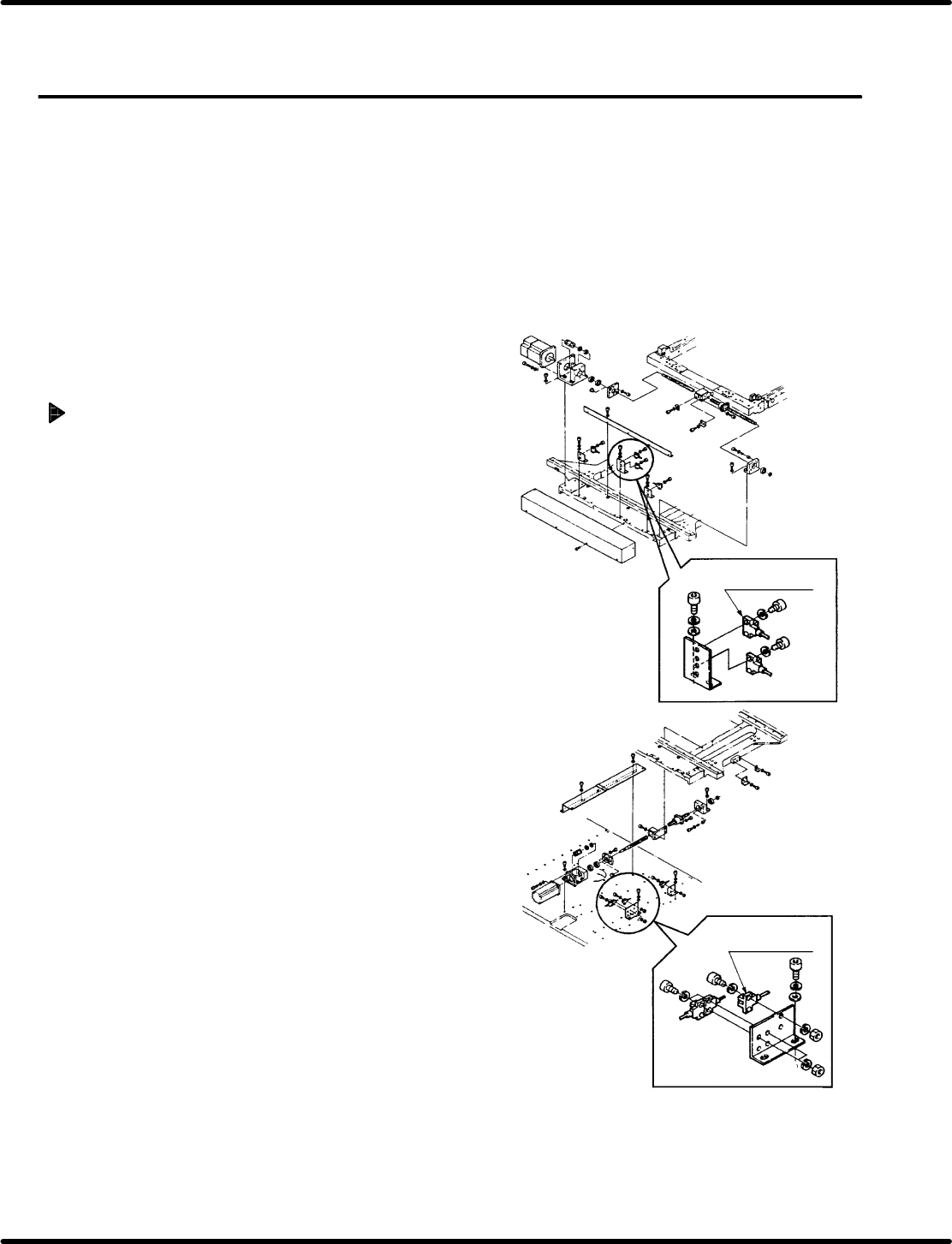
X−axis origin
detection photonimic
Y−axis origin
detection photonimic

RH5
5.3 X−Y Table Origin and Over Limit Check and Adjustment
SERVICE MANUAL
5.3−2
DA3SEC−83−8KO−A0
=CHECK=
x Check that the display on the main control
panel indicates the origin.
x If not so, follow the procedure below.
(1) Change the CH4 from 200 to 80.
(2) Turn OFF the power and turn it back ON.
(3) Loosen the N coupling on the motor side again.
(4) Turn OFF the SERVO LOCK RELEASE and
slide the X−Y table manually up to the position
where the origin detection photonimic LED is
lit.
(5) Press ORIGIN RETURN button to return the
X−Y table to its origin.
(6) Make sure that the display on the main control
panel indicates the original position.
(7) Change the CH4 from 80 to 200.
(8) Turn OFF the power and turn it back ON.
7. Using teaching function, move the X−Y table to the
data position created in step 4.
8. Turn the hand wheel to ensure that the guide pin
comes out of the hole of the origin board.
=CHECK=
At this time, the swing accuracy of the anvil
and guide pin must be within the given range.