Q170226E01.pdf - 第176页
Guide pin rod Guide shaft Positioning block Bolt A Bolt B Cam follower holder Guide pin upper/lower stopper 5.24 Selector Unit Guide Pin Height Adjustment SERVICE MANUAL RH5 5.24−1 DA3SEC−83−9G0−A0 5.24 Selector Unit Gui…
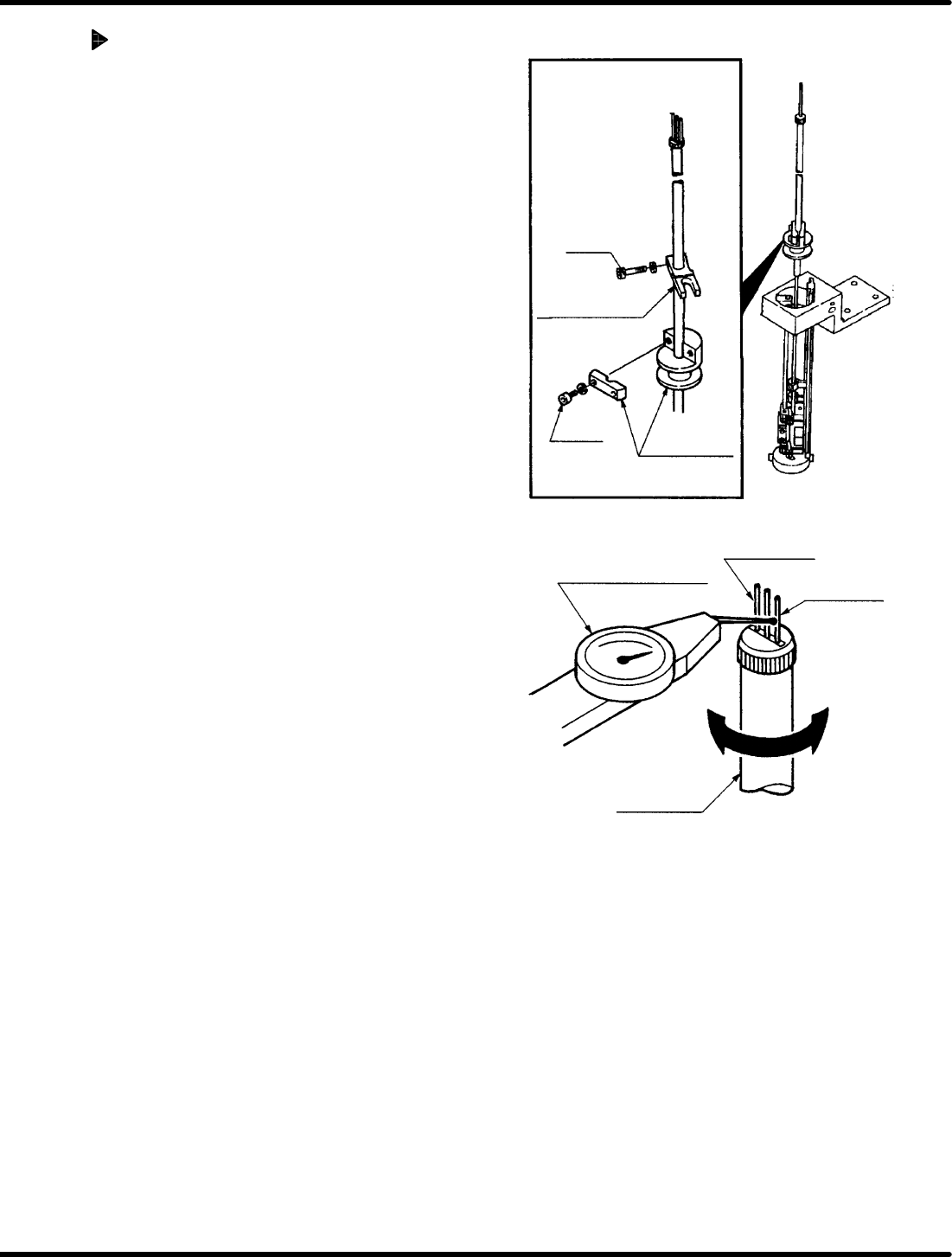
Bolt A
Positioning block
Bolt B
cam follower
holder
Lever−operated dial
gauge
Guide pin A
Guide pin B
Guide pin rod
RH5
5.23 Selector Unit Guide Pin Parallelism Check and Adjustment
SERVICE MANUAL
5.23−2
DA3SEC−83−9F0−A0
Adjusting parallelism
1. Turn the hand wheel to set the digital
sequence timer to 210q.
2. Loosen the bolt (x 1) of the guide pin
upper/lower stopper.
3. Loosen the bolt A (x 1) of the positioning
block.
4. Turn the cam follower holder to obtain the
parallelism.
5. After the parallelism is obtained, retighten
the bolt A (x 1) of the positioning block.
6. Retighten the bolt (x 1) of the guide pin
upper/lower stopper.
=CHECK=
Parallelism may vary depending on
how the bolts are tightened. So be sure
to set the measuring needle on the side
face of the lever−operated dial gauge
when tightening the bolts.
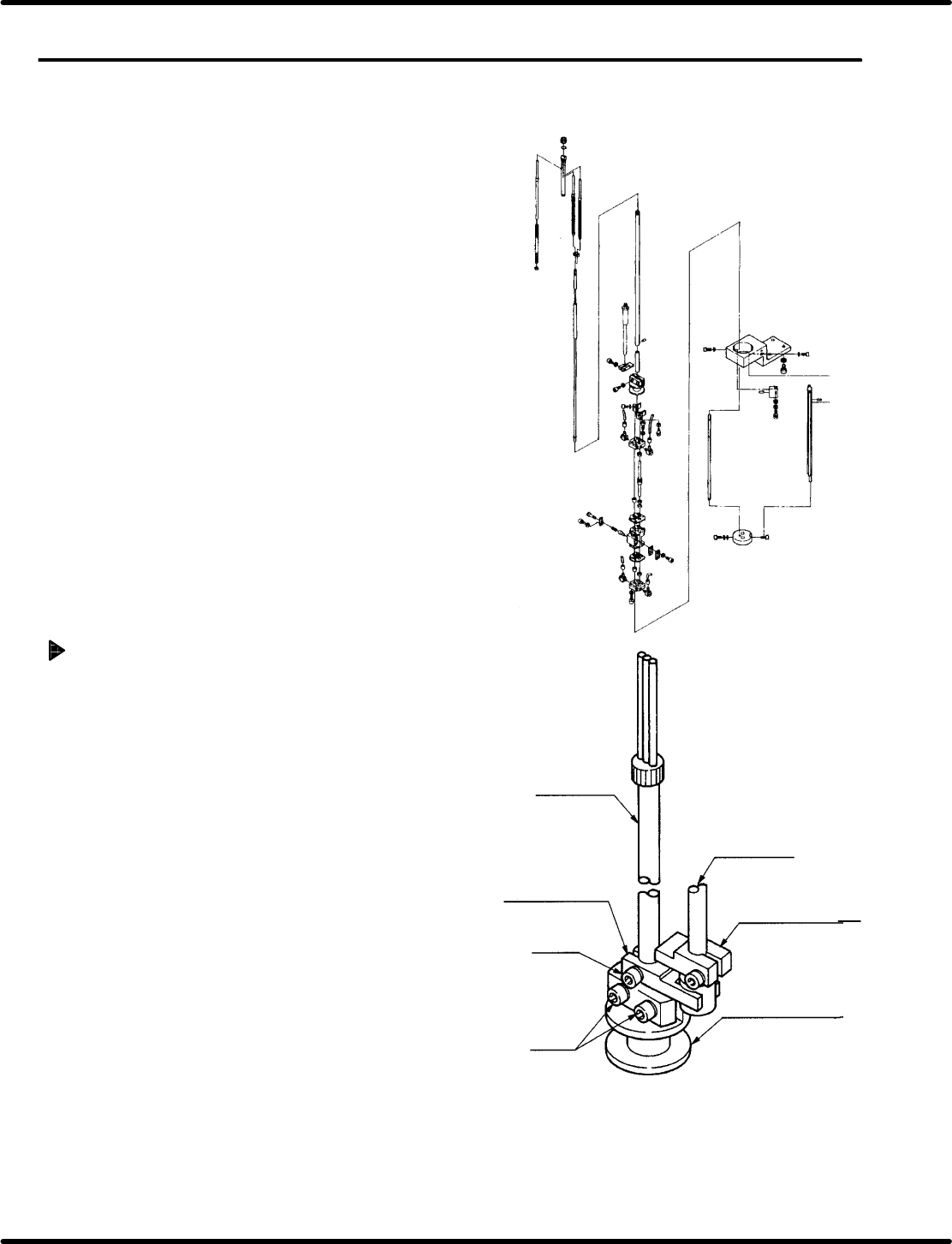
Guide pin rod
Guide shaft
Positioning block
Bolt A
Bolt B
Cam follower holder
Guide pin
upper/lower stopper
5.24 Selector Unit Guide Pin Height Adjustment
SERVICE MANUAL
RH5
5.24−1
DA3SEC−83−9G0−A0
5.24 Selector Unit Guide Pin Height Adjustment
DA3SEC−83−9G0−A0
Sentence No.
When to perform
x When parts are dropped frequently
during insertion.
Required tools
x Allen wrench
Checking the guide pin height
1. T urn the cam shaft so that the guide pin is
positioned at the upper limit (210q).
2. Visually check that the guide pin has been
raised approximately at the center of the guide
chuck slit.

RH5
5.24 Selector Unit Guide Pin Height Adjustment
SERVICE MANUAL
5.24−2
DA3SEC−83−9G0−A0
Adjusting the guide pin height
(Raising the guide pin)
1. Turn the hand wheel to set the digital
sequence timer to 210q.
2. Loosen the bolt (x 1) of the guide pin
up/down stopper.
3. Loosen the bolt B (x 2) of the cam follower
holder.
4. Push up the positioning block to raise the guide
pin.
5. Retighten the bolt B (x 2) of the cam
follower holder.
6. Fit the guide pin to the positioning block without
making a clearance and then retighten the bolt
(x 1) of the guide pin upper/lower stopper .
7. Check the height of the guide pin again.
Adjusting the guide pin height
(Lowering the guide pin)
1. Turn the hand wheel to set the digital
sequence timer to 210q.
2. Loosen the bolt (x 1) of the guide pin
upper/lower stopper.
3. Loosen the bolt B (x 2) of the cam follower
holder.
4. Push down the positioning block to lower the
guide pin.
5. Retighten the bolt B (x 2) of the cam
follower holder.
6. Fit the guide pin to the positioning block without
making a clearance and retighten the the bolt
(x 1) of the guide pin upper/lower stopper .
7. Check the height of the guide pin again.