Q170226E01.pdf - 第282页
7.3 Digital Operator SERVICE MANUAL RH5 7.3−5 DA3SEC−84−310−A0 7.3.3 Changing Driver Setting V alue (Cn−03 through Cn−23) Display Procedure Remarks 1 Set the digital operator to the desired driver . x Setting the digital…
RH5
7.3 Digital Operator
SERVICE MANUAL
7.3−4
DA3SEC−84−310−A0
Display Procedure Remarks
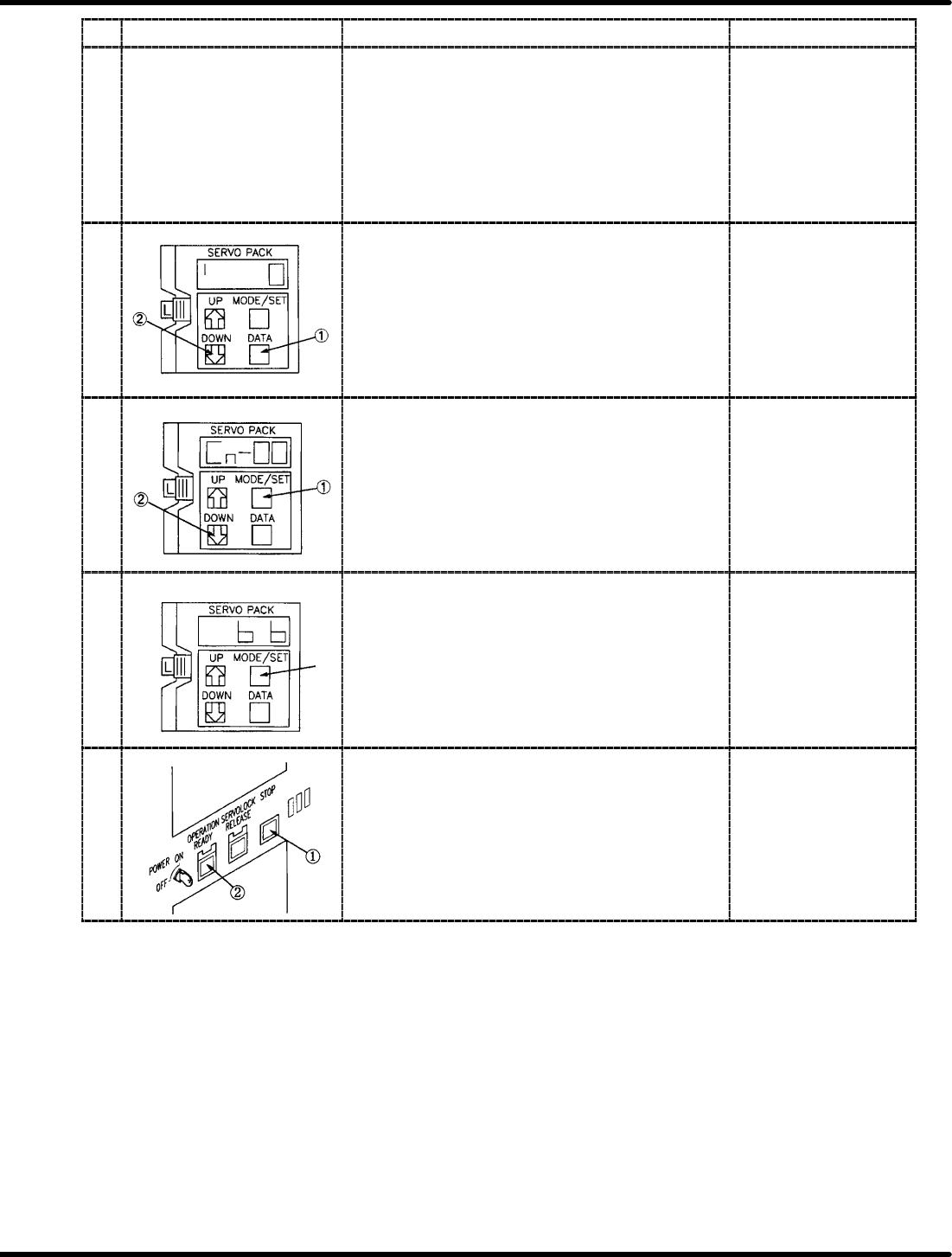
7 Repeat steps 5 and 6 as necessary.
8 Press DATA key to store data and then press DOWN
key to change the setting value at the right end of the
panel to “0”.
x Pressing DATA key
flashes the data.
9 Press DATA key to display Cn−01 or Cn−02 and then
press DOWN key to change to Cn−00.
10 Press MODE/SET key several times to change the
display to “b, b” and then press servo lock switch.
x Pressing servo lock
switch changes the
display to “run”.
11 Turn OFF the power to the machine and remove the
digital operator. Then turn the power back ON.
x After turning the power
OFF and then ON, the
setting value having
been changed will be
available.
7.3 Digital Operator
SERVICE MANUAL
RH5
7.3−5
DA3SEC−84−310−A0
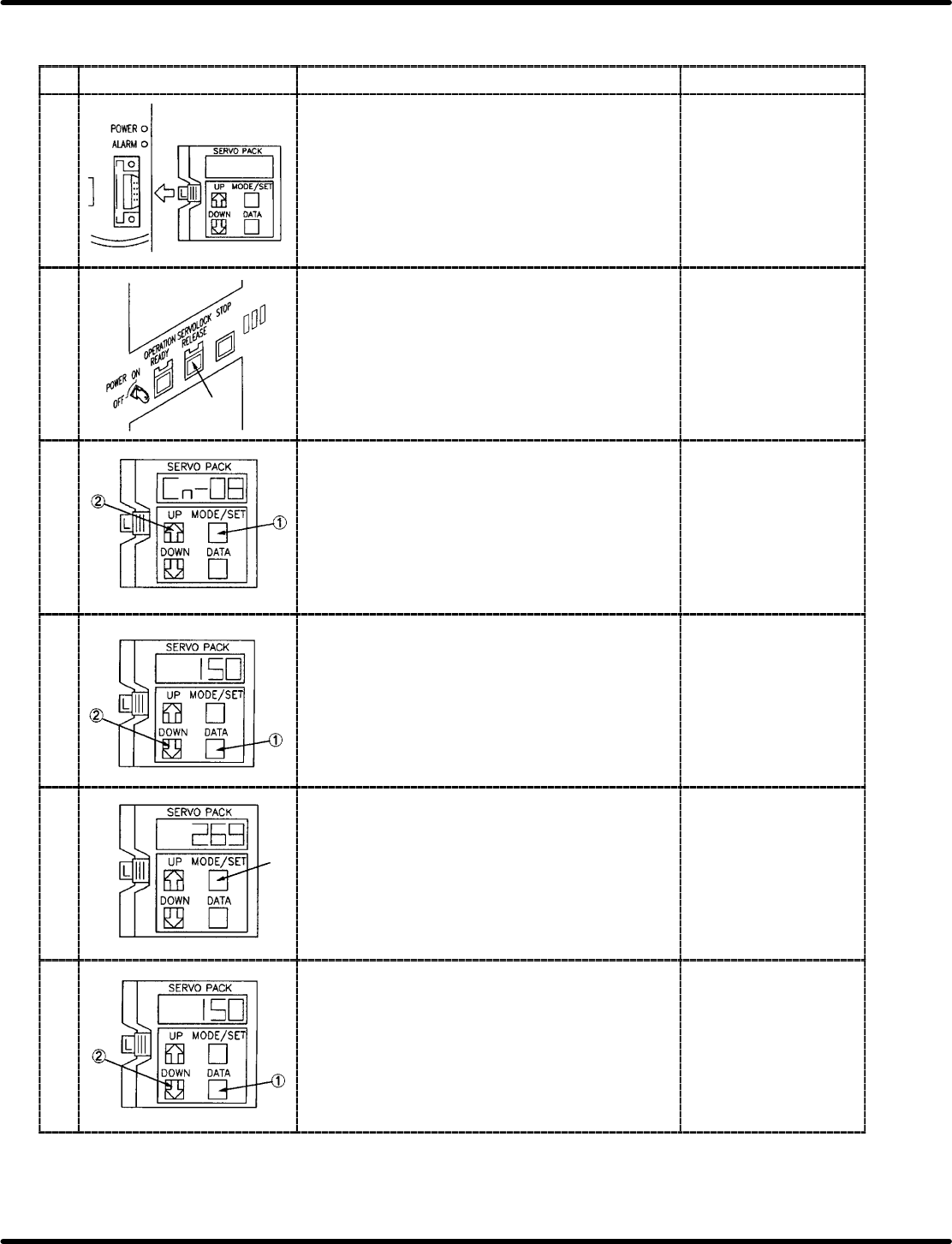
7.3.3 Changing Driver Setting Value (Cn−03 through Cn−23)
Display Procedure Remarks
1 Set the digital operator to the desired driver. x Setting the digital
operator changes the
display to “run”.
2 Press ORG. switch in manual, 1BLOCK mode then
press servo lock switch.
x The display changes
to “b, b”.
3 Press MODE/SET to change the display to Cn−00 and
then press UP key to specify the channel to be input.
x Select channel from
among Cn−03 through
Cn−23.
4 Press DATA key and input the setting value with UP
and DOWN keys.
x Refer to driver setting
list of X/Y/Z/H axis.
5 Press MODE/SET key after inputting the setting value. x Pressing MODE/SET
key flashes the data.
6 Press DATA key to display Cn−00 by DOWN key.
RH5
7.3 Digital Operator
SERVICE MANUAL
7.3−6
DA3SEC−84−310−A0
Display Procedure Remarks
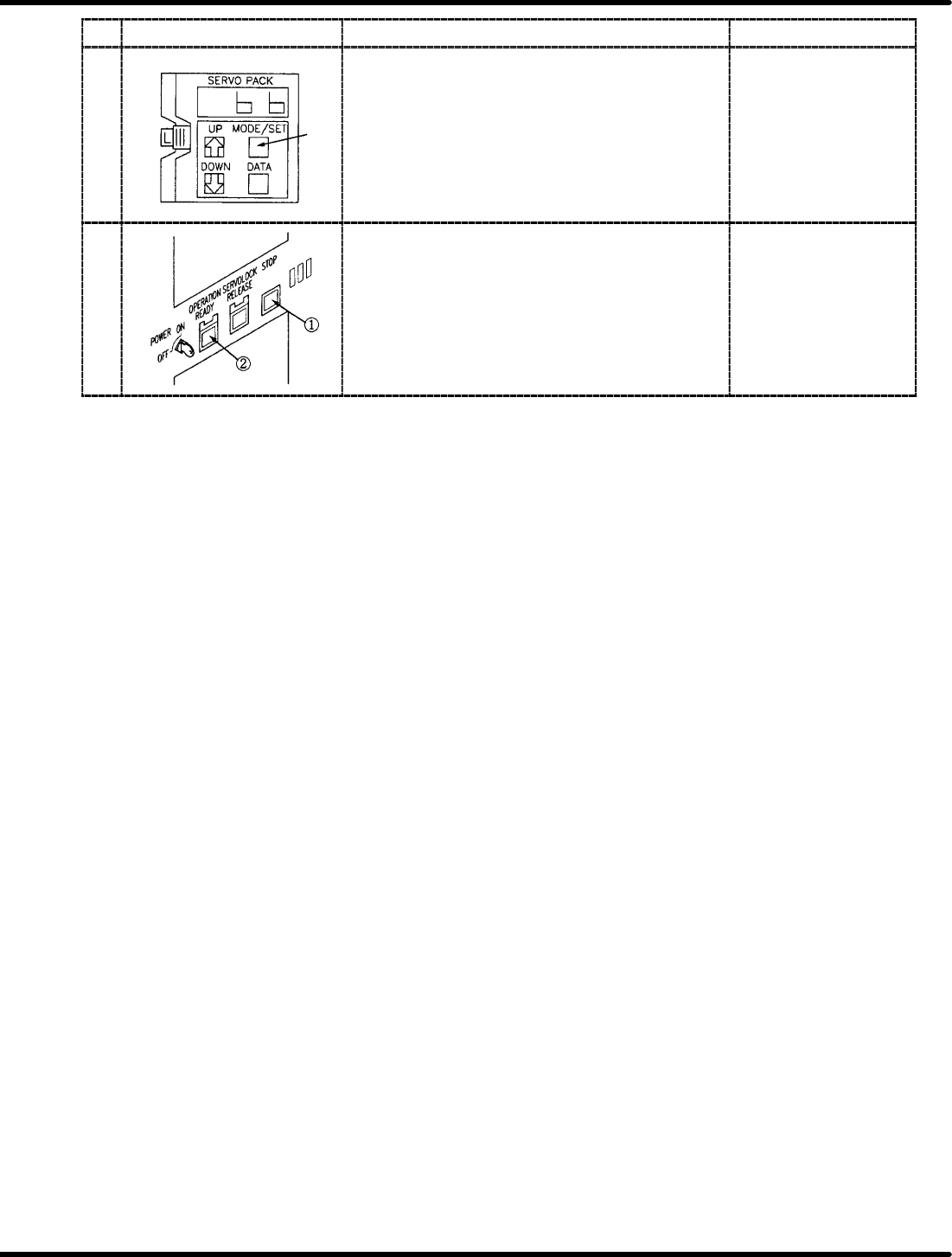
7 Press MODE/SET key several times to change the
display to “b, b” and then press servo lock switch.
8 Turn OFF the power to the machine and remove the
digital operator. Then turn the power back ON.
x After turning the power
OFF and then ON, the
setting value have
been changed will be
available.