Q170226E01.pdf - 第231页
Lamp connector Inverter board Inverter board LCD unit Lamp lock claw RH5 5.38 B a c k light Replacement on Main Control Panel SERVICE MANUAL 5.38−2 DA3SEC−83−9W0−A0 3. Draw out the lamp connector connected to the inverte…
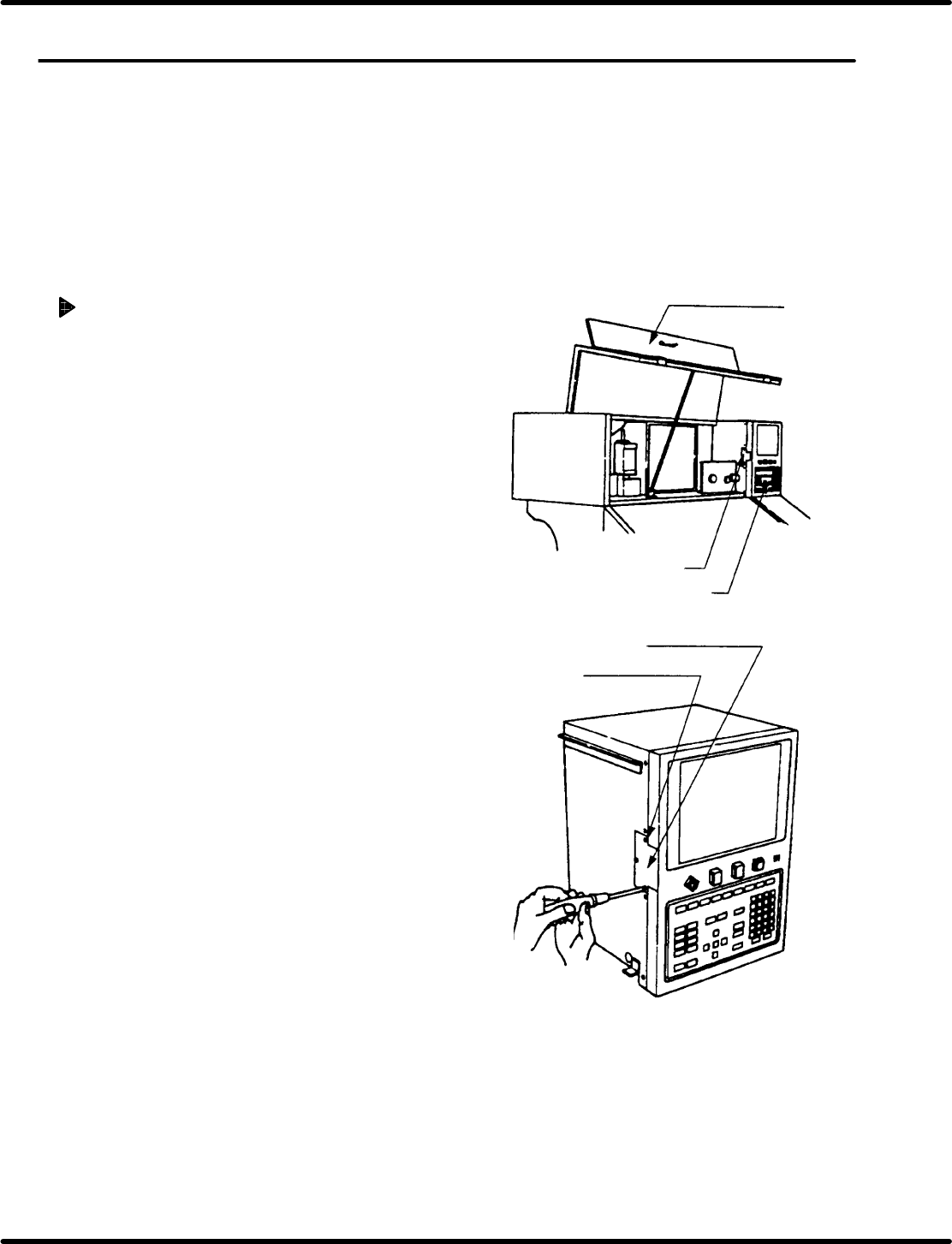
Front top cover
Lamp replacement lid
Main control panel
M3 flat head machine screw
Lamp replacement lid
5.38 Backlight Replacement on Main Control Panel
SERVICE MANUAL
RH5
5.38−1
DA3SEC−83−9W0−A0
5.38 Backlight Replacement on Main Control Panel
DA3SEC−83−9W0−A0
Sentence No.
x If the LCD backlight lamp has burnt out, use
the following procedure to replace the lamp.
x Lamps are fragile. So be careful when handling
them.
x Do not replace the lamp when it is hot. Contact
with heated parts can result in burns.
Replacing backlight
1. Open the front top cover of the equipment.
2. Remove the screws securing the lamp
replacement lid.
M3 flat head machine screw (x 3)
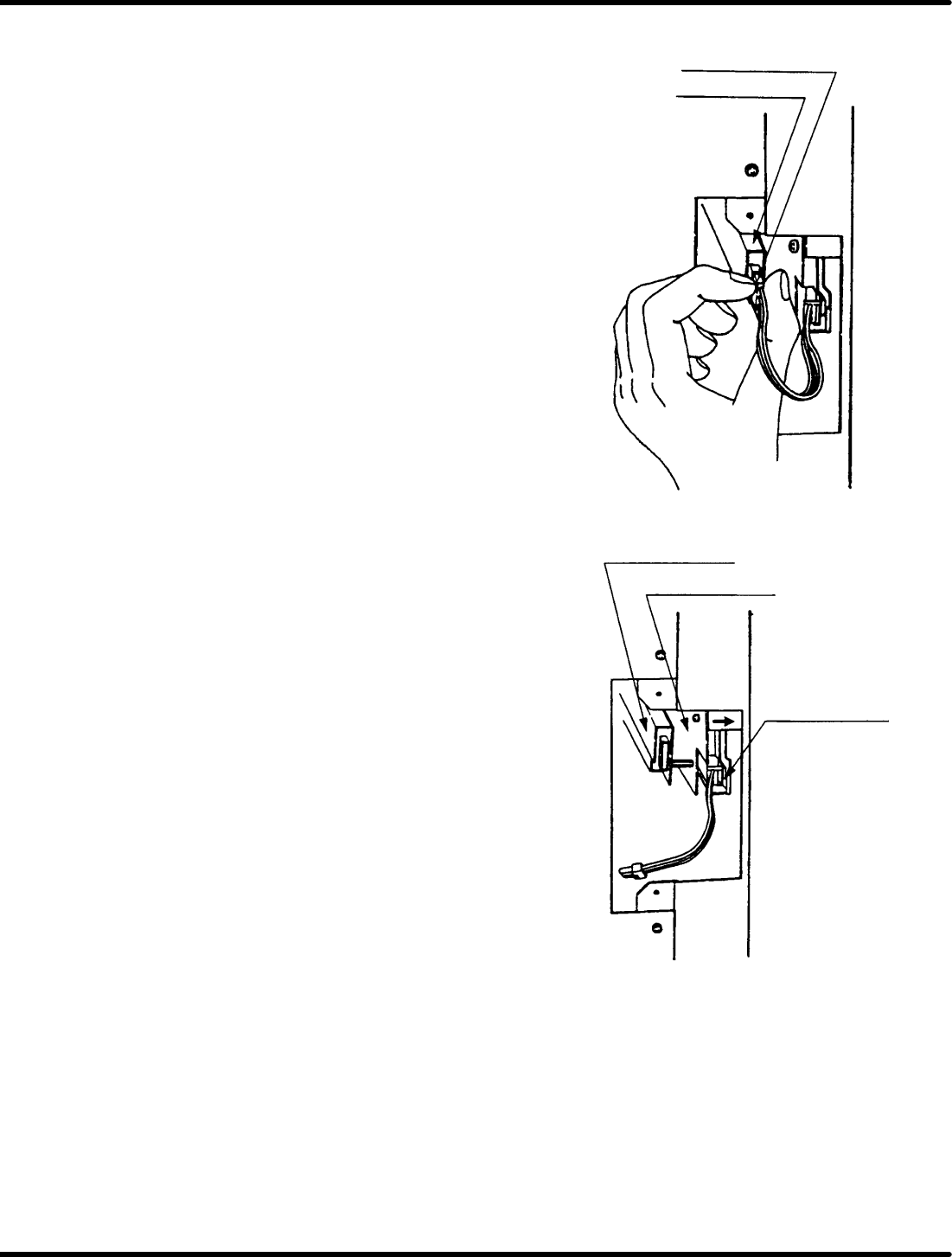
Lamp connector
Inverter board
Inverter board
LCD unit
Lamp lock claw
RH5
5.38 Backlight Replacement on Main Control Panel
SERVICE MANUAL
5.38−2
DA3SEC−83−9W0−A0
3. Draw out the lamp connector connected to
the inverter board slowly.
4. Flip the lamp lock claw to the direction
indicated by arrow to release the lamp and
then remove it.
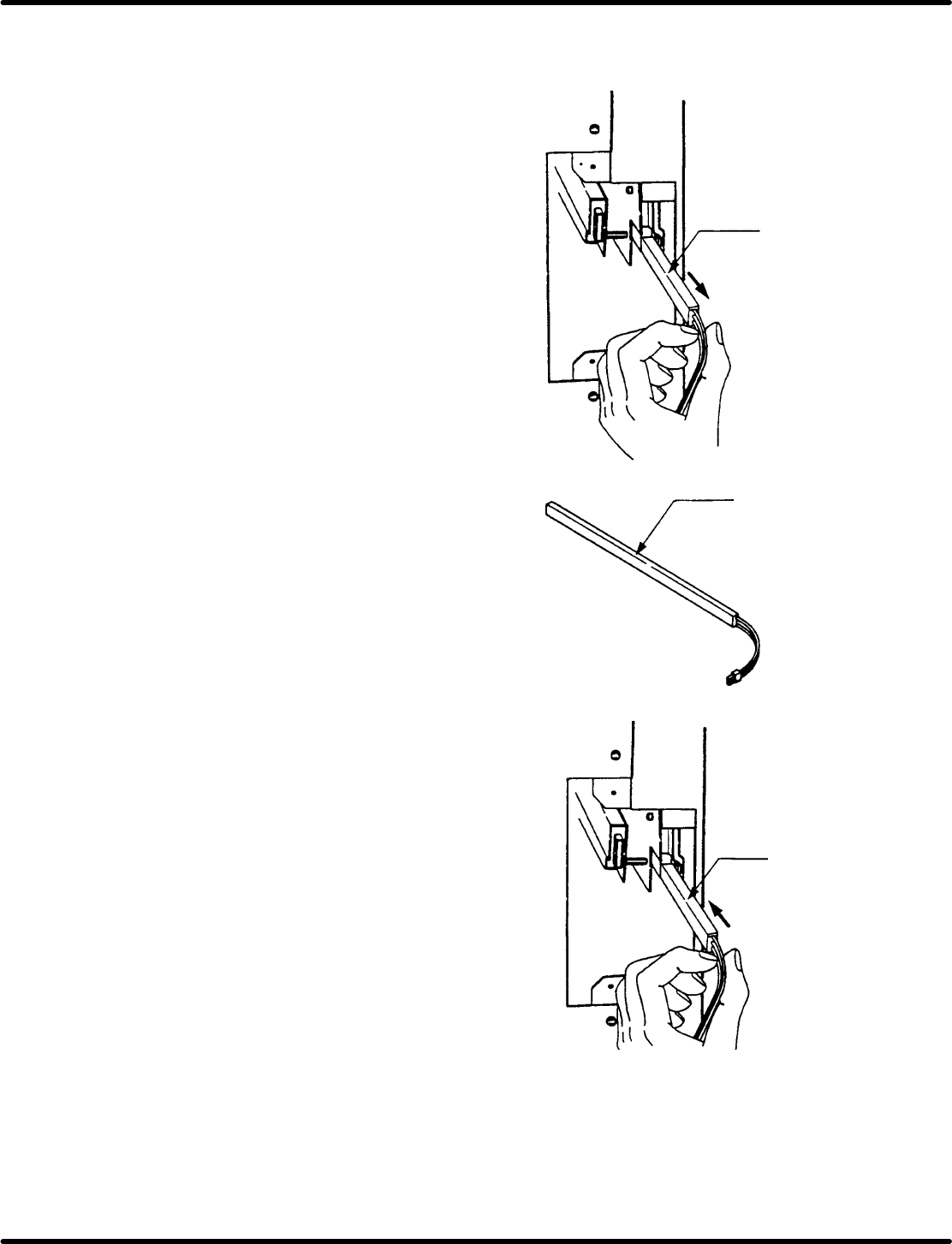
Lamp
5.38 Backlight Replacement on Main Control Panel
SERVICE MANUAL
RH5
5.38−3
DA3SEC−83−9W0−A0
5. Remove the lamp slowly.
6. Insert a new lamp with the light−emitting
surface facing to the front of the machine.
At this time, ensure that the lamp is inserted
completely until the lamp lock screw is
snapped on.