Q170226E01.pdf - 第202页
TH−L V 5.32 Setting Offset V alues SERVICE MANUAL RH5 5.32−7 DA3SEC−83−9Q0−A0 10. Check the threshold level on the recognition monitor . x Press ESC. x Press F1. (MEASURE) x Press F5. x Make sure that TH−L V (threshold l…
RH5
5.32 Setting Offset Values
SERVICE MANUAL
5.32−6
DA3SEC−83−9Q0−A0
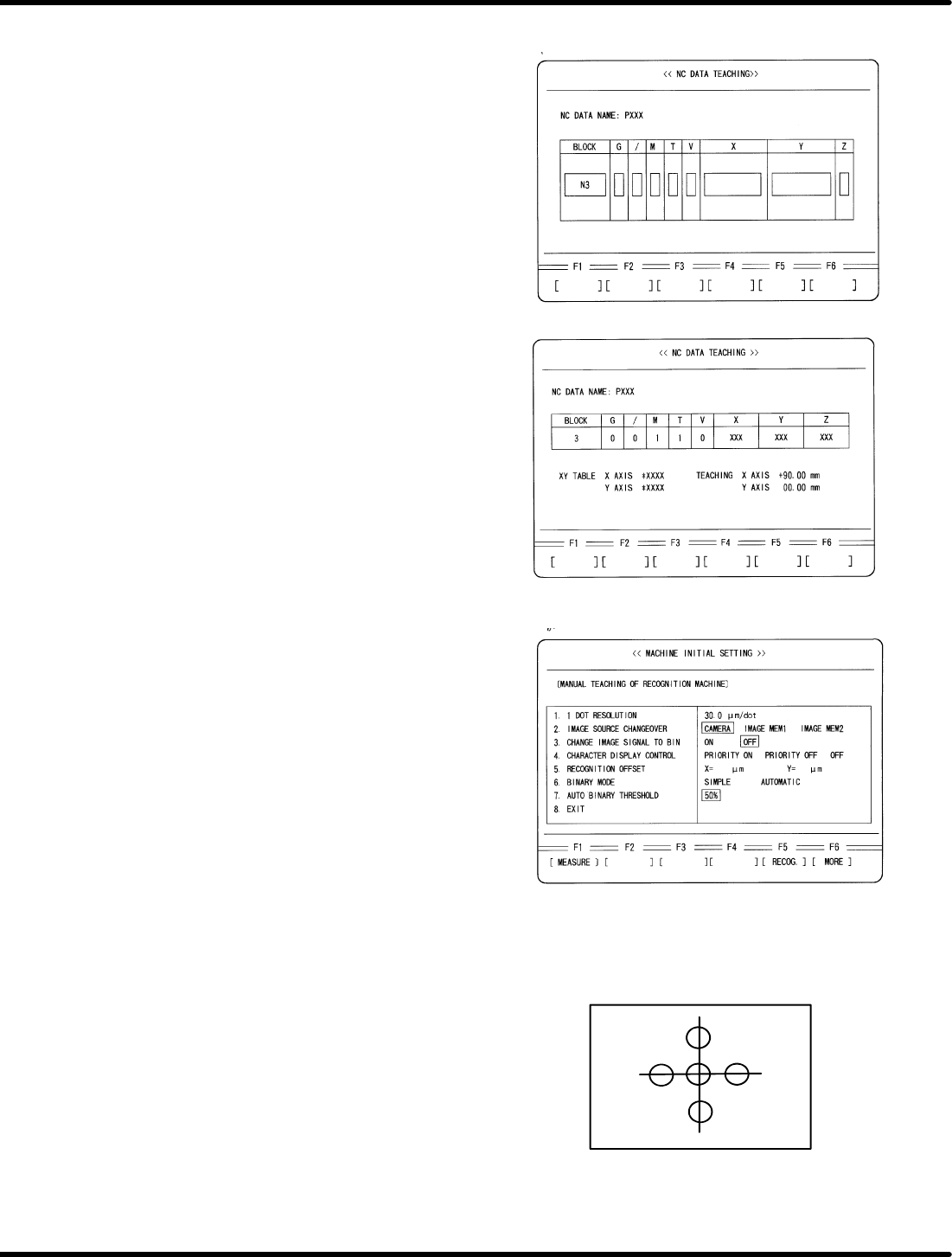
6. Alter the NC data.
x Press ENTER.
7. In teaching mode, move X axis 90 mm in
positive direction using the data of block No.3.
x Press ENTER.
x Press F1.
x Move X axis 90 mm in positive direction
using keys on the sub−control
panel.
8. Set recognition data.
x Press ESC three times.
x Press REQ.
x Press F6 (MORE).
x Press F1 (MACHINE INSTAL
SETTING).
x Press F6 (MORE) twice.
x Press F1 (MANUAL TEACHING OF
RECOGNITION MACHINE).
x Set the following data:
1. DOT RESOLUTION 30.0
2. IMAGE SOURCE CHANGEOVER CAMERA
3. CHANGE IMAGE SIGNAL BIN OFF
6. BINARY MODE AUTO
7. AUTO BINARY THRESHOLD 80%
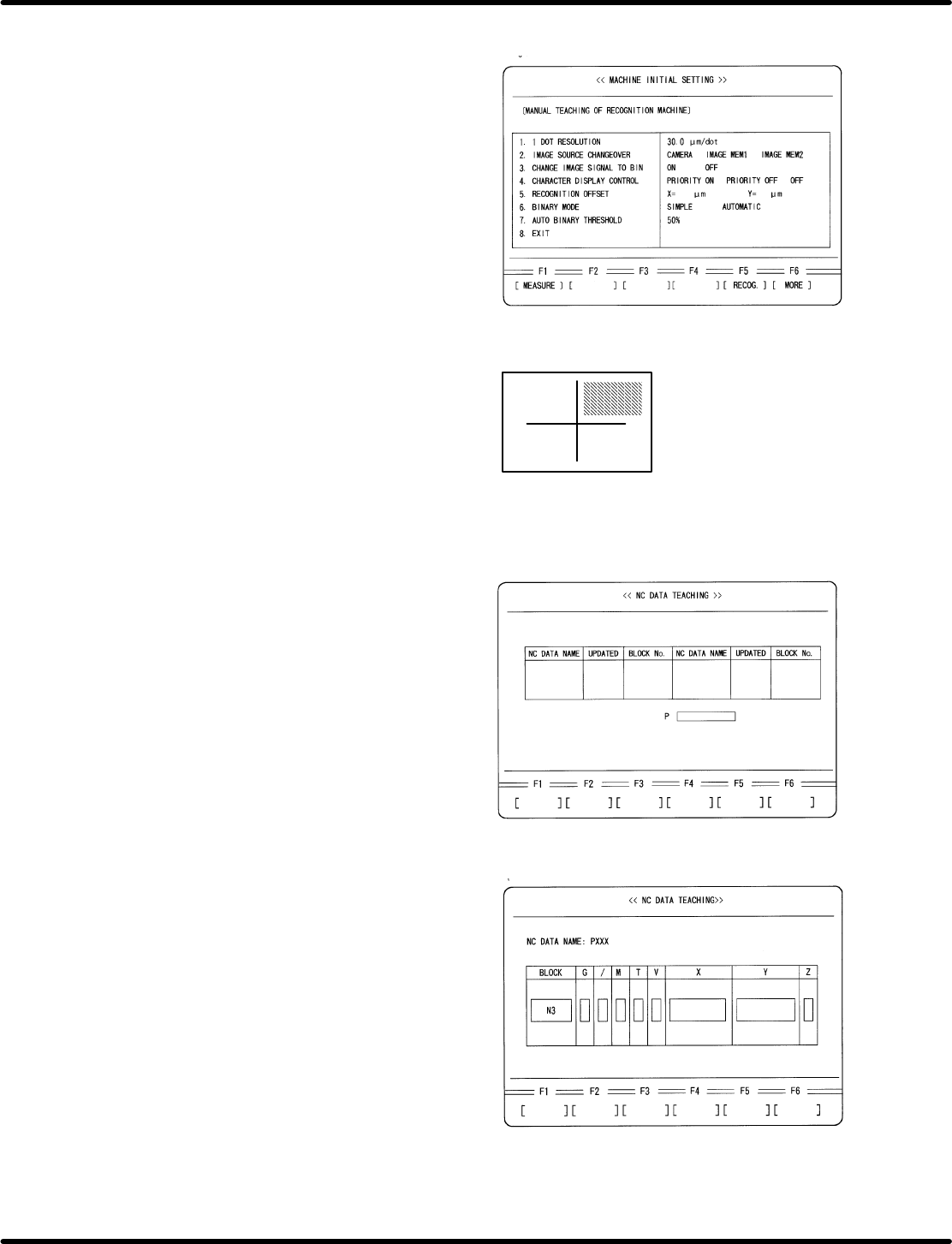
9. Adjust the camera position using the cross
hairs on the screen.
x Press F5.
x Adjust the camera position by aligning
cross hairs with the center of insertion hole.
(Visual check)
TH−LV
5.32 Setting Offset Values
SERVICE MANUAL
RH5
5.32−7
DA3SEC−83−9Q0−A0
10. Check the threshold level on the recognition
monitor.
x Press ESC.
x Press F1. (MEASURE)
x Press F5.
x Make sure that TH−LV (threshold level) on
the recognition monitor is not less than
140.
If TH−LV is below 140, check the settings
of SW1 and SW2 on the camera. See “2.
Camera Installation” on page 6−32.4.
(Teli camera only)
11. Select teaching mode and choose the NC
data created for adjustment.
x Press ESC three times.
x Press F6. (MORE)
x Press REQ.
x Press F3 (NC DATA TEACHING)
x Move the cursor to the data for adjustment
using npkeys.
x Press ENTER.
x Press F1 (YES).
12. Move the XY table to the insertion position
of N3 block in the NC data.
x Move the cursor to N3 block using np
keys.
x Press ENTER.
x Press F1 (MOVE).
− Measuring in progress −
RH5
5.32 Setting Offset Values
SERVICE MANUAL
5.32−8
DA3SEC−83−9Q0−A0
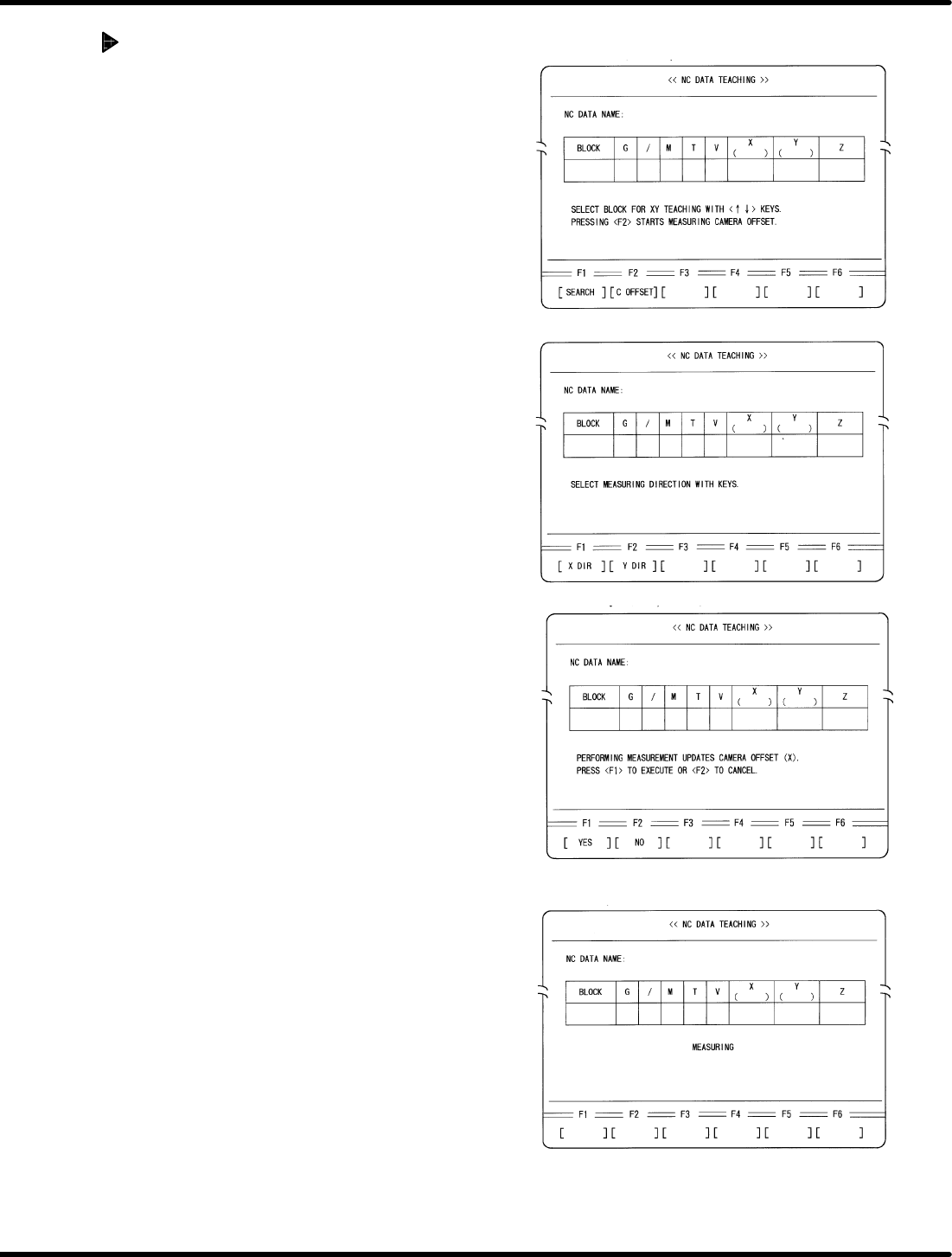
Automatic camera measuring
(X direction)
1. Return to the block select screen.
x Press ESC.
2. Select Automatic Camera Offset Measuring
x Press F2 (C OFFSET)
3. Select the measuring direction.
x Press F1 (X DIR).
4. Execute measuring.
x Press F1.