Q170226E01.pdf - 第182页
T ape waste Cutting state 5.26 Feeder Unit Feed Pitch and Position Check and Adjustment SERVICE MANUAL RH5 5.26−1 DA3SEC−83−9J0−A0 5.26 Feeder Unit Feed Pitch and Position Check and Adjustment DA3SEC−83−9J0−A0 Sentence N…

RH5
5.25 Feeder Carriage Origin Position Check and Adjustment
SERVICE MANUAL
5.25−2
DA3SEC−83−9H0−A0
Origin position adjustment (When
deviation is 1.0 mm or more.)
1. Input “0” to “Z axis origin offset”.
2. Change the mode from “MANUAL” to “1BLOCK”
and return the feeder to the origin.
3. Disengage the bolt B (4−M10) and detach the
timing belt.
4. Turn timing pulleys until the origin position is
placed at the center to place the timing belt on
the pulleys. Then retighten the bolt B (4−M10).
5. Perform origin return again to check for
the
origin
position.
=REFERENCE=
Inputting 1.0 mm or more to the “Z axis origin
offset” may cause the Z axis to reach
upper/lower quickly.
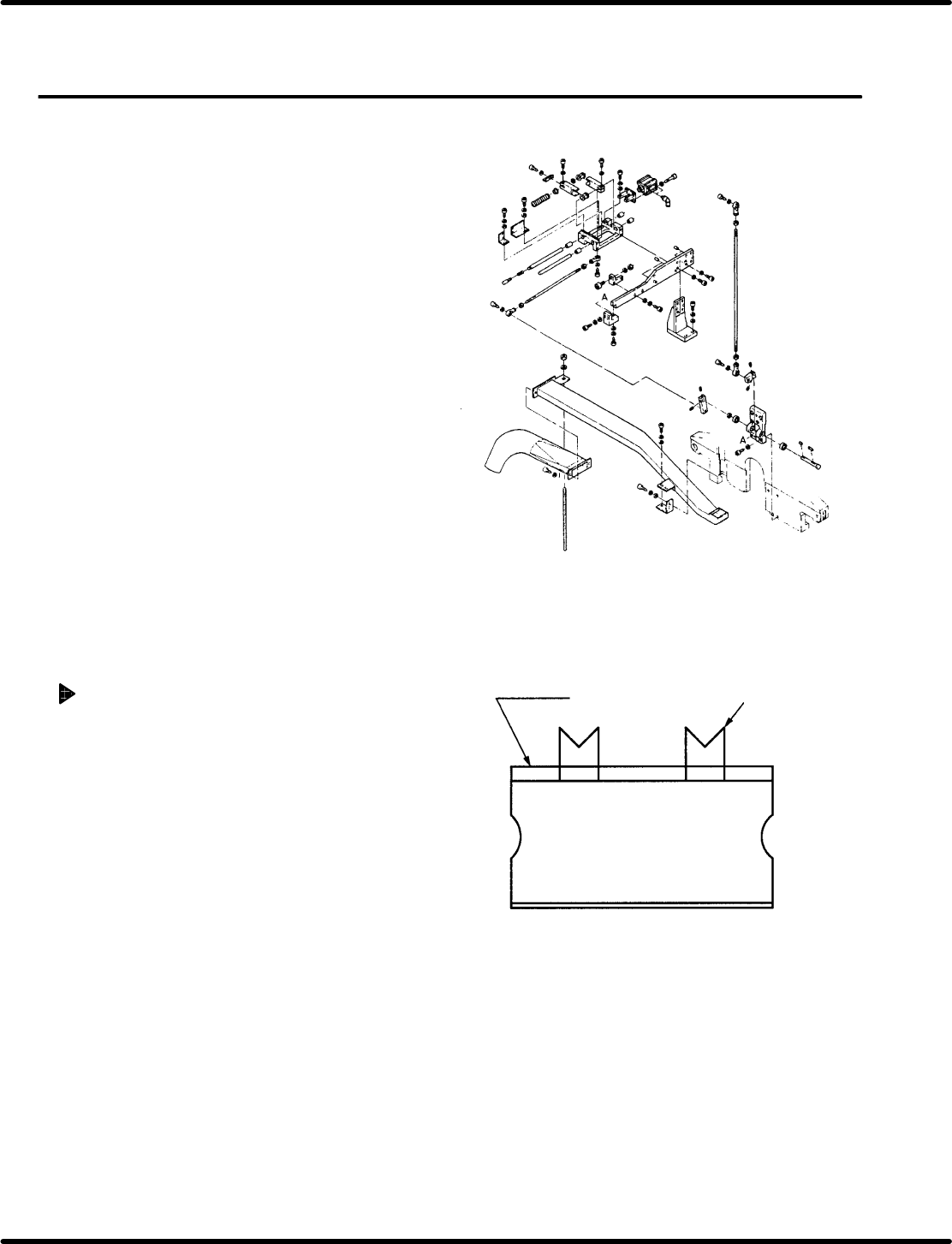
Tape waste
Cutting state
5.26 Feeder Unit Feed Pitch and Position Check and Adjustment
SERVICE MANUAL
RH5
5.26−1
DA3SEC−83−9J0−A0
5.26 Feeder Unit Feed Pitch and Position Check and
Adjustment
DA3SEC−83−9J0−A0
Sentence No.
When to perform
x When part leads do not readily fit
inside the guide chuck hole.
x When insertion errors occur frequently.
Required tools
x Allen wrench
Feed pitch check
1. Set the mode to AUTO and insert
components. At this time, check that the
shape of cut lead end is as shown in the figure
(V−cut).
=CHECK=
Ensure that the components to be inserted
have been checked with a taping gauge.
=REFERENCE=
Use a 5.0 mm parts cassette when
making checks.
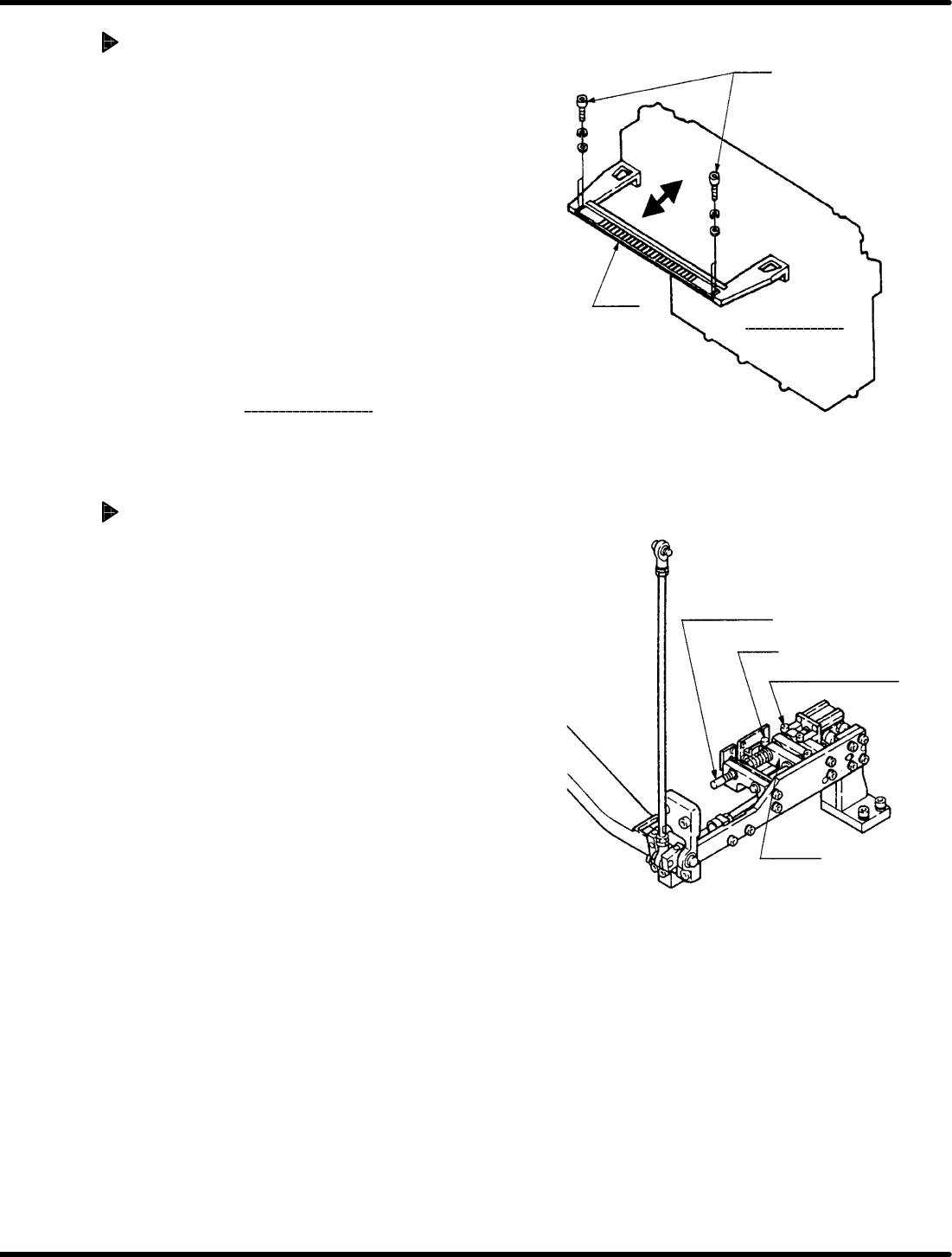
Bolt
Holder
Feeder
carriage
Pusher shaft
Bolt
Cylinder front/back
bolt
Lever B
RH5
5.26 Feeder Unit Feed Pitch and Position Check and Adjustment
SERVICE MANUAL
5.26−2
DA3SEC−83−9J0−A0
Feeder carriage position
adjustment
1. Loosen the installation bolt (x 4) fixing the
feeder carriage holder in place. Adjust the
holder to the left and right until feed position is
correct (V−cut shape).
=REFERENCE=
Adjust so that the holders at the right and
left ends are parallel to one another.
Ex. If the lead of the Z axis No. 1 has a
V−cut shape but that of No. 60 doesn’t,
loosen the installation bolt fixing the
holder on the Z60 side and adjust it
conforming to No. 1 as the reference.
2. After adjusting, adjust the feeder
to make sure
the feed pitch and the feeder carriage position.
Adjusting feed pitch (Cam feed
adjustment)
1. Set the parts cassette to the Z axis No. 1.
=REFERENCE=
Use a 5.0 mm parts cassette when
making adjustment.
2. Turn ON the FEED LOCK RELEASE on the
sub−control panel.
3. Turn the hand wheel to set the digital
sequence timer to 290q.
=REFERENCE=
Setting to 290 q enables to obtain the
correct feed pitch.