Q170226E01.pdf - 第15页
RH5 1.1 Use of This Manual SERVICE MANUAL 1.1−4 DA3SEC−81−010−B0 T ext N Sentence No. is assigned to each section for document management. Applicable model and document name Section No. and title of the section Applicabl…
1.1 Use of This Manual
SERVICE MANUAL
RH5
1.1−3
DA3SEC−81−010−B0
1.1.5 Conventions Used
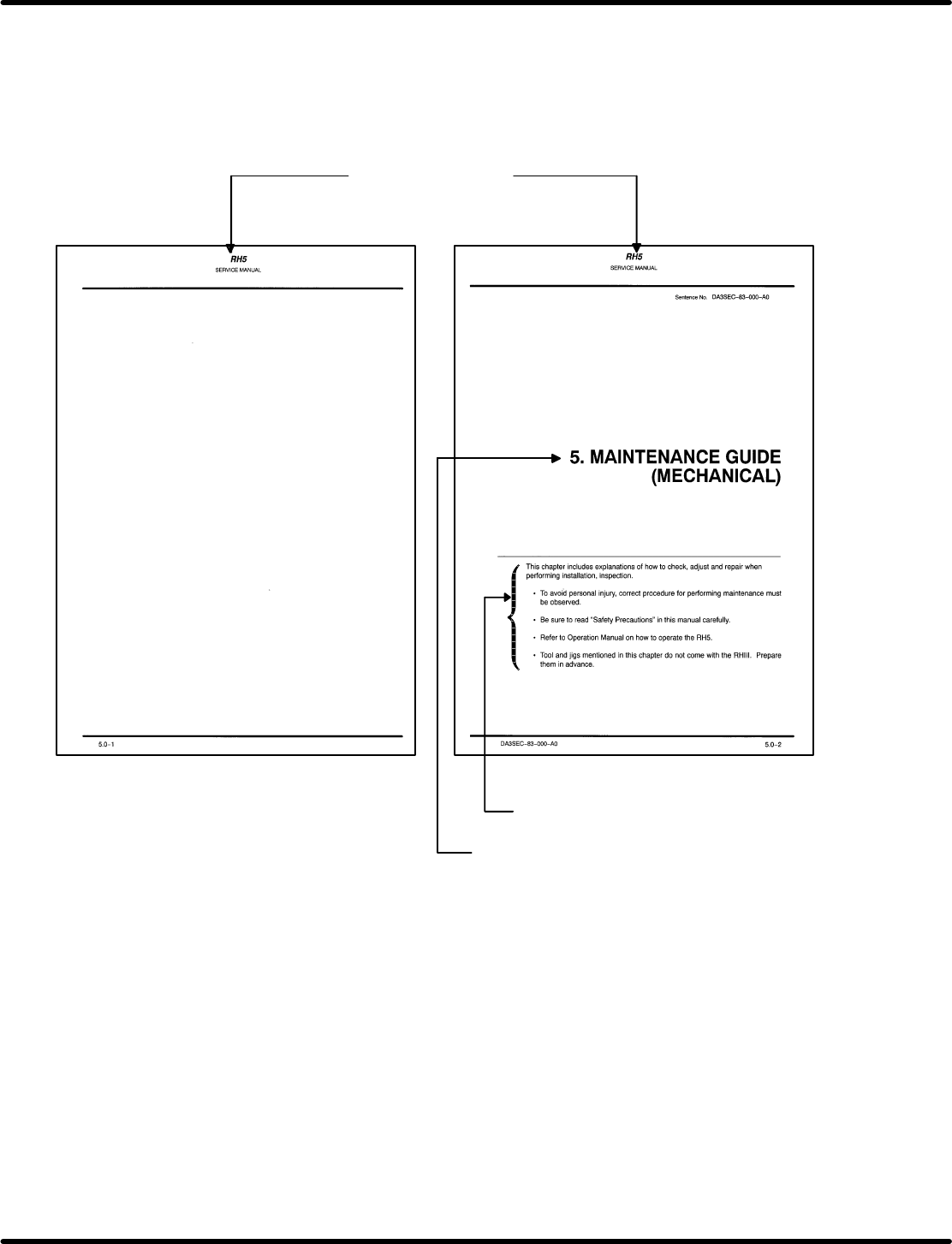
Chapter Cover
N Chapter cover is assigned to each chapter to introduce the topics discussed in the chapter.
N It contains applicable model, document name and the title of the chapter.
Applicable model and
document name
Indicates the topics included or notes
concerned.
Identifies the title of the chapter.
RH5
1.1 Use of This Manual
SERVICE MANUAL
1.1−4
DA3SEC−81−010−B0
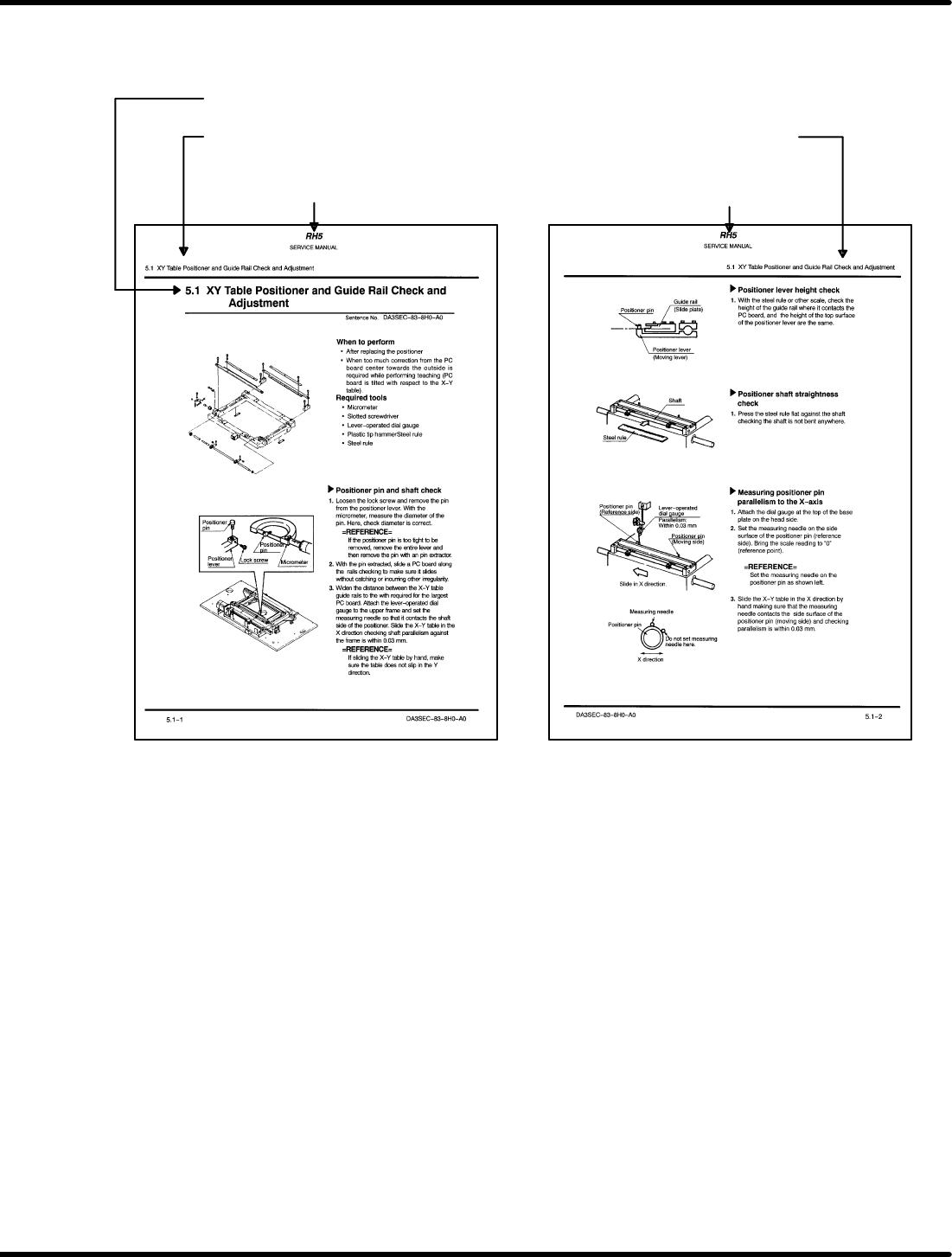
Text
N Sentence No. is assigned to each section for document management.
Applicable model and
document name
Section No. and title of
the section
Applicable model and
document name
Section No. and title of
the section
Applicable model and
document name

1.1 Use of This Manual
SERVICE MANUAL
RH5
1.1−5
DA3SEC−81−010−B0
1.1.6 Operating Procedures
Operating procedures
1. Checkup items before production
N Checking safety
N Checking machine status
N Turning power ON
N Origin return
N When preparation for production changeover is required:
Setting PC board width
Checking transfer action
Setting components
Setting the number of components and component remain warning
N When preparation for data I/O is required:
Inputting data (LOAD)
Outputting data (UNLOAD)
Renaming data (RENAME)
Copying data (COPY)
Deleting data (DELETE)
Initializing FD (FORMAT)
N When program creation is required:
Inputting NC data
Inputting spare cassette data
2. Selecting programs
N Selecting NC data
N Selecting spare cassette data
3. Production
N To start continuous production:
Press <AUTO>, <CONT> and <START>.
N When checking is required:
To set PC boards, press <AUTO>, <1BLOCK>, and <START>.
To check for proper movement, press <SEMI>, <EOP> and <START>.
To perform insertion test, press <AUTO>, <EOP> and <START>.
To unload PC boards, press <1BLOCK>, <L.STOP> and <START>.
4. How to resume and recover when the machine has been stopped
N When production can be resumed:
Press <START> to perform recovery or <RECOV> and <START> to abandon recovery
operation.
N When production cannot be resumed:
Follow the procedures below.
Press <RESET>, <MANU> and <ORG.> to return the machine to its origin.
Press <AUTO>, <1BLOCK> and <START> to select the mode.
Press “F1” (BLOCK SETTING) and input the start pattern to set the start block.
Pressing <CONT> and <START> will resume production.