Q170226E01.pdf - 第284页
SERVICE MANUAL RH5 8.0−1 8 ダミー (Section のレベル 1) 8.0 ダミー (Section のレベル 2)
RH5
7.3 Digital Operator
SERVICE MANUAL
7.3−6
DA3SEC−84−310−A0
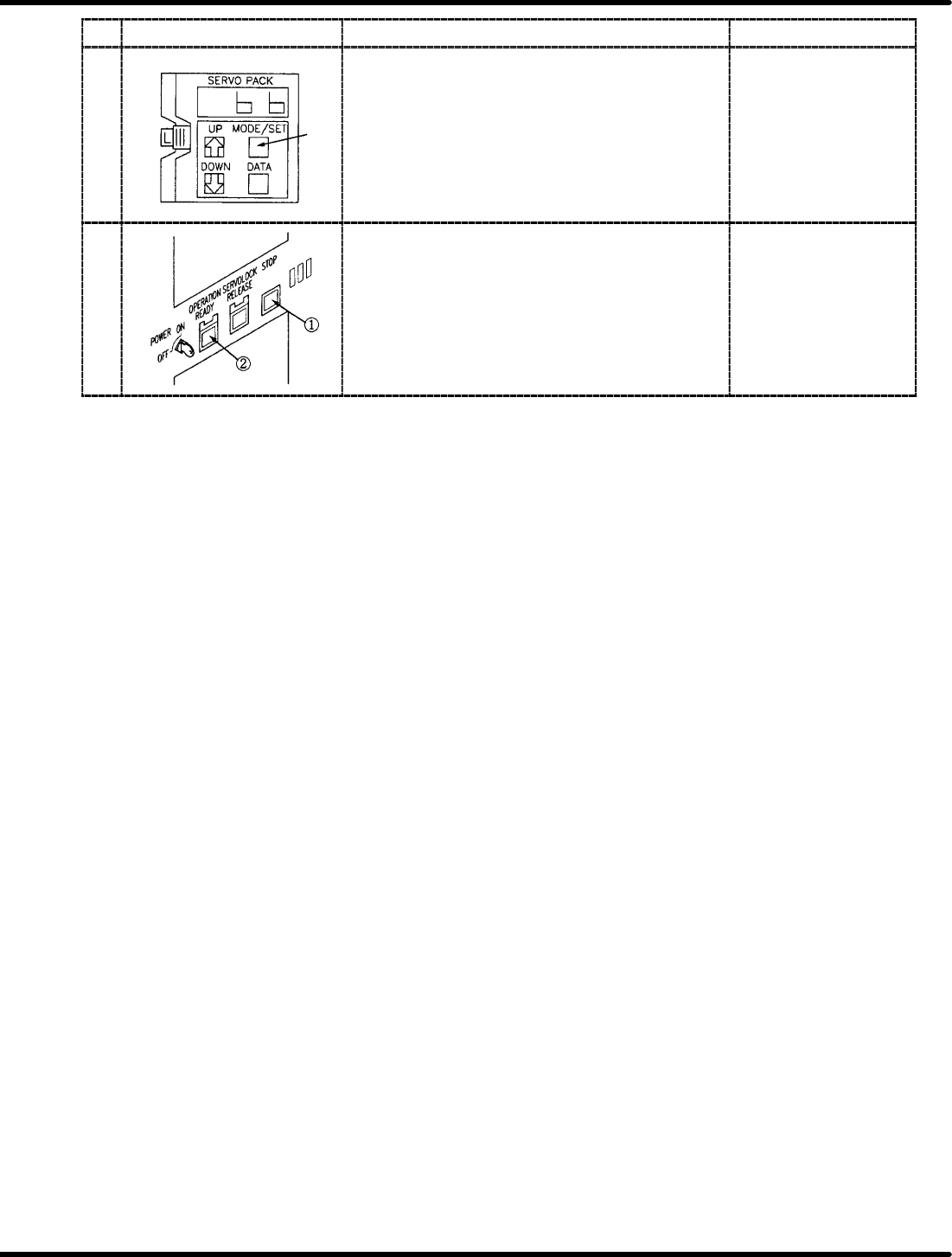
Display Procedure Remarks
7 Press MODE/SET key several times to change the
display to “b, b” and then press servo lock switch.
8 Turn OFF the power to the machine and remove the
digital operator. Then turn the power back ON.
x After turning the power
OFF and then ON, the
setting value have
been changed will be
available.

SERVICE MANUAL
RH5
8.0−1
8ダミー(Sectionのレベル1)
8.0ダミー(Sectionのレベル2)

RH5
SERVICE MANUAL
8.0−2
DASMEC−85−000−A0
DASMEC−85−000−A0
Sentence No.
8. RELATED INFORMATION
This chapter includes important information related to controllers.
x This chapter includes information which will be able to change the machine
specifications such as DIP SW settings for NC card and recognition card, or
jumper settings, etc. For that reason, be sure to read “Concerning Secrecy” in
chapter 1 beforehand and pay full attention to handling the information.