Q170226E01.pdf - 第277页
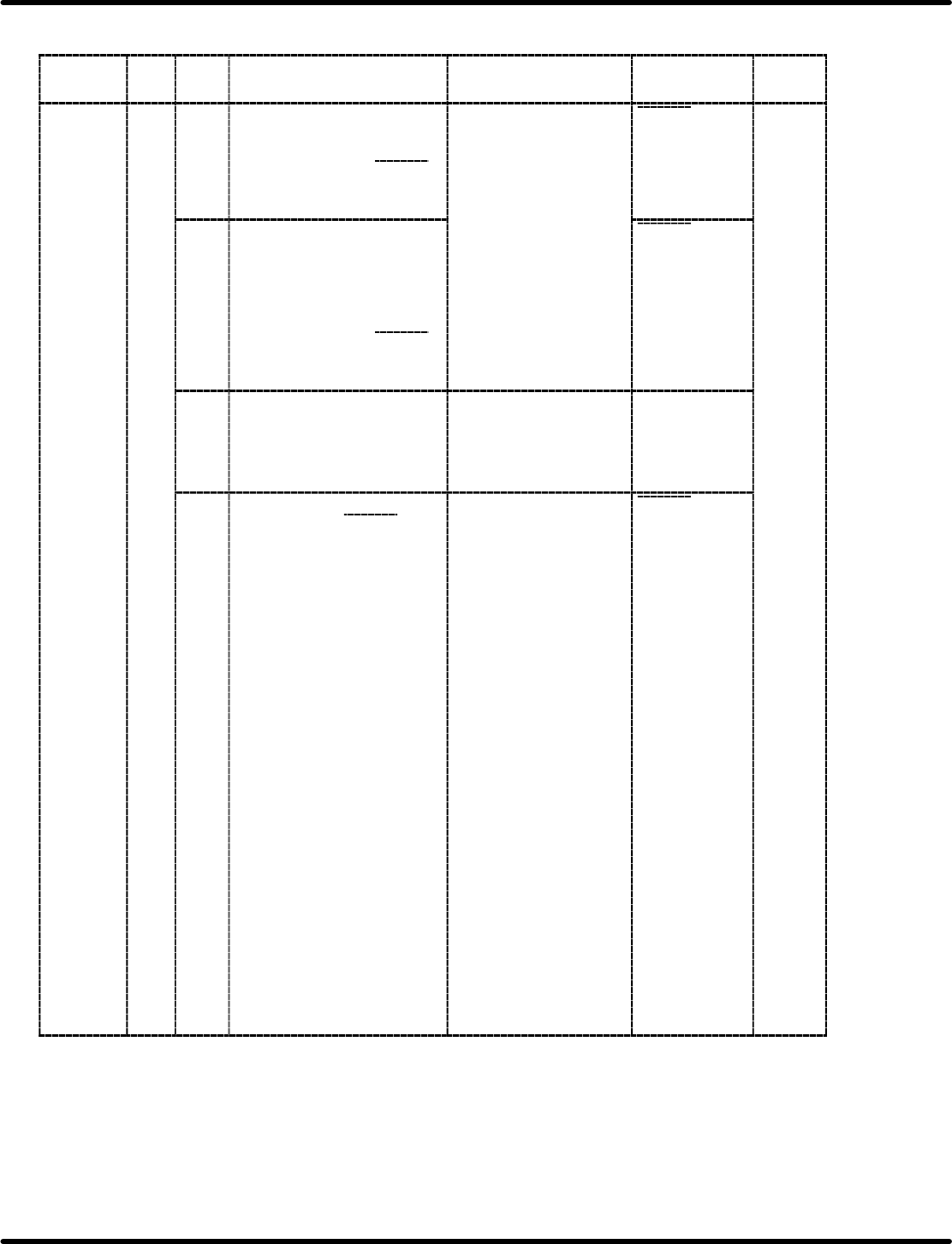
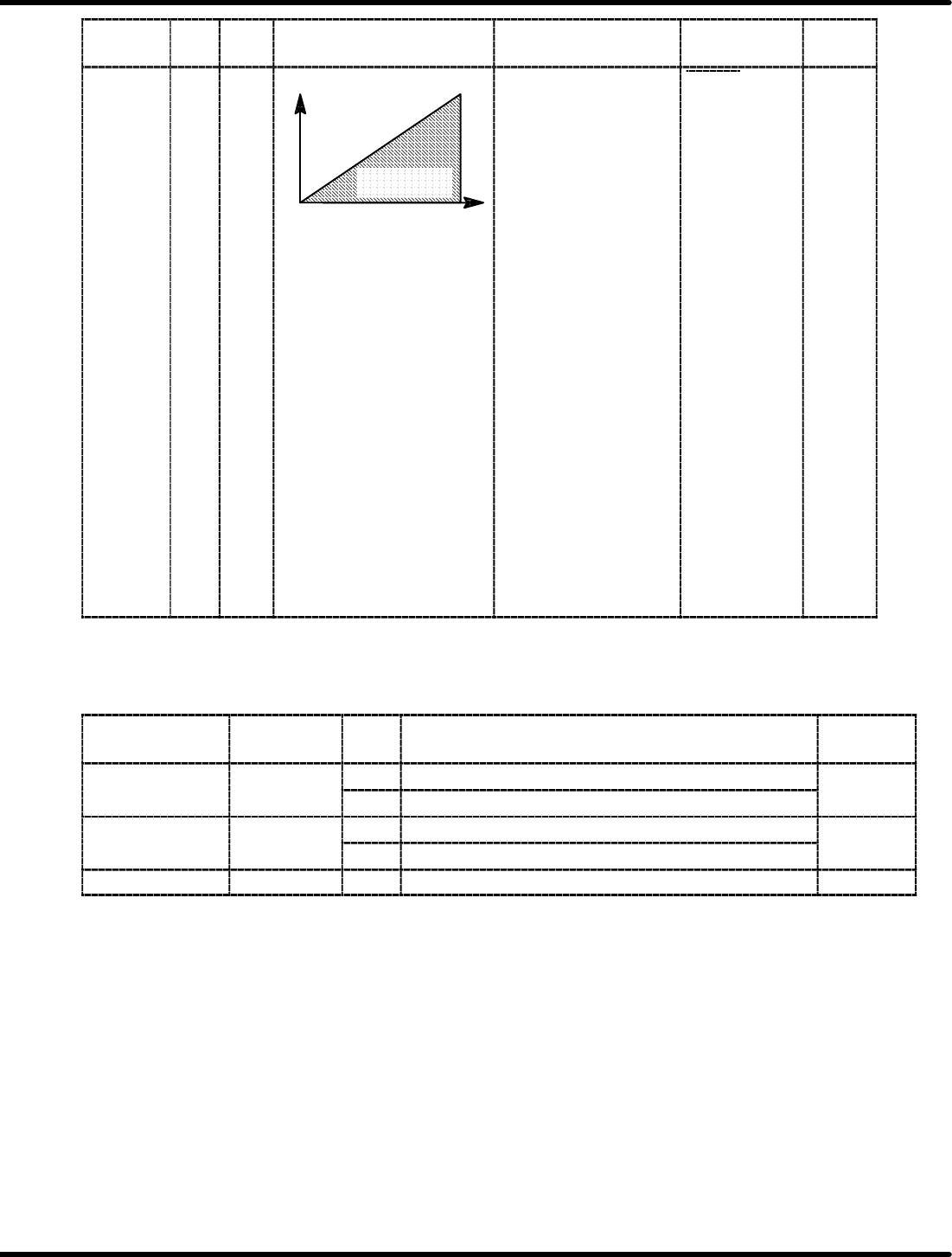
RH5 7.2 AC Servomotor Adjustment SERVICE MANUAL 7.2−22 DA3SEC−84−300−A0 Selected item Bit No. De− fault Description Command input Sequence signal input Refer− ence Control mode B/A 1/1 Motor speed IN−A Speed control rang…
7.2 AC Servomotor Adjustment
SERVICE MANUAL
RH5
7.2−21
DA3SEC−84−300−A0
User Constant Cn−01 (Memory Switch) List
Selected
item
Bit
No.
De−
fault
Description Command input Sequence
signal input
Refer−
ence
Control
mode
B/A 0/0 <Speed control>
x Controls the speed
normally.
x Regards ICN−24 (P−CON
)
as a changeover signal for
P/PI control.
Speed command (IN−A)
Auxiliary command input
(IN−B)
P−CON
OFF: PI control
ON: P control
0/0
0/1 <Speed control with zero
clamp function>
x Stops the motor with zero
speed aside from the
speed command.
x Regards ICN−24 (P−CON
)
as a zero clamp ON/OFF
signal.
P−CON
OFF: Zero
clamp OFF
ON: Zero
clamp ON
1/0 <Torque control 1>
x Controls output torque from
the motor via torque
command (IN−A).
x IN−B cannot be used.
Torque command
(IN−A)
None
1/1 <Torque control 2>
x Use ICN−24 (P−CON
)
as the switching
signal−selectable
between torque control
and speed control.
In torque controlling:
x Controls output torque from
the motor via torque
command (IN−B).
x Speed limit can be
controlled with remote
control. (IN−A)
Speed can be controlled in
both CCW and CW
directions via IN−A voltage
(+).
In torque control:
Torque command (IN−B)
Speed limit (IN−A)
In speed control:
Speed command (IN−A)
=REFERENCE=
x Outside the limit
speed range, the
torque proportional to
the difference with the
limit speed is fed back
negatively to take
back the speed to
within the limit range.
Therefore, the motor
speed limit value
varies according to
the load condition.
x Contact us the motor
speed decreases
continuously by
torque command
P−CON
OFF: Torque
control
ON: Speed
control
RH5
7.2 AC Servomotor Adjustment
SERVICE MANUAL
7.2−22
DA3SEC−84−300−A0
Selected
item
Bit
No.
De−
fault
Description Command input Sequence
signal input
Refer−
ence
Control
mode
B/A 1/1
Motor speed
IN−A
Speed control
range
In torque control:
Torque command (IN−B)
Speed limit (IN−A)
In speed control:
Speed command (IN−A)
=REFERENCE=
x Outside the limit
speed range, the
torque proportional to
the difference with the
limit speed is fed back
negatively to take
P−CON
OFF: Torque
control
ON: Speed
control
0/0
When controlling speed:
x Input speed command
from IN−A.
x IN−B cannot be used.
gy
back the speed to
within the limit range.
Therefore, the motor
speed limit value
varies according to
the load condition.
x Contact us the motor
speed decreases
continuously by
torque command
=REFERENCE=
Cn−02: Reserved
User Constant Cn−02 (Memory Switch) List
Selected
item
Bit No. De−
fault
Description Reference
Reverse turn mode 0 0 Set the normal turn in CCW direction. 0
1 Set the normal turn in CW direction.
Encoder error 1
SR
BY
l
0 Detects encoder trouble. 0
SR BY only
1 Does not detect encoder trouble.
Reserved 2−F Do not set.
7.3 Digital Operator
SERVICE MANUAL
RH5
7.3−1
DA3SEC−84−310−A0
7.3 Digital Operator
DA3SEC−84−310−A0
Sentence No.
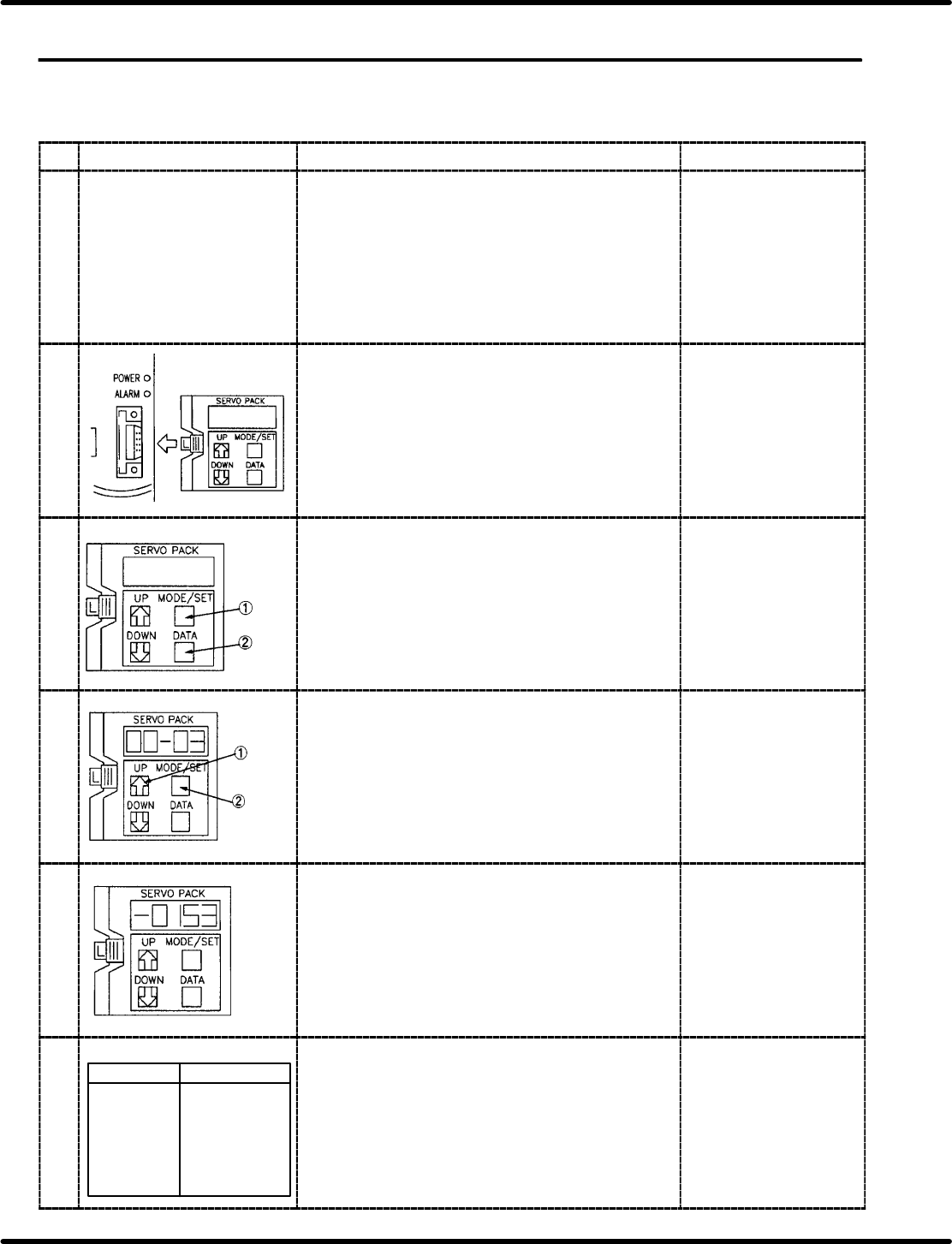
7.3.1 Inputting Offset Value (Cn−00)
Display Procedure Remarks
1 [Menu]
Select the check function
F1: NC axis jog check
F2: NC axis move check
F3: NC data teaching
Press “F1” (NC AXIS JOG CHECK) after pressing
ORG in manual, 1 block mode.
2 Set the digital operator to the desired driver. x Setting the digital
operator changes the
display to “run”.
3 Press MODE/SET key to change the display to Cn−00
and then press DATA key to change to 00−00.
4
Press
three
times.
Press UP key three times to display to 00−03 and
then press MODE/SET for 4−digit numerics.
5 Pressing UP key increases the value and Down key
decreases the value. Using UP and DOWN keys, set
the monitor display to r0.00 mm.
6
[NC axis JOG check]
NC axis Present position
XY table X=+0.00 mm
Y=+0.00 mm
Z axis (casette) 0.00 mm
Loader width
adjustment *****
Unloader width
adjustment *****
Table width
adjustment *****
Press “SEMI” − “1BLOCK” − “RESET” and “START”
and move the X/Y/Z axis. Then press “MANU” −
“1BLOCK” − “ORG.” and “F1” (NC AXIS JOG CHECK)
to make sure each axes indicates r0.00 mm.
xThe values other than
r0.00 mm, shall be
adjusted to r0.00 mm
using UP and DOWN
keys.